
BetterChatX
作者:rebot | 分类:模组
Minecraft 版本: 1.8.9
平台: forge
标签: social
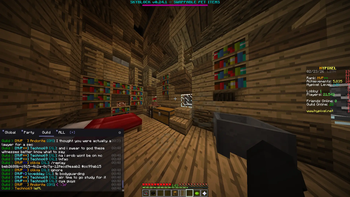
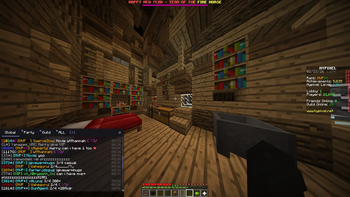
BetterChat
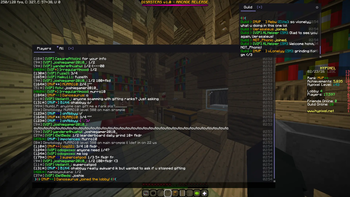
A Minecraft Forge mod for 1.8.9 that completely replaces the default chat with a powerful, customizable, multi-tab chat system.
Features
?️ Tabbed Chat Windows
- Create as many chat tabs as you want, each with its own filter settings
- Double-click a tab to rename it
- Right-click a tab to delete it (confirm with a second right-click)
- Drag tabs to reorder them within a window, just like a browser
- Drag tabs out of the window to spawn them as their own independent floating window
- Drag tabs onto another window to merge them back together
- Click [+] to add a new tab at any time
? Multiple Floating Windows
- Each window is independently draggable and resizable
- Windows remember their position and size between sessions
- Tabs can freely move between windows or become their own window
- Lock window position via the settings menu to prevent accidental moves
? Per-Tab Filtering
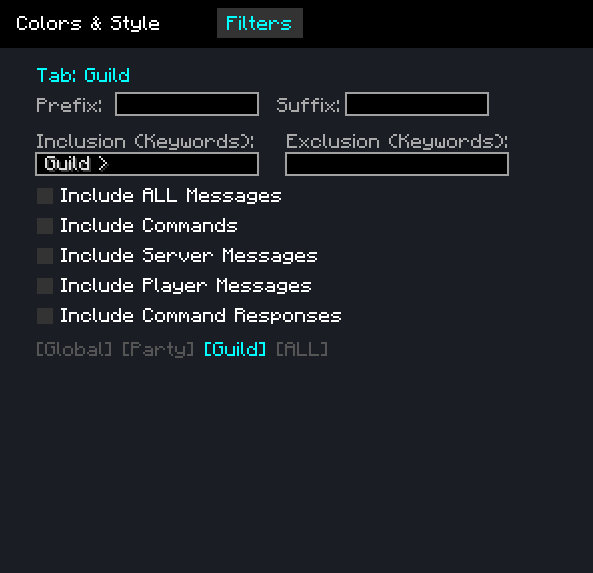
Every tab has its own independent filter configuration, letting you build a chat layout that only shows what you care about:
- Inclusion keywords — only show messages that contain at least one of these words (comma-separated). Useful for a specific player's name, a server channel prefix, or a keyword like
trade - Exclusion keywords — always hide messages containing these words, even if they pass the inclusion filter. Great for muting spam or specific players
- Include All Messages — bypass all filters and show everything on this tab, useful for a dedicated "Global" tab
- Include Player Messages — show chat from other players (messages in
<name>format) - Include Server Messages — show system/server messages that aren't from players (join/leave messages, announcements, etc.)
- Include Commands — show commands you type (messages starting with
/) - Include Command Responses — show server responses to commands you ran within the last few seconds
- Prefix / Suffix — text automatically added before/after every message you send from this tab. For example, a prefix of
[Trade]lets you type naturally while always tagging your messages
Exclusions are checked first, then inclusions. Your own messages always appear on every tab regardless of filters.
? Persistent Chat History
- All chat messages are saved to disk and persist across sessions — your full history is always there when you log back in
- History is shared across all tabs — each tab just filters the same global log differently, so no messages are ever lost
- Date separator bars are shown inline whenever the date changes, so you can always tell when a conversation happened
- Chat always jumps back to the latest messages when you open it
- History saving can be toggled off in settings if you prefer a clean slate each session
? Smart Day-Based Scroll Bar
- The scroll bar represents only the current day's messages — always a comfortable, usable size no matter how much history you have
- ▲ / ▼ arrows appear on the scroll bar to jump between days
- The date (
MM/DD) is shown next to the arrows when browsing older history
? Full Visual Customization
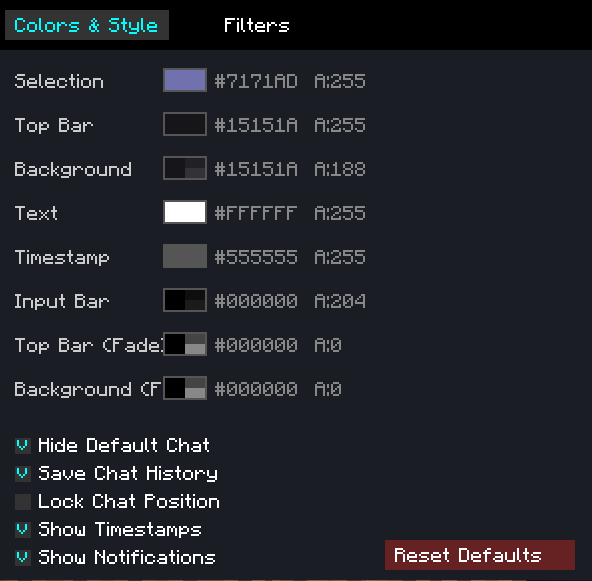
Open the settings panel (⚙ gear icon on any window) to customize:
Colors & Opacity
- 8 individually configurable color slots: tab selection bar, top bar, background, text, timestamps, input bar, and both HUD fade overlay colors
- Each slot has its own fully independent color and opacity setting
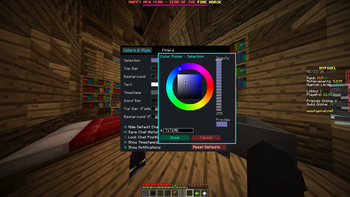
- A full HSB color picker per slot — hue ring, saturation/brightness square, live preview swatch, opacity slider, and direct hex code input
Toggles
- Timestamps — shows
HH:MMnext to each message on the right side - Unread notification dots — a colored dot marks any tab with unseen messages
- Save chat history — disable if you don't want messages persisted to disk
- Lock position — freezes all windows in place so they can't be accidentally moved or resized
- Reset to defaults — restores all colors and toggles to their original values
Per-Tab Settings (accessible from the Filters page)
- Configure inclusion/exclusion keywords, message type toggles, and prefix/suffix per tab, all from one panel
? Unread Notifications
- A colored dot appears on any tab that received a new message while you weren't looking at it
- Disappears as soon as you switch to that tab
Controls
| Action | How |
|---|---|
| Switch tab | Click the tab |
| Rename tab | Double-click the tab |
| Delete tab | Right-click tab (once to mark red, again to confirm) |
| Reorder tab | Drag left/right within the tab bar |
| Detach tab to new window | Drag tab downward out of the bar |
| Merge tab into window | Drag tab onto another window's tab bar |
| Move window | Drag the top bar |
| Resize window | Drag the bottom-right corner handle |
| Scroll by day | Click ▲ / ▼ on the scroll bar |
| Open settings | Click the ⚙ icon (top-right of any window) |
| Add tab | Click [+] in the tab bar |
Installation
- Install Minecraft Forge 1.8.9
- Download the latest
betterchat-1.0.jarfrom Releases - Drop it into your
.minecraft/mods/folder - Launch Minecraft with the Forge profile
Building from Source
Requires JDK 8.
git clone https://github.com/DanielRomanovski/BetterChat.git
cd BetterChat
gradlew build
The compiled jar will be in build/libs/betterchat-1.0.jar.
Compatibility
- Minecraft: 1.8.9
- Forge: 11.15.1.2318
- Side: Client-only — no server installation needed
Config Files
Stored in your Minecraft config/ directory:
| File | Contents |
|---|---|
betterchat.txt |
Window positions, colors, tab names, filter settings |
betterchat_logs.dat |
Full chat history |
请登录后举报
请 登录 后赞助作者。
暂无评论,抢个沙发吧~