
Advanced GUI Manager
作者:rebot | 分类:模组
Minecraft 版本: 1.21.8
平台: fabric
标签: game-mechanics management utility
Advanced Text Display
Build fully custom, interactive menus and persistent HUD overlays — entirely in-game, with no resource packs, no external editors, and no per-menu code. Design shops, quest boards, warp menus, scoreboards-as-UI, timers, and info panels visually, then hook them up to live data using the same raw-JSON text your /tellraw commands already use.
Two edit sections
/gui — windowed menus, opened for specific players on demand. Perfect for shops, kits, warp lists, dialogue, or any menu a player opens and closes.
/ui — persistent screen overlays, always on for every connected player (a live scoreboard, timer, or status HUD) — and unlike a resource-pack HUD, it survives pressing F1 by default.
Everything is built in-game
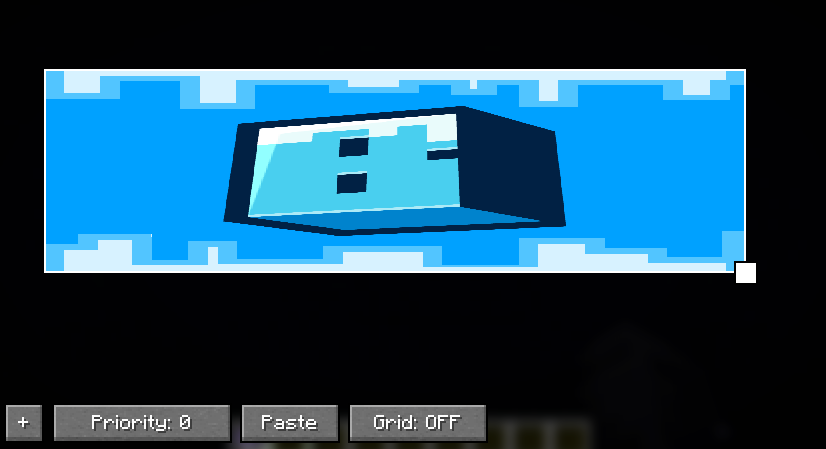
A visual, drag-and-drop editor — no JSON hand-editing, no external tools.Press ` and click + to add elements, drag to position, right-click for a full property panel.
Multi-select, group drag/resize, and copy/cut/paste — even across different GUIs and UIs.
Resolution-independent layout — anchor points and percentage-based sizing mean your menus reflow correctly no matter the player's screen size or GUI Scale.
An optional snap-to-grid for pixel-perfect alignment.
Element types
Button — runs a command (elevated to operator permission, so a shop/kit button works for any player) or opens a URL, with optional custom texture and text scale.
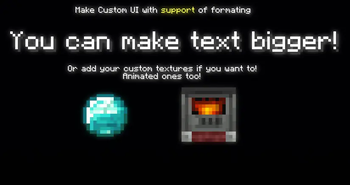
Text — multi-line, with independent per-line formatting/color and full raw-JSON text support, including live storage/scoreboard values — the same {"storage":...}/{"score":...} syntax /tellraw uses.
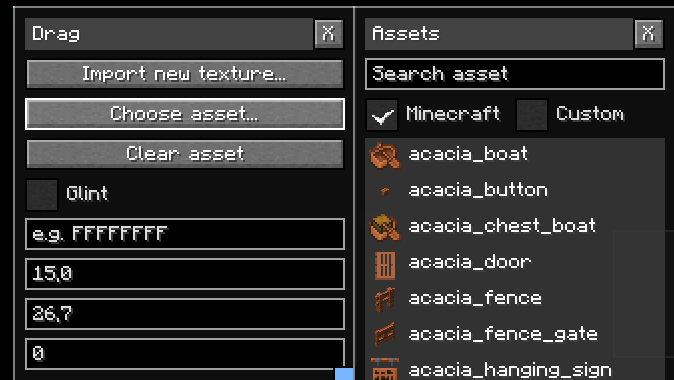
Sprite — show a custom imported image (PNG or animated GIF), or a live-rendered real Minecraft item/block icon — complete with an optional enchant glint — picked from a searchable browser with preview thumbnails, no image editing required.
Textfield — a real, typeable input box that writes whatever the player enters straight into NBT command storage, with an optional command to run right after.
Built for servers
Operator-only, gated by permission level — safe to hand your build team access without giving anything untrusted players can abuse.
Fully macro/function-compatible — /gui and /ui are ordinary commands, so they work from .mcfunction files and macros with zero special configuration.
Per-world storage — everything you build lives inside the world's own save folder, so different worlds/servers never bleed into each other.
Safe by design — a connecting client never permanently caches server-supplied images to disk; they're held in memory for the session and re-fetched on each join.
Commands at a glance
/gui create|edit|open|close|remove
/ui create|edit|hide|show|remove
Requires Fabric API.
请登录后举报
暂无评论,抢个沙发吧~