Get SysTime
作者:rebot | 分类:模组
Minecraft 版本: 1.19 1.19.1 1.19.2 1.19.3 1.19.4 1.20 1.20.1 1.20.2 1.20.3 1.20.4 1.20.5 1.20.6 1.21 1.21.1 1.21.2 1.21.3 1.21.4 1.21.5 1.21.6 1.21.7 1.21.8 1.21.9 1.21.10 1.21.11 26.1 26.1.1 26.1.2 26.2-snapshot-2 26.2-snapshot-3 26.2-snapshot-4 26.2-snapshot-5 26.2-snapshot-6 26.2-snapshot-7 26.2-snapshot-8 26.2-pre-1 26.2-pre-2 26.2-pre-3
平台: datapack
标签: utility
GetSysTime
Bring the real-world clock into Minecraft commands.
GetSysTime is a server-side data pack that reads the local time from the machine running your world and exposes the hour, minute, and second through a scoreboard and command storage. Use it to build clocks, scheduled events, daily rewards, time-based mechanics, or anything else that needs the real time of day.
No mod or resource pack is required.
Features
- Retrieves the current system time on demand
- Provides the hour, minute, and second as easy-to-use scoreboard values
- Also exposes the time through command storage on supported versions
- Works in single-player and on dedicated servers
- Includes setup checks and a complete uninstall function
- Supports Minecraft Java Edition snapshots from 23w03a onward
On a dedicated server, GetSysTime reads the server host's clock and time zone, not each player's local time.
Installation
- Download the version of GetSysTime that matches your Minecraft version.
- Place the downloaded
.zipfile in your world'sdatapacksfolder. - Join the world or run
/reloadif it is already open. - Stand in a safe location inside an always-loaded chunk, preferably near the world spawn, then run:
/function getsystime:setThe setup function places a repeating command block at your position and a marker inside it. The block at that position will be replaced. Running the setup function again safely replaces the previous GetSysTime installation.
Dedicated servers must have command blocks enabled in server.properties:
enable-command-block=trueUsage
Whenever you need the current time, run:
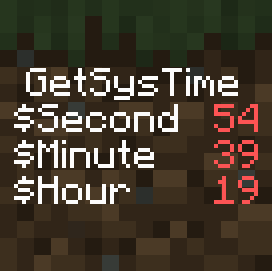
/function getsystime:getThe following fake players in the GetSysTime objective are updated with numeric values:
| Score holder | Value |
|---|---|
$Hour |
Current hour |
$Minute |
Current minute |
$Second |
Current second |
For example, you can read them directly with:
/scoreboard players get $Hour GetSysTime
/scoreboard players get $Minute GetSysTime
/scoreboard players get $Second GetSysTime
Or display the objective while testing:
/scoreboard objectives setdisplay sidebar GetSysTimeThe raw time is also available at getsystime:values input. On snapshot 23w31a and newer, the individual time fields are stored under getsystime:values time as well.
GetSysTime updates these values only when getsystime:get is called, so other data packs can decide how often they need to refresh the time.
Uninstallation
Before deleting the data pack, run:
/function getsystime:uninstallThis removes the command block, marker, scoreboard objective, and storage data created by GetSysTime. You can then remove the .zip file from the world's datapacks folder.
Important notes
- GetSysTime uses a command block's timestamp to read the host system time, so the setup chunk must remain loaded.
- The setup function enables the
sendCommandFeedbackgame rule, which is required for the system to work. - Commands require cheats in single-player or a sufficient permission level on a server.
- For Minecraft versions older than 23w03a, see the legacy version on Planet Minecraft.
Credits and license
Created by EclairDeFeu360.
GetSysTime is licensed under CC BY-SA 4.0. By downloading the data pack, you agree to its license.
Support the creator
- EclairDeFeu360: Buy Me a Coffee
请登录后举报
请 登录 后赞助作者。
暂无评论,抢个沙发吧~