
Cinematic Cameraman
作者:rebot | 分类:模组
Minecraft 版本: 1.20 1.20.1 1.20.2 1.20.3 1.20.4 1.20.5 1.20.6
平台: paper
标签: utility
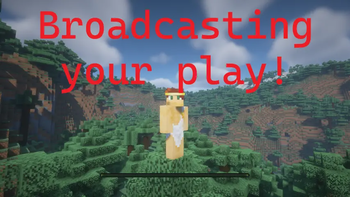
Cinematic Cameraman
Capture the beauty of your Minecraft world automatically.
Cinematic Cameraman is a Paper plugin that transforms a designated player into an intelligent, automated camera operator. Whether you are running a 24/7 live stream, creating a server trailer, or simply want to showcase your community's builds, this plugin handles the camera work for you with professional-grade movements.
? Live Demo
See the plugin in action right now on our 24/7 YouTube Live stream:
Watch Live on YouTube
✨ Key Features
? Professional Camera Movements
Forget static views. The plugin automatically switches between various cinematic perspectives to keep the visuals engaging:
- Orbit: Smoothly circles around players or targets.
- Flyby: Simulates a drone flying past the subject.
- Crane: Vertical sweeping shots perfect for architectural builds.
- Dynamic: A "spring-arm" tracking shot that smooths out player movements.
- Scenic Mode: Captures the landscape itself when no players are around.
? Fully Automated
- Auto-Rotation: Cycles through online players automatically.
- Smart Targeting: If no players are online, it intelligently switches to spectating mobs or scenic views.
- Smooth Transitions: No jarring cuts. The camera interpolates positions smoothly when switching targets.
- Persistence: The cameraman's state is saved and restored even after server restarts or disconnects.
?️ For Server Admins & Streamers
- Zero Interaction Required: Once set, the cameraman runs indefinitely.
- Configurable: Adjust speeds, distances, and active modes to fit your server's style.
- Optimized: Designed to run efficiently on Paper servers.
? Documentation & Commands
For a full list of commands, permissions, and detailed configuration guides, please visit our GitHub repository. We provide comprehensive documentation on how to customize every aspect of the camera behavior.
? View Full Documentation on GitHub
(Please refer to the README on GitHub for installation instructions and command usage.)
请登录后举报
暂无评论,抢个沙发吧~