
Configurable Squid Glow
作者:rebot | 分类:模组
Minecraft 版本: 1.21 1.21.1 1.21.2 1.21.3 1.21.4 1.21.5 1.21.6 1.21.7 1.21.8
平台: datapack
标签: decoration mobs
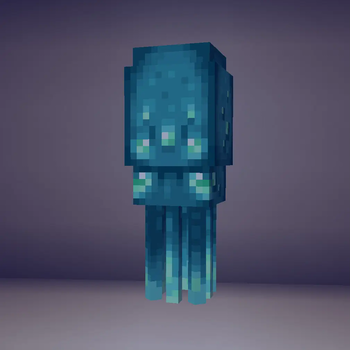
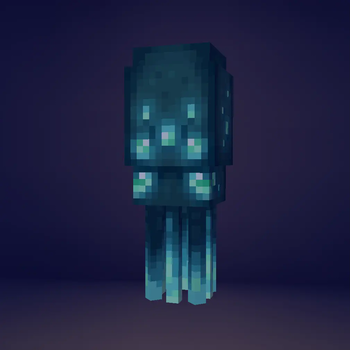
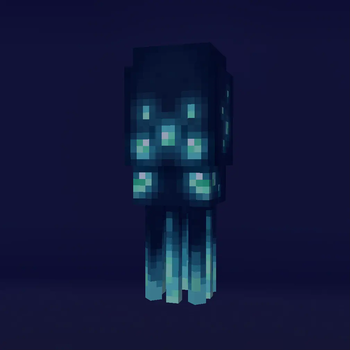

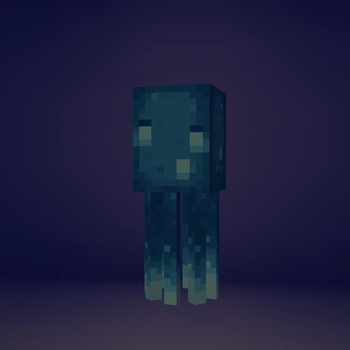

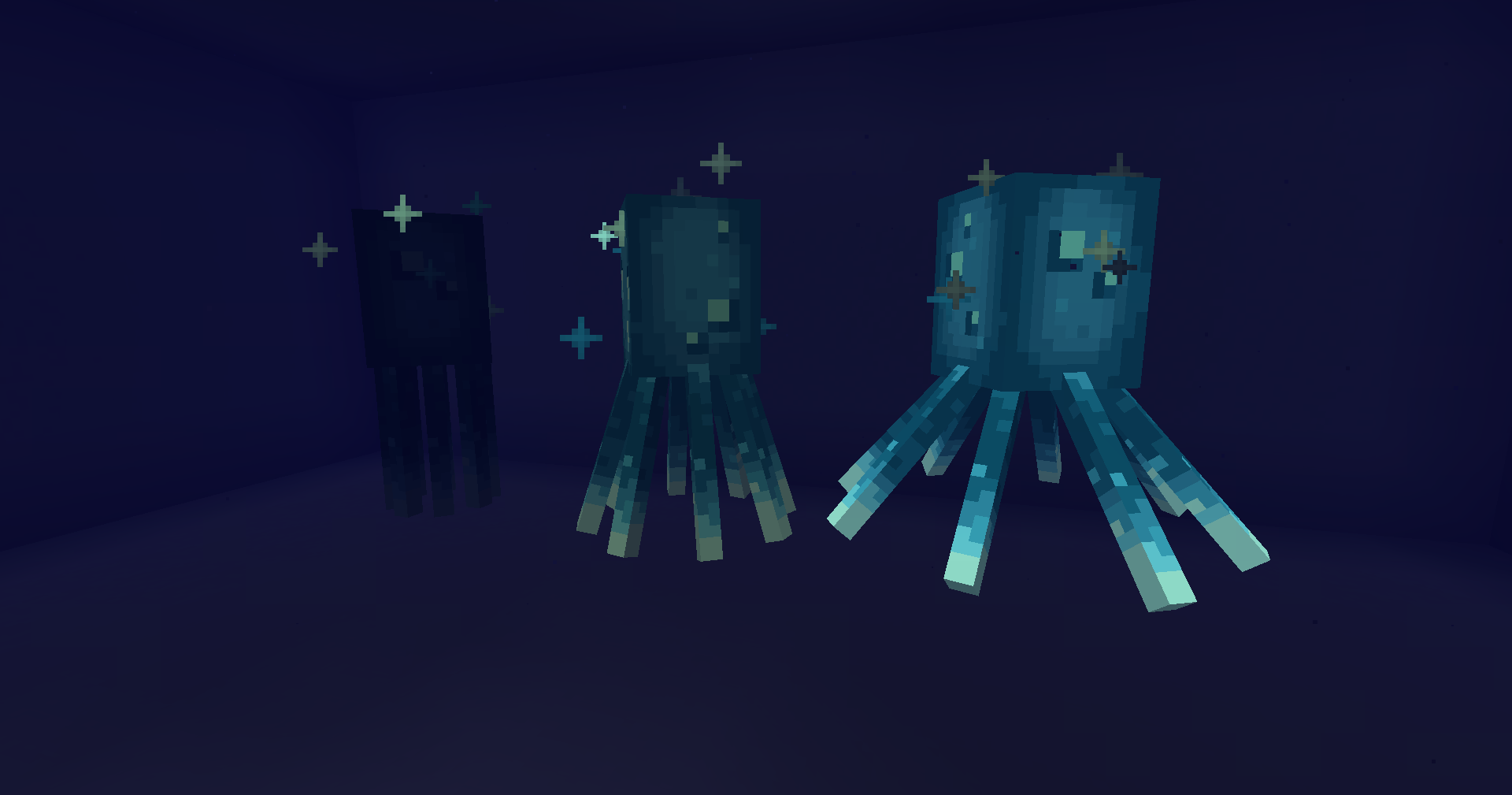
Not a fan of how glow squids completely ignore light levels? Think it looks silly how they're constantly bathed in light yet never actually emit any?
One option is to download a mod or datapack such as Glow Squids Actually Glow, and that would make them look way better... But what if instead you wanted to completely stop them from "glowing"? Well, now you can!
With this datapack, you're able to choose whether or not glow squids "glow", and if so, how much. By default, glow squids will no longer glow, however, this can be changed by using commands.
Compatability
Requirements:
None!
Custom Models & Textures:
This data pack is fully compatible with ALL resource packs, including those which use mods such as EMF to change the model used by glow squids.
Moreover, it can actually improve certain resource packs, specifically those which utilize...
Emissive Layers:
In vanilla, glow squids will almost always glow, only ever going dark for a brief time after taking damage. Since this "glowing" works by making their entire body emissive, any emissive layers added on top won't stand out. By reducing the intensity of the glow or fully removing it, any new emissive textures added by resource packs are given the chance to shine!
To see this in action, consider trying out my resource pack: Slightly Squidier.
Glow Squids Actually Glow by o-Peepo:
Technically compatible but completely nullifies using this pack.
However, if you adjust the code slightly so that glow squids will produce a lower light level — I'd suggest using level 6 — then the two mods will complement one another really well!
Installation
To add this pack to a pre-existing world...
- Select the world
- Click on "Edit"
- Then click "Open World Folder"
- Go into the "datapacks" sub-folder
- Place the datapack ZIP file inside
To add this pack to a new world...
- Select "Create New World"
- Click on "More"
- Then "Data Packs"
- And then "Open Pack Folder"
- Place the datapack ZIP file inside (the pack should then appear under "Available")
- Hover over the datapack icon and click the arrow to enable it
How To Use:
Upon installation, the datapack should load automatically. To make sure it's working, put a glow squid somewhere dark to test whether or not it's glowing. If the datapack is working, it won't be. If that's the case, try using the command "/reload" and check to make sure you have the right version.
Once you have the pack working, you can configure it using these commands:
/function config_sg:glow/on will set the glow to full brightness.
/function config_sg:glow/off will fully disable glowing.
/function config_sg:glow/(1-5) will set the light level to an in-between state.
Unfortunately, setting the glow to 1-5 will cause flickering. This is NOT an issue when setting it to ON or OFF.
Why does this issue occur? On every game tick two things happen: One, the game will attempt to lower the "DarkTicksRemaining" value of all glow squids. And two, the datapack overwrites these values. Since values 0-5 all correspond to different light levels, attempting to set the value to 1-5 on every tick will cause the light level to flicker once per tick. On normal tick speed, this results in 20 flickers per second. "On" doesn't have this problem because the "DarkTicksRemaining" value is set to 0 and cannot be lowered. "Off" doesn't have this issue because values 6-15 all correspond to complete darkness and the datapack sets the value to 15. Technically the game _is_ flickering, but it's flickering between completely dark and completely dark.Uninstallation:
Just remove the datapack from the datapack folder you put it in during installation. All glow squids will return to normal within 15 ticks!
If you want to wipe all traces of the datapack from your world, you'll also need to use the command "/scoreboard objectives remove dark_ticks". This step is completely optional and not doing so shouldn't cause any issues.
请登录后举报
请 登录 后赞助作者。
暂无评论,抢个沙发吧~