
CineCam
作者:rebot | 分类:模组
Minecraft 版本: 26.1.2
平台: fabric
标签: utility

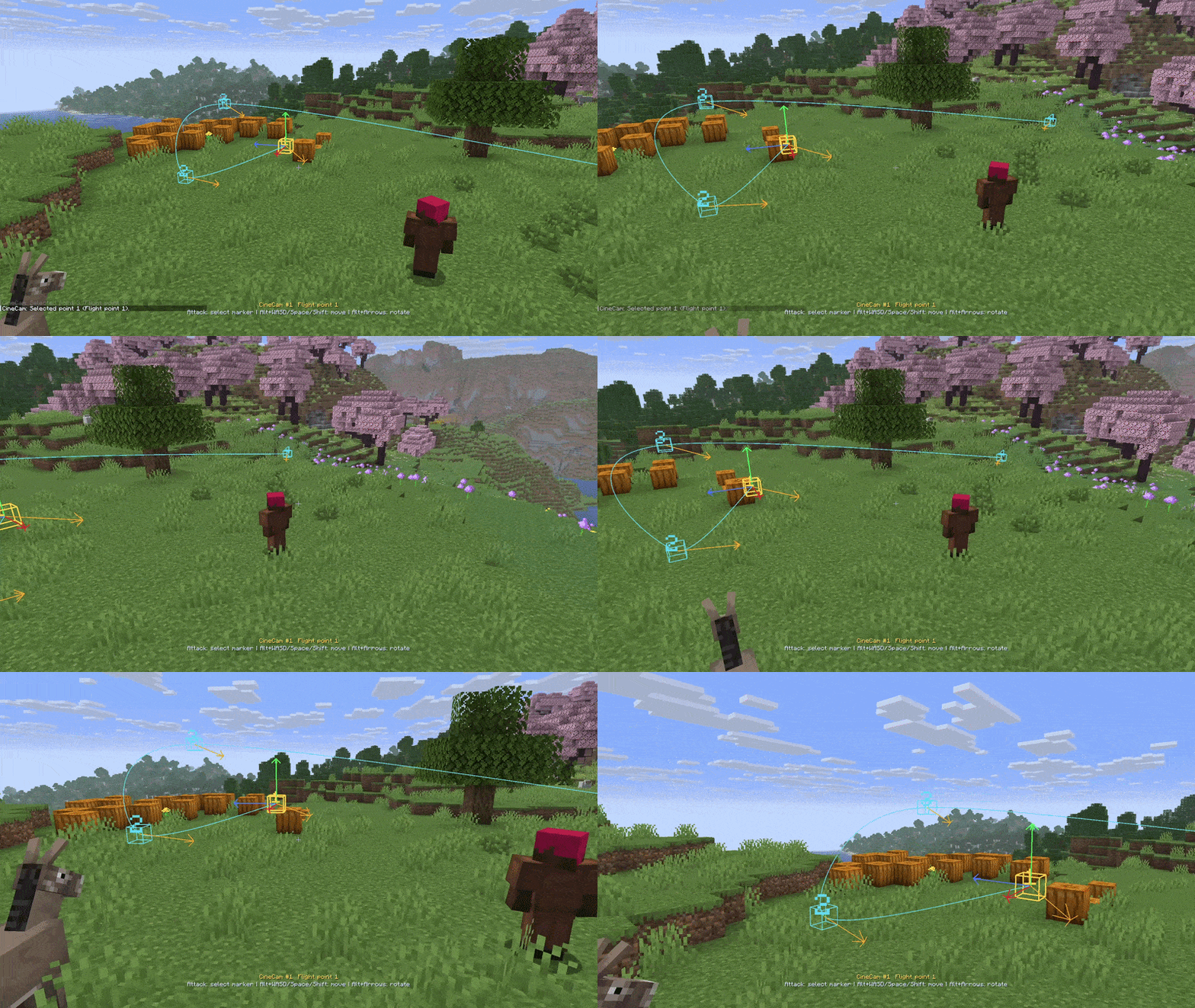
? CineCam
CineCam is a minimalistic tool for creating cinematic camera animations in Minecraft.
? Create smooth flythroughs, static shots, cuts, camera paths, and entity-tracking scenes — directly inside the game. The mod adds a comfortable Free Cam, a visual point editor, and a quick preview system, so you can build cinematic shots without unnecessary hassle.
✨ Features
- ? Free Cam for freely moving the camera around the world.
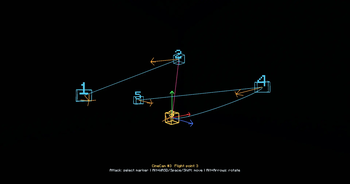
- ? Point-based camera system: build paths using flight and static points.
- ? Smooth transitions between camera points.
- ✂️ Instant cuts for sharp cinematic edits.
- ? Entity tracking during camera movement.
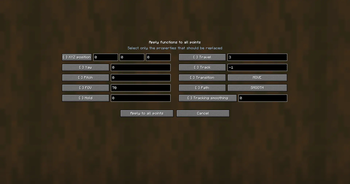
- ? FOV, yaw, pitch, hold time, and travel time customization.
- ? Preview selected and Preview all for quickly testing your scene.
- ? Save and load scenes from
cinecam/scenes/default.json. - ?️ In-world point editing with visual markers and camera direction lines.
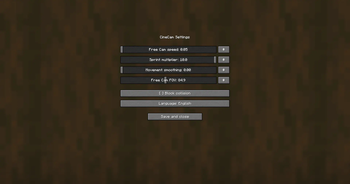
- ⚙️ Free Cam settings: speed, sprint multiplier, movement smoothing, FOV, and interface language.
- ? Motion Capture: Free camera tracking for creating flythroughs.
? Quick Start
- Enter a world and run:
/cinecam-
? Move the Free Cam using WASD, Space, and Shift.
The sprint key increases movement speed. -
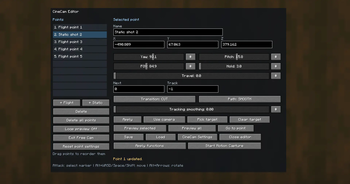
⌨️ Press G to open the CineCam editor.
-
➕ Add camera points:
- ✈️ + Flight — a point for smooth camera movement.
- ? + Static — a point for a static shot.
-
? Adjust the point settings and press Apply.
-
▶️ Start a preview:
- ?️ Preview selected — preview from the selected point.
- ? Preview all — preview the full scene.
? The G key can be changed in the standard Minecraft key bindings menu.
? Point Settings
Each camera point can be adjusted precisely:
- ? X / Y / Z — camera position in the world.
- ? Yaw / Pitch — camera rotation and tilt.
- ? FOV — field of view from
1to179degrees. - ⏸️ Hold — how long the camera stays on this point, in seconds.
- ✈️ Travel — how long it takes to move from this point to the next one.
- ? Next — the next point number.
0automatically selects the next point in order. - ? Track — client-side entity ID for tracking.
-1disables tracking. - ? Track smoothing — smoothness of camera tracking when following a target.
?️ Transitions and Paths
CineCam supports different camera movement styles:
- ? MOVE — smooth movement between points.
- ✂️ CUT — an instant cut after the Hold time.
- ? SMOOTH — soft acceleration and deceleration.
- ➡️ LINEAR — constant movement speed.
- ? SPLINE — smooth Catmull-Rom path through nearby points.
? Pick target uses the entity you were looking at before opening the editor.
⌨️ Commands
/cinecam? Toggle Free Cam on or off.
/cinecam on
/cinecam off
✅ Explicitly enable or disable Free Cam.
/cinecam editor? Open the CineCam editor.
/cinecam preview
/cinecam stop
▶️ Start or stop the preview.
/cinecam save
/cinecam load
? Save or load the scene.
/cinecam settings⚙️ Open settings for Free Cam speed, sprint multiplier, movement smoothing, FOV, and CineCam language.
? In-World Editing
CineCam lets you edit camera points directly in the world:
- ?️ Press the attack button while looking at a point marker to select it.
- ? Hold Alt and use WASD, Space, and Shift to move the selected point.
- ↔️ Alt + Arrow Keys adjust yaw and pitch.
- ? Alt + Page Up / Page Down adjust roll.
Visual helpers make scene building easier:
- ? The blue line shows the camera path.
- ? The orange line shows the camera look direction.
- ? The selected point’s XYZ axes are colored red, green, and blue.
? Who Is This Mod For?
CineCam is made for trailer creators, cinematic video makers, RP scenes, build showcases, machinima projects, and anyone who needs more control than the default Minecraft camera can provide.
✨ Build scenes, tune camera movement, preview your shots, and film Minecraft like you are using a real cinematic camera tool.
请登录后举报
暂无评论,抢个沙发吧~