?Emojify?
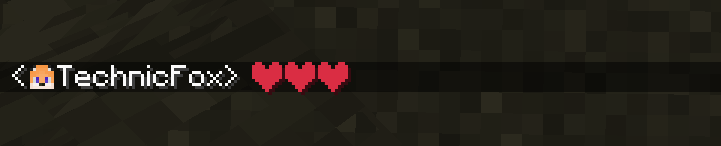
An emoji panel plugin allows players to use emojis in chat using the built into resource pack font function.
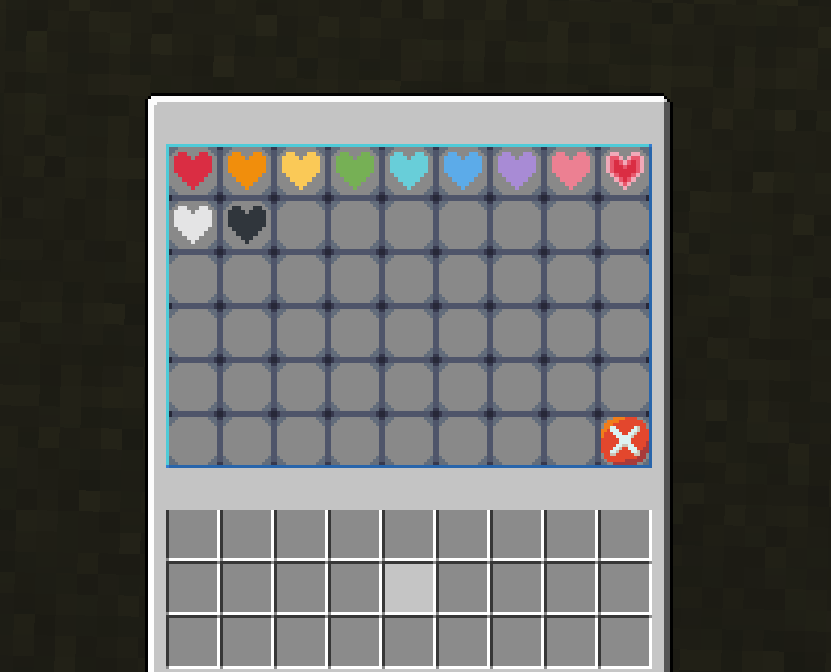
To open the panel type /emoji
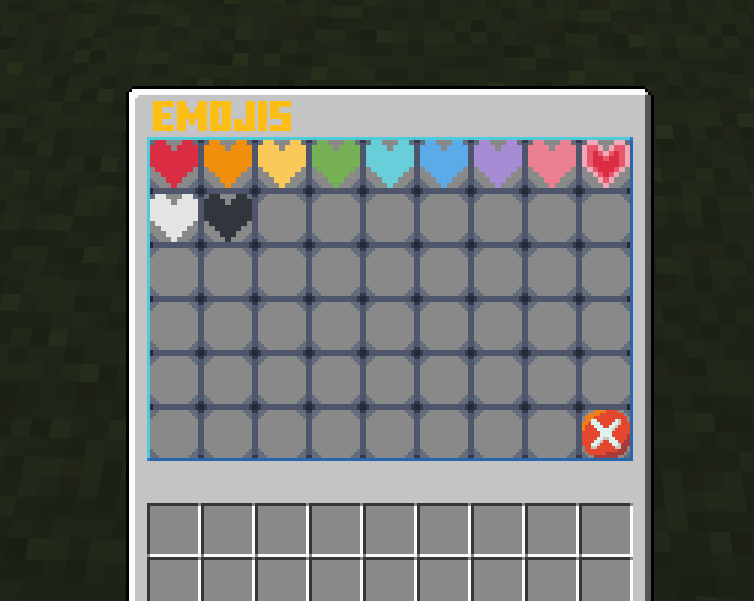
Features
- ?Custom Emojis?
- Custom UI
- Automatic resource pack downloader
Set up
- To make your own emoji, you will first need a
.png file of your emoji.
- Then I recommend making your emoji on already built-in emojis, which you can get from GitHub from here. Then extract the resource pack from the
Emojify.zip and open it in your editor of choice, I will be using VSCode. You should see something like this:
Resource pack
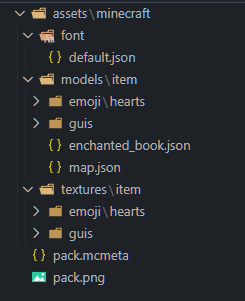
- I will be adding emote of Shrek:
Shrek

-
First place your image.png into assets/minecraft/textures/item/emoji/[Your folder]/image.png.WARNING: your image.png should be all lower caps
-
After that, go to assets/minecraft/font/default.json and create a new bitmap for a random Unicode character you can get from here.
Example
```
{
"providers": [
{"type": "bitmap", "file": "minecraft:item/guis/pixel.png","ascent": -2000,"height": -3,"chars": ["七"]},
{"type": "bitmap", "file": "minecraft:item/guis/upper_section.png","ascent": 13,"height": 222,"chars": ["ㇺ"]},
{"type": "bitmap", "file": "minecraft:item/emoji/hearts/red_heart.png", "ascent": 8, "height": 10, "chars": ["媀"]},
{"type": "bitmap", "file": "minecraft:item/emoji/hearts/orange_heart.png", "ascent": 8, "height": 10, "chars": ["鬣"]},
{"type": "bitmap", "file": "minecraft:item/emoji/hearts/yellow_heart.png", "ascent": 8, "height": 10, "chars": ["觮"]},
{"type": "bitmap", "file": "minecraft:item/emoji/hearts/green_heart.png", "ascent": 8, "height": 10, "chars": ["継"]},
{"type": "bitmap", "file": "minecraft:item/emoji/hearts/light_blue_heart.png", "ascent": 8, "height": 10, "chars": ["佃"]},
{"type": "bitmap", "file": "minecraft:item/emoji/hearts/blue_heart.png", "ascent": 8, "height": 10, "chars": ["青"]},
{"type": "bitmap", "file": "minecraft:item/emoji/hearts/purple_heart.png", "ascent": 8, "height": 10, "chars": ["橙"]},
{"type": "bitmap", "file": "minecraft:item/emoji/hearts/pink_heart.png", "ascent": 8, "height": 10, "chars": ["紫"]},
{"type": "bitmap", "file": "minecraft:item/emoji/hearts/heartpulse.png", "ascent": 8, "height": 10, "chars": ["梾"]},
{"type": "bitmap", "file": "minecraft:item/emoji/hearts/white_heart.png", "ascent": 8, "height": 10, "chars": ["白"]},
{"type": "bitmap", "file": "minecraft:item/emoji/hearts/black_heart.png", "ascent": 8, "height": 10, "chars": ["黒"]},
{"type": "bitmap", "file": "minecraft:item/emoji/shrek/pepe_shrek.png", "ascent": 8, "height": 10, "chars": ["ࢢ"]}
]
}
```

You can change "ascent" and "height" to change how it is displayed
- Then create new json file
assets/minecraft/models/item/emoji/[Your folder]/[Your emoji name].json and paste this into it:
Example
```
{
"parent": "minecraft:item/generated",
"textures": {
"layer0": "minecraft:item/emoji/shrek/pepe_shrek"
}
}
```
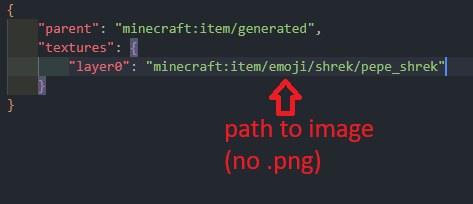
**WARNING**:Do not use ```.png``` extension at the end of the file path
- Then go to
assets/minecraft/models/item/enchanted_book.json and add your model that you created before:
Example of enchanted_book.json
```
{
"parent": "minecraft:item/generated",
"textures": {
"layer0": "minecraft:item/enchanted_book"
},
"overrides": [
{"predicate": {"custom_model_data": 101}, "model":"minecraft:item/emoji/hearts/red_heart"},
{"predicate": {"custom_model_data": 102}, "model":"minecraft:item/emoji/hearts/orange_heart"},
{"predicate": {"custom_model_data": 103}, "model":"minecraft:item/emoji/hearts/yellow_heart"},
{"predicate": {"custom_model_data": 104}, "model":"minecraft:item/emoji/hearts/green_heart"},
{"predicate": {"custom_model_data": 105}, "model":"minecraft:item/emoji/hearts/light_blue_heart"},
{"predicate": {"custom_model_data": 106}, "model":"minecraft:item/emoji/hearts/blue_heart"},
{"predicate": {"custom_model_data": 107}, "model":"minecraft:item/emoji/hearts/purple_heart"},
{"predicate": {"custom_model_data": 108}, "model":"minecraft:item/emoji/hearts/pink_heart"},
{"predicate": {"custom_model_data": 109}, "model":"minecraft:item/emoji/hearts/heartpulse"},
{"predicate": {"custom_model_data": 110}, "model":"minecraft:item/emoji/hearts/white_heart"},
{"predicate": {"custom_model_data": 111}, "model":"minecraft:item/emoji/hearts/black_heart"},
{"predicate": {"custom_model_data": 201}, "model":"minecraft:item/emoji/shrek/shrek"}
]
}
```
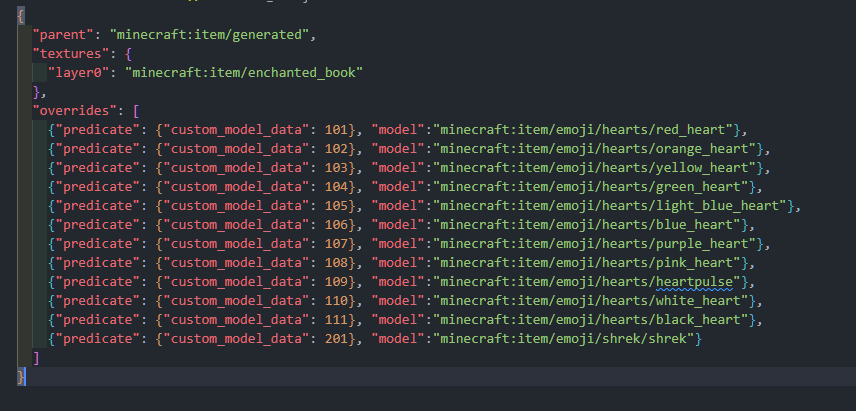
**WARNING**:Do not use ```.json``` extension at the end of the file path and make sure that the custom_model_data goes up in numerical order, if not it will not display the custom item
- And finally just go to your server and modify the
plugins/Emojify/config.yml like this:
Example of config.yml
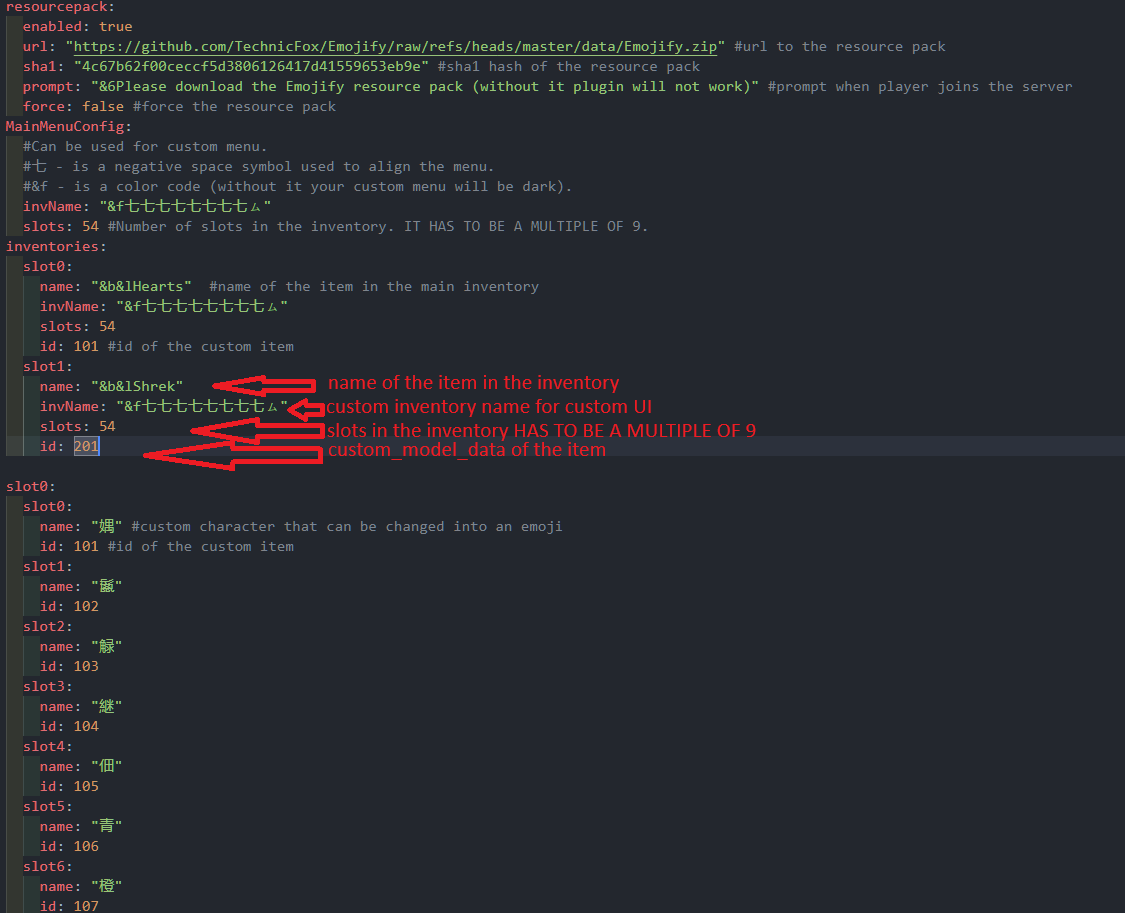
```
inventories:
slot0:
name: "&b&lHearts" #name of the item in the main inventory
invName: "&f七七七七七七七七ㇺ"
slots: 54
id: 101 #id of the custom item
slot1:
name: "&b&lShrek"
invName: "&f七七七七七七七七ㇺ"
slots: 54
id: 201
```
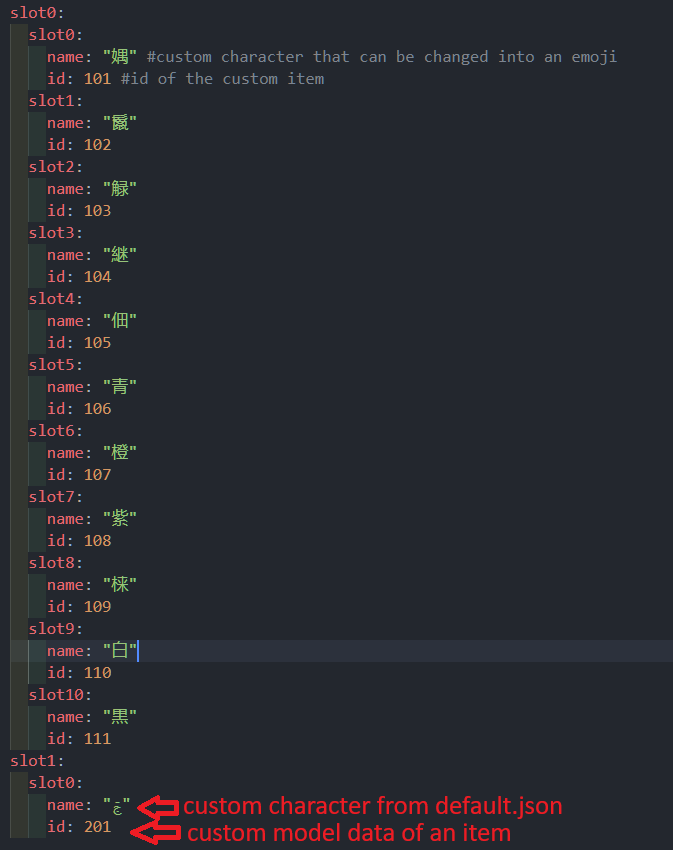
```
slot1:
slot0:
name: "ࢢ"
id: 201
```
- One last thing, compress your resource pack to
.zip and upload it to mc-packs.net and enter url and hash to plugins/Emojify/config.yml.
Upload the resource pack
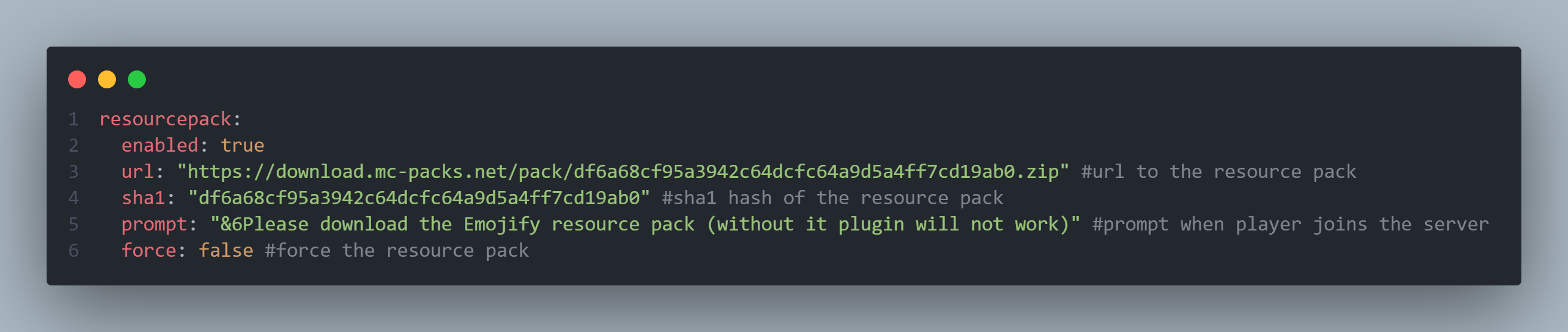
```
resourcepack:
enabled: true
url: "https://download.mc-packs.net/pack/df6a68cf95a3942c64dcfc64a9d5a4ff7cd19ab0.zip" #url to the resource pack
sha1: "df6a68cf95a3942c64dcfc64a9d5a4ff7cd19ab0" #sha1 hash of the resource pack
prompt: "&6Please download the Emojify resource pack (without it plugin will not work)" #prompt when player joins the server
force: false #force the resource pack
```
Result
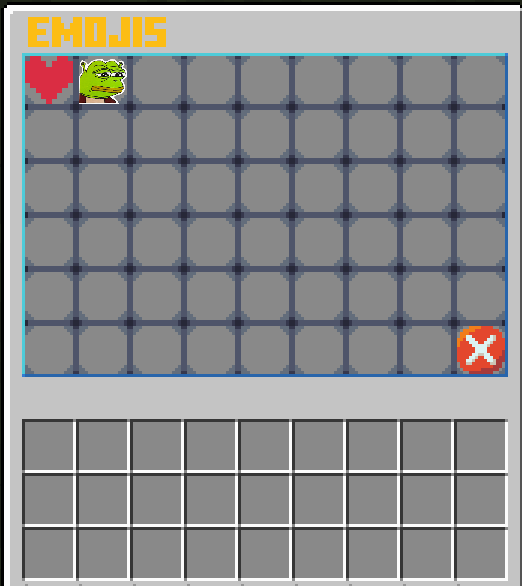

FAQ
Why does it take so long to create an emoji?
I know, and I am planning on realising some sort of automation tool
I found some bug or glitch, or I have a suggestion!!!
Feel free to share the suggestion, bugs and glitches with me on Discord TechnicFox
You said that there is custom UI
I am still experimenting with this feature, but for now you can try modifying the assets/minecraft/textures/item/guis/upper_section.png

暂无评论,抢个沙发吧~