
ModernConfig
作者:rebot | 分类:模组
Minecraft 版本: 26.1 26.1.1 26.1.2
平台: fabric
标签: library
ModernConfig
 **A beautiful, modern configuration library for Minecraft mods**
[](LICENSE)
[](https://minecraft.net)
[](https://fabricmc.net)
[](https://modrinth.com/mod/modernconfig)
**A beautiful, modern configuration library for Minecraft mods**
[](LICENSE)
[](https://minecraft.net)
[](https://fabricmc.net)
[](https://modrinth.com/mod/modernconfig)
? Overview
ModernConfig is a sleek configuration library for Minecraft Fabric mods that makes managing settings easy. No more config commands - ModernConfig has animations, a modern style, and its really easy to implement in your mods.
✨ Features
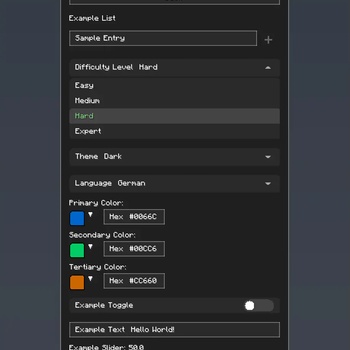
? Configuration Options
- ? Toggles: Boolean switches - on or off
- ? Text Fields: String inputs
- ?️ Sliders: Numeric inputs with customizable ranges and precision
- ? Lists: Dynamic string lists with add/remove functionality
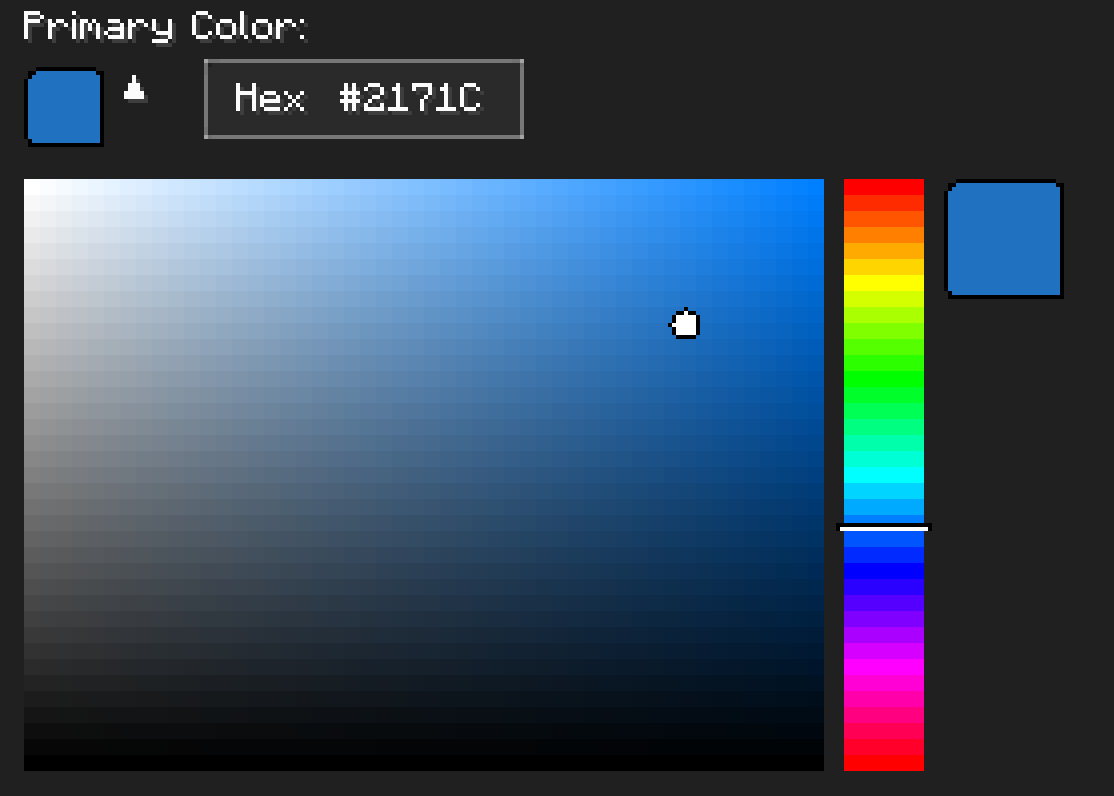
- ? Color Pickers: HSV color selection with hex input support
- ? Dropdowns: Selection menus
- ? Categories: Organized sections with nested configurations
? Easy to Develop with
- Simple API: Easy to use Builder
- Listeners for config updates: Register a listener to fire when the config changes
? Other Features
- Global Config Screen: One place to access all mods configs
- Integrated Keybind: Right Shift opens the config (configurable)
- Performance Optimized: Non FPS draining animations
? Screenshots
Main Interface
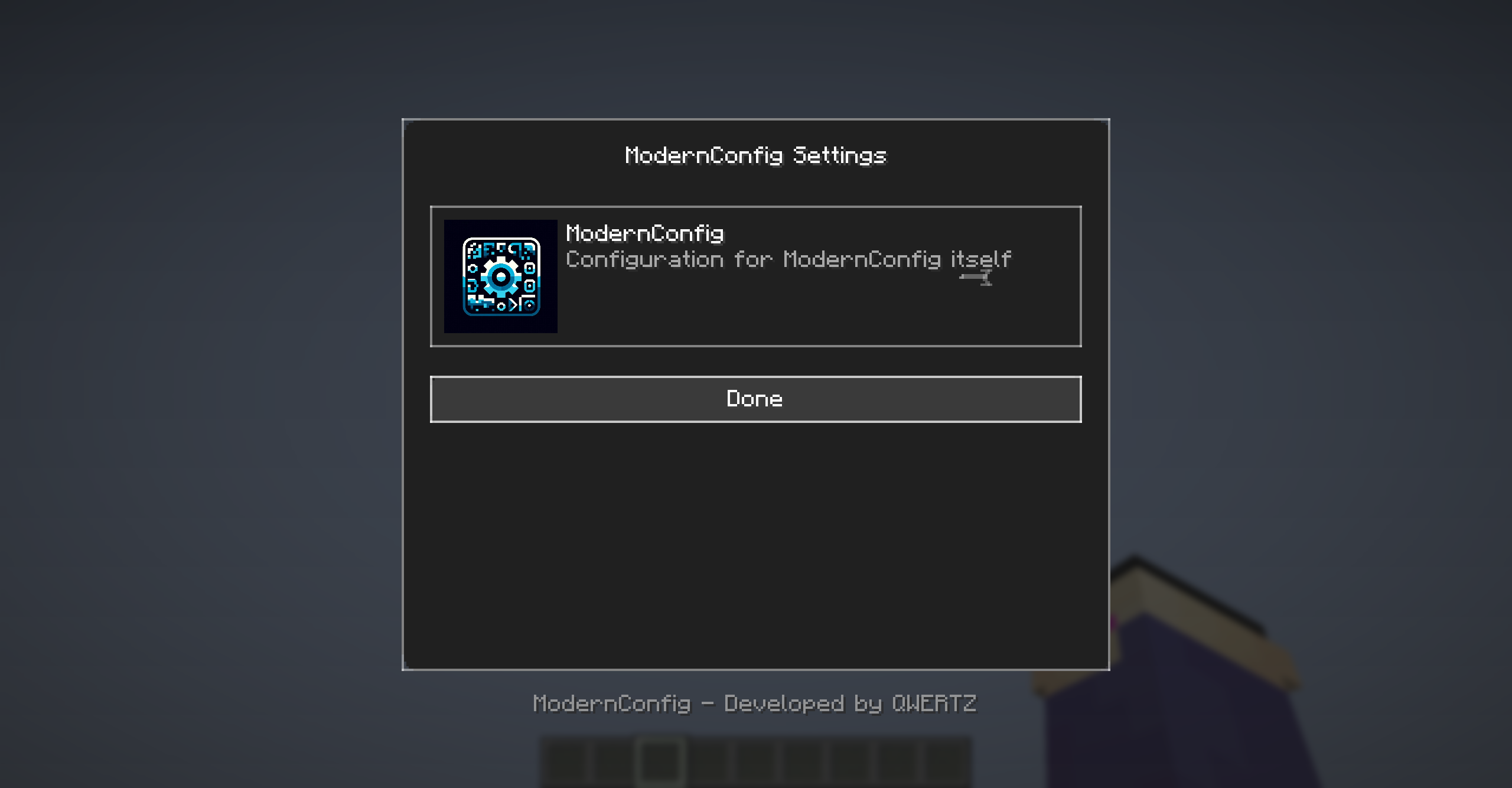
Main interface with animations and modern design
Configuration Options
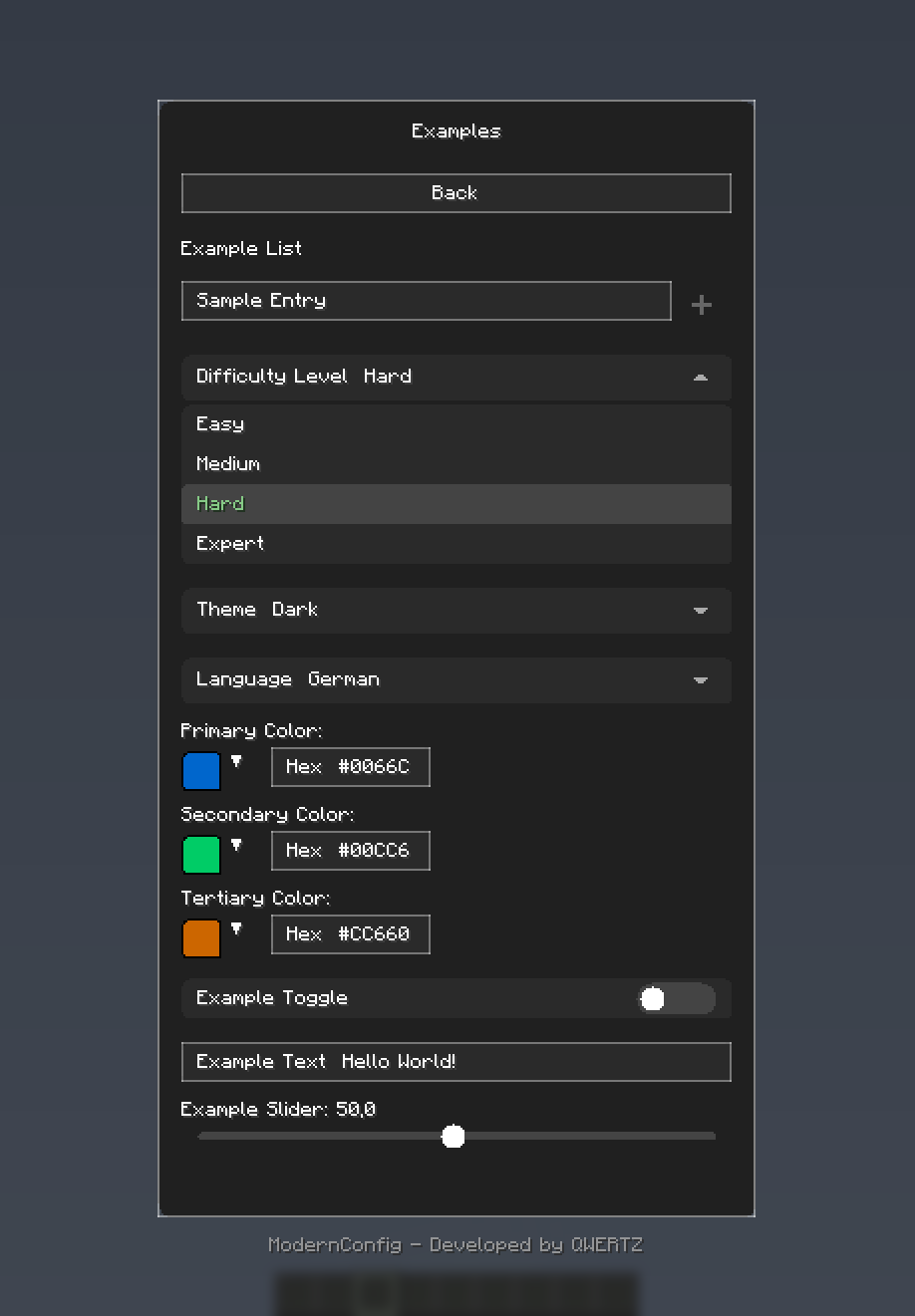
Rich variety of input types: toggles, sliders, text fields, and more
Color Picker
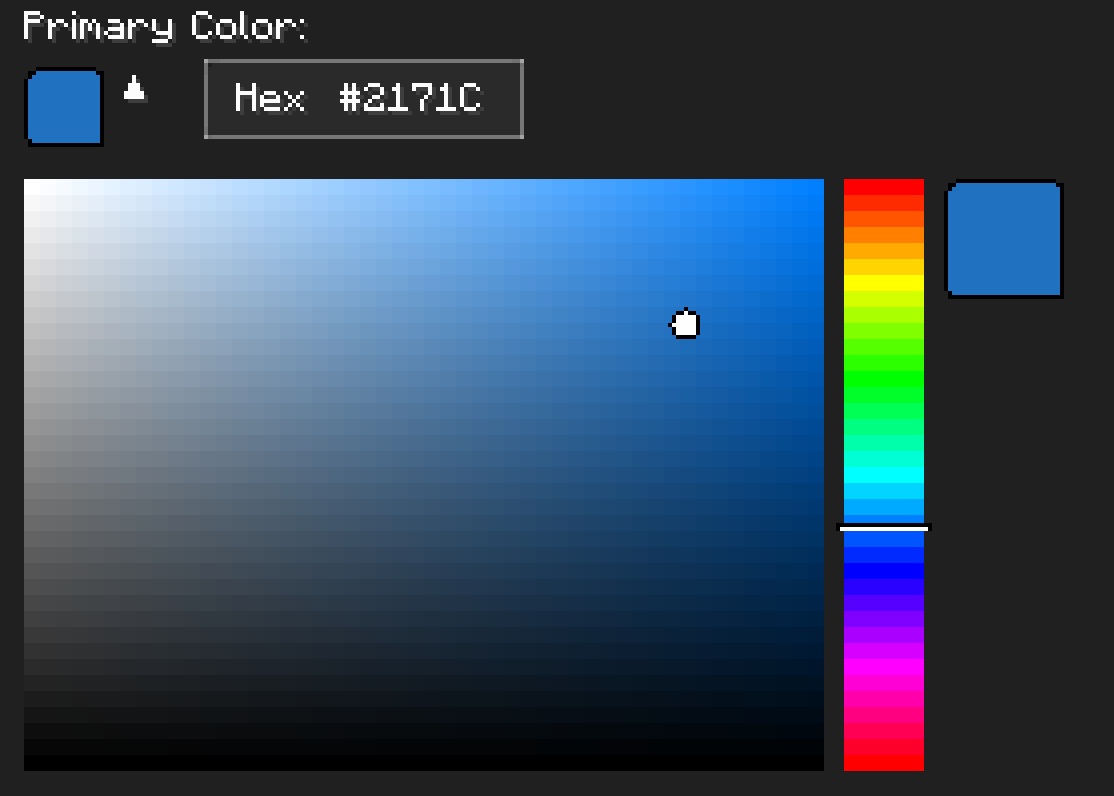
HSV color picker with real-time preview
? Installation
For Players
-
Download and Install Fabric
- Get Fabric Loader
- Install Fabric API
-
Download ModernConfig
- Download from Modrinth
-
Install the Mod
- Place the
.jarfile in yourmodsfolder - Launch Minecraft with the Fabric profile
- Place the
For Developers
Add ModernConfig to your build.gradle:
repositories {
    maven {
        name = 'QWERTZ-Repo'
        url = 'https://repo.qwertz.app/'
    }
}

dependencies {
    modImplementation 'app.qwertz:modernconfig:1.3'
}
? Usage
Opening the Configuration
- In-Game: Press
Right Shift(you can change this keybind)
Navigation
- Main Screen: Shows all mods that use ModernConfig
- Click a Mod: Opens that mod's settings
- Back Button: Goes back to the previous screen
? Developer Guide
Quick Start
Here is how easy it is to set up a config:
public class YourMod implements ClientModInitializer {

    @Override
    public void onInitializeClient() {
        ModernConfig config = ConfigBuilder.create("YourMod", "Your Mod Configuration")
            .toggle("enabled", "Enable Mod", true)
            .slider("power", "Power Level", 50, 0, 100, 1)
            .text("username", "Player Name", "Steve")
            .color("theme_color", "Theme Color", 0x4A90E2)
            .list("whitelist", "Player Whitelist", "Player Name")
            .dropdown("difficulty", "Difficulty", Arrays.asList("Easy", "Normal", "Hard"), "Normal")
            .build();
    }
}
Using Categories
When you have lots of settings, organize them into categories:
ModernConfig config = ConfigBuilder.create("AdvancedMod", "Advanced Mod Settings")
    .category("general", "General Settings", "Main configuration options", category -> category
        .toggle("enabled", "Enable Mod", true)
        .slider("update_interval", "Update Interval", 20, 1, 100, 1)
        .text("server_url", "Server URL", "https://api.example.com")
    )
    .category("ui", "User Interface", "Customize the user interface", category -> category
        .color("primary_color", "Primary Color", 0x4A90E2)
        .color("secondary_color", "Secondary Color", 0x2ECC71)
        .dropdown("theme", "Theme", Arrays.asList("Dark", "Light", "Auto"), "Dark")
        .slider("ui_scale", "UI Scale", 1.0f, 0.5f, 2.0f, 0.1f)
    )
    .category("advanced", "Advanced Settings", "Advanced configuration options", category -> category
        .toggle("debug_mode", "Debug Mode", false)
        .list("blocked_items", "Blocked Items", "Item ID")
        .list("whitelist", "Whitelisted Servers", "IP")
        .text("api_key", "API Key", "")
    )
    .build();
Accessing Configuration Values
// Get configuration options by category path
ConfigOption<?> enabledOption = config.getOption("general", "enabled");
ConfigOption<?> updateOption = config.getOption("general", "update_interval");
ConfigOption<?> whitelistOption = config.getOption("advanced", "whitelist");

// Get the actual values
boolean isEnabled = (Boolean) enabledOption.getValue();
int updateInterval = (Integer) updateOption.getValue();
List<String> whitelist = (List<String>) whitelistOption.getValue();
? Configuration Options
Toggle (Boolean)
.toggle("toggle_id", "Display Name", defaultValue)- Purpose: On/off switches
- Examples: Feature flags, enable/disable options
Text Field (String)
.text("text_id", "Display Name", "default_value")
.text("text_id", "Display Name", "default_value", maxLength)- Purpose: Text input fields
- Examples: Player names, server URLs, file paths, API keys
Slider (Numeric)
.slider("slider_id", "Display Name", defaultValue, minValue, maxValue, step)- Purpose: Numeric input with range constraints
- Examples: Percentages, scales, intervals, counts, delays
Color Picker (Integer)
.color("color_option_id", "Display Name", 0xRRGGBB)- Purpose: Color selection with color picker
- Examples: Theme colors, highlighting, UI customization
List (String Array)
.list("list_id", "Display Name", "Item Display Name")- Purpose: Lists of text entries
- Examples: Player whitelists, blocked items, keywords
Dropdown (String Selection)
.dropdown("dropdown_id", "Display Name", Arrays.asList("Option1", "Option2"), "Default")- Purpose: Pick one option from a list
- Examples: Difficulty levels, themes, render modes, language selection
Categories (Organization)
.category("category_id", "Category Name", "Description", category -> category
    // Add options here
)- Purpose: Organize related options
- Examples: Group related settings logically
? Contributing
Pull Request Process
- Fork the repository
- Make your changes
- Test it
- Submit a pull request
? Credits
Development Team
- QWERTZ - Lead Developer - @QWERTZexe
? Support
- Discord: Join our server
? Star History
请登录后举报
暂无评论,抢个沙发吧~