
World Viewer
作者:rebot | 分类:模组
Minecraft 版本: 1.21.11
平台: fabric
标签: adventure technology utility
World Viewer
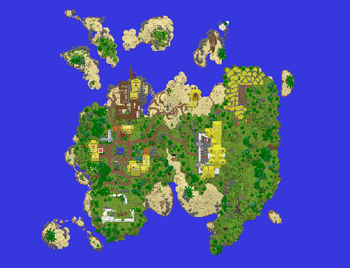
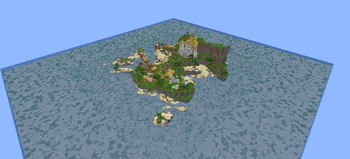
World Viewer is a client-side mod that saves the chunks a server streams to you into a normal Anvil world you can open in singleplayer, and shows you a live map of exactly which chunks you have downloaded, not just a count.
As you move around, the area you have explored fills in. Places you never visited stay as void, so the edge of your download is obvious at a glance.
Features
- Automatic download. On by default. Join a server, start moving, and every chunk the server sends is saved as you load it. A small status indicator shows at the top of the screen.
- Live download map. Press
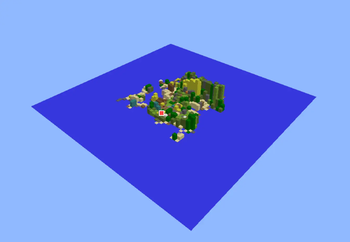
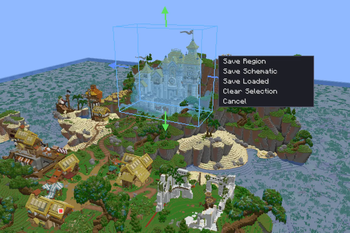
Mto open it. A 3D voxel view of your downloaded world plus a flat 2D top-down map (toggle withV). Brightly coloured chunks are saved to disk; dimmed chunks are loaded but not yet saved. - Two cameras. Orbit (right-drag to rotate, left-drag to pan, scroll to zoom) and a free-fly "drone" (
WASDto move, space/shift for up/down, drag to look, scroll to change speed). - Area selection and export. Pick a box in either view, then save it as a clipped Anvil region or a
.schemschematic. You can also save everything currently loaded around you. - Real, version-correct saves. Chunk data is written with Minecraft's own serializer, so palettes, biomes, heightmaps and lighting are byte-exact and the world opens normally in singleplayer.
- Multi-dimensional. Fly through a portal and the Nether and End are written into the same world.
- Configurable. Auto-download, 3D detail capture, anti-aliasing, detail range, field of view, look sensitivity, a rebindable open-map key, and the save folder. All saved to
config/wdl.json.
Commands
| Command / key | What it does |
|---|---|
Press M |
Open the map (rebindable in the settings panel or Controls). |
/wdl save |
Force-save every chunk currently loaded around you. |
/wdl auto on / off |
Toggle automatic downloading. |
/wdl detail on / off |
Toggle full 3D voxel capture. |
/wdl output <folder> |
Set where worlds are saved (blank = .minecraft/saves). |
/wdl settings |
Open the settings panel. |
/wdl status |
Show state, saved/loaded counts, and the output folder. |
Requirements
- Fabric Loader and Fabric API
- Use the download that matches your Minecraft version. Builds are provided per version (currently 1.21.8 and 1.21.11).
Good to know
These are inherent to any client-side downloader, not bugs:
- You can only save what the server sends you, i.e. chunks within your render distance. To download an area, go there. A higher render distance loads more at once.
- Container contents are usually empty. Servers do not send chest/barrel inventories until you open them, so most containers download empty. Signs, banners, and similar block data are saved.
- No entities yet (mobs, item frames, paintings). Blocks, block entities, biomes, and lighting are saved.
- Respect server rules. Many servers forbid world-ripping. Use this on your own servers, in singleplayer, or where you have permission.
THIS MOD IS EXPERIMENTAL REPORT BUGS TO @alpha.162 ON DISCORD
License
Source-available, all rights reserved. You may use the official builds and include them in modpacks (unmodified, with credit and a link back). Please do not re-upload the mod elsewhere or distribute modified versions without permission.
请登录后举报
暂无评论,抢个沙发吧~