
Hopper Stats
作者:rebot | 分类:模组
Minecraft 版本: 26.1 26.1.1 26.1.2
平台: fabric
标签: storage utility
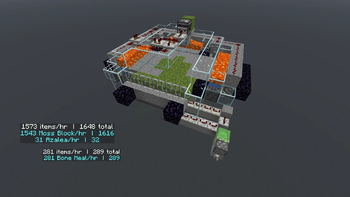
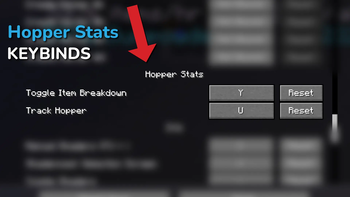
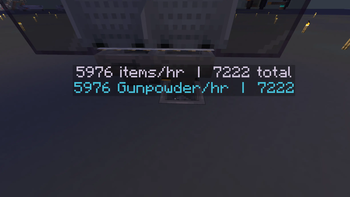
Hopper Stats adds a simple, clean overlay that displays real-time statistics for hoppers in your world -- including items per second, total items transferred, and whether the hopper is active or blocked.
How to Use
Hold Keybind + Right Click - Hold set Keybind & click a hopper to activate its counter
Hold Settings Keybind + Right Click - To access Hopper Stats Settings
Toggle Item Details - Look at a hopper and press the keybind to show/hide per-item breakdown
Features
- Real-time items per second display
- Total items transferred counter
- Active / blocked status at a glance
- Per-item detail breakdown
- Works on singleplayer and multiplayer servers
How this mod differs from other mods:
- It is a world persistent realtime tracker you can activate on your farms, adjust the size of the display, placement and more.
Its purpose
To keep a running, active, persistent log of of total items farmed, in any farm, in any of your worlds.
Can be used to run hourly tests, or total items over time.
TLDR: Choose a hopper > turn it on > see how much Iron, Gold or other items you have farmed, per farm, from day 1 until you decide to reset it.
Server Use
Step 1: Install it into your Server Mod folder
Step 2: Install it into your Client Side Mod folder
Anyone on the server can see the displays.
Anyone with the mod installed client side can begin tracking hoppers.
Coming soon: Ownership setting. Toggle "Global" on and off to allow/prevent anyone from messing with your tracked hoppers.
Credits
Built by Chapman!
请登录后举报
请 登录 后赞助作者。
暂无评论,抢个沙发吧~