
WireSight
作者:rebot | 分类:光影包
Minecraft 版本: 1.8 1.8.1 1.8.2 1.8.3 1.8.4 1.8.5 1.8.6 1.8.7 1.8.8 1.8.9 1.9 1.9.1 1.9.2 1.9.3 1.9.4 1.10 1.10.1 1.10.2 1.11 1.11.1 1.11.2 1.12 1.12.1 1.12.2 1.13 1.13.1 1.13.2 1.14 1.14.1 1.14.2 1.14.3 1.14.4 1.15 1.15.1 1.15.2 1.16 1.16.1 1.16.2 1.16.3 1.16.4 1.16.5 1.17 1.17.1 1.18 1.18.1 1.18.2 1.19 1.19.1 1.19.2 1.19.3 1.19.4 1.20 1.20.1 1.20.2 1.20.3 1.20.4 1.20.5 1.20.6 1.21 1.21.1 1.21.2 1.21.3 1.21.4 1.21.5 1.21.6 1.21.7 1.21.8 1.21.9 1.21.10 1.21.11
平台: optifine
标签: cartoon potato

🟢 WireSight
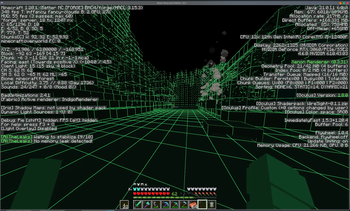
🧱 WireSight is an experimental, low-overhead Minecraft Java shaderpack that renders the world like a solid modeling view: dark green faces with bright green block edges.
⚙️ The pack targets the OptiFine shaderpack format shared by Iris, Oculus, and OptiFine. Its core path uses GLSL 1.20, a single terrain pass, normal depth writes, and no shadows or full-screen post-processing.



💬 Shaderpack usage / 🐛 Bug reports / 👨💻 Development discussion — Join our QQ Group: 259248174 🎉 (This group is gone)
💬 Shaderpack usage / 🐛 Bug reports / 👨💻 Development discussion — Join our QQ Group: 1085190201 🎉
💡 Mention me in the group for faster replies ~ ✨
🖼️ Preview

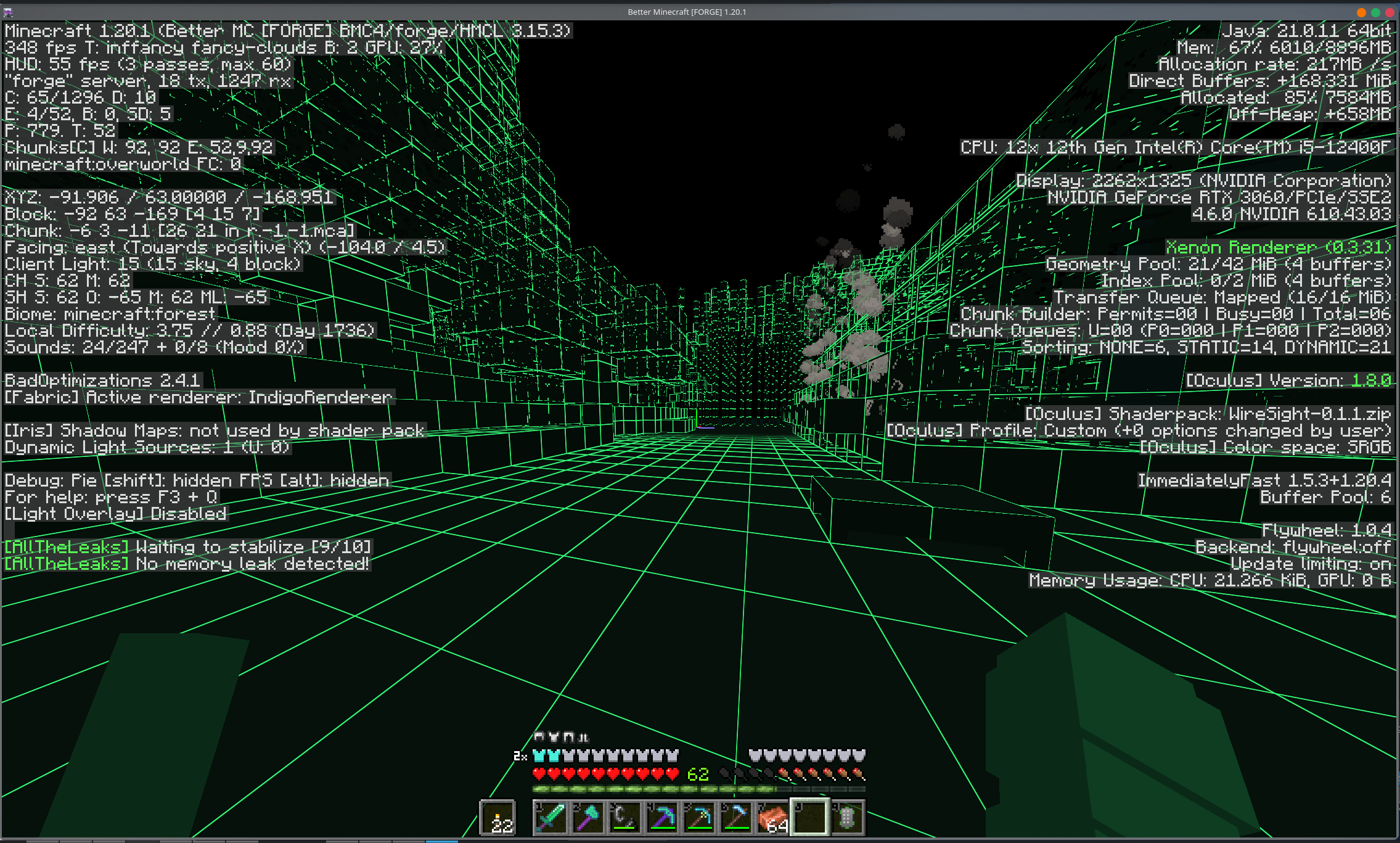
🎨 Default theme colors
🎯 WireSight uses the following base colors by default (RGB and hex denote the same color):
| 🎯 Render target | RGB | Hex | Appearance |
|---|---|---|---|
| 🧱 Regular block faces | RGB(6, 17, 11) |
#06110B |
Dark green |
| 🌊 Water and translucent terrain | RGB(5, 21, 19) |
#051513 |
Dark cyan-green |
| ✨ Block edges | RGB(53, 255, 120) |
#35FF78 |
Fluorescent green |
| 👤 Entities, held items, particles, and weather | RGB(14, 61, 34) |
#0E3D22 |
Flat green |
| 🌌 Sky, sun, moon, and clouds | RGB(0, 0, 0) |
#000000 |
Black |
💡 These values are base colors; directional face shading further darkens terrain and entity sides and undersides.
🎛️ Shader settings
⚙️ WireSight uses the common OptiFine ShaderPack option format supported by Iris, Oculus, and OptiFine. The loader skin may differ, but the controls and order remain the same.
🧭 Main screen
+--------------------------------+--------------------------------+
| Theme Preset: WireSight Green  | Custom Theme Colors...         |
| Directional Face Shading: On   | Edge Width: 1.5                |
| Edge Fade Start: 96 blocks     | Edge Fade Length: 64 blocks    |
+--------------------------------+--------------------------------+- 🌓
Directional Face Shadinguses fixed brightness levels for top, side, and underside faces; it is not dynamic lighting. - 📏
Edge Widthcontrols the approximate on-screen pixel width of block edges. - 🌫️
Edge Fade Startis the distance where edges begin fading. - 📐
Edge Fade Lengthis the distance used to complete that fade, so the defaults end at96 + 64 = 160blocks.
🌈 Custom theme colors
+----------------------+----------------------+----------------------+
| Theme Preset: Custom                                               |
+----------------------+----------------------+----------------------+
| Block Face R: 6      | Block Face G: 17     | Block Face B: 11     |
| Water R: 5           | Water G: 21          | Water B: 19          |
| Block Edge R: 53     | Block Edge G: 255    | Block Edge B: 120    |
| Entity R: 14         | Entity G: 61         | Entity B: 34         |
| Sky R: 0             | Sky G: 0             | Sky B: 0             |
+----------------------+----------------------+----------------------+
⚠️ Important: Custom RGB values are applied only when
Theme Presetis set toCustom.
🔢 Each channel has full integer precision from 0 to 255. Custom values remain saved when another preset is selected and return unchanged when switching back to Custom.
🧩 Built-in presets
| 🎨 Surface | WireSight Green | Cyan | Amber | Monochrome |
|---|---|---|---|---|
| 🧱 Block faces | #06110B |
#061116 |
#171006 |
#111111 |
| 🌊 Water | #051513 |
#051522 |
#071417 |
#151515 |
| ✨ Block edges | #35FF78 |
#35E7FF |
#FFC247 |
#F2F2F2 |
| 👤 Entities | #0E3D22 |
#0E3540 |
#5E3D10 |
#3D3D3D |
| 🌌 Sky and celestials | #000000 |
#000000 |
#000000 |
#000000 |
🟠 The Amber preset intentionally keeps water cool and dark to distinguish it from warm terrain. Changing an option may briefly recompile the shader.
🔍 Current scope
- 🧱 Visible 1x1 block boundaries on terrain and block entities
- 🌓 Three flat face shades for spatial readability
- ✨ Pixel-stable, antialiased theme-colored edges
- 🌫️ Automatic distant-grid filtering to reduce shimmer
- 🍃 Alpha preservation for cutout geometry such as leaves and plants
- 👤 Flat-color entities, particles, weather, and held items
- 🏷️ Original colors and transparency for name tags and world-space text
- 🌊 Opaque stylized water and a configurable sky
⚠️ Only visible geometry can be outlined. WireSight is not an X-ray shader and does not render faces that Minecraft removes from chunk meshes.
🧪 Compatibility target
🧪 This shaderpack intentionally avoids compute shaders, geometry shaders, and loader-specific extensions.
🔌 Environment Minecraft Shader loader Companion component 🥽 Oculus 1.20.1Oculus 1.8.0Embeddium 0.3.31🌈 Iris 1.21.8Iris 1.9.1Sodium 0.6.31🔭 OptiFine 1.8.9OptiFine HD U M5Forge 11.15.1.2318
📚 The OptiFine build targets every stable Minecraft release from 1.8 through 1.21.x. Unlisted combinations rely on compatible interfaces and have not been tested individually.
📦 Install
📥 Place the release zip in the Minecraft instance's shaderpacks directory, then select WireSight from the shader pack menu.
💻 VS Code
🧩 Install Shader languages support for VS Code for GLSL syntax highlighting. The tracked .vscode/settings.json maps .glsl, .fsh, and .vsh files to GLSL, while .vscode/extensions.json recommends the extension automatically.
code --install-extension slevesque.shader🚀 Build, release, and publish
🐍 Build locally with uv and Python 3.13:
uv venv
uv run python ./scripts/build_shaderpack.py
uv run python ./scripts/validate_publish.py
📦 Two reproducible ZIPs and their matching SHA-256 files are written to dist/. metadata.toml is the single source of truth for the WireSight version, variant support ranges, platform project IDs, and loaders.
| 📦 Variant | Artifact | Modrinth loader | Minecraft range |
|---|---|---|---|
| 🌈 Iris / Oculus | WireSight-X.Y.Z-iris-oculus.zip |
iris |
1.20 through 1.21.x |
| 🔭 OptiFine | WireSight-X.Y.Z-optifine.zip |
optifine |
1.8 through 1.21.x |
⚙️ GitHub Actions observes these exact commit-subject suffixes on pushes:
| 🎯 Mode | Commit subject suffix | Actions artifact | GitHub Release | Modrinth / CurseForge |
|---|---|---|---|---|
| 🛠️ Build | (build action) |
✅ | ❌ | ❌ |
| 🏷️ Release | (build release) |
✅ | ✅ | ❌ |
| 🚀 Publish | (build publish) |
✅ | ✅ | ✅ |
📝 Only the subject line is inspected; matching text in the commit body is ignored.
🔁 Pull requests are always built. Builds, releases, and platform publishing can also be started manually; pushing a v* tag creates only the matching GitHub Release.
📖 See the build, release, and publish guide for the pipeline diagrams, platform project setup, required GitHub Secrets, release metadata, supported Minecraft versions, and release-note format.
# 🛠️ Build and upload an Actions artifact without creating a Release.
git commit --allow-empty -m "ci: test WireSight package (build action)"

# 🏷️ Build and publish the version declared in metadata.toml.
git commit -m "release: vX.Y.Z summary (build release)"

# 🚀 Build, create a GitHub Release, and publish to Modrinth and CurseForge.
git commit -m "release: vX.Y.Z summary (build publish)"请登录后举报
请 登录 后赞助作者。
暂无评论,抢个沙发吧~