
CreateTweaks
作者:rebot | 分类:模组
Minecraft 版本: 1.21.8
平台: datapack
标签: game-mechanics utility worldgen
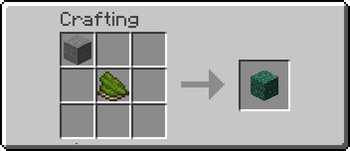
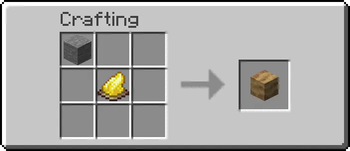
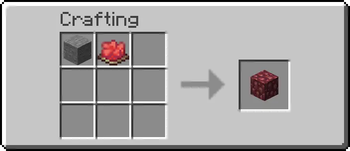
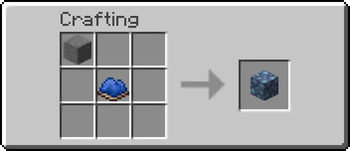
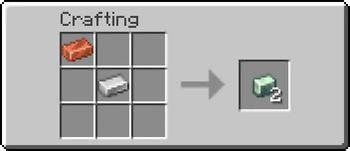
Create Tweaks: Retro-Generation Recipes
A Minecraft datapack designed for the Create Mod, specifically tailored for worlds that were generated before the Create mod was installed.
Since the Create mod introduces new blocks to world generation (like Asurine, Crimsite, Ochrum, Veridium, and Zinc Ores), players usually have to explore far-off, ungenerated chunks to find them. This datapack solves that issue by adding custom crafting and processing recipes for all of Create's natural generation blocks!
You don't need to generate new chunks anymore; you can simply craft or process what you need using existing resources.
This is a server side datapack. Can be used in singleplayer worlds too.
For versions not included here, visit the wiki.
Dependencies
- Create Mod or Create Fly Mod (Required)
- This is a datapack. You can install it globally using a tool like Global Packs, or drop it directly into your world's
datapacksfolder.
Features
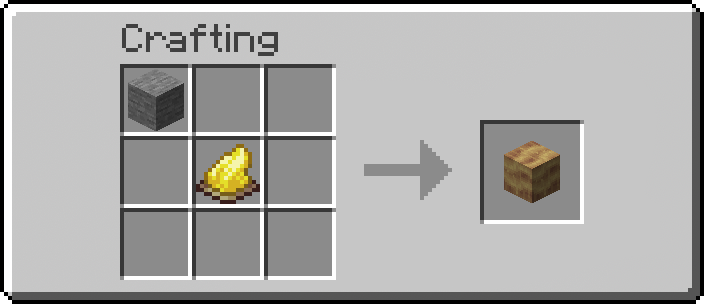
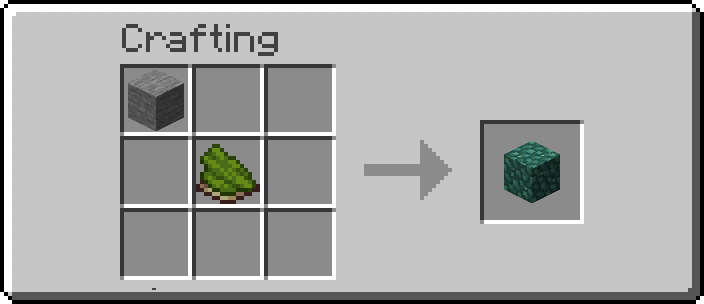
This datapack includes recipes for the following Create mod materials:
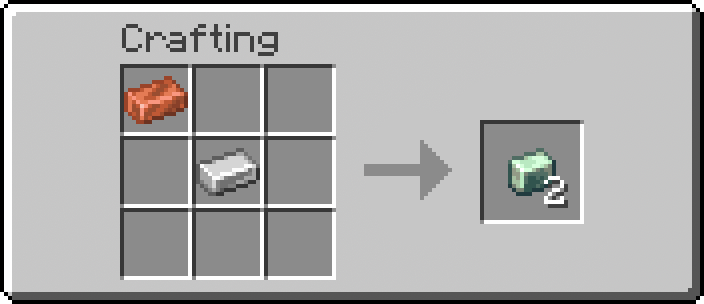
Zinc Ingot
Asurine
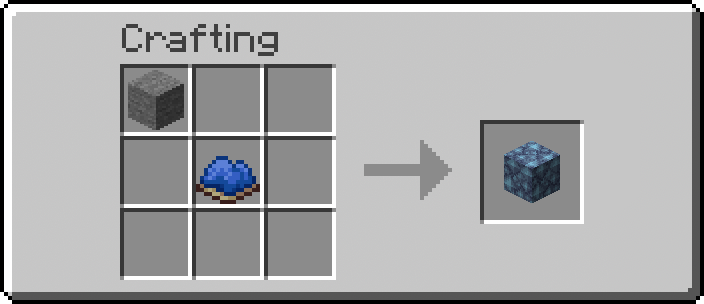
Crimsite
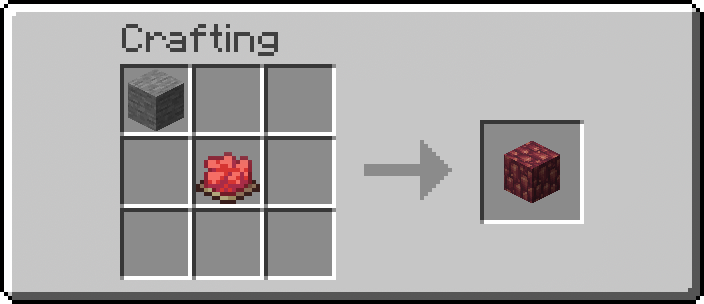
Ochrum
Veridium
Installation
- Download the datapack zip file.
- Open Minecraft, select your world, click Edit, and then Open World Folder.
- Open the
datapacksfolder and drop the zip file inside. - If you are already in the world, type
/reloadto apply the changes.How It Works & Customization
The datapack is structured in a standard Minecraft data format. If you want to change what items are required for crafting and what they yield, you can easily tweak it.
Modifying Recipes
All recipes are stored as simple JSON files. To change them:
- Navigate to
data/createtweaks/recipe/. - Open the JSON file for the recipe you want to tweak (e.g.,
zinc_ingot.json,asurine.json, etc.). - You will see an
ingredientssection (what you need to craft it) and aresultsection (what you get). - Replace the item IDs (like
minecraft:stoneorminecraft:iron_nugget) with whatever items you prefer!
Example Structure:
{
  "type": "minecraft:crafting_shapeless",
  "ingredients": [
    {
      "item": "minecraft:iron_ingot"
    },
    {
      "item": "minecraft:copper_ingot"
    }
  ],
  "result": {
    "item": "create:zinc_ingot",
    "count": 1
  }
}
Advanced: Functions (load.mcfunction & tick.mcfunction)
This datapack also hooks into the #minecraft:load and #minecraft:tick events:
data/createtweaks/function/load.mcfunction: Runs exactly once when the server/client loads the datapack or/reloadis run. This is where the/recipe givecommand lives to automatically unlock the recipes for players. It's also useful for setting up scoreboards or initial game rules.data/createtweaks/function/tick.mcfunction: Runs once every single tick (20 times a second). Useful for checking player conditions or ongoing events. By default, this is mostly empty to preserve performance, but you can add your custom commands here if needed.
请登录后举报
请 登录 后赞助作者。
暂无评论,抢个沙发吧~