
Ancient Night Sky
作者:rebot | 分类:模组
Minecraft 版本: rd-132211 rd-132328
平台: java-agent
标签: decoration
Ancient Night Sky
About
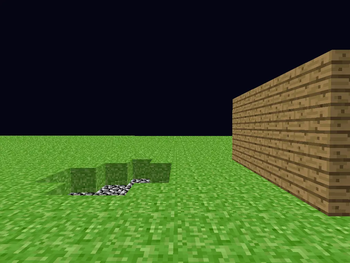
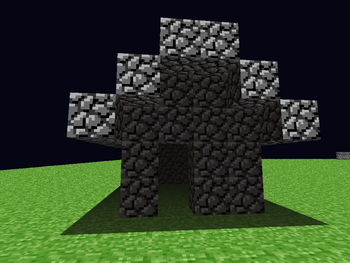
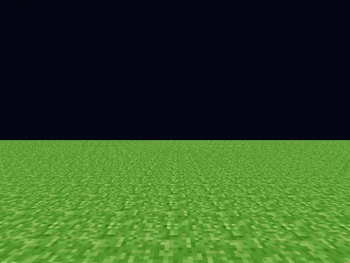
This is a simple mod that changes the color of the sky to a very dark blue in version rd-132211 and rd-132328. This mod is compatible with my other mod Ancient Planks. Enabling or disabling this mod will NOT break or corrupt your levels.
Installation (Java Agent)
This mod is distributed as a jar file, and it can be installed by adding "-javaagent:path/to/mod.jar" to the game's java arguments, or by adding the agent to the version in the Prism Launcher.
Prism Launcher
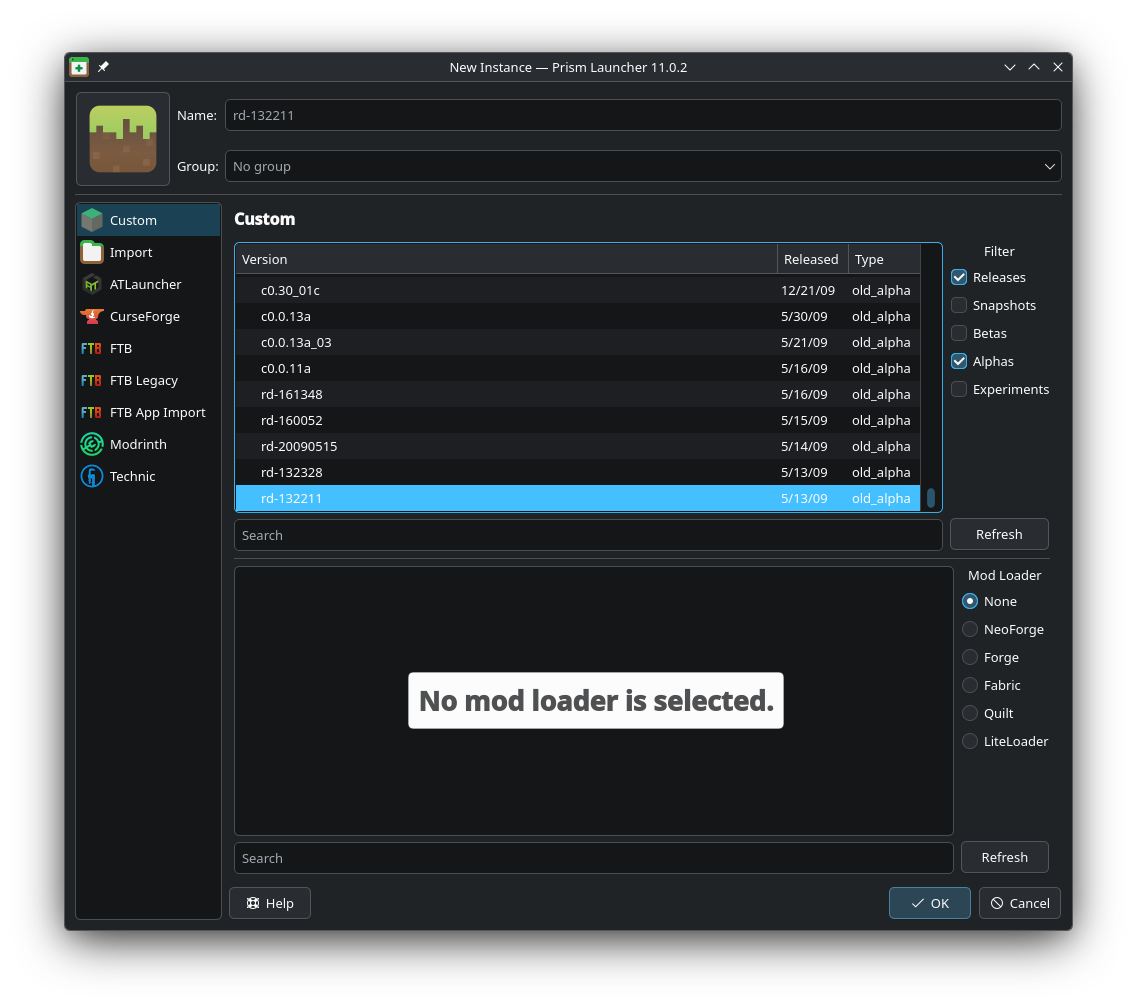
Create a new instance. Tick the Alphas box, and scroll all the way down to select version rd-132211 (or another compatible version). After the instance is created, right click it and press Edit.
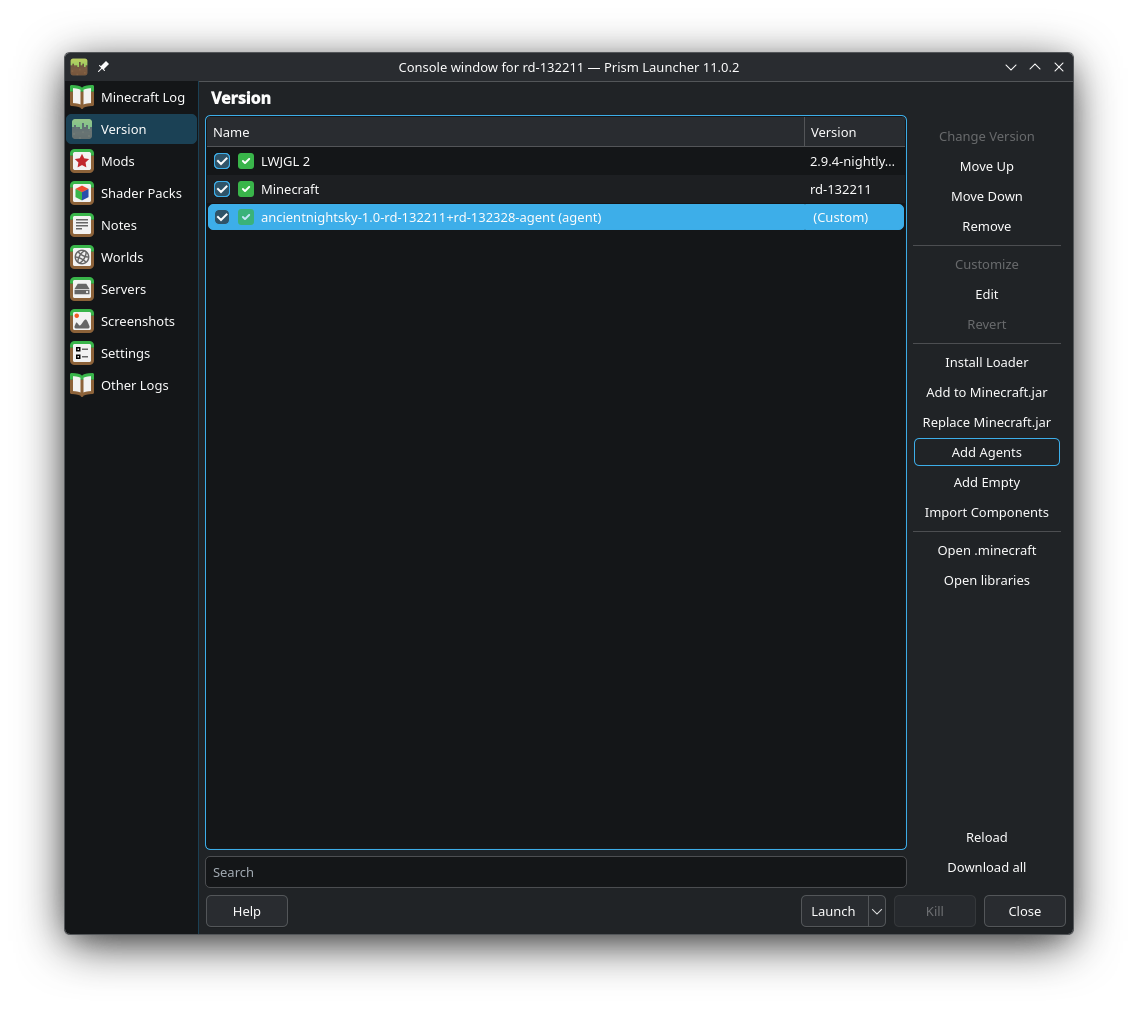
Select the Version tab on the left. Click Add Agents on the right, and then select the downloaded mod. The Ancient Night Sky mod should appear in the versions list, and pressing launch will start the game with the mod enabled.
Official Launcher
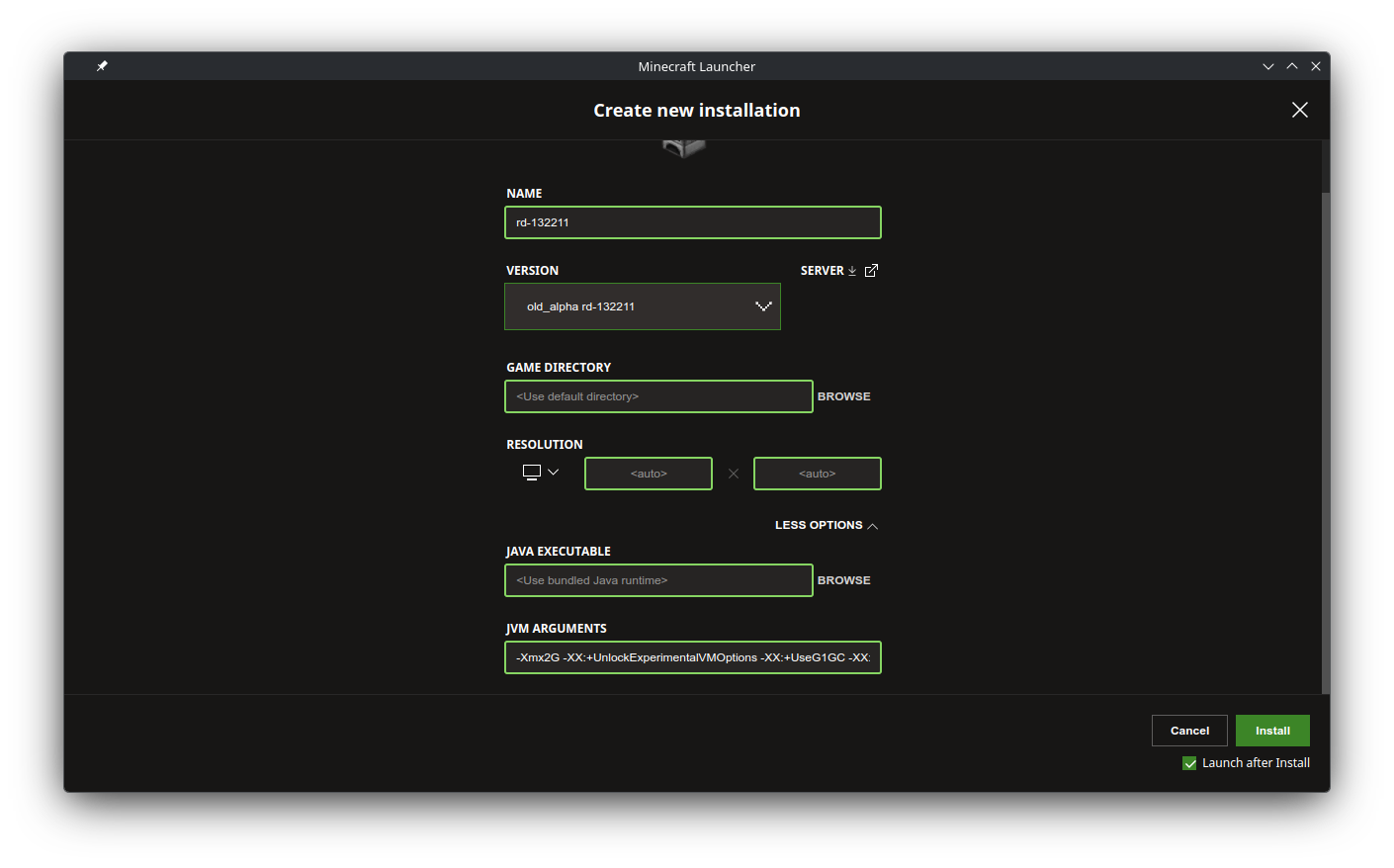
Create a new installation. Ensure Show historical versions of Minecraft: Java Edition in the Launcher is enabled in the launcher settings, and scroll all the way down to select version rd-132211 (or another compatible version).
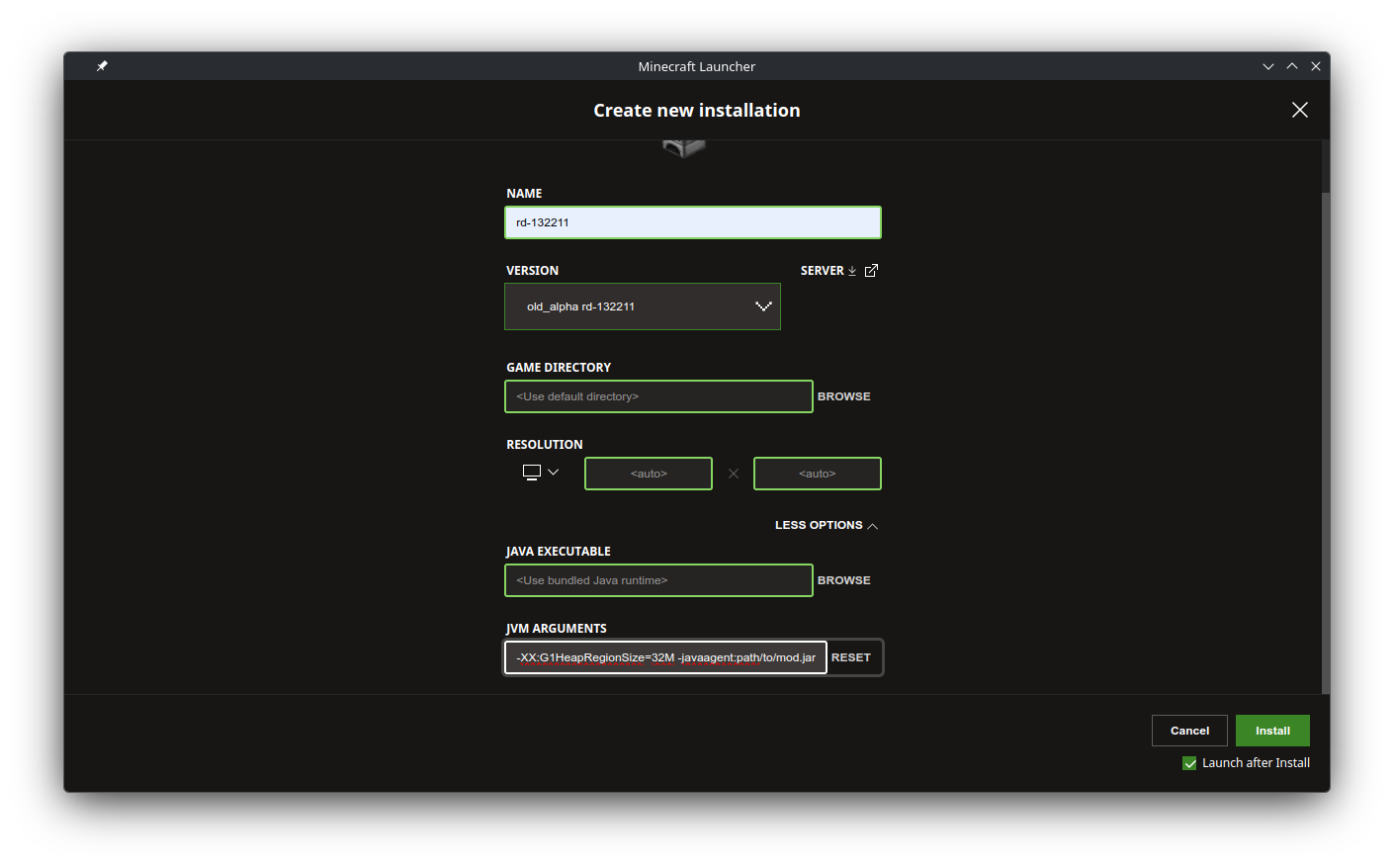
Under MORE OPTIONS add "-javaagent:path/to/mod.jar" to the end of the JVM ARGUMENTS. Ensure you replace "path/to/mod.jar" with the actual path to the mod on your computer.
Installation (Old Jar Mod)
This mod is distributed as a zip file, and it can be installed as a jar mod. This mod does not require any mod loader to be installed. This installation guide is only for the Prism Launcher and MultiMC. The Official Minecraft Launcher is not recommended.
Create a new instance. Tick the Alphas box, and scroll all the way down to select version rd-132211 (or another compatible version). After the instance is created, right click it and press Edit.
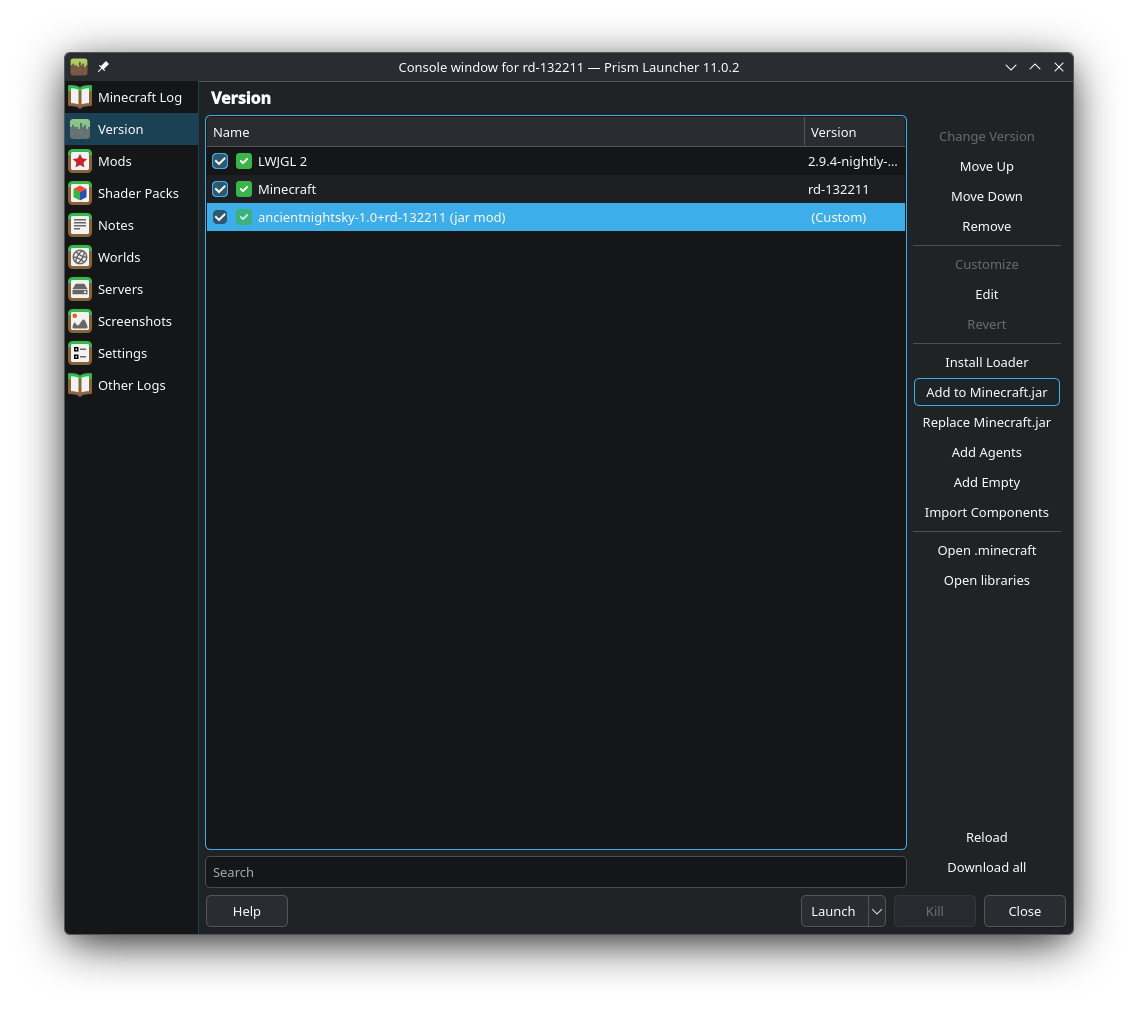
Select the Version tab on the left. Click Add to Minecraft.jar on the right, and then select the downloaded mod. The Ancient Night Sky mod should appear in the versions list, and pressing launch will start the game with the mod enabled.
请登录后举报
暂无评论,抢个沙发吧~