
Item Despawn To What
作者:rebot | 分类:模组
Minecraft 版本: 1.21.1
平台: fabric
标签: game-mechanics utility
ItemDespawnToWhat
Let items about to despawn quietly transform into something else before they disappear.
Chicken rotting into rotten flesh? Eggs hatching into chickens? Saplings planting themselves? — All fully customizable.
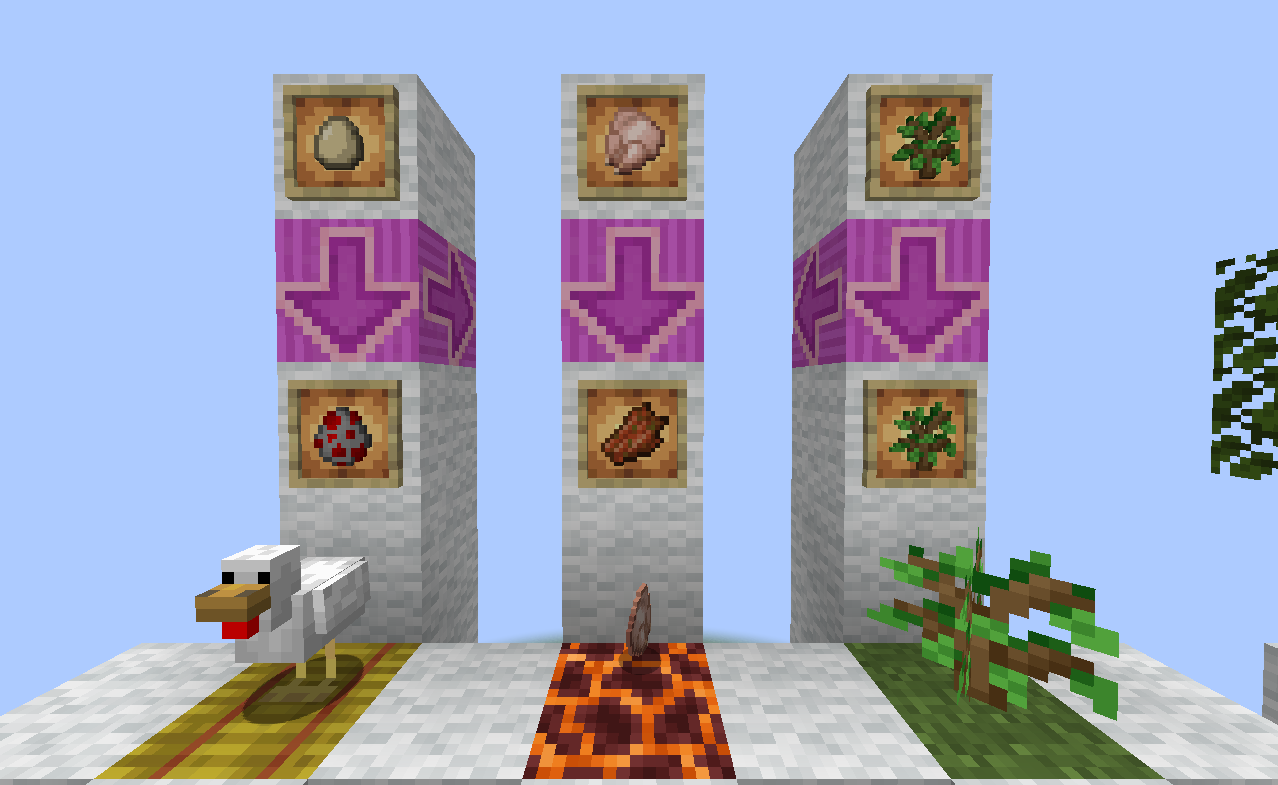
What This Mod Does
In vanilla Minecraft, dropped items on the ground disappear naturally after a while.
This mod lets you define custom conversion rules that trigger just before items despawn.
You can configure conversions through a GUI or config files, and attach optional conditions to each rule.
Three Conversion Types
| Type | Description |
|---|---|
| Item → Item | Spawns a new item drop when the source item despawns |
| Item → Entity | Spawns an entity when the source item despawns |
| Item → Block | Places a block nearby when the source item despawns |
Combinable Trigger Conditions
All conditions are optional. Leaving a condition blank means no restriction. When multiple conditions are set, all of them must be satisfied for the conversion to trigger.
| Condition | Description |
|---|---|
| Dimension | Only triggers in specified dimensions (e.g. Overworld, Nether, End) |
| Outdoor | No opaque blocks between the item and the sky above it |
| Surrounding Blocks | Checks all six adjacent directions; supports block IDs or block tags (prefix with #) |
| Catalyst Items | Requires a specific item drop to be in the same block space; optionally consumed |
| Inner Fluid | Requires the item's block to contain a specific fluid (supports waterlogged blocks); optionally consumed |
| Result Limit | Caps the number of existing conversion results within a radius to prevent infinite accumulation |
Getting Started
Visual Configuration GUI
This mod includes an easy-to-use rule editor GUI.
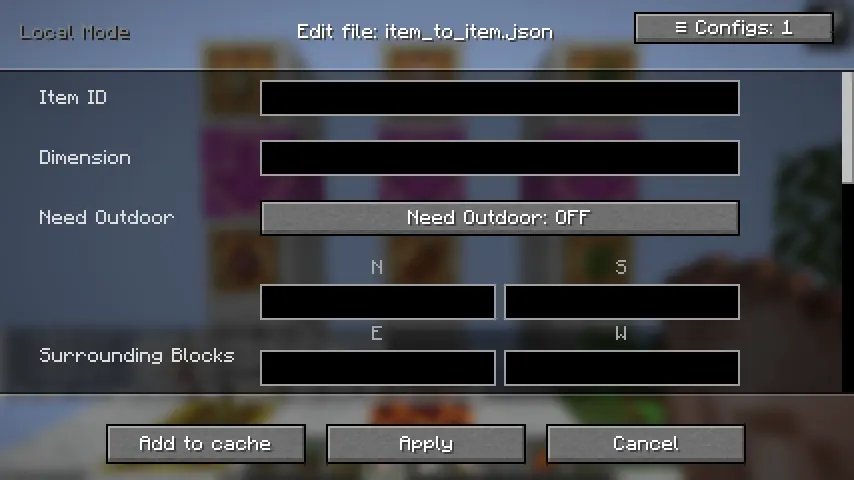
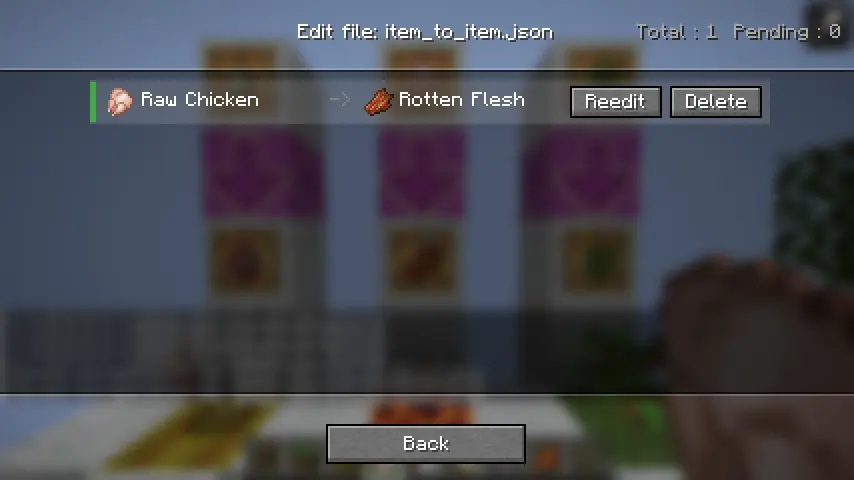
How to open it:
- Keybind: Unbound by default — assign one in Options → Controls
- Command:
/conversion_config edit(requires OP permission or singleplayer) - Main Menu Button: Top-right corner of the game's main screen
If you prefer editing JSON directly, config files are located in
.minecraft/config/itemdespawntowhat/.
Defining Conversion Rules
Common Fields
| Field | Description | Default | Constraints |
|---|---|---|---|
item |
Registry ID of the source item | — | Required |
result |
Registry ID of the conversion result | — | Required |
conversion_time |
Seconds the item must remain on the ground before converting | 300 |
1 – 300 |
result_multiple |
Output quantity multiplier per conversion | 1 |
At least 1 |
dimension |
Restricts the conversion to a specific dimension | (no restriction) | — |
need_outdoor |
Whether the item must be in an outdoor (sky-exposed) location | false |
— |
surrounding_blocks |
Block conditions for all six adjacent directions | (no restriction) | Supports tags |
catalyst_items |
Required co-located item drop condition | (no restriction) | — |
inner_fluid |
Required fluid condition in the item's block | (no restriction) | — |
Item → Entity Only
| Field | Description | Default |
|---|---|---|
result_limit |
Max number of the same entity type allowed nearby; skips conversion if exceeded | 30 |
entity_age |
Age of the spawned entity (negative values produce babies) | -24000 |
Item → Block Only
| Field | Description | Default |
|---|---|---|
radius_limit |
Maximum radius for outward block placement | 6 |
block_of_item |
When enabled, automatically uses the block form of the source item (source must be a block item) | false |
Saving & Reloading
In the GUI:
- Click Add to Cache to queue up more rules
- Click Apply to File to save all cached rules to disk
Then run in-game:
/conversion_config reloadThis hot-reloads the config without restarting the server.
Configuration Examples
Chicken → Rotten Flesh (200 seconds, no conditions)
{
  "item": "minecraft:chicken",
  "result": "minecraft:rotten_flesh",
  "conversion_time": 200
}
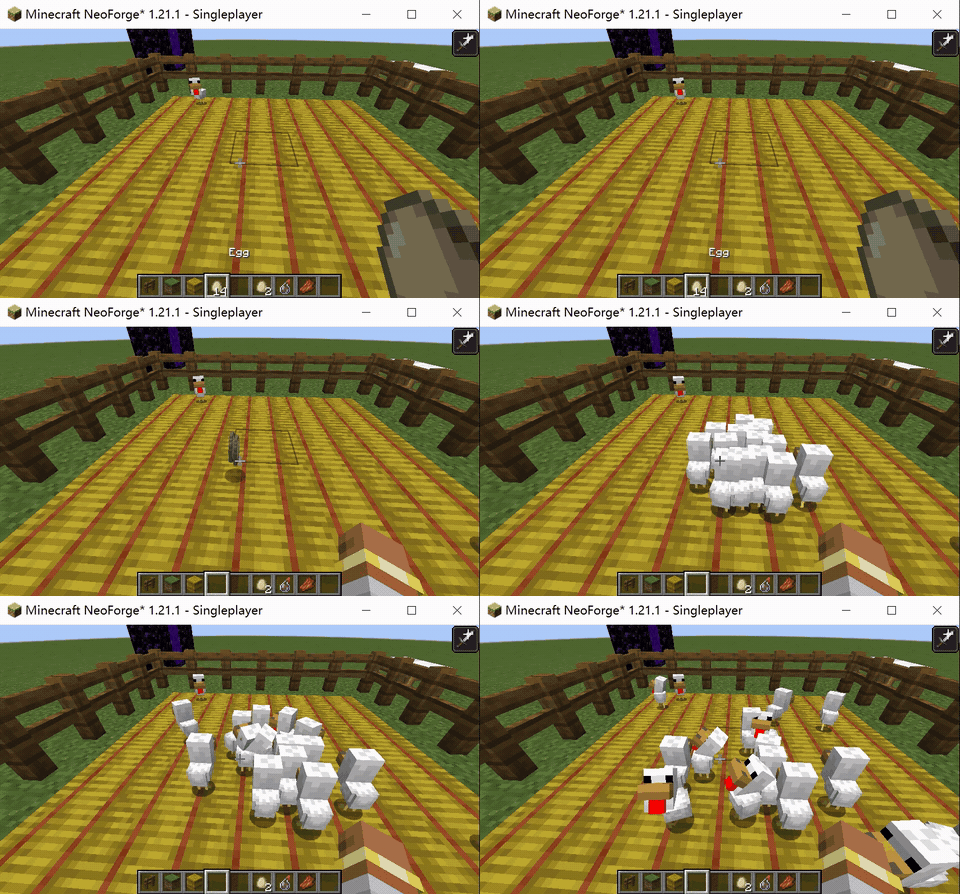
Egg → Chicken (Overworld only, on a hay bale)
{
  "item": "minecraft:egg",
  "result": "minecraft:chicken",
  "conversion_time": 5,
  "dimension": "minecraft:overworld",
  "surrounding_blocks": {
    "down": "minecraft:hay_block"
  },
  "result_limit": 30
}
Sapling → Auto-planted (on dirt, must be outdoors)
{
  "item": "minecraft:oak_sapling",
  "result": "minecraft:oak_sapling",
  "block_of_item": true,
  "conversion_time": 30,
  "need_outdoor": true,
  "surrounding_blocks": {
    "down": "#minecraft:dirt"
  }
}
Notes
-
Conversion time is capped at 300 seconds, matching vanilla's maximum item lifetime. This mod does not modify the natural despawn timer — to extend it, pair this mod with something like
Custom Item Despawn Duration. -
Returned items and death drops are excluded from conversion checks. Items returned after a failed conversion, and items dropped on player death, must be picked up and re-thrown before re-entering the conversion pipeline.
-
Catalyst items cannot be the same as the source item — such a config will be rejected at load time.
-
Item → Item conversions cannot use the same item as both source and result, to prevent infinite conversion loops.
-
To find item IDs: Press
F3 + Hto enable advanced tooltips. Hover over any item and its registry name will appear at the bottom of the tooltip.
Multiplayer
- Config files are stored server-side and automatically synced to connecting clients.
- The hot-reload command requires OP permission.
- The config GUI and keybind are only available in singleplayer or on a local server.
请登录后举报
请 登录 后赞助作者。
暂无评论,抢个沙发吧~