
Attuned Anchors
作者:rebot | 分类:模组
Minecraft 版本: 26.1.2 26.2
平台: fabric
标签: game-mechanics transportation utility


Mach9Games Studio

Attuned Anchors!



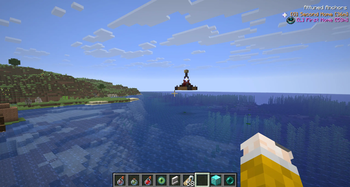
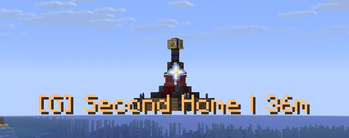
Attuned Anchors adds buildable waypoint shrines to Minecraft.
Instead of placing waypoints from a map screen, players build an Anchor structure in the world, activate it, and then use it through an in-game waypoint menu and HUD.
Installation
Install the same jar on both the client and server.
- Client: required
- Server: required
Features
- Buildable Local Anchors and Global Anchors
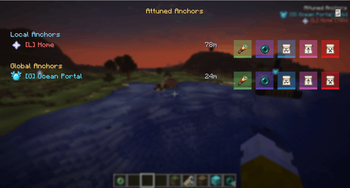
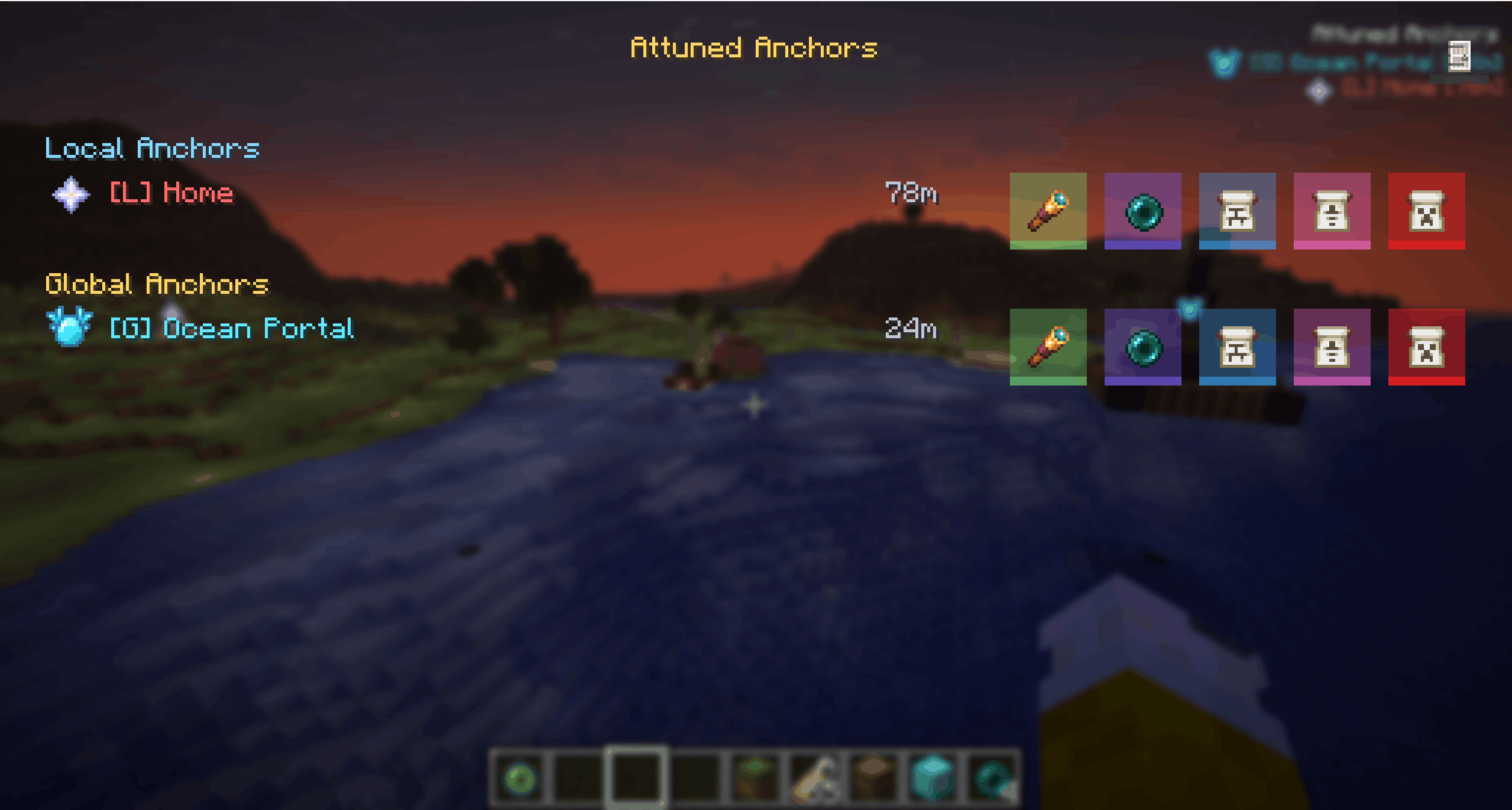
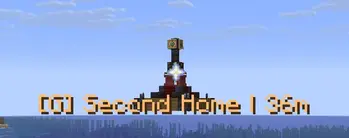
- In-game waypoint HUD with distance markers
Nmenu for viewing, editing, teleporting, and managing Anchors- Admin teleport button for fast travel
- Name Tag based access control
- Public Anchors, private Anchors, and assigned-user Anchors
- Automatic structure validation
- Broken Anchors disable themselves and reactivate when repaired
- Fully removed Anchors are cleaned from storage
- Persistent world storage
Anchor Types
Attuned Anchors has two Anchor types with different visibility ranges.
| Type | Visibility Range | Core Block | Item Frame |
|---|---|---|---|
| Local Anchor | < 256m | Iron Block | Ender Pearl |
| Global Anchor | > 256m | Diamond Block | Eye of Ender |
Local Anchors are short-range waypoints. By default, they are visible up to 256m away.
Global Anchors are long-range waypoints. They can be seen from beyond 256m and remain available from anywhere in the same dimension.
Access Control
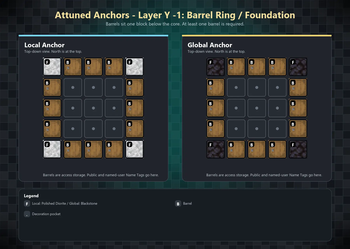
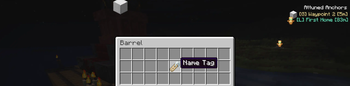
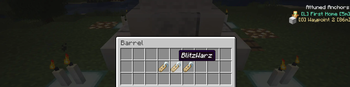
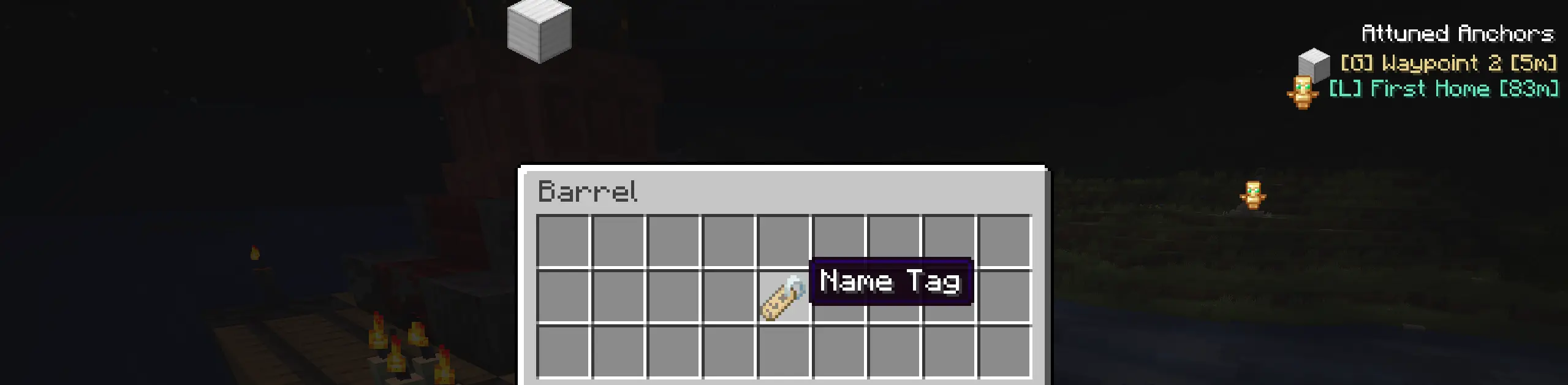
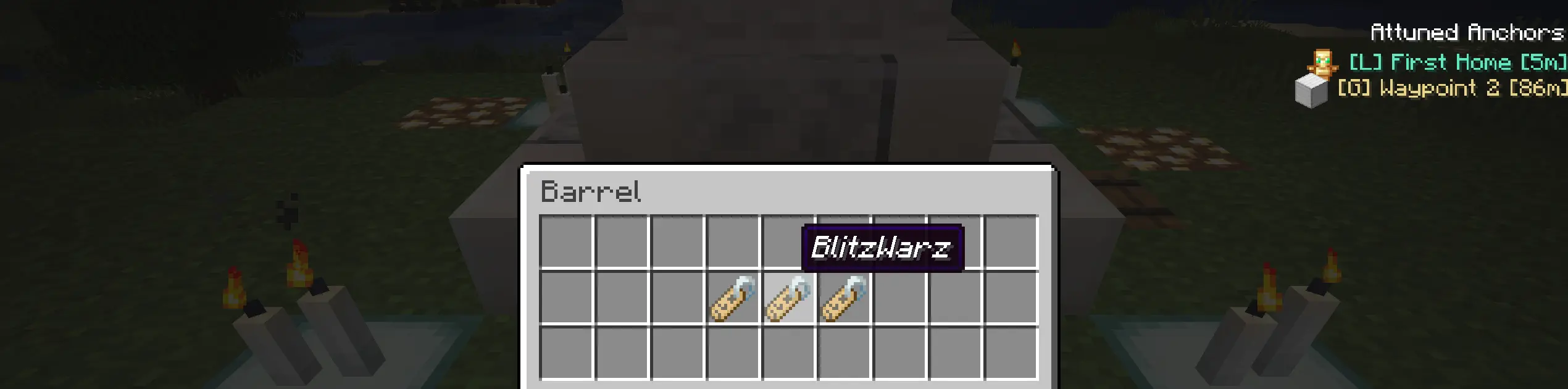
Anchor access is controlled through Name Tags placed inside the Anchor barrels.
- Add a default
Name Tagto make the Anchor public. - Add renamed Name Tags with player names to make the Anchor visible only to those players.
- Leave out Name Tags to keep the Anchor disabled until access is configured.
- More barrels means more room for access names.
Waypoint Menu
Press N to open the Attuned Anchors menu.
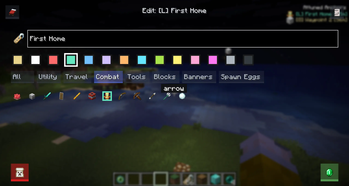
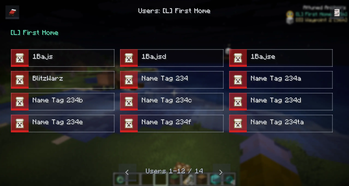
From the menu, players can view available Anchors, toggle HUD visibility, inspect access, edit marker appearance, and manage Anchors they are allowed to control.
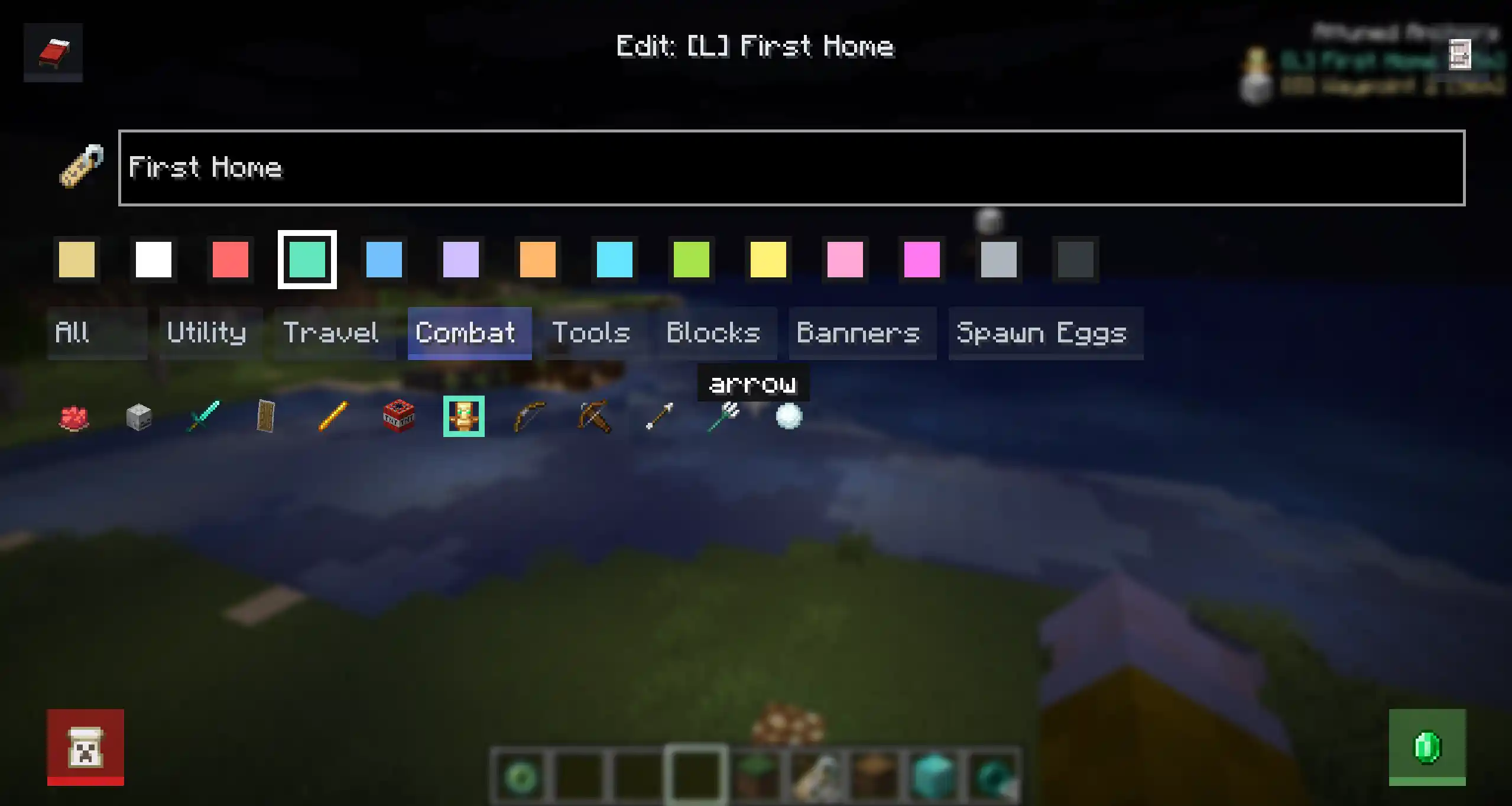
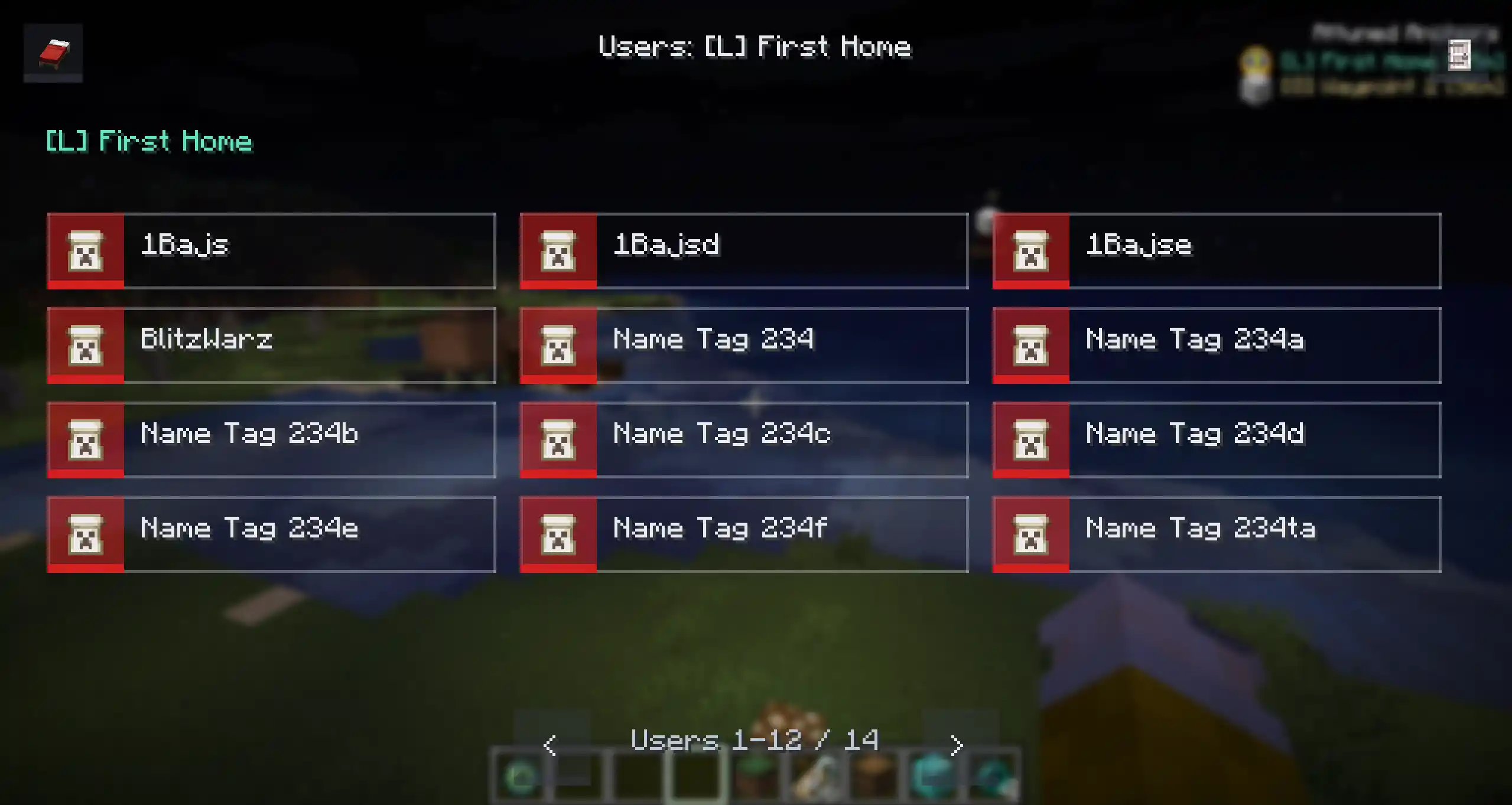
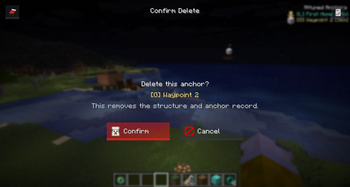
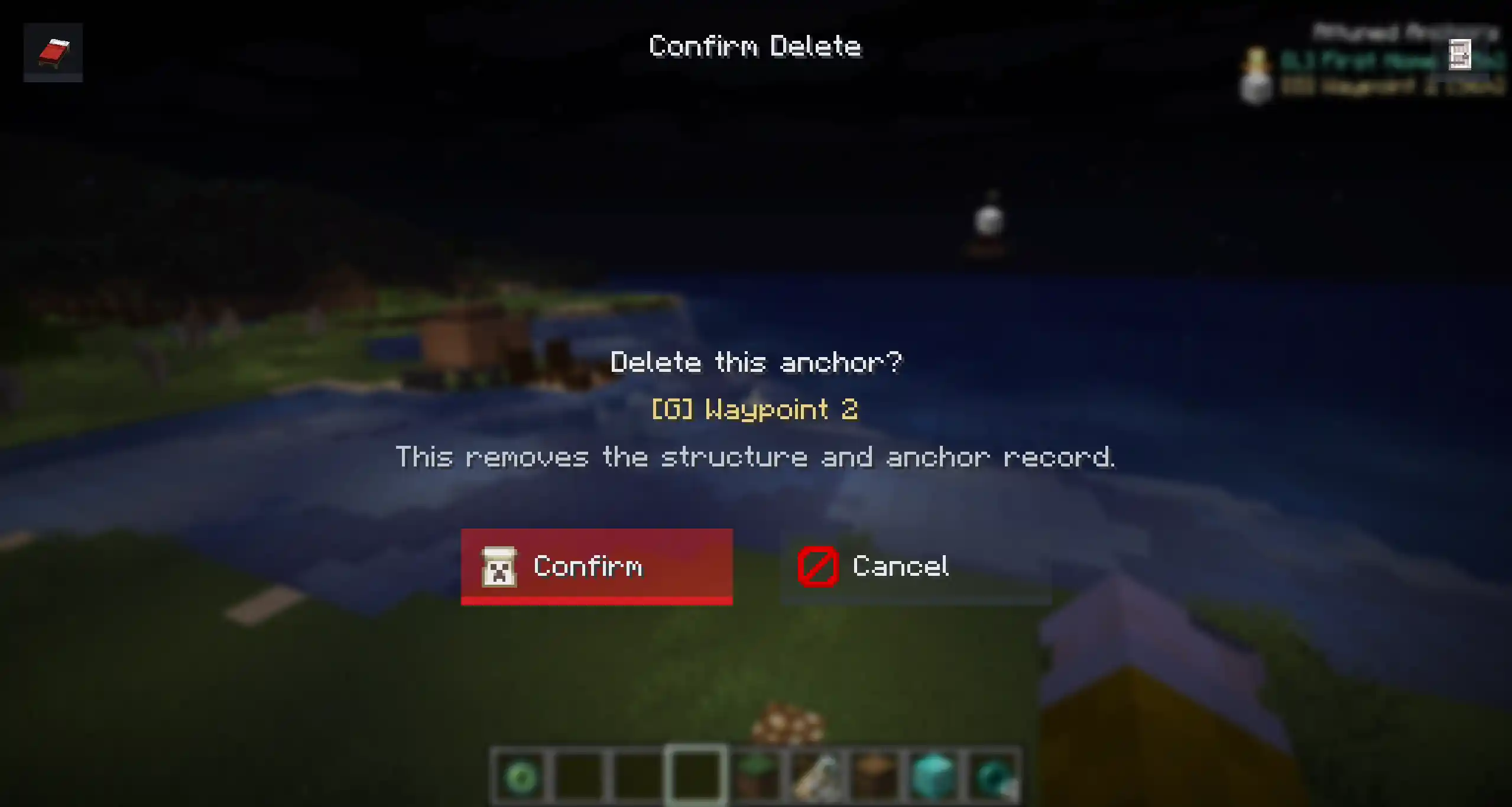
Deleting an Anchor uses a confirmation screen to prevent accidental removals.
Activation
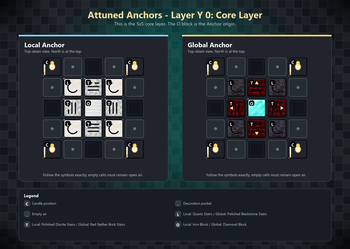
Build the structure, place the required item frames, then interact with one of the Anchor item frames.
If the structure is valid, the Anchor is registered, its candles are managed by the mod, and it becomes visible to players with access.
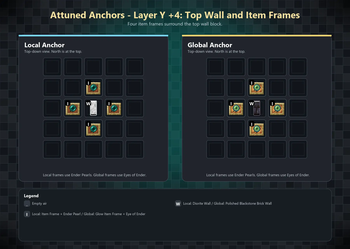
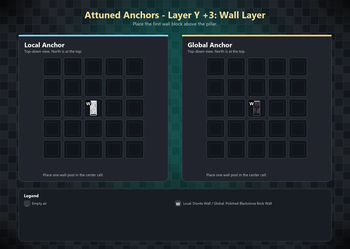
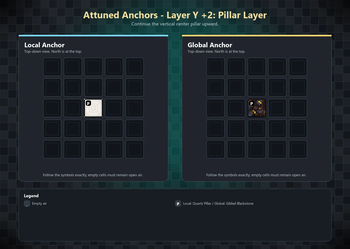
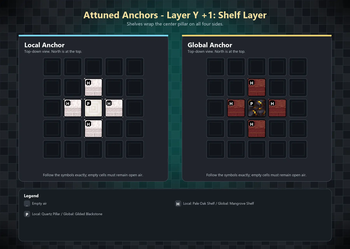
Layer-by-Layer Construction Guide Anchors use a **5x5 footprint**. Build each layer centered on the core block position. 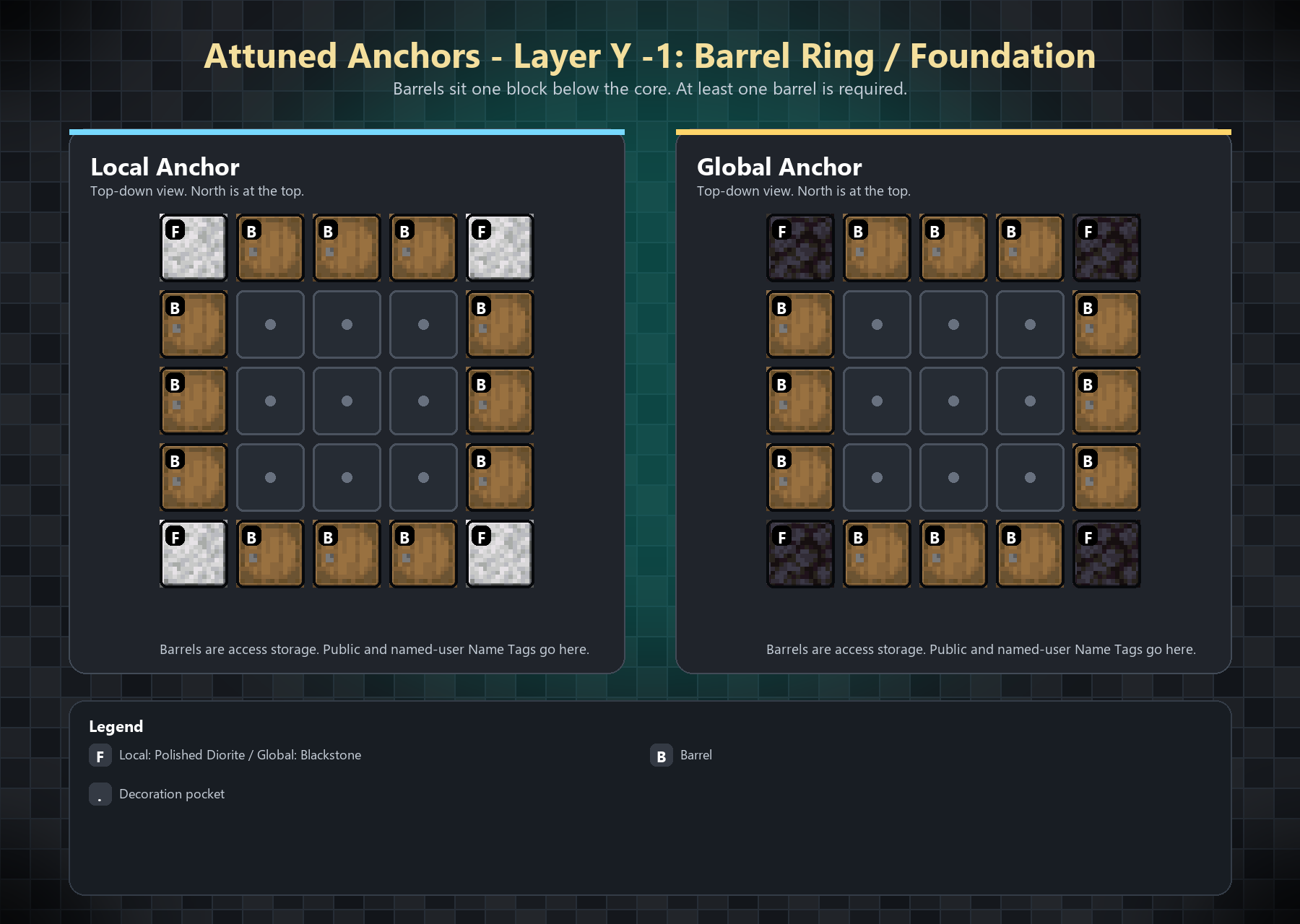 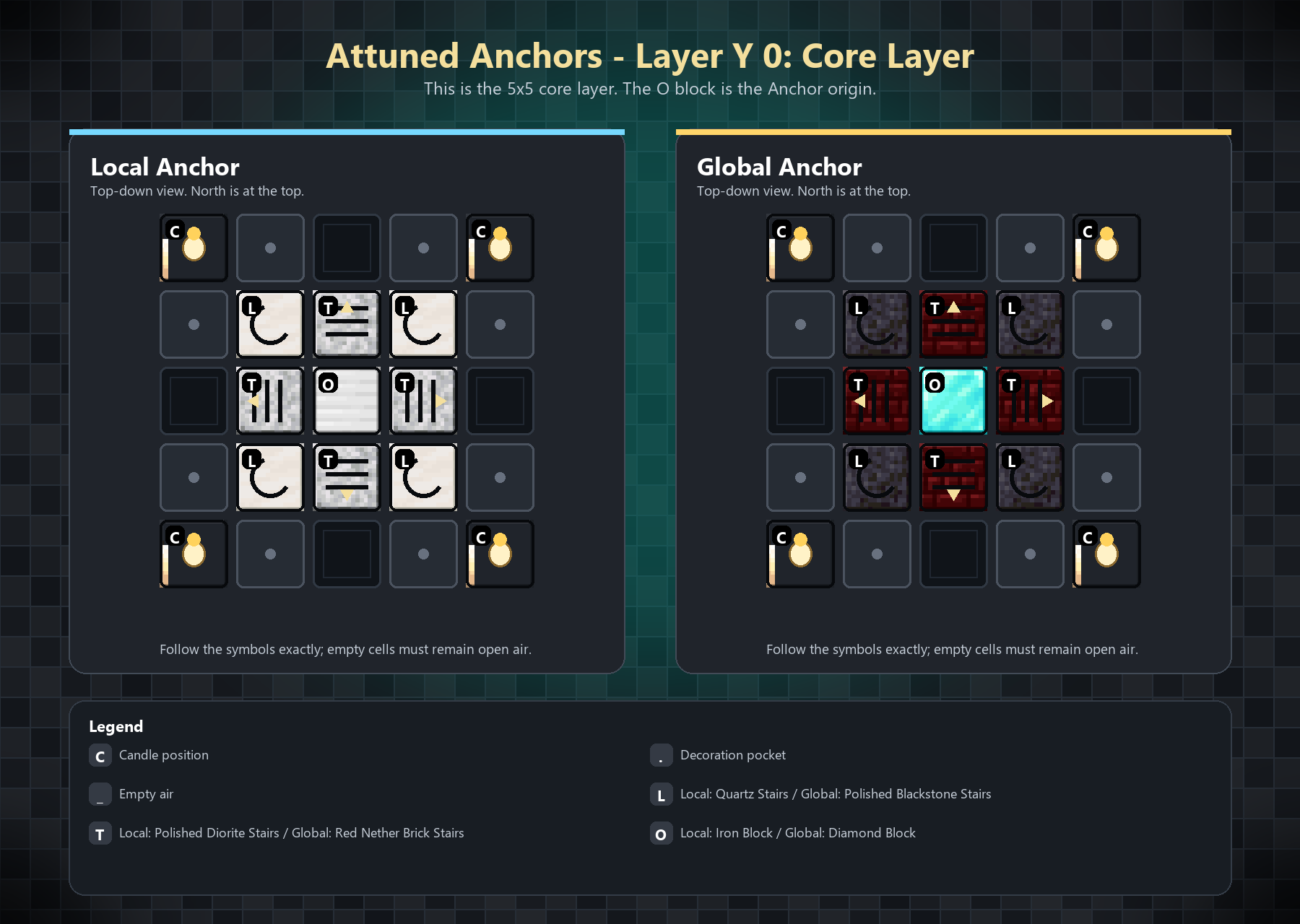 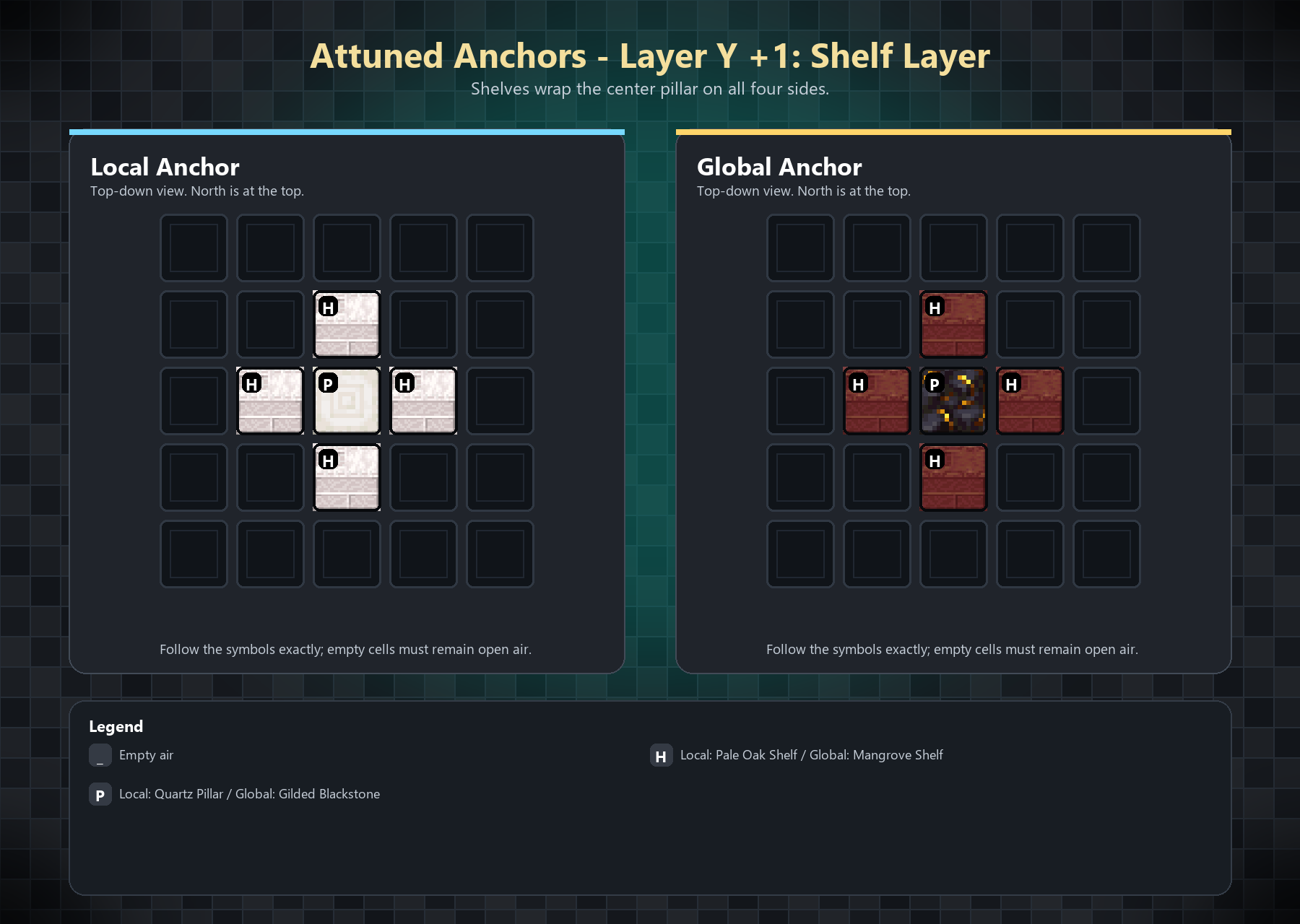 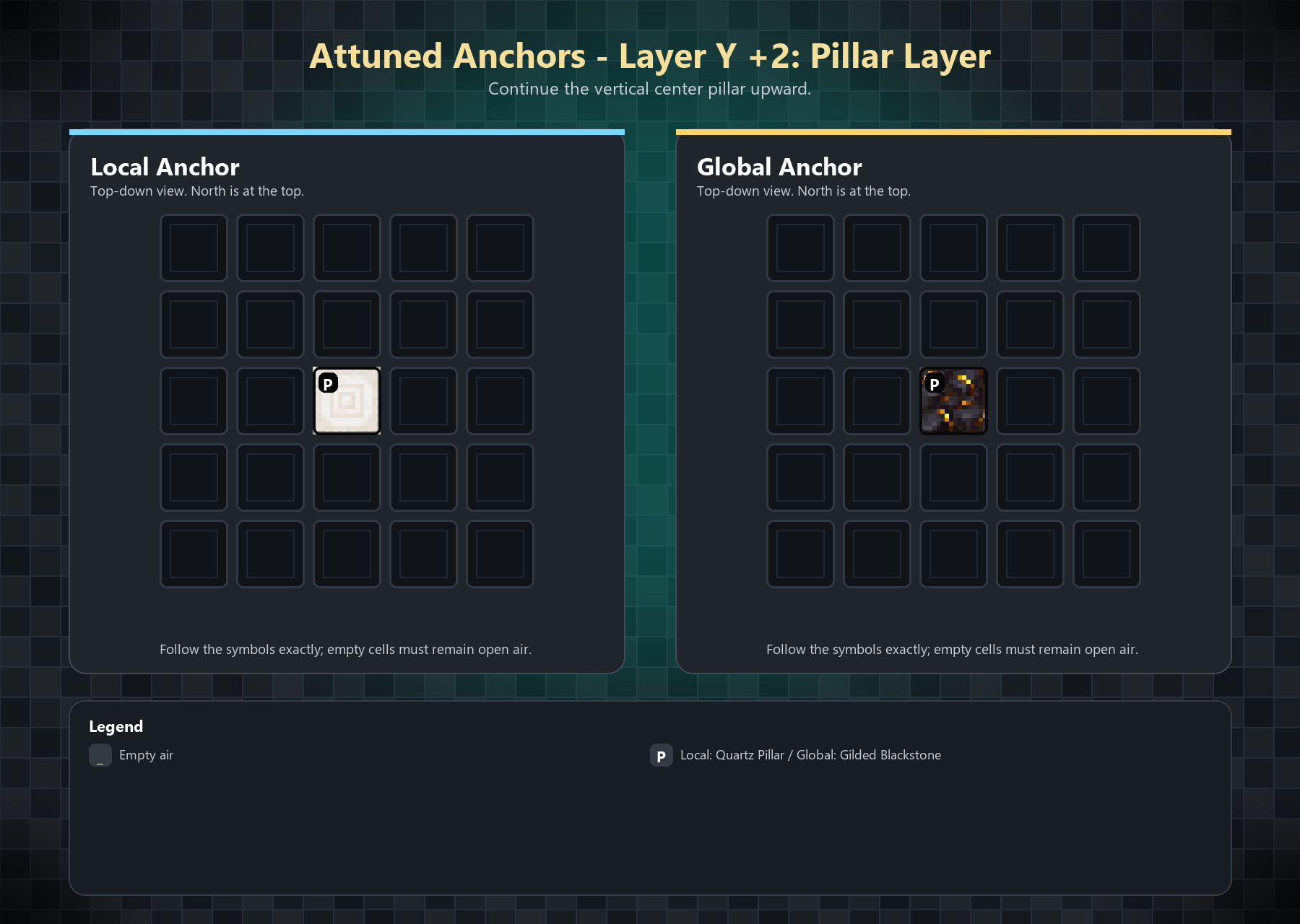 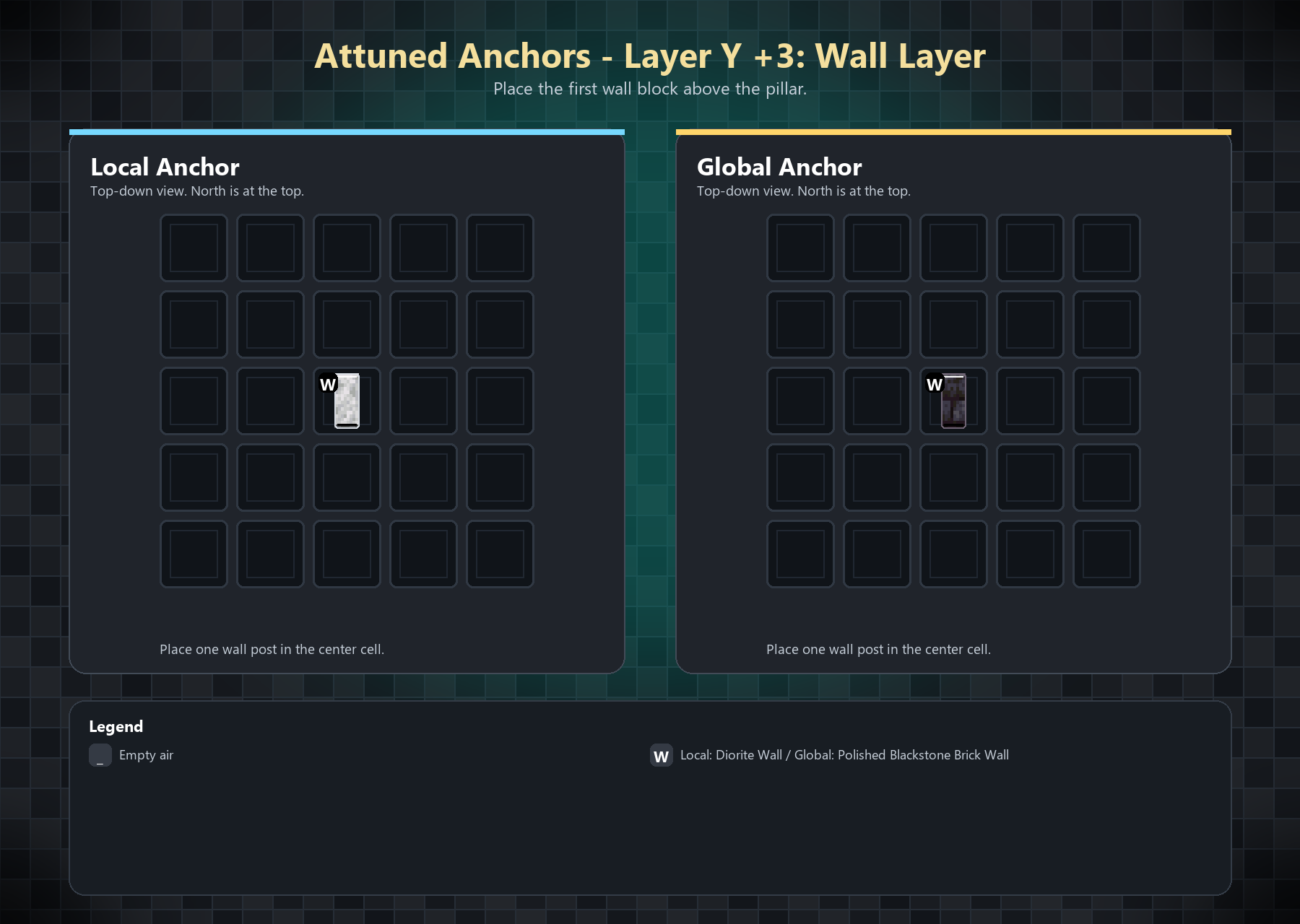 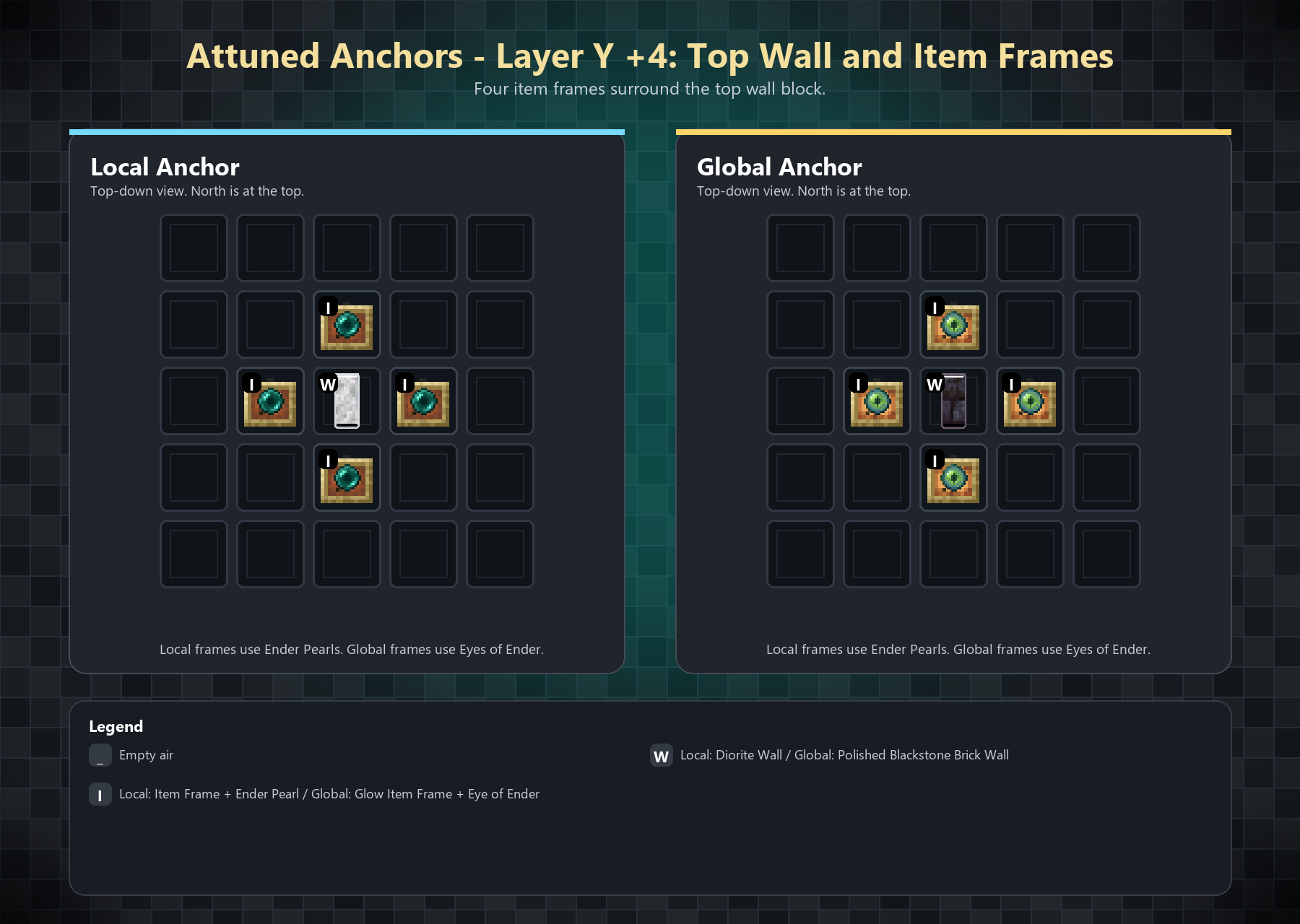 The item frames must contain: - Local Anchor: Ender Pearl - Global Anchor: Eye of Ender Global Anchors use glowing item frames by default.Commands
The main command is /anchor, with /an as a shortcut.
/anchor spawn <local | global> [<color> [<icon> [<name>]]]creates a complete Anchor./anchor despawnremoves the nearest registered Anchor structure within 32 blocks./anchor listshows Anchors visible to the player./anchor removedeletes the nearest registered Anchor record without breaking blocks./anchor help [spawn | despawn | list | remove]shows command help.
Add this near the bottom, replacing the current Configuration section:
Configuration
Attuned Anchors creates its config files in:
config/attunedanchors/Main Config
config/attunedanchors/config.jsonDefault values:
{
  "localRadius": 256,
  "validationIntervalSeconds": 60,
  "globalSameDimensionOnly": true,
  "anchorNameMaxLength": 16,
  "localNamePrefix": "[L] ",
  "globalNamePrefix": "[G] "
}
Anchor records are saved per world at:
data/attuned_anchors.tsvStructure definitions are configurable through:
config/attunedanchors/structures.jsonAdmins and Permissions
Attuned Anchors supports the Fabric Permissions API.
Grant this node to give full access:
attunedanchors.adminIndividual permission nodes:
| Permission | Allows |
|---|---|
attunedanchors.menu |
Open the Anchor menu |
attunedanchors.edit |
Edit Anchor name, color, and icon |
attunedanchors.manage |
Manage Anchor users and delete Anchors |
attunedanchors.teleport |
Teleport to Anchors from the menu |
attunedanchors.command.list |
Use /anchor list |
attunedanchors.command.spawn |
Use /anchor spawn |
attunedanchors.command.remove |
Use /anchor remove |
attunedanchors.command.despawn |
Use /anchor despawn |
If you do not use a permissions mod, fallback admins can be added here:
config/attunedanchors/admins.jsonExample:
{
  "uuids": [
    "00000000-0000-0000-0000-000000000000"
  ],
  "names": [
  ]
}
{
"uuids": [
],
"names": [
"PlayerName"
]
}请登录后举报
请 登录 后赞助作者。
暂无评论,抢个沙发吧~