
Stampy Items
作者:rebot | 分类:模组
Minecraft 版本: 1.21.1
平台: neoforge
标签: economy technology utility
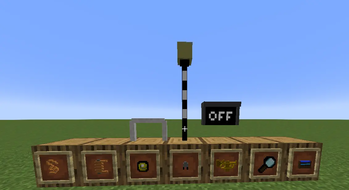

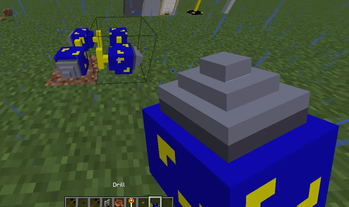
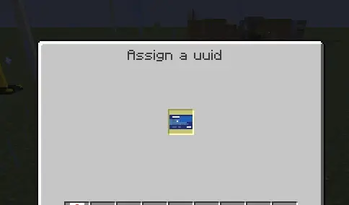
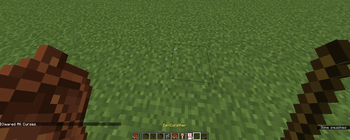
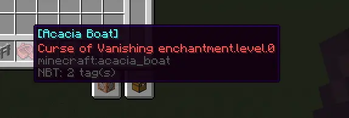

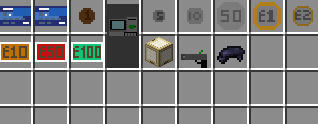
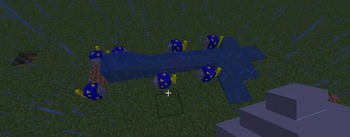
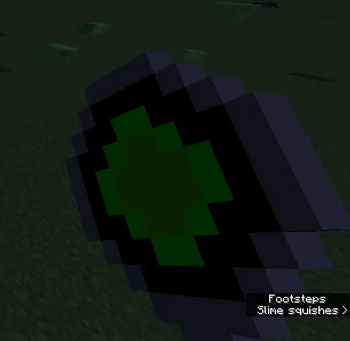
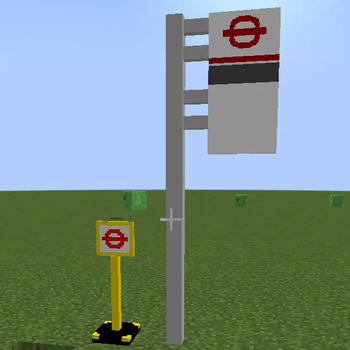
I made this mod originaly for my Minecraft Create Mod server based in the UK however it has enough features that I think it would be cool for other peoples servers.
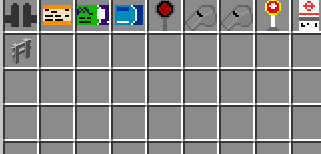
This mod adds a wide range of items.
Items and Blocks
Transportation
- Money (£)
- Train Travel cards (Free travel for now)
- Train Tickets (1 Journey only)
- Dispatching Baton (R-Click to change from red to green and back)
- Dispatching Whistles
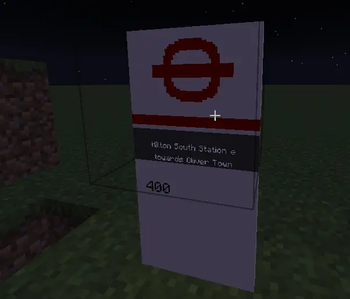
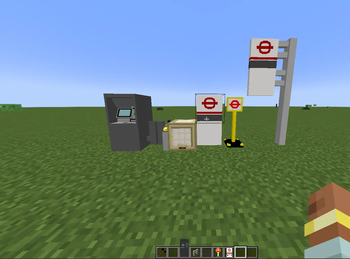
- Bus Stop (Configure with hammer)
- Bus Stand (Rotate the bottom off a bus stop to get this block)
- Temporary Bus Stop
- Bus Stop Post
- Ticket Gate (Takes either Tickets, Travel cards or Bank cards)
- Off Signal (Lights up if unpowered and turn off when powered) (Neoforge)
Banking
- Card Machine (GUI Temp Disabled)
- Payment Card Initialiser
- British Money (£)
- Money Gun (Flex your wealth)
- Wallet (Store Your wealth) (Neoforge)
Technology
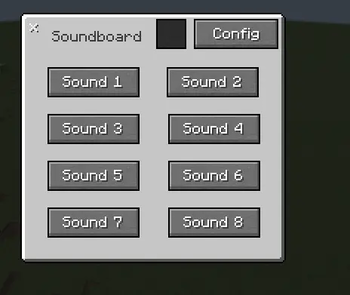
- Soundboard (Not yet working)
- DeCursifier™ (Removes curses from items)
- Drill (Breaks most blocks instantly but forever)
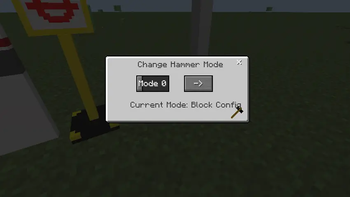
- Hammer (Config Hammer like the Create Mod Wrench)
- Magnifying Glass (Allows you to see instruction manuals from blocks and items) (Neoforge)
- Trumpet (doot) (Neoforge)
Extras
- Trash Bin
- Trash Block
- Bike parking Ring (Neoforge)
Ingredients
- Copper Wire (Neoforge)
- Magnetic coil (Neoforge)
- Scanner (Neoforge)
- Motor (Neoforge)
- Cog (Neoforge)
Commands
- /maps (links to my servers train map, i will make it customisable at some point)
- /clean (clears all ground items)
- /afk (sends a chat message to tell people you are afk)
- /t <time=d/n> (/time set day/night but faster to type)
- /head (places an item from main hand on your head)
- /custom inhand rename (renames the item in your hand like if you used an anvil)
- /custom item <type=rename/enchant> (/gives you an item with a custom name or enchants)
- /size (Neoforge only)
Magnifying Glass (Integrated Context Mod)
The magnifying glass allows you to get context as to how blocks and items function.
To get block context, right click it with the magnifying glass and a GUI will pop up with a maximum of 10 pages.
To get item context, place the item in your offhand and right click the magnifying glass.
Using the Configs
Bus Stops
You are able to customise both the top and bottom to say whatever
It uses text displayys but they dont seem to lag the game that much
-
To edit the top, right click it with the hammer
-
When the text boxes are filled out, click on Confirm (->) and then Display (O)
-
If you want to clear it then press on Clear (X)
-
To edit the bottom, right click the bottom with the hammer
-
There are 9 text boxes each for a separate bus nuumber
-
When the text boxes are filled out, Click on Confirm (->) and then Display (O)
-
If you want to clear it then press on Clear (X)
You do not have to fill out all text boxes on there, they default to empty strings.
Ticket Gates
- To edit the ticket machine, Shift+RightClick with the hammer
- There are 4 values you can change (Owner, oystercard, defaultCost and PAYG)
- Owner allows you to declare ownership so you can take the money out later
- oystercard is a boolean which determines if you can use Oyster cards on the ticket gate
- defaultCost is a boolean that decides whether it should use the default cost or not
- PAYG is the custom cost of the ticket gate passthrough
- if payment is not defined then it defaults to free of charge
- Press Save to save the changes
- The out button is to collect the balance (Doesnt work properly yet)
Extra info
The hammer has 2 modes (Mode 0 = Config, Mode 1 = Rotate) press c to switch between them.
In config mode it can configure any block that supports it.
In Rotate mode it can rotate any block along the x axis.
Some sounds that are being used at the moment are placeholders.
The ban hammer and drill both use the mace sounds.
/custom item enchant oak_boat {id:"", lvl:1}, {id:"", lvl:1}
similar to NBT but les complex (Probably doesnt work in Neoforge but idk yet)
/custom item rename
Its bugged at the moment just use inhand rename after the enchant
请登录后举报
请 登录 后赞助作者。
暂无评论,抢个沙发吧~