
ScreenTime
作者:rebot | 分类:模组
Minecraft 版本: 26.1.2
平台: fabric
标签: utility
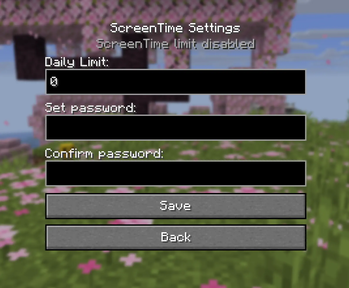
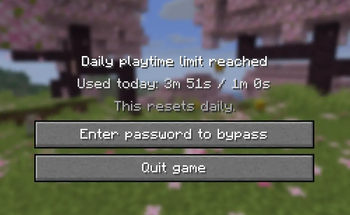
Easily set up a playtime limit for an entire Minecraft instance. Once a limit and password is set the mod will start keeping track of your playtime. Once the limit expires, you will be locked out of the game (worlds will be saved don't worry!) unless you enter the password to bypass the limit.
Why?
I've been trying to use macOS' built in screentime features to accomplish the same thing, but they are rather finnicky around Minecraft Java Edition. Sometimes the limit works, other times it lets you sail right past it without a peep. Even when the limit does work, the "Limit Reached" popup doesn't actually pause the game so your mouse remains captured making it basically impossible to interact with.
How?
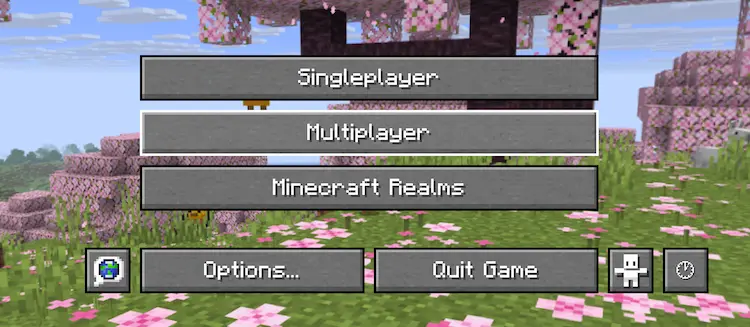
A new button has been added to the homescreen to allow you to configure settings. You can also press the ';' key by default to access the same page in game.
Recovery
If you don't remember your password, or something else goes wrong, settings are stored in a simple JSON file in your config directory which can easily be deleted to reset everything. This does also mean that bypass is... very possible without the password so don't rely on this for everything.
Hopefully you find this helpful!
请登录后举报
请 登录 后赞助作者。
暂无评论,抢个沙发吧~