
command rendering
作者:rebot | 分类:模组
Minecraft 版本: 1.20.1
平台: forge
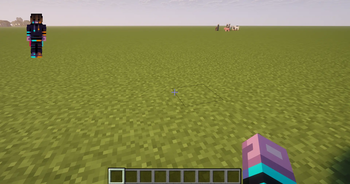
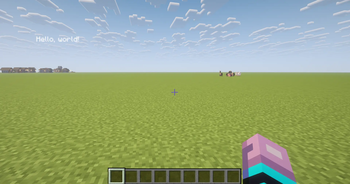
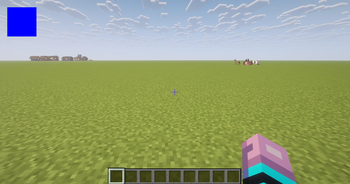
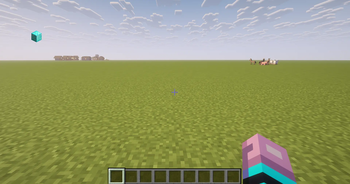
!WARNING! THIS MOD IS EXPERIMENTAL. RENDERS WILL NOT BE PERSISTENT. IF YOU LEAVE A WORLD, THEY WILL GO AWAY AND YOU NEED TO CREATE THEM NEW.
With this Mod, you can render entitys, items, rectangles and text.
Chat messages (when executing the commands) are now only shown, if gamerule commandblockoutput is ture
1. Render entitys:
To render entitys, you need this Command:
/render add entity
id: The Id is used to modify or delete entrys of this entry
entity: The entity that is rendered
x: The x Coordinate of the screen
y: The y Coordinate of the Screen
depth: The depth on the screen. default: -50
roll: roll of the entity. default: 0
scale: scale of the entity. default: 30
2. Render items:
To render items, you need this Command:
/render add item
id: The Id is used to modify or delete entrys of this entry
item: The item that is rendered
x: The x Coordinate of the screen
y: The y Coordinate of the Screen
depth: The depth on the screen. default: -150
yaw: yaw of the entity. default: 0
pitch: pitch of the entity. default: 0
roll: roll of the entity. default: 0
scale: scale of the entity. default: 16
3. Render rectangle:
To render rectangles, you need this command:
/render add rect
id: The Id is used to modify or delete entrys of this entry
x1: First x on screen
y1: First y on Screen
x2: Second x on Screen
y2: Second y on Screen
depth: The depth on the screen. default: 0
r: Color of Red
g: Color of Green
b: Color of Blue
4. Render text:
To render text, you need this Command:
/render add text ""
id: The Id is used to modify or delete entrys of this entry
x: x on Screen
y: y on Screen
depth: depth on Screen. default: 0
angle: angle of Test. default: 0
scale: scale of text. default: 1
r: Color of Red
g: Color of Green
b: Color of Blue
5. Delete entry
To delete an entry, you need this Command (it removes EVERY entry with this ID):
/render delete
id: entrys to delete
6. Modify entry:
To modify an entry, you need this Command:
/render modify
id: entry to be modified
entry: Thing to be modified. (For example the x Coordinate: x)
value: Thing to be written. (For example the x Coordinate: 10. If you want to modify a text, you need to write "<value")
7. Store values to an entry:
To store values to an entry, you need this Command (Because the mod is not finished yet, only scoreboards are implemented):
/render store ""
id: Id to be stored to
entry: Thing to be stored to (For example the x Coordinate: x)
scoreboard name: name of Scoreboard to be stored from
type: type to be stored. (If you want to write the Value as a text, you need "String", if you want it as a Number, like the x Coordinate, you need "Number")
For any questions or bugs, please write a Comment.
请登录后举报
暂无评论,抢个沙发吧~