
Notematic Player
作者:rebot | 分类:模组
Minecraft 版本: 1.20.6 1.21 1.21.1 1.21.2 1.21.3 1.21.4 1.21.5 1.21.6 1.21.7 1.21.8 1.21.9 1.21.10 1.21.11 26.1 26.1.1 26.1.2 26.2
平台: bukkit paper purpur spigot
标签: technology utility
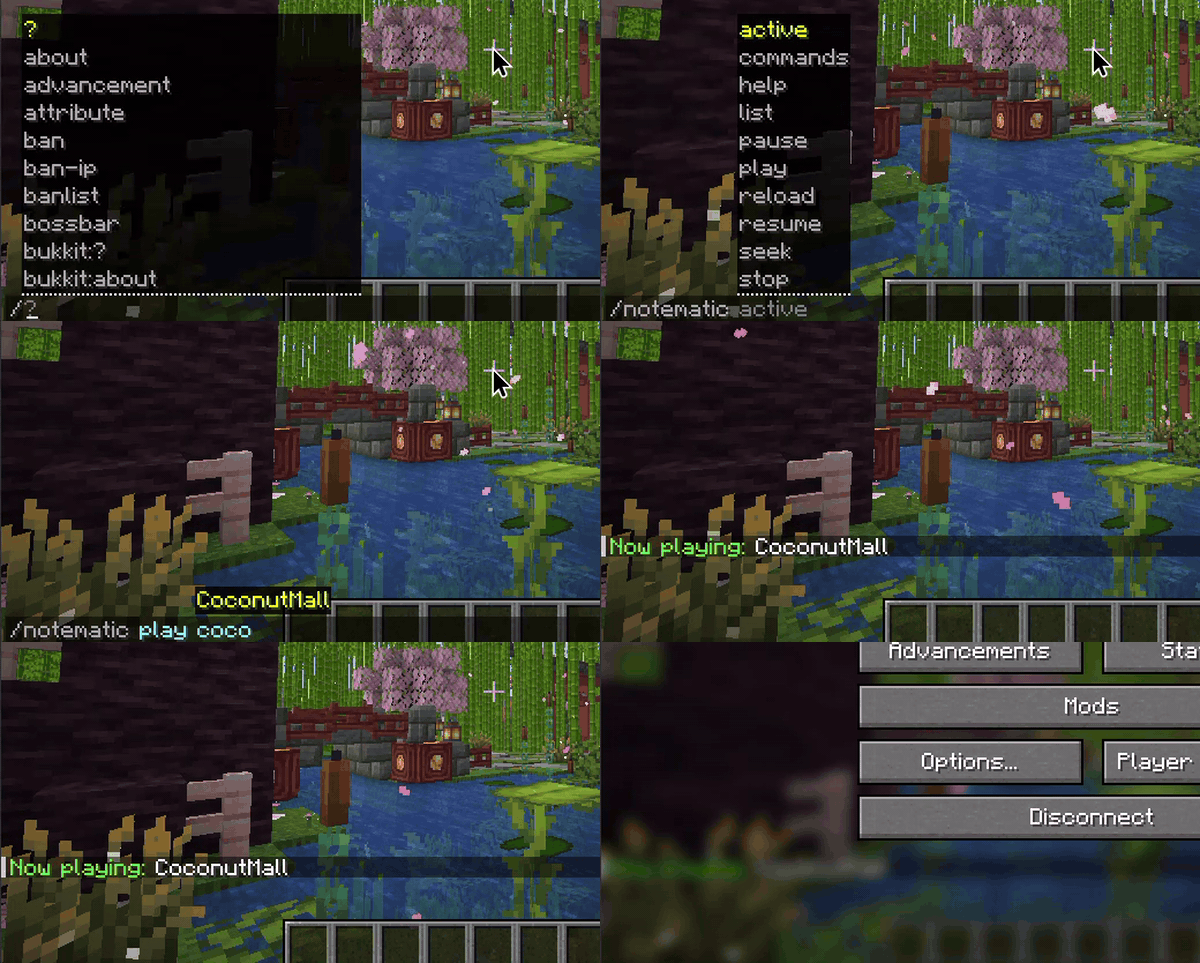
Notematic Player
Features
- Custom Music Playback: Play custom note block arrangements. Supports public and private folders for admin-only access control.
- In-Plugin MIDI Converter: Download and convert MIDI files on the fly directly inside the game using
/notematic create. - Per-Player Personal Volume: Every player can adjust their own personal listening volume via
/notematic volume <val>(saved by UUID). - Offline Sync: If a player disconnects, the playback ticks virtually and resumes in sync when they rejoin.
- Jukebox Persistent Loops: Location-based looping playbacks persist across server restarts and crashes.
- Notematic Studio Companion: Plays files exported directly from the Notematic Studio MIDI converter utility.
Official Addons
Notematic Vocoder
An official sub-addon built on top of Notematic Player's engine. It uses Digital Signal Processing (DSP) to analyze Text-to-Speech audio, extract formant frequencies, and dynamically map them to Minecraft's sound system, allowing note blocks to "talk" in real-time.
- Real-time In-Game Speech: Speak aloud using note blocks via
/<command> <prompt>. - 6-Octave Voice Range: Intelligently maps overlapping frequencies across 5 note block instruments (Bass, Guitar, Harp, Flute, Bell) to bypass Minecraft's default 2-octave limit.
- 100% Server-Side: No mods or resource packs required by players. Fully compatible with vanilla clients.
Commands & Permissions
| Command | Permissions | Short Description |
|---|---|---|
/notematic [help] |
notematic.use |
Displays plugin info, status, and commands menu. |
/notematic play <song> [target] [loop] |
notematic.usenotematic.play.location (for at ...)notematic.play.loop (for loop) |
Plays a song for yourself, a target player, everyone, positionally at a 3D location, or via a moving radio. |
/notematic stop [#ID \| song \| player] [at <x> <y> <z>] |
notematic.use |
Stops active playbacks (by ID, song, player, or coordinate). |
/notematic seek <#ID \| song \| player> <value> |
notematic.use |
Seeks forward, backward, or to an absolute time in a playback. |
/notematic pause [#ID \| song \| player] [at <x> <y> <z>] |
notematic.use |
Pauses active playbacks. |
/notematic resume [#ID \| song \| player] [at <x> <y> <z>] |
notematic.use |
Resumes paused playbacks. |
/notematic volume <value> |
notematic.use |
Sets your own personal listening comfort volume (0-100%). |
/notematic volume #ID <value> |
notematic.use |
Sets a temporary volume multiplier for a specific active playback instance. |
/notematic volume song <name> <value> |
notematic.admin |
Sets a song's global volume multiplier (Admin only). |
/notematic list |
notematic.use |
Lists all loaded public (and private if admin) songs (names are clickable to play). |
/notematic active |
notematic.use |
Shows all currently playing songs with real-time status. |
/notematic commands [true \| false] |
notematic.admin |
Toggles or sets player command usage globally (Admin only). |
/notematic reload |
notematic.admin |
Stops all active songs and reloads the song folder (Admin only). |
/notematic create <name> <url> [opts] |
notematic.create |
Downloads and converts a MIDI file asynchronously. |
/notematic rename <old> <new> |
notematic.admin |
Renames a song file on disk and in the cache (Admin only). |
/notematic admin <action> ... |
notematic.admin |
Manages pseudo-admins (Admin only). |
/notematic blacklist <action> ... |
notematic.admin |
Manages player command blacklist (Admin only). |
Compatibility & Platforms
Notematic Player runs entirely server-sided, meaning vanilla clients do not need to install any mods to hear the music. It is natively compatible with 1.20.6 and 1.21 - 26.2.x on:
- Paper (Recommended)
- Purpur
- Spigot
- Bukkit
Music File Formats & Organization (.json / .mcfunction) Place your music files in `plugins/NotematicPlayer/songs/`. * **Public Songs (`/songs/` or `/songs/public/`):** Accessible to anyone via `/notematic list` and play commands. * **Private Songs (`/songs/private/`):** Only accessible to OPs/admins (or players with `notematic.admin`). ### JSON Format ```json { "tempo": 1.0, "notes": [ { "instrument": "harp", "note": 1.4142, "volume": 0.8, "when": 0 }, { "instrument": "bass", "note": 0.7071, "volume": 0.6, "when": 5 } ] } ``` * **`tempo`**: Speed multiplier (double). `1.0` plays at normal speed. * **`notes`**: Array of note events, sorted by `when`. * **`instrument`**: Instrument name (e.g. `harp`, `piano`, `bass`, `bell`, `flute`, `guitar`, `pling`, `bit`, `banjo`). You can also use any in-game `/playsound` identifier (e.g., `minecraft:entity.cow.ambient`, `minecraft:block.bell.use`, or custom resource pack sounds) by specifying a key containing a `.`, `:`, or `/`. * **`note`**: Pitch multiplier from `0.5` to `2.0`. * **`volume`**: (Optional) Note-specific volume from `0.0` to `1.0`. * **`when`**: Tick delay relative to the start. ### Datapack Format If you drop an `.mcfunction` file into the songs folder, the plugin scans for storage modifications to parse the JSON: ```mcfunction data modify storage music sheet set value {"tempo":1,"notes":[{"instrument":"harp","note":1.4142,"when":0}, ...]} ``` Developer API Reference Retrieve the plugin instance from Bukkit's plugin manager: ```java import me.cayde26.notematicPlayer.NotematicPlayer; import org.bukkit.Bukkit; NotematicPlayer api = (NotematicPlayer) Bukkit.getPluginManager().getPlugin("NotematicPlayer"); if (api != null && api.isEnabled()) { // Play a song positionally for a player without chat messages api.playSong(player, "mysong", false, true); // Stop active playbacks for a player api.stopSong(player); // Get/set a player's personal volume multiplier double playerVol = api.getPlayerVolume(player); api.setPlayerVolume(player, 0.85); } ``` ### Available API Methods #### Playback Control * `boolean playSong(Player player, String songName)` * `boolean playSong(Player player, String songName, boolean showChatMessage)` * `boolean playSong(Player player, String songName, boolean showChatMessage, boolean positional)` * `boolean playSong(Player player, String songName, boolean showChatMessage, boolean positional, String initiator)` * `boolean playSongForAll(String songName)` * `boolean playSongForAll(String songName, boolean showChatMessage)` * `boolean playSongForAll(String songName, boolean showChatMessage, boolean positional)` * `boolean playSongForAll(String songName, boolean showChatMessage, boolean positional, String initiator)` * `void stopSong(Player player)` * `void stopSong(Player player, String songName)` * `void stopAllSongs()` * `void pauseSong(Player player)` * `void pauseSong(Player player, String songName)` * `void resumeSong(Player player)` * `void resumeSong(Player player, String songName)` * `void pauseAllSongs()` * `void resumeAllSongs()` #### Status & Query * `boolean isPlaying(Player player)` * `boolean isPaused(Player player)` * `boolean songExists(String songName)` * `List getActivePlaybacks()` #### Volume Adjustments * `double getSongVolume(String songName)` * `boolean setSongVolume(String songName, double multiplier)` * `double getPlayerVolume(Player player)` * `void setPlayerVolume(Player player, double volumeMultiplier)`
请登录后举报
暂无评论,抢个沙发吧~