
Client-Enhanced
作者:rebot | 分类:整合包
Minecraft 版本: 1.21.11
平台: fabric
标签: lightweight multiplayer optimization



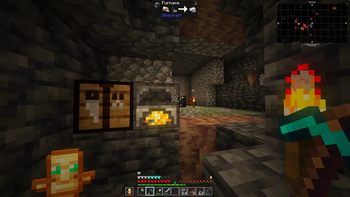
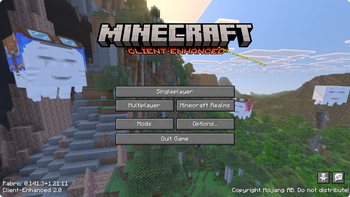
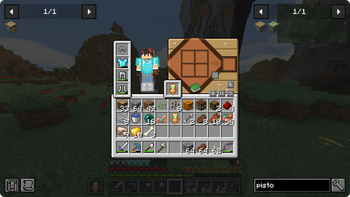
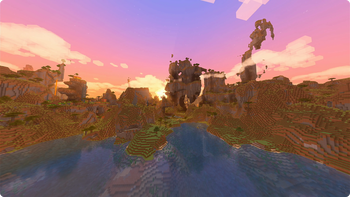


by nickesc — GitHub | Modrinth
Overview



Client-Enhanced is an overhaul of the current Minecraft client. Its goal is to keep the game feeling as close to Vanilla as possible while adding a number of enhancements designed to improve quality of life, visuals, performance, multiplayer, and more.
When you play using Client-Enhanced, you will only be playing with client-side mods. Nothing adds blocks, items, or new gameplay mechanics. And using this modpack, you should still be able to play on Vanilla servers with friends who aren't using it.

Caution: Client-Enhanced is not guaranteed to be compatible with all multiplayer servers. Some mods may be flagged by anti-cheat plugins and result in a ban.
DO NOT connect to a server with Client-Enhanced unless you know the mods in this modpack are permitted on that server.
The sections below cover the major features, but are not exhaustive. For full content lists, see the Mod List, Shader Pack List, and Resource Pack List.
Visuals
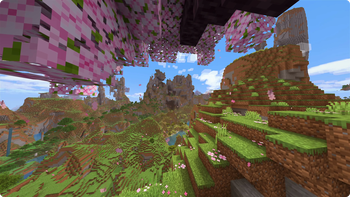
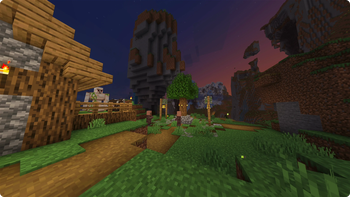
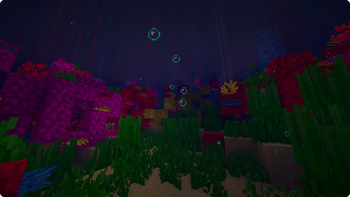
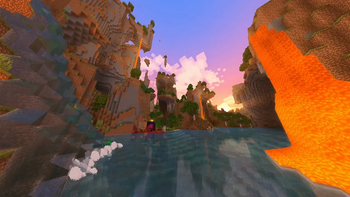
Shaders are supported through Iris, with I Like Vanilla as the default, which overhauls lighting, shadows, and atmosphere while still looking like the Minecraft you know and love.
Camera Overhaul adds more weight and movement to the camera, making it tilt, sway, and bob realistically as you move. Shoulder Surfing Reloaded reworks third-person into an over-the-shoulder perspective. A freecam mode is also available, which lets you detach the camera entirely.
Effects and particles are improved, with tons of new and improved particle effects for blocks, entities, and interactions.
Resource packs like Nautilus 3D and Fresh Animations add 3D detail to block models and more expressive movement to entities. Other packs update the user interface, tweak how things are rendered, and more.


Enhancements
Controlify adds controller support and elytra flight controls are reworked with more natural pitch-and-roll behavior.
The sound engine is overhauled -- audio now reacts to the environment with reverb, echo, and occlusion thanks to Sound Physics Remastered -- and new sound effects have been added throughout the game.
Proximity chat, through Simple Voice Chat, and player emotes are available on supported servers. ViaFabricPlus lets you connect to servers running other Minecraft versions.
Capes, Ears, Show Me Your Skin!, and Female Gender Mod add character customization options, from skin details to player model changes.


HUD and User Interface
Jade shows block and entity information when you look at something, including container previews. The crosshair will also change based on what you're targeting and what you're holding.
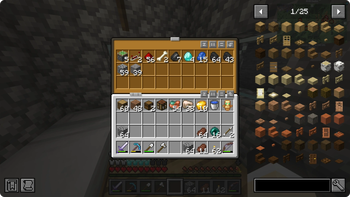
Just Enough Items adds item and recipe lookup in your inventory, and sort buttons in inventory and chest screens make organizing items easier.
JourneyMap adds a minimap and full-screen map with waypoints, synced to the server when supported.
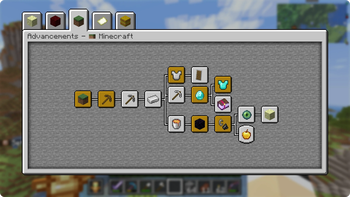
The Achievement, Statistics, and Command Block screens have cleaner layouts and provide additional information.


Optimization and Fixes
Sodium replaces the rendering engine with a much faster one, and mods like Lithium, FerriteCore, ModernNetworking fix performance issues and bugs and make optimizations across the base game.


License
Client-Enhanced is released under the LGPL-3.0 License. For more information, see the LICENSE file.






请登录后举报
请 登录 后赞助作者。
暂无评论,抢个沙发吧~