
Gems & Metals Expansion
作者:rebot | 分类:模组
Minecraft 版本: 26.1 26.1.1 26.1.2 26.2
平台: datapack
标签: adventure equipment worldgen
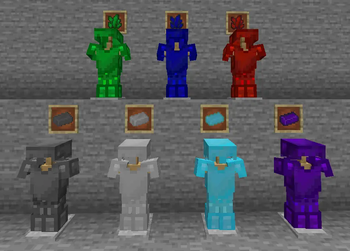
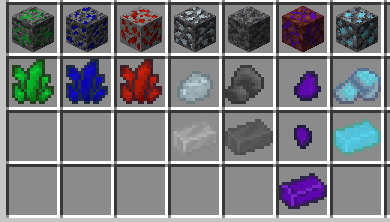
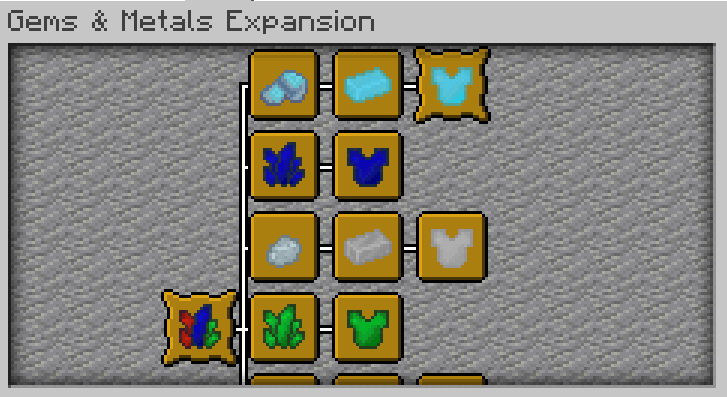
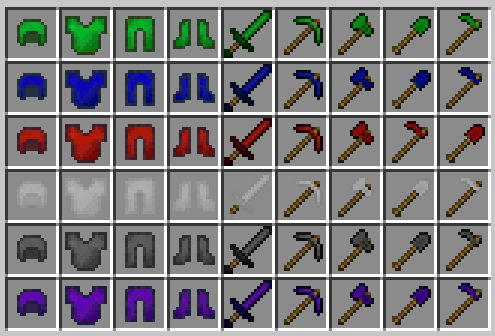
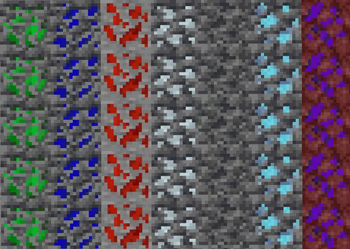
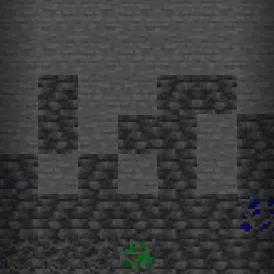

? The Gems & Metals Expansion
Enhance your Minecraft journey with a complete overhaul to underground exploration! The Gems & Metals Expansion introduces 7 brand-new resources to find, mine, and forge. This datapack is designed to diversify your equipment choices by offering unique armor sets, each coming with its own distinct advantages to support different playstyles.
⚒️ Features & How it Works
? Seamless Ore Generation & Mining Mechanics
The new ores won't clog up your inventory or mess with complex world-generation rules. Instead, they seamlessly replace specific vanilla Deepslate ore variants, Emerald Ore, and Nether Gold Ore. Grab your pickaxe and head into the deep dark or the dangerous Nether wastes to find them!
- Mining Mechanics: All custom ores behave just like vanilla ores—you can mine them normally, use Fortune to increase your resource yield, or collect them with Silk Touch (which retains their custom name and texture). If you prefer, Silk-Touched ore blocks can also be smelled directly in a furnace!
⚙️ 7 New Materials
Explore the world to discover unique gems and metals:
- ? Gems: Jade, Sapphire, Ruby
- ? Metals: Silver, Titanium, Mithril, Malignite
⚔️ Custom Equipment & Advancements
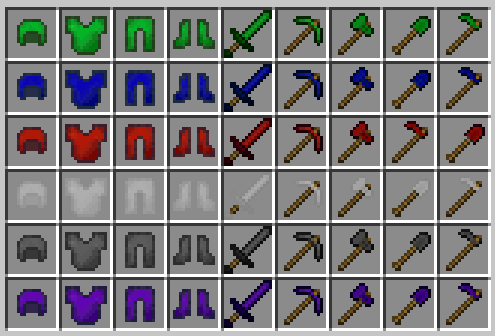
- Vanilla-Style Crafting: Crafting follows standard vanilla patterns using the newly acquired materials. Use them to forge complete gear sets tailored to your specific needs.
- In-Game Advancements: Track your mining and blacksmithing achievements with a custom set of advancements. Can you obtain the legendary Mithril Armor?
?️ Featured Gear & Mechanics
Every single material in this expansion allows you to craft unique armor and tools, featuring distinct gameplay advantages.

⚠️ IMPORTANT REQUIREMENTS
This datapack requires its corresponding Resource Pack to display textures correctly. Without it, items will appear as default vanilla objects or broken textures.
? Note on Recipe Previews: Due to technical limitations, checking a recipe in the recipe book without having the required custom materials in your actual inventory will temporarily display the underlying vanilla base item instead of the custom gem/metal texture.
?️ Installation
? Datapack
- Download the datapack
.zipfile. - Place it into your world's
world/datapacksfolder.
? Resource Pack
- Download the resource pack
.zipfile. - Place it into your
.minecraft/resourcepacksfolder. - Enable it in your in-game Options > Resource Packs menu.
? Note: Ensure you download both files. You can find them under the Versions tab.
⚙️ Compatibility & Technical Notes
- Expansion Compatibility: Fully designed to play well and interconnect with my other Expansion Datapacks.
- World Generation & Loot Tables: Because this pack replaces certain Deepslate ores, Emerald Ore, and Nether Gold Ore, it may conflict with other datapacks that heavily modify world generation or loot tables for these specific blocks.
- Technical Base Items: The custom materials utilize Minecraft Spawn Eggs (with spawning behaviors disabled) as base items. This pack may conflict with other datapacks that modify or use the exact same Spawn Eggs.
- (Note: The Forsaken Souls Expansion for example is fully compatible as it uses different Spawn Eggs).
请登录后举报
暂无评论,抢个沙发吧~