
PlayerCulling
作者:rebot | 分类:模组
Minecraft 版本: 1.21.4 1.21.5 1.21.6 1.21.7 1.21.8 1.21.9 1.21.10 1.21.11 26.1 26.1.1 26.1.2 26.2
平台: fabric
标签: game-mechanics management utility
PlayerCulling





Description
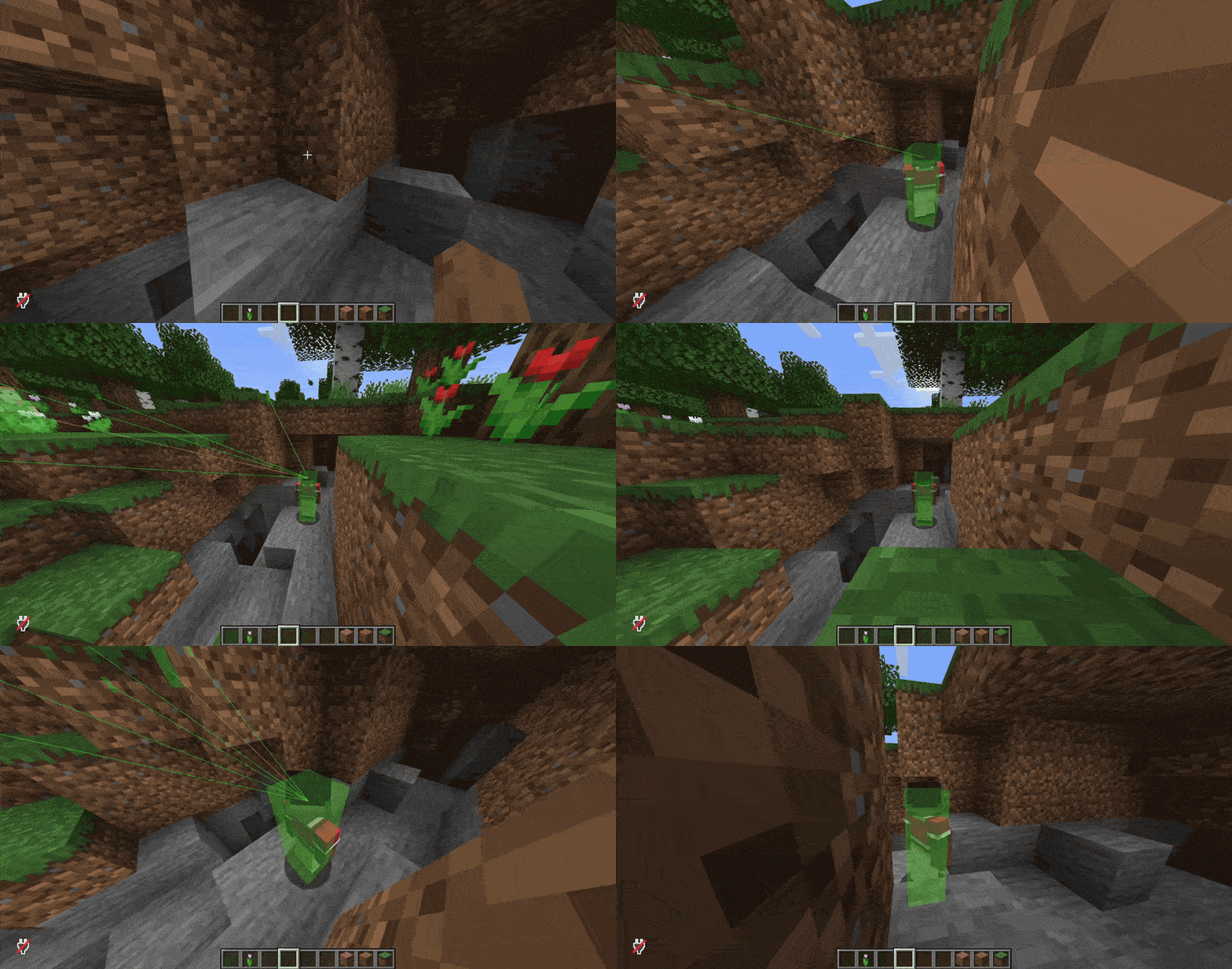
PlayerCulling is an anti-cheat plugin and mod for Minecraft servers. It prevents players from seeing other players
through walls using cheats. It utilizes a unique allocationless asynchronous voxel stepping-faced-ray-casting algorithm.
Features
- Asynchronous, multithreaded culling
- Allocationsless voxel raycasting algorithm
- Advanced scheduler system
- Support for nametag visibility, potions, glowing and spectating
- 2x2x2-scale voxel occlusion for non-full blocks
- Efficient storage of occlusion block data
- Nearly instant block updates
- Easily enable/disable culling globally/per-player
-
One Container
One container is able to handle the load of 42 players without many problems.

-
Two Containers
If the load increases, the scheduler will automatically create a second
container and distribute the players to maintain a buffer. In this example, a total of 55 players are together in an area.

-
Cleanup of Containers
If a container is no longer used because the load decreased, it gets parked first.
After its time-to-live (TTL) runs out because the load didn't increase again,
it will get cleaned up automatically.

-
Heavy Load
The scheduling system is theoretically able to scale to an infinite amount of containers.
As long as the load increases (and the limit of containers hasn't been reached yet), the scheduler
will automatically continue to add more containers. In this example, a total of 112 players are together in an area.

-
Merging of Containers
If the load of multiple containers is too low, they will be
merged together after a few seconds.


Supported Software
| Server Version | Paper | Folia | Fabric |
|---|---|---|---|
| 26.2.x | ✅ | ✅ | ✅ |
| 26.1.x | ✅ | ✅ | ✅ |
| 1.21.11 | ✅ | ✅ | ✅ |
| 1.21.10 | ✅ | ✅ | ✅ |
| 1.21.9 | ✅ | ✅ | ✅ |
| 1.21.8 | ✅ | ✅ | ✅ |
| 1.21.7 | ✅ | ✅ | ✅ |
| 1.21.6 | ✅ | ✅ | ✅ |
| 1.21.5 | ✅ | ✅ | ✅ |
| 1.21.4 | ✅ | ✅ | ✅ |
| 1.21.3 | ✅ | ❌ | ❌ |
| 1.21.2 | ✅ | ❌ | ❌ |
| 1.21.1 | ✅ | ❌ | ❌ |
| 1.21 | ✅ | ❌ | ❌ |
Dependencies on Fabric:
Usage
PlayerCulling can be installed like any other bukkit plugin.
Place the jar file in your plugins directory. On Fabric as well, just place the jar file and the dependencies listed
above in your
mods directory and restart your server.
Configuration
After the first start, PlayerCulling will automatically create a configuration file. On paper under
plugins/PlayerCulling/config.yml or on Fabric config/playerculling.yml. In there, you are able to configure the
following options:
config-version: Don't touch thisscheduler:max-threads: The maximum amount of threads allowed to use (default:cpu threads / 3)cleanup-interval: The interval to check for cleanup of threads in seconds (default:30)container-ttl: The time-to-live of unused threads (default:30)max-cull-time: The maximum time a thread is allowed to have in milliseconds (default:45)max-transfer-factor: If the load percentage of a thread is below this factor, it is allowed to accept more tasks
from other overloaded threads (default:0.7)max-merge-factor: If the combined load percentage of two threads is below this factor, the two threads are
allowed to merge together (default:0.5)
culling:nametag-visibility-distance: The distance in blocks PlayerCulling will check for nametag visibility. Set to0to
ignore nametags completely (default:64, vanilla)blacklisted_worlds: A list of worlds where PlayerCulling should be disabled (default:[])
updater:enabled: Enables/disables the update checker (default:true)notify-admins: Whether to notify admins about new PlayerCulling releases (default:true)interval-hours: The update check interval in hours (default:24)
waypoint-mode: The mode for the waypoint system, see the Locator Bar / Waypoints section
for more information. (default:HIDDEN)
Note: If you're not sure what a configuration option does, it's best to leave it at its default value.
Locator Bar / Waypoints
The locator bar was introduced in Minecraft 1.21.6 and allows players to see the direction of other players. As this
would reveal the real location of players and defeat the purpose of PlayerCulling, PlayerCulling will disable all player
related waypoints by default. If you still want to use the locator bar, you can use the waypoint-mode option in the
configuration file, see below for more info.
Note: Players can still triangulate the real X and Z coordinates of players, use the hidden mode to prevent
this
The following modes are available:
| Mode | Description |
|---|---|
HIDDEN |
PlayerCulling will disable all player related waypoints (default) |
AZIMUTH |
PlayerCulling will send the angle between players to the viewer |
CULLED_AZIMUTH |
PlayerCulling will send the angle between players to the viewer, if the other player is visible to the viewer |
VANILLA |
The locator bar will not be changed by PlayerCulling, this makes PlayerCulling effectively useless |
Permissions
| Permission | Description |
|---|---|
playerculling.update-notify |
If not disabled, players with this permission will receive update notifications |
playerculling.bypass |
Players with this permission will be ignored by PlayerCulling and therefore be able to always see anyone. Use commands (/playerculling toggle) or API instead of this permission if possible |
See the table below for command permissions.
Commands
| Command | Description | Permission |
|---|---|---|
/playerculling blockdebug [raw] [block] /playerculling blockdebug [block] |
Checks the occluding status of a block in sight of the target entity or specified by the block argument. The raw argument specifies, if true get status from minecraft world, if false get status from PlayerCulling occlusion cache. |
playerculling.command.blockdebug |
/playerculling chunkcache |
Gives information about the stored chunks in the PlayerCulling occlusion cache. If the executor is an entity, you will get more information about the entity's chunk. | playerculling.command.chunkcache |
/playerculling chunksizes |
Gives the byte size of each chunk in the executors world. You can click on a chunky entry to teleport. | playerculling.command.chunksizes |
/playerculling cleancontainers [force] |
Triggers the cleanup process manually. The force argument decides if you check for the ttl or not. |
playerculling.command.cleancontainers |
/playerculling viewcontainers |
Toggles the view of the container scheduler. It shows the status, load and player count. Please note: The boss bar count is limited by your gui size, minecraft only renders boss bars over one third of the windows size. | playerculling.command.viewcontainers |
/playerculling hidden |
Shows the hidden list of the executor. | playerculling.command.hidden |
/playerculling performance |
Toggles the view of the PlayerCulling performance, overall occlusion cache size, and culled players count. Please note: The boss bar count is limited by your gui size, minecraft only renders boss bars over one third of the windows size. | playerculling.command.performance |
/playerculling raycastdebug <target-player> [showRay] /playerculling raycastdebug <target-player> [blocks] /playerculling raycastdebug <target-player> [blocks] [showRay] |
Checks if the executor can see the target-player, the executor must be a player. The showRay argument enables particles of the rays. The blocks arguments prints all checked blocks in the ray. |
playerculling.command.raycastdebug |
/playerculling reloadconfig |
Reloads the configuration. | playerculling.command.reloadconfig |
/playerculling toggle global [enabled] /playerculling toggle player <player-list> [enabled] |
Toggles PlayerCulling either for a player-list or global. The enabled argument can be used to always enable (true) or disable (false) PlayerCulling for the target -> no toggle. |
playerculling.command.toggle, playerculling.command.toggle.global, playerculling.command.toggle.player |
Note: [...] is an optional argument, <...> is a required argument
PlayerCulling uses brigadier for commands which means command blocks and datapacks are also able to use these commands.
Additionally, this also means /execute can recognize these commands and you are able to change the executor/location
of the executed command. For example:
/execute as Notch run playerculling hiddenwill show you the hidden players of the playerNotch, if online/execute as @a run playerculling hiddenwill show you the hidden players of everyone online
API setup
PlayerCulling has to be added as a dependency to the plugin.yml regardless of the build system used. On Fabric add
playerculling to the fabric.mod.json file.
API usage
Basic paper plugin example:
public class ExamplePlugin extends JavaPlugin {

    @Override
    public void onEnable() {
        // this loads the player culling api from bukkit's services manager
        PlayerCullingApi api = Bukkit.getServicesManager().load(PlayerCullingApi.class);

        // example: disable culling for the player "Notch", if online
        Player player = Bukkit.getPlayer("Notch");
        if (player != null) {
            api.setCullingEnabled(player.getUniqueId(), false);
        }
    }
}
Basic fabric mod example:
public class ExampleMod implements ModInitializer {

    @Override
    public void onInitialize() {
        FabricLoader.getInstance().getObjectShare().whenAvailable("playerculling:api", (__, obj) -> {
            if (!(obj instanceof PlayerCullingApi api)) {
                return;
            }
            // Toggle global culling
            api.setCullingEnabled(false);
        });
    }
}
Building
- Clone the project (
git clone https://github.com/MinceraftMC/PlayerCulling.git) - Go to the cloned directory (
cd PlayerCulling) - Build the jar (
./gradlew buildon Linux/MacOS,gradlew buildon Windows)
The PlayerCulling jars can be found in the build → libs directory.
Contributing
If you want to contribute to PlayerCulling, feel free to fork the repository and create a pull request.
Please make sure to follow the code style and conventions used in the project. If you have any questions or need help,
feel free to ask in our Discord.
You can test your changes by running ./gradlew plugin-paper:runServer or ./gradlew platform-fabric:runServer. This
will start a local development server with the compiled plugin or mod automatically installed. This can be combined with
the debugger of your IDE.
Please note that the update checker will be automatically disabled when running in a development environment.
请登录后举报
请 登录 后赞助作者。
暂无评论,抢个沙发吧~