
SGrave
作者:rebot | 分类:模组
Minecraft 版本: 1.21.5 1.21.6 1.21.7 1.21.8 1.21.9 1.21.10 1.21.11
平台: fabric forge neoforge quilt
标签: equipment game-mechanics storage
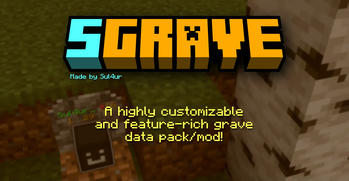
SGrave has been discontinued!
Use HyperGrave instead, which is a better and much more improved grave data pack.

With this data pack (which is also packaged as a mod), instead of just yeeting your items out of your inventory, all of them will be stored inside a safe place called grave.
There are many mods and data packs that do this, but this one has way more features, has much higher quality and is more customizable.
Requires Sul4ur's global resource pack.
(Not if you're using the mod version)
Features
- Completely free!
- Highly customizable!
- Multiplayer-friendly!
Notes
-
Make sure the following gamerules are set:
- KeepInventory: true
- doImmediateRespawn: false
-
This data pack might not be compatible with plugin loaders like Spigot, PaperMC, etc.
-
This data pack also has a mod version.
- It's basically the data pack but packaged as a mod.
- If you're using the mod version, you won't need the required resource pack.
Grave Spawning
Your grave won't just spawn exactly where you died. There are a few conditions for a grave being made. Basically, your grave will try to find the nearest transparent block where there is a solid block below. Graves are mostly invulnerable. They also have no hitbox, meaning you can easily walk through graves. Also, graves glow, so you can see them through walls. By default, graves despawn in 90 minutes.
Why does clicking on the grave do nothing?This grave data pack might not be compatible with Paper, Spigot, Bukkit, etc. If you're using any of these, then that might be the reason.
When I tried to click on the grave, my hand suddenly disappeared for a moment and now when I click on the grave it does nothing.
This is because of an issue with the Carry On mod.
To fix this, press F3+B, look for a white mini-box, use shift + right click, place it down right on the grave and then press F3+B again.
This is because you're not using the required resource pack. This shouldn't happen if you're using the MOD version.
Report bugs and suggest features!
 |
If you found a bug, this is where you should report it. Also if you came up with a cool idea that makes the data pack better, this is where you should go. |
Join us on discord!
| If you have any questions, any problems with the data pack, etc..., you can join our Discord server! You can also report bugs and suggest features here if you can't do it on github.
You can also join our Discord to get latest updates and announcements. |
 |
License
License
This work is licensed under CC BY-NC-ND.

One exception is made for video content, which can be monetized. However, you must give appropriate credit in the description of your video.
请登录后举报
请 登录 后赞助作者。
暂无评论,抢个沙发吧~