
MONZAdot Totem
作者:rebot | 分类:资源包
Minecraft 版本: 26.2
平台: minecraft
标签: combat equipment vanilla-like
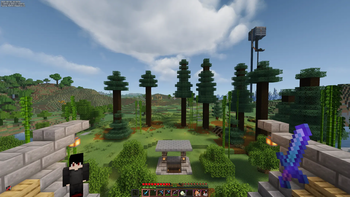
MONZAdot - Custom Skin Totem
Minecraft Java Edition 26.2 (resource pack format 88)
WHAT'S IN THIS PACK
- Totem of Undying = a small 3D figure built from a real skin texture,
instead of the flat gold icon. - Totem-pop particles (the swirling glitter effect) recolored to match
the pack's cover art palette: reds, oranges, gold, magenta, and cyan. - Shield blocking + shield glitter effects, carried over and updated to
the current item-model format. - Totem pop animation and first-person hold size shrunk down so it
doesn't block your view mid-fight (good for PvP). First-person scale
(0.3) and third-person scale (0.55) are kept in sync with the Dense
Item pack's current handheld values, so if you run both packs
together, the totem and your other held items feel like they belong
to the same visual style rather than one looking oddly larger or
smaller than the other. - Pack icon = your cover art.
HOW TO SWAP YOUR SKIN, ANY TIME
There's no in-game menu for this on Java (that's a Bedrock-only feature),
but swapping skins takes under a minute:
- Unzip this pack folder somewhere.
- Go to: assets/minecraft/textures/item/totem/
- You'll see two files: steve.png (wide/default arms) and alex.png
(slim arms). Replace whichever matches your new skin's arm type with
your new 64x64 skin PNG, keeping the same file name. - If you're switching from steve.png to alex.png (or back), open:
assets/minecraft/models/item/totem_of_undying.json
and change the two lines near the top:
"skin": "minecraft:item/totem/steve"
"particle": "minecraft:item/totem/steve"
to "alex" instead of "steve" (or vice versa).
If you're just replacing the skin image but keeping the same arm
type, you don't need to touch the JSON at all - just overwrite the
PNG and re-zip. - Re-zip the folder (select all contents, not the outer folder itself,
and compress to .zip) and drop it back into your resourcepacks
folder, replacing the old one. Press F3+T in-game or restart to
reload.
Slim vs wide is about arm width in the actual skin file (slim = 3px
arms, wide = 4px arms) - if you're not sure which your skin is, wide
(Steve) is the more common default.
WHY THE TEXTURE FOLDER MATTERS
The skin textures must stay under textures/item/... Minecraft's Java
client only auto-loads item-model textures from a specific set of
folders (mainly "item" and "block"). Putting them anywhere else makes
them silently fail to load, showing the purple/black "missing texture"
checker instead of your skin.
NOTES
- Skin file must be 64x64 pixels, standard Minecraft skin layout.
- Only the base layer is rendered (no hat/jacket/sleeve overlay layer),
to keep the model simple. - pack_format 88 = Minecraft 26.2. supported_formats keeps it from
showing an "incompatible" warning on nearby versions either.
请登录后举报
请 登录 后赞助作者。
暂无评论,抢个沙发吧~