Server Waypoint
作者:rebot | 分类:模组
Minecraft 版本: 1.21 1.21.1 1.21.2 1.21.3 1.21.4 1.21.5 1.21.6 1.21.7 1.21.8 1.21.9 1.21.10 1.21.11 26.1 26.1.1 26.1.2 26.2
平台: paper purpur
标签: management utility


Server Waypoint











Manage waypoints and sync them to other players' clients automatically. Compatible with Xaero's minimap.
Features
- Syncing waypoints from the server automatically.
- Customizable waypoints rendering.
- Allow players to manage waypoints by both GUI (need client installation) and commands (only need server installation).
- Commands auto-completion.
- Custom permission for
/wp <options>commands. Compatible with LuckPerms. - Support adding waypoint conveniently from Xaero's minimap waypoint chat sharing message without requiring client side installation.
Dependencies
Required:
Optional:
Keybinds
- Press
Right Shift(default keybind) or use/wp_guito open the waypoint manager screen in game. - In the waypoint manager screen, hover over a waypoint and press
Tto teleport (requires/wp tpcommand permission). - In the waypoint manager screen, press
Cto open client configuration screen.
Commands
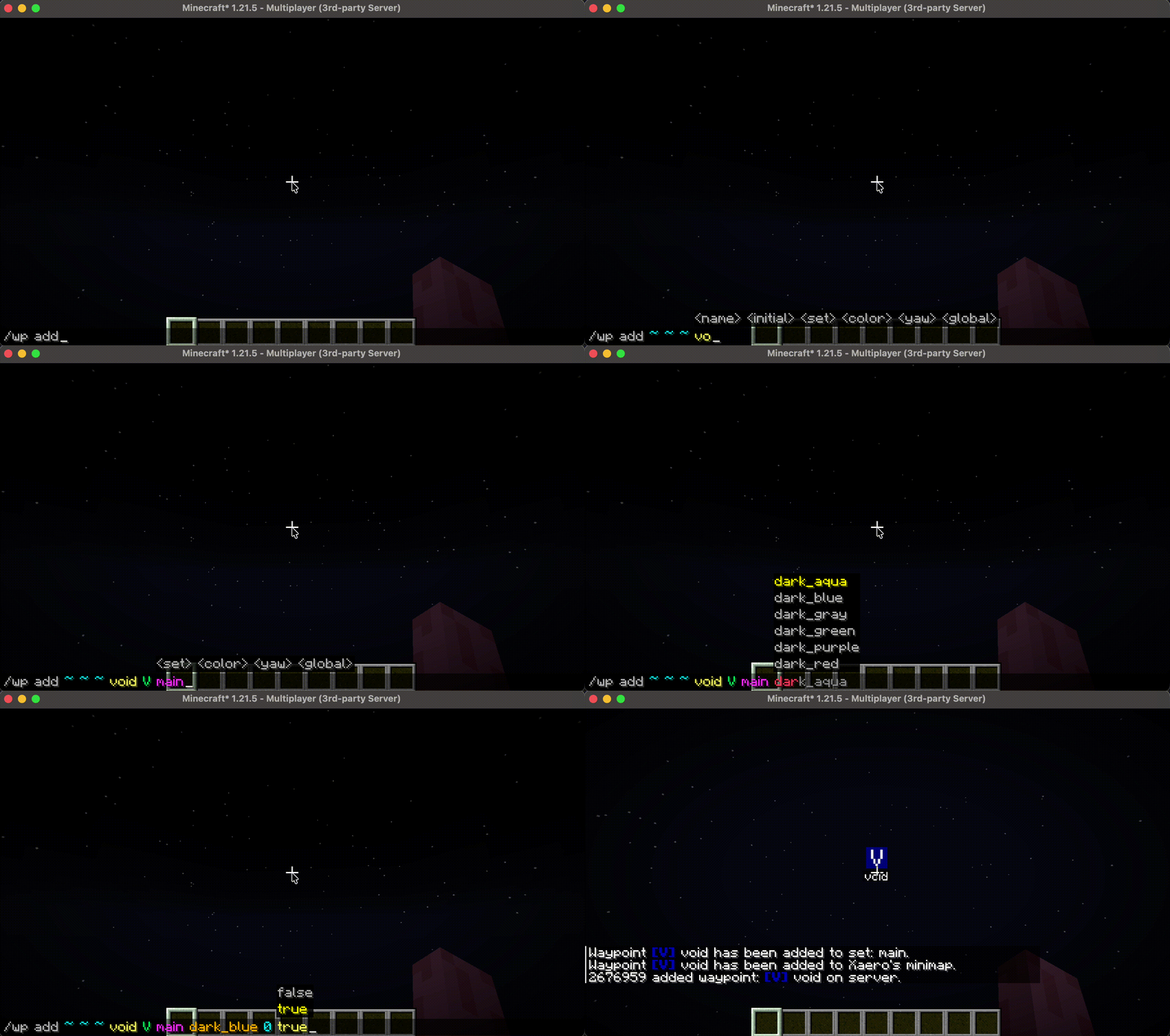
/wp addadd a new waypoint. No duplicate name allowed. Prompts user to use/wp editto replace the existing one./wp add <dimension> <list>add a waypoint list.
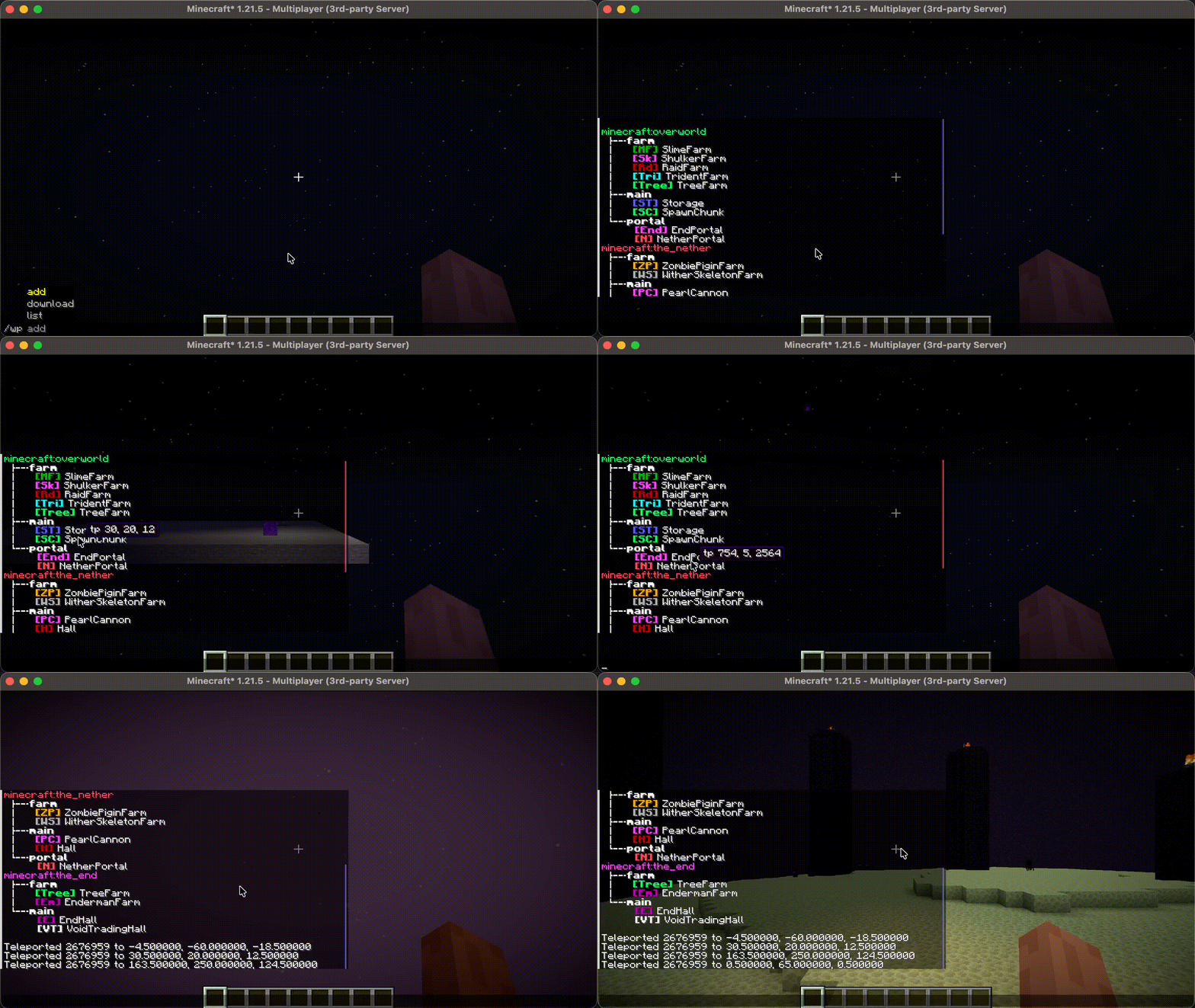
/wp downloaddownload waypoints and add to Xaero's Minimap (will not work without client installation)./wp editedit a waypoint./wp listlist all waypoints. Shows all waypoints in a tree hierarchy. Allowing user to click to teleport, edit and remove the waypoint./wp reloadreloadconfig.jsonand translation files in/config/server_waypoint/lang, featuresendXaerosWorldIdrequires restarting to take effect./wp removeremove a waypoint by name. Shows the removed waypoint and click it to restore that waypoint./wp remove <dimension> <list>remove an empty waypoint list.
/wp tpteleport the executor player to a waypoint
Server-side Translations
Messages and command feedbacks sent by this mod will be automatically translated based on the language setting on the receiver's client. This works entirely on the server-side; players can see the translated message without client-side installation of this mod. Right now, the mod comes with translations for English and Simplified Chinese. If you’re interested, you can help out by adding translations on Crowdin!
-
Add translations
Place the lang files under the directory:
<config-path>/server_waypoint/lang/. This mod will load them on server starting, use/wp reloadif the server is already running. -
Create a lang file
Follow the format used in
en_us.json,zh_cn.json.Name the lang file with a valid language code.
-
Translation order
If the translation you’ve added uses the same language code as the built-in language, this mod will try to find the translation key in the file you added first. If that key isn’t there, it’ll fall back to the built-in translation. So, if you’d like to use your own translation version, you can easily do that by adding your own file and overriding the built-in translation.
Community translator credits and credit pull request guidelines are documented in TRANSLATOR_CREDITS.md.
Translation Credits
Thank you to the community translators who help make Server Waypoint available to more players in more languages.
-
Hebrew
-
Spanish
shimonsolo
-
Traditional Chinese
Ymaomi
-
Traditional Chinese (Hong Kong)
Ymaomi
Waypoints
-
Location
For a dedicated server:
<config-path>/server_waypoint/waypoints/For a single player world:
<minecraft-root>/saves/<world-name>/server_waypoint/waypoints/ -
File Format
All waypoints are saved in json files. Each json file contains all waypoints in one dimension and the filename is the converted full registry name of that dimension.
For example, all waypoints in the overworld is stored inminecraft$overworld.json.
Server Configurations
Fabric, Quilt:
<minecraft-root>/config/server_waypoint/config.json
NeoForge, Forge:
<minecraft-root>/defaultconfigs/server_waypoint/config.json
Paper, Purpur:
<server-root>/plugins/ServerWaypoint/config.json
Some changes made in config.json may take effects after server restarts.
-
Command Permission
Changes the vanilla permission level required to execute the command.
This will be overridden by the permission set by LuckPerms.
Default value:
{ "CommandPermission": { // /wp add "add": 0, // /wp edit "edit": 0, // /wp remove "remove": 0, // /wp tp "tp": 2, // /wp reload "reload": 2 } } -
Features
-
addWaypointFromChatSharing
Default value:
truePrompts the user to add the waypoint they shared in chat. Requires
/wp addpermission.Example:
{ "Features": { "addWaypointFromChatSharing": true } } -
sendXaerosWorldId
Default value:
trueSend world id to client to help Xaero's map mod recognize the server.
This should be set to
falseifxaero-map-protocolon the Leaves server or some similar features provided by other plugin or mod is enabled.Example:
 {
   "Features": {
     "sendXaerosWorldId": true
   }
 }
-
Client Configurations
-
Enable Waypoint Rendering
Default value:
true -
Waypoint Rendering Scaling Factor (Percentage)
Default value:
100 -
Waypoint Background Transparence
Default value:
128 -
Waypoint Vertical Offset (Percentage)
Default value:
0 -
Local Waypoint View Distance (Chunks)
Default value:
12 -
Auto Sync to Xaero's Minimap
Default value:
trueRequires Xaero's Minimap mod installed.
-
Manually Sync to Xaero's Minimap
Default value:
NoneTriggered manually, requires Xaero's Minimap mod installed.
This will replace any waypoint sets on Xaeros' Minimap that has the same name as a list on the server.
- What stays:
Waypoint sets with unique names that do not exist on the server. - What is lost:
Any waypoints you added to these shared lists. Any list you created that happens to share a name with a server list.
- What stays:
请登录后举报
请 登录 后赞助作者。
暂无评论,抢个沙发吧~