
EconomyCraft
作者:rebot | 分类:模组
Minecraft 版本: 26.2
平台: fabric
标签: economy

EconomyCraft
A server-side economy for Fabric and NeoForge.
Requires Architectury API.
Setup
- Put the jar in your server's
modsfolder and start the server. - Type
/ecoin game to open the menu. - Operators get an Admin button in that menu, or can run
/eco admin.
Default configuration works without manual changes.
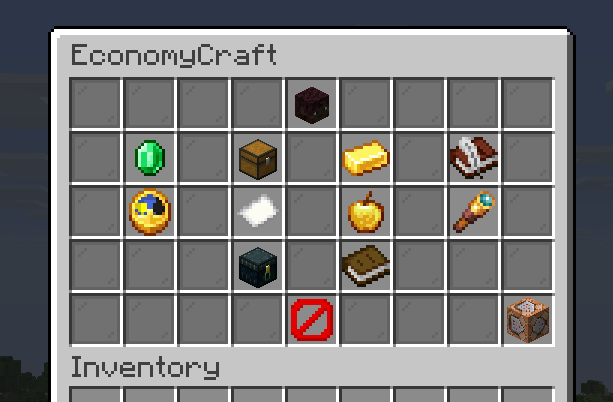
The /eco menu
| Button | Description |
|---|---|
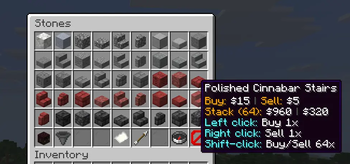
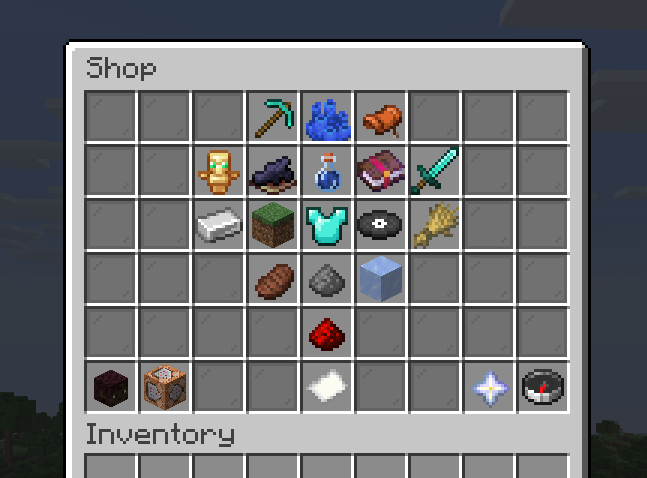
| Shop | Buy and sell at fixed prices with unlimited stock. Left click buys, right click sells, shift-click uses the bulk amount. |
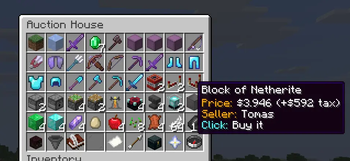
| Auction House | Buy items other players have listed. Sell an item walks through picking an item and setting a price. |
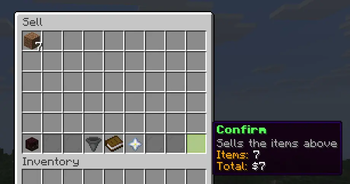
| Sell Items | Put items in the slots, check the total, confirm. Items without a sell price will not fit, and closing without confirming returns everything. |
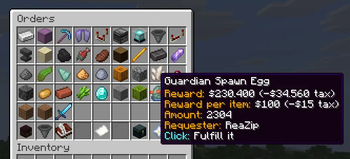
| Orders | New request picks any item in the game, an amount and a price. Other players fill the request and get paid. |
| Daily Reward | Claims the daily payout, once per day. |
| Pay a Player | Select a player and an amount. |
| Top Balances | The richest players on the server. |
| Item Value | The buy and sell price of any item. |
| Deliveries | Items bought while the inventory was full or orders that have been completed while being offline. |
| Transactions | Your recent balance history, newest first. Hover an entry for the full detail: type, amount, and date. Admins viewing another player's history also see the balance before/after each entry. |
Each screen also has a command: /bal, /bal top, /pay, /daily, /shop, /ah, /auction, /sell, /worth, /orders, /orders claim, /transactions.
The Admin menu
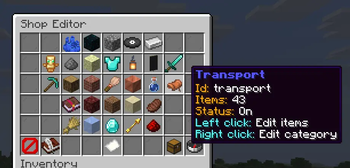
Shop editor
Browse categories and click an item to change it.
- Category editor: right-click a category to change its displayed name, color, icon, visibility, or whether it takes part in dynamic pricing. Deleting a category moves all of its items to
miscand sets their buy prices to0. - Add item: select any item in the game or one from the inventory. Custom names, enchantments and container contents are stored with the entry.
- Buy Price / Sell Price: the price of one item.
0disables that direction. When dynamic pricing applies to the item, the Buy Price button also shows the Base Buy Price (what you configured), the Current Buy Price (what players pay right now) and the Current Multiplier. - Dynamic Pricing: per-item switch to opt this item out of dynamic pricing even while it's enabled server-wide.
- Bulk Amount: how many a shift-click buys or sells.
- Category: which page of the shop the item appears on.
blocks.woodcreates a sub-page. - Delete: removes the entry.
Dynamic shop pricing
Optional, off by default (dynamic_prices_enabled). When on, every buy price (except items or categories that opted out) is scaled by:
current price = base price × current active-player median balance / starting balanceSell prices are never affected, and the configured price is always the base price used in that formula. The scale factor is clamped between dynamic_price_min_multiplier and dynamic_price_max_multiplier, cached, and recalculated at most once an hour. "Active" players are those who logged in within dynamic_price_min_active_days days, so accounts that never come back and sit at the starting balance don't drag the median down.
Opt out a whole category from its category editor, or a single item from its item editor, in the Shop editor above.
Settings
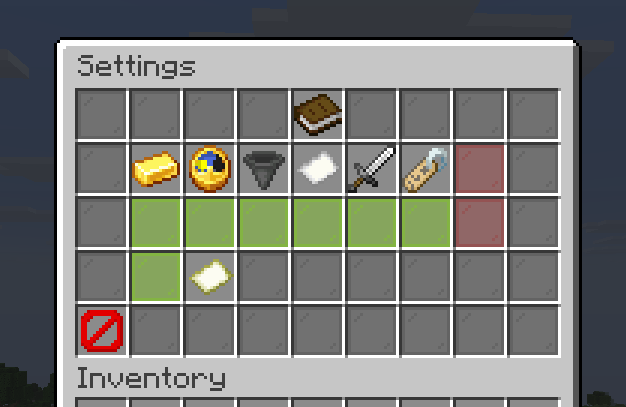
Paginated, and covers every option in config.json: starting balance, daily reward, daily sell limit, tax rate, PvP money loss, thousands separator, log retention, order/auction expiration hours, max active orders/auctions per player, dynamic shop pricing, and switches for the shop, auction house, orders, selling, the balance sidebar, the short command aliases and transaction logging.
Players
Select any player, online or not, to give, take or set their balance, remove them from the economy, or override their max active orders / max active auctions. Right-click either limit to clear the override and fall back to the server default.
Admin commands
/eco addmoney, /eco setmoney, /eco removemoney, /eco removeplayer.
Config files
On a server, config and player data are stored in config/economycraft/: config.json, webhook.json and prices.json at the top, balances, auctions, orders, deliveries and player activity (for dynamic pricing) under data/.
In singleplayer each world gets that same folder inside its own save, at saves/<world>/economycraft/.
config.json
| Key | Default | Description |
|---|---|---|
startingBalance |
1000 |
Money new players start with. |
dailyAmount |
100 |
Money given by the daily reward. |
dailySellLimit |
10000 |
Most a player can earn per day from selling. 0 disables the limit. |
taxRate |
0.1 |
Tax on trades and orders, as a decimal (0.1 = 10%). |
pvp_balance_loss_percentage |
0 |
Share of a balance the killer takes on a PvP death. 0 disables it. |
standalone_commands |
true |
Allow /pay, /daily and similar without the /eco prefix. |
standalone_admin_commands |
false |
Allow /addmoney, /setmoney and similar without the /eco prefix. |
scoreboard_enabled |
true |
Show the balance sidebar. |
shop_enabled |
true |
Enable the fixed-price shop. |
auction_enabled |
true |
Enable the auction house. |
orders_enabled |
true |
Enable the orders board. Collecting deliveries works either way. |
sell_enabled |
true |
Enable selling. |
worth_enabled |
true |
Enable item value lookups through /worth and the /eco menu. |
balance_separator |
"." |
Thousands separator. Only the first character is used, so "," gives $1,000. |
transaction_log_enabled |
true |
Record every balance change to a daily log file. |
transaction_log_retention_days |
7 |
How many days of transaction logs to keep. |
order_expiration_hours |
168 |
Hours before an unfulfilled order expires and its escrow is refunded. 0 disables expiration. |
auction_expiration_hours |
168 |
Hours before an unsold auction listing expires and its item goes to deliveries. 0 disables expiration. |
max_active_orders_per_player |
0 |
Most open order requests a player can have at once. 0 allows unlimited. Overridable per player in the admin Players menu. |
max_active_auctions_per_player |
0 |
Most active auction listings a player can have at once. 0 allows unlimited. Overridable per player in the admin Players menu. |
dynamic_prices_enabled |
false |
Scale shop buy prices with the active-player median balance. See Dynamic shop pricing. |
dynamic_price_min_multiplier |
0.5 |
Lowest allowed price scale, even if the median balance craters. |
dynamic_price_max_multiplier |
5.0 |
Highest allowed price scale, even if the median balance soars. |
dynamic_price_min_active_days |
30 |
Players must have logged in within this many days to count toward the median. 0 includes every player. |
webhook.json
| Key | Default | Description |
|---|---|---|
webhook_enabled |
false |
Post transactions to webhook_url. |
webhook_url |
"" |
Discord-compatible incoming webhook URL. |
webhook_min_amount |
0 |
Skip webhook posts for transactions smaller than this. |
prices.json
One entry per shop item, keyed by item id:
{
  "minecraft:diamond": {
    "category": "ores",
    "stack": 64,
    "unit_buy": 800,
    "unit_sell": 200
  }
}
category accepts top.sub for a sub-page. stack is the shift-click bulk amount. unit_buy and unit_sell are the price of one item, and 0 disables that direction.
Items from installed mods are added automatically with their mod ID as the category and both prices set to 0.
Further keys are written by the editor:
componentsholds NBT for custom items such as a name, enchantments or shulker contents. JSON keys must be unique, so a second variant of the same item takes a#labelsuffix, e.g.:minecraft:shulker_box#loot_rare. The suffix is stripped on load and is not shown to players."removed": truemarks a bundled default that was deleted, so it is not restored on the next start. Delete the entry to restore it."dynamic_price_enabled": falseopts that item out of dynamic shop pricing even while it's enabled server-wide. Omitted (defaults to enabled) unless the item was opted out. The_categoriesblock at the bottom takes the same key per category.
Placeholders
EconomyCraft can expose economy data to other mods through Text Placeholder API on Fabric, or the unofficial Placeholder API NeoForge port on NeoForge.
Both are optional and not bundled. The mod works without them, but the matching jar for your version and loader must be in the server's mods folder for these placeholders to resolve.
| Placeholder | Description |
|---|---|
%economycraft:balance% |
Raw balance of the viewed player, e.g. 1000. |
%economycraft:balance_formatted% |
Balance with currency symbol and thousands separator, e.g. $1.000. |
%economycraft:balance_short% |
Balance abbreviated to 1 decimal place, e.g. $1.2k. |
%economycraft:daily_sell_remaining% |
How much the player can still earn from selling today. Shows ∞ if the limit is disabled. |
%economycraft:top_name 1% |
Name of the player ranked 1 on the balance leaderboard (1 = richest). |
%economycraft:top_balance 1% |
Raw balance of the player ranked 1. |
%economycraft:top_balance_formatted 1% |
Formatted balance of the player ranked 1. |
%economycraft:top_balance_short 1% |
Abbreviated balance of the player ranked 1. |
The top_* placeholders take the rank as an argument, e.g. %economycraft:top_name 3% for third place. Ranks beyond the number of players resolve as invalid.
Transaction logs and webhook
Log files
One JSON-lines file per day, at logs/transactions-YYYY-MM-DD.log inside the config folder. Each line is a single JSON object:
{"time":"2026-08-19T13:45:12.345Z","type":"PAYMENT_SENT","player":"<uuid>","player_name":"Notch","counterparty":"<uuid>","counterparty_name":"Dinnerbone","amount":-500,"balance_before":1500,"balance_after":1000,"source":"economycraft:player_payment"}detail is an extra, optional field on shop, auction and order entries describing what was actually bought, sold or fulfilled, e.g. "detail":"12x Iron Ingot". Entries logged before this was added won't have it.
Files older than transaction_log_retention_days (default 7) are deleted automatically. Setting it above 90 logs a console warning on start.
Webhook
Configured through webhook.json, see webhook.json above.
When webhook_enabled is true, each transaction is POSTed as {"content": "<message>"} to webhook_url.
Set webhook_min_amount to only notify on larger transactions.
Developer API
The normal EconomyCraft jar includes API v1 for other server-side mods. There is no separate runtime API mod to install.
The API covers balances and payments, official money formatting, read-only item prices, leaderboard data and successful balance-change events. Public classes are under com.reazip.economycraft.api.v1.
See the Developer API wiki for setup, examples, behavior rules and the complete reference.
请登录后举报
请 登录 后赞助作者。
暂无评论,抢个沙发吧~