
MojangFix StationAPI Edition
作者:rebot | 分类:模组
价格:0 墨喵币
下载量:0
点赞:0
版本 2.4.5
本资源为搬运资源,原资源地址:
https://modrinth.com/mod/mojangfix-stationapi-edition
资源信息
Minecraft 版本: b1.7.3
平台: babric fabric
标签: utility
资源介绍
MojangFixStationAPI
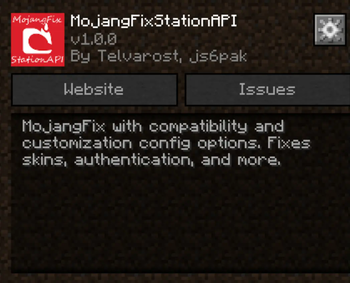
A more compatible version of MojangFix for Minecraft b1.7.3 with GlassConfigAPI configs to increase the mod's compatibility. Fixes skins, authentication, and more.
- For more InventoryTweaks (ex:
left-click + drag) consider : https://modrinth.com/mod/inventorytweaks - For better auth/skin fixes use RetroAuth: https://modrinth.com/mod/retroauth
Features
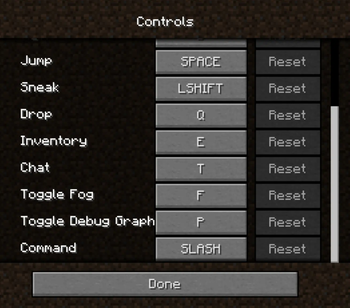
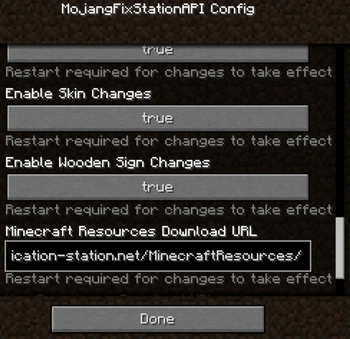
Skin and cape fix (including 1.8+ outer layers)  - Added ability to raise slim skin shoulders with GlassConfigAPI - Added ability to toggle rendering the player cape with GlassConfigAPI Authentication fix  Allows the server to verify that the connecting player is logged in Multiplayer server list  (server status not implemented yet) Scrollable keybinds gui  Better text edition  Basic inventory tweaks Previously unlisted changes - (New) Disable stats checksum verification - Allows mods to rearrange stats (for instance when converting a vanilla instance to a StationAPI one) - Enable Bit Depth Fix - Enable Command Keybinding - Used to more quickly open up the chat window and type in a command - Enable Death Screen Score Fix - Enable Debug Graph Hidden By Default - Use the new keybind (default: LCtrl) + F3 to open up debug screen with graph - Optionally using GCAPI config switch keybind to toggle debug graph whenever pressed - Enable Displaying World Seed In Debug Menu - Enable MojangFix Version Text On Title Screen - Enable Quit Button - Change Resources Download URL - This edition of MojangFix lets you change it yourself as well in the config settingsInstallation using Prism Launcher
- Download an instance of Babric for Prism Launcher: https://github.com/Glass-Series/babric-prism-instance
- Install Java 17 and set the instance to use it: https://adoptium.net/temurin/releases/
- Add GlassConfigAPI 3.0.2+ to the mod folder for the instance: https://modrinth.com/mod/glass-config-api
- Add Glass Networking to the mod folder for the instance: https://modrinth.com/mod/glass-networking
- (Optional) Add StationAPI to the mod folder for the instance: https://modrinth.com/mod/stationapi
- (Optional) Add Mod Menu to the mod folder for the instance: https://modrinth.com/mod/modmenu-beta
- Add this mod to the mod folder for the instance: https://github.com/telvarost/BetaTweaks-StationAPI/releases
- Run and enjoy! 👍
FAQ
- Q. Why is minecraft so small and part of my screen white?
- A. You probably have screen scaling on or are using a high DPI screen. There are 5 possible ways to fix this:
- The best option is to install Gambac: https://modrinth.com/mod/gambac
- You could also pass the following string in as a java argument in the settings tab
-Dsun.java2d.uiScale=1.0
- You could also install ClientsideEssentials mod or UniTweaks and use their screen scaling fix from GCAPI config options (fix may produce small artifacts with this option)
- You could also change the DPI settings for Prism Launcher to system
- Or, you could change your screen scaling to 100%
- A. You probably have screen scaling on or are using a high DPI screen. There are 5 possible ways to fix this:
下载与版本
评论(0)
请 登录 后发表评论。
举报此资源
请登录后举报
赞助作者
请 登录 后赞助作者。
暂无评论,抢个沙发吧~