
Create: Avionics — ComputerCraft for Aeronautics
作者:rebot | 分类:模组
Minecraft 版本: 1.21.1
平台: neoforge
标签: game-mechanics technology utility
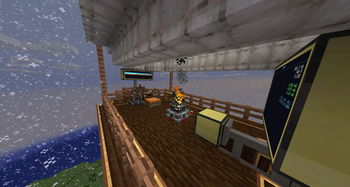
Create: Avionics
Make your airship fly itself.
CC: Tweaked peripherals for every instrumentable block in Create: Aeronautics. Read attitude, altitude, velocity, bearing. Drive throttle, propellers, balloon gas. Write your autopilot in Lua (that's a bad pitch, but still!)
Build
- Altitude-hold for hot-air balloons
- Heading-and-pitch autopilots for propeller aircraft
- Cruise control bound to a steering wheel
- Tracked turrets for mounted potato cannons
- Whatever else you can write a control loop for
Start
Heading hold on a twin-engine ship:
local nav        = peripheral.find("navigation_table")
local port, stbd = peripheral.find("analog_transmission")
local target     = nav.getHeadingRad()

while true do
    local err = (target - nav.getHeadingRad() + math.pi) % (2*math.pi) - math.pi
    local diff = math.max(-5, math.min(5, err * 4))
    port.setSignal(7 - diff); stbd.setSignal(7 + diff)
    sleep(0.05)
end
Three peripherals, one P-controller, the ship locks heading. Every Aeronautics (and nearly every Create) block is a peripheral — read sensors, set actuators, write the loop you want.
Not just aircraft
The same peripheral.find() surface drives lifts, vehicles, and your whole rotational network — not only things that fly.
Create Elevators — enumerate floors, call the cabin, read where it is:
local lift = peripheral.find("Create_ElevatorPulley")
lift.setTargetFloor(lift.getFloors()[3].y)   -- send the cabin to the 3rd floor
repeat sleep(0.1) until lift.isArrived()
print("Arrived: " .. lift.getCurrentFloor().short_name)
Kinetic SCADA — walk the rotation network, alarm on overstress:
local draw, capacity = 0, 0
for _, name in ipairs(peripheral.getNames()) do
    local p = peripheral.wrap(name)
    if p.getNetworkId then                       -- any kinetic block
        draw     = draw     + p.getStressImpact()
        capacity = capacity + p.getStressContribution()
        if p.isOverstressed() then
            print("OVERSTRESSED " .. p.getSelfId() .. " (" .. p.getKind() .. ")")
        end
    end
end
print(("Network load: %.0f / %.0f SU"):format(draw, capacity))
Vehicles — steering and brake override on wheel mounts:
for _, w in ipairs({ peripheral.find("wheel_mount") }) do
    w.setSteering(0.5)                                       -- -1..1  ->  +/-30 deg
    if w.getTouchingFriction() < 0.5 then w.setBrake(0) end  -- ease off on slippery stuff
endgetKind, getSubnetworkAnchorId, getColumnContacts, getTouchingFriction — the read side is as rich as the write side.
Full API docs — units, body-frame conventions, every method.
Read the parallel guide. 5 Hz and 20 Hz feel different.
Install
Needs: MC 1.21.1 · NeoForge 21.1.219+ · Create 6.0.10+ · Simulated/Aeronautics/Offroad 1.2.1+ · Sable 1.1.0+ · CC: Tweaked 1.115+
Pairs with
Source · Issues
github.com/SolAstrius/CreateAvionics
MIT. Built on RyanHCode's CC peripheral foundation in Simulated — NOTICE.
Created by yours truly, Sol Astrius Phoenix.
请登录后举报
暂无评论,抢个沙发吧~