![[MTR/JCM] SNCF PIDS 图标](https://cdn.modrinth.com/data/y38iCL9N/3e30b3ff2b622e5569613c7acdd961e82a8c7f38_96.webp)
[MTR/JCM] SNCF PIDS
作者:rebot | 分类:数据包
Minecraft 版本: 1.16.5 1.17.1 1.18.2 1.19.2 1.19.4 1.20.1 1.20.4
平台: minecraft
标签: decoration themed
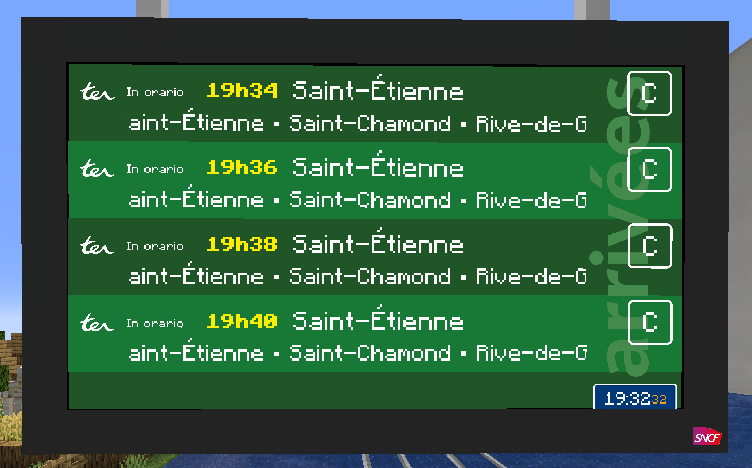
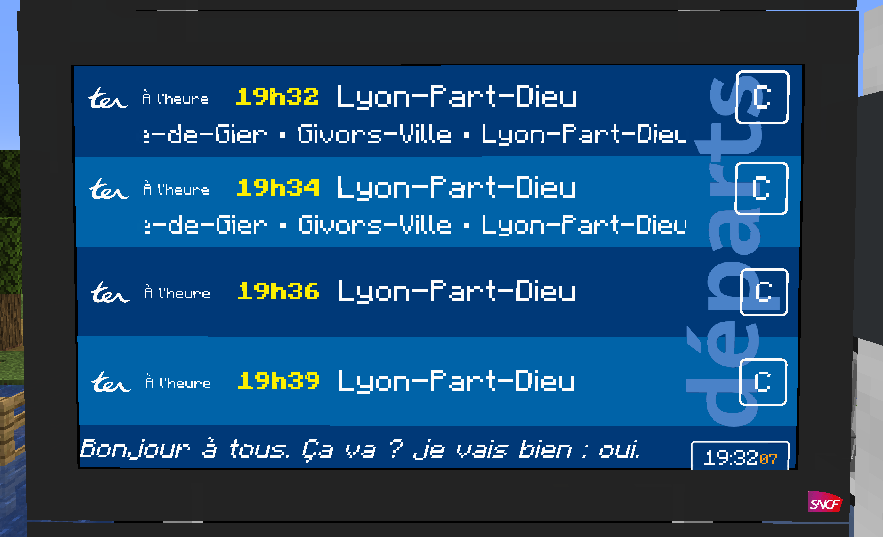
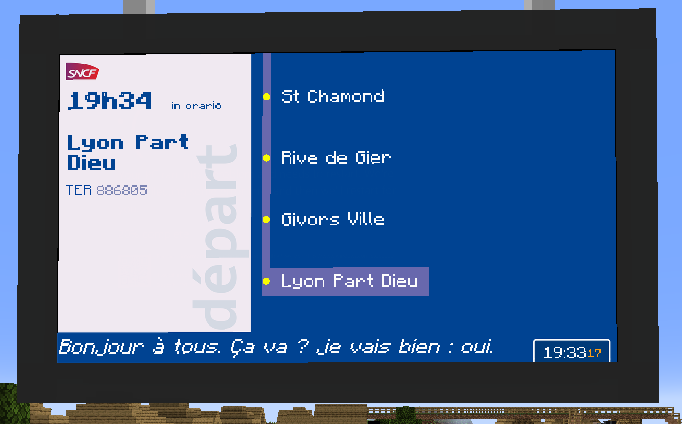
⚠️? Development Update
?? Une mise à jour majeure est actuellement en préparation, incluant de nouveaux PIDS ainsi qu'une refonte complète du système. Le développement prend un peu plus de temps que prévu car je dois concilier ce projet avec la finalisation de mes études et mes obligations professionnelles. Je vous remercie pour votre patience et votre soutien durant cette phase de création.
?? A major update is currently in the works, featuring new PIDS and a complete system overhaul. Progress is taking a bit longer than expected as I balance this project with finishing my studies and my professional commitments. Thank you for your patience and support during this development phase.
NEWS (19th July): The update should be coming anytime soon!
For any help, you can find me on discord with the username: aca. on the Minecraft Transit Railway discord.
Utilisations - Uses
?? [FR] SNCF PIDS
Version actuelle : Bêta 0.2
Bienvenue sur la page de cet addon pour le mod Minecraft Transit Railway (accompagné de Joban Client Mod). Il ajoute une collection de PIDS (Panneaux d'Information Voyageurs) inspirés du réseau SNCF.
Ce guide explique comment utiliser les PIDS et configurer vos lignes de train. (Les bases du mod MTR ne sont pas détaillées.)
Guide Rapide
Étapes 1 & 2 : Placez un bloc PIDS du mod Joban Client Mod et faites un clic droit dessus avec le Brush du mod MTR.
Étape 3 : Cliquez sur Choose à côté de "PIDS Preset" et descendez dans la catégorie "Custom Preset" pour trouver la liste des PIDS de ce pack (incluant les nouveaux affichages LED, Information, etc.). Sélectionnez celui de votre choix.
Étape 4 : Pour configurer vos trains, allez dans le "Railway Dashboard" sur l'onglet "Routes" et modifiez une ligne de train en cliquant sur le crayon. Le champ important est le "Route Number".
Onglet Routes 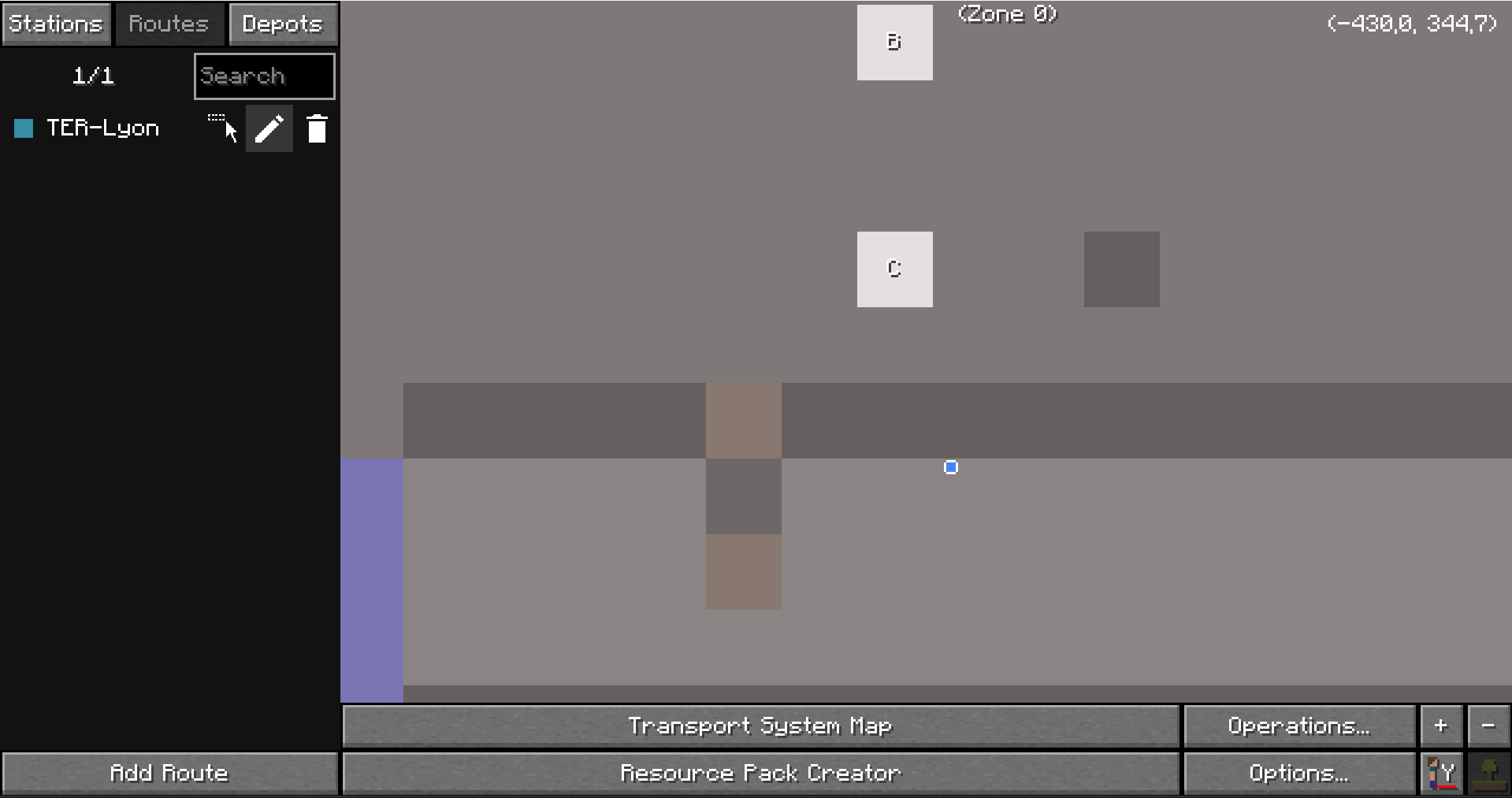Formats pour le "Route Number"
Le champ Route Number accepte plusieurs formats :
- Format Standard :
<Type_de_Train>|<Numéro_de_Train> - Format Transilien :
<Type_de_Train>|<Numéro_de_Train>|<Ligne_Transilien (Optionnel)> - Format avec Incrémentation Automatique (Bêta) :
Utilisez%pour indiquer les chiffres qui doivent s'incrémenter.- Exemple :
TGV|78%%générera les trains7800,7801,7802... - Exemple :
TER|8%%%générera les trains8000,8001,8002... - Exemple :
TRANSILIEN|132%%%|Lgénérera les trains132000,132001... avec comme nom de ligne :L
- Exemple :
Liste des Types de Trains et Alias (List of Train Types and their aliases)
- SNCF
- TGV
- INOUI (
TGVINOUI,TGV INOUI) - OUIGO (
TGVOUIGO,TGV OUIGO) - LYRIA (
TGVLYRIA,TGV LYRIA) - FRECCIAROSSA (
TGVFRECCIAROSSA,TGV FRECCIAROSSA) - TRENITALIA (
TGVTRENITALIA,TGV TRENITALIA) - THALYS (
TGVTHALYS,TGV THALYS) - RENFE (
TGVRENFE,TGV RENFE) - EUROSTAR (
TGVEUROSTAR,TGV EUROSTAR) - INTERCITIES (
IC,INTERCITY,INTERCITÉS,INTERCITÉ) - TER
- RER
- TRANSILIEN
- IDTGV (
ID TGV) - LER
- CAR (
AUTOCAR,BUS,BUS SNCF,CAR SNCF)
Si un type est inconnu, SNCF sera utilisé par défaut.
Fonctionnalités Avancées
- Arrêts multiples par quai : Pour définir plusieurs points d'arrêts sur une même voie (ex: pour trains courts/longs), nommez votre quai (
Platform) avec le format<Nom_Voie>|<Repère (Optionnel)>. - Affichage des retards : Les retards sont désormais gérés et affichés sur tous les PIDS.
- PIDS 'Numéro de Voie avec Repère' : Ce PIDS affiche la voie et son repère. Il le détecte automatiquement si le quai est nommé
<Voie>|<Repère>. Sinon, vous pouvez forcer l'affichage d'un repère manuel en utilisant le premier "Custom Message" du PIDS (avec le Brush) et en cochant la case "Hide Platform Number", le cas échéant, un "?" sera affiché si aucun repère n'est défini.
?? [EN] SNCF PIDS
Current version: Beta 0.2
Welcome to the page for this addon for the Minecraft Transit Railway mod (along with the Joban Client Mod). It adds a collection of PIDS (Passenger Information Display Systems) inspired by the French SNCF network.
This guide explains how to use the PIDS and configure your train routes. (Basic knowledge of the MTR mod is assumed.)
Quick Guide
Step 1 & 2: Place a PIDS block from the Joban Client Mod and right-click on it with the MTR mod's Brush.
Step 3: Click Choose next to "PIDS Preset" and scroll down to the "Custom Preset" category to find the list of PIDS from this pack (including the new LED displays, Information panels, etc.). Select the one you want.
Step 4: To configure your trains, go to the "Railway Dashboard" → "Routes" tab and edit a route by clicking on the pencil icon next to it. The important field is "Route Number".
"Route Number" Formats
The Route Number field accepts several formats:
- Standard Format:
<Train_Type>|<Train_Number> - Transilien Format:
<Train_Type>|<Train_Number>|<Transilien_Line> - Auto-Increment Format (Beta):
Use%to indicate digits that should increment.- Example:
TGV|78%%will generate trains7800,7801,7802... - Example:
TER|8%%%will generate trains8000,8001,8002... - Example :
TRANSILIEN|132%%%|Lwill generate trains132000,132001... with line name:L
- Example:
List of Train Types and Aliases
(See the French list above for all available types)
If an unknown type is used, SNCF will be the default.
Advanced Features
- Multiple stopping points per platform: To define several stopping points on the same platform (e.g., for short/long trains), name your
Platformusing the format<Platform_Name>|<Marker (Optionnal)>. - Delay Display: Delays are now handled and displayed on all PIDS.
- 'Platform Name + Marker' PIDS: This PIDS displays the platform name and its marker. It is automatically detected if the platform is named
<Platform_Name>|<Marker>. Alternatively, you can force a manual marker to be displayed by using the first "Custom Message" on the PIDS (with the Brush) and checking the "Hide Platform Number" box; if this is done and no marker is defined, a '?' will be displayed.
请登录后举报
暂无评论,抢个沙发吧~