
Proper Ping
作者:rebot | 分类:模组
Minecraft 版本: 1.20.1
平台: forge
标签: utility


Fabric and newer Minecraft versions coming soon.



Vanilla ping/latency calculation always seemed incredibly inaccurate and delayed to me.
Info They only send the latency value to clients once every 30 seconds: ```java public void tick() { if (++this.sendAllPlayerInfoIn > 600) { this.broadcastAll(new ClientboundPlayerInfoPacket(ClientboundPlayerInfoPacket.Action.UPDATE_LATENCY, this.players)); this.sendAllPlayerInfoIn = 0; } } ``` And this is how they "calculate" it: ```java int i = (int)(Util.getMillis() - this.keepAliveTime); this.player.latency = (this.player.latency * 3 + i) / 4; ```This mod goes around Vanilla and measures latency with a similar custom packet, but takes a proper average of 5 last RTT (round-trip-time) results.
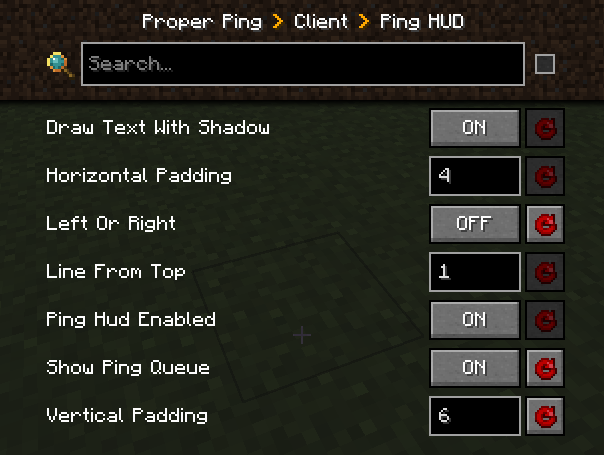
Besides that, it also adds a customizable hud element to always see your ping with options such as:
- Hide completely
- Position anywhere on the screen
- Show last 5 latency measurements in the same hud element
- Show numerical readings for other players on the server instead of abstract bars (there is a config option serverside to change the frequency of the server broadcasting these values to everyone)
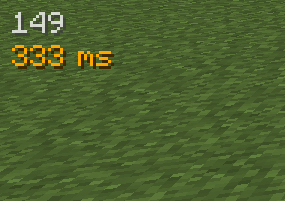
Example of a full display with the last 5 measurements turned on, numerical player list values, positioned on the right side of the screen:

FAQ
Q: Forge?
A: Forge.
Q: Can I include your mod in a video?
A: As long as you include a link to the mod/modpack (if it happens to be in one), absolutely
Q: Can I add your mod to a modpack?
A: CurseForge/Modrinth modpacks are cool.
请登录后举报
请 登录 后赞助作者。
暂无评论,抢个沙发吧~