ModMenu Badges Lib
作者:rebot | 分类:模组
Minecraft 版本: 26.1 26.1.1 26.1.2 26.2
平台: fabric
标签: library utility
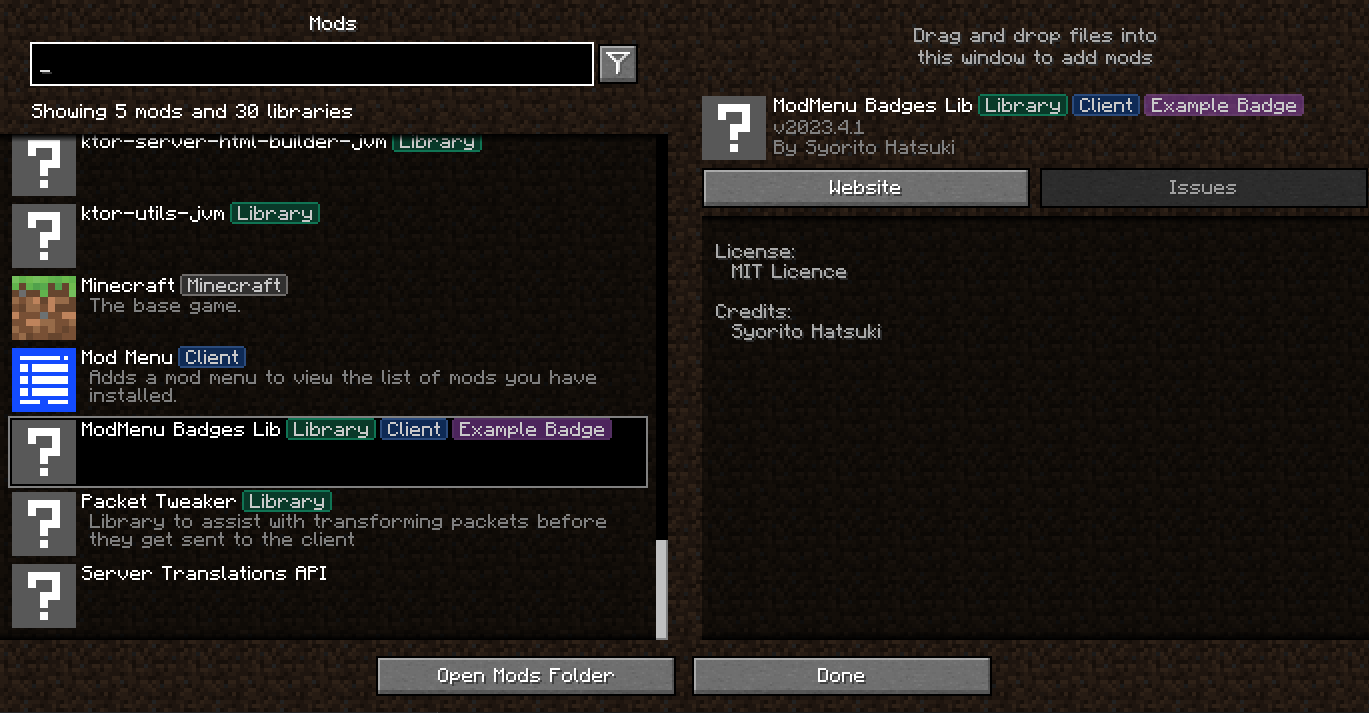









ModMenu Badges Lib
More badge!!!
Support
·
Report Bug
·
Request Feature
About The Project

Just a simple library for adding your own badges to ModMenu.
For example, Tschipcraft uses it for the Data Pack badge in Dynamic Lights
Usage
Mod Developers 1. Add Gradle dependency into `build.gradle` or `build.gradle.kts` ```gradle repositories { maven("https://api.modrinth.com/maven") } dependencies { // Option 1: Include ModMenu Badges Lib to project for it available within your own jar (additional ~5kb) include(modImplementation("maven.modrinth", "modmenu-badges-libb", "")) // Option 2: Depend on ModMenu Badges Lib, but require that users install it manually modImplementation("maven.modrinth", "modmenu-badges-lib", "") } ``` 2. Add the dependency recommend in your fabric.mod.json ```json "recommends": { "modmenu-badges-lib": "*" } ``` 3. Open [ModMenu Badges Generator](https://syorito-hatsuki.github.io/modmenu-badges-lib/) add copy result to our `fabric.mod.json`. > Alternative color code generator: https://argb-int-calculator.netlify.app ```json5 { ... "custom": { "mcb": [ { // Badge text "name": "Example Badge", // Fill color "fillColor": -2003942227, // Outline color "outlineColor": -2003084874 }, { //Next badge } ] }, ... } ``` Modpack developers 1. Create `modmenu-extra-badges.json` file in root of your modpack instance (.minecraft folder or else depend on launcher ) 2. Use example below to edit all how you want Color values generating tool https://syorito-hatsuki.github.io/modmenu-badges-lib/ ```json5 { // Mod ID "modmenu-badges-lib": { // Sort badges by alphabet [Default: false] "sort": true, // Overwrite all badges with new, aka delete all [Default: false] "overwrite": true, // List of modmenu-badges-lib badges "badges": [ { // Name is only required value. // Other values will be generated by it if missed "name": "Another House" }, { // Required "name": "COLORFUL", // Optional "labelColor": -16711936, // Optional "fillColor": -16776961, // Optional "outlineColor": -65536, // Optional "delete": false }, ] }, // Deleting default Minecraft Badge "minecraft": { "badges": [ { "delete": true, "name": "Minecraft" }, ] } } ```Roadmap
- [ ] Search by badge
- [x] Own online badge editor with real-time preview
See the open issues for a full list of proposed
features (and known issues).
Contributing
Contributions are what make the open source community such an amazing place to learn, inspire, and create. Any
contributions you make are greatly appreciated.
If you have a suggestion that would make this better, please fork the repo and create a pull request. You can also
simply open an issue with the tag "enhancement".
Don't forget to give the project a star! Thanks again!
- Fork the Project
- Create your Feature Branch (
git checkout -b feature/AmazingFeature) - Commit your Changes (
git commit -m 'Add some AmazingFeature') - Push to the Branch (
git push origin feature/AmazingFeature) - Open a Pull Request
License
Distributed under the MIT License. See LICENSE.txt for more information.
请登录后举报
请 登录 后赞助作者。
暂无评论,抢个沙发吧~