
Wall Climbers
作者:rebot | 分类:数据包
Minecraft 版本: 1.20 1.20.1 23w31a 23w32a 23w33a 23w35a 1.20.2-pre1 1.20.2 23w42a 23w43a 23w43b 23w44a 23w45a 23w46a 1.20.3 1.20.4 24w03a 24w03b 24w04a 24w05a 24w05b 24w06a 24w07a 24w09a 24w10a 24w11a 24w12a 24w13a 24w14potato 24w14a 1.20.5-pre1 1.20.5-pre2 1.20.5-pre3 1.20.5 1.20.6 24w18a 24w19a 24w19b 24w20a 1.21 1.21.1 24w33a 24w34a 24w35a 24w36a 24w37a 24w38a 24w39a 24w40a 1.21.2-pre1 1.21.2-pre2 1.21.2 1.21.3 24w44a 24w45a 24w46a 1.21.4 1.21.5 1.21.6 1.21.7 1.21.8 1.21.9 1.21.10 1.21.11 26.1 26.1.1 26.1.2 26.2
平台: minecraft
标签: entities realistic vanilla-like
Pack available on:
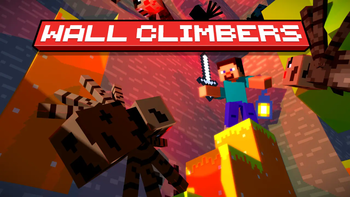
A simple resouce pack, but with a more than needed quality of life addition, having also a Fresh animation version.
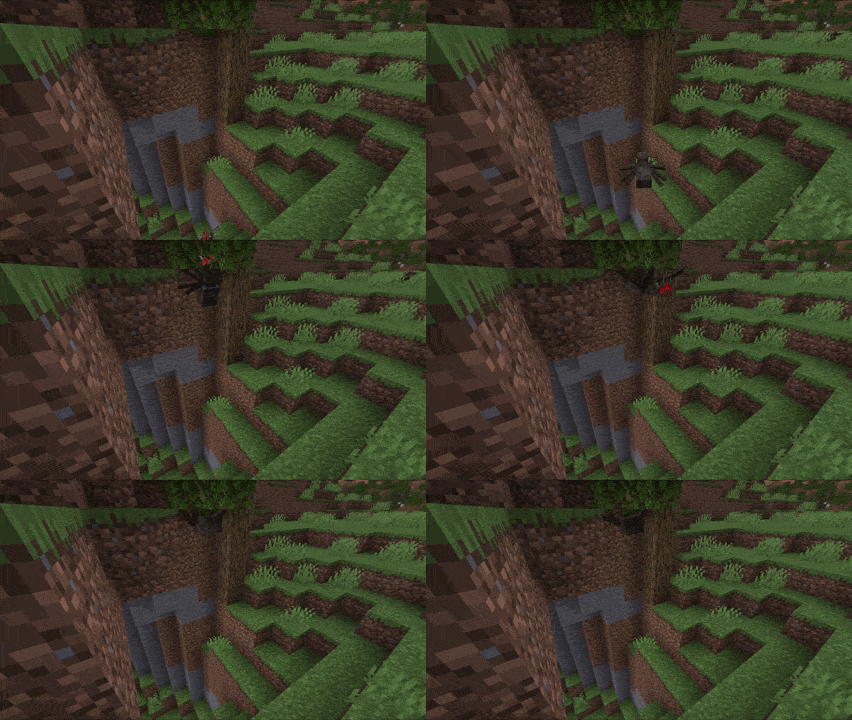
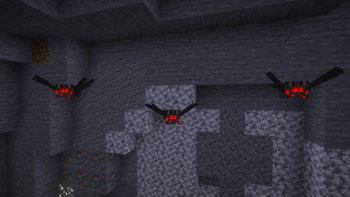
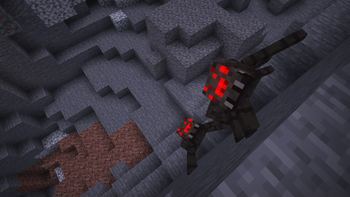
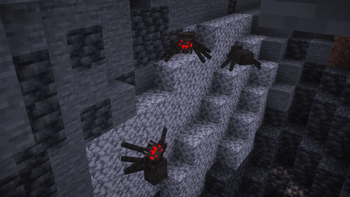
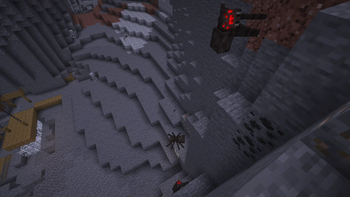
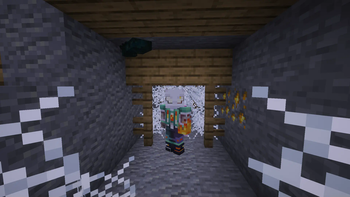
Now spiders and cave spiders will be able to climb up walls and lay under blocks when they get stuck, making it seem more of an intentional behaveour than the result of stupid pathfindings.
There are 2 versions of this, one is the base version, the other is already compatible with Fresh Animations!
Compatibility & Tems of Use This pack has been made so that you can merge it with basically any other resource pack my modifying the latter one. The Fresh animation compat version found in the downloads page is an example of this. ### Below i'll show how, but this gives you NO permission to just go around and make copies of other resource packs and just mark them as "Wall Climbers Compat", you have no right to do that unless the creator of such pack agrees, but if they knew they most likely could just merge the packs by themselves, as it has no impact in the original model, SO DON'T DO IT. And don't go harass anyone if they don't want to merge the packs themselves, you can do it for your own use. You can do whatever you want if it's just for private usage, but you cannot reupload packs with just a 4 code lines of difference from the original. After enstablishing what you can and cannot do, here's how to make any pack that changes the spider model compatible with this one: - go into the other pack's cem folder, usually found in assets/minecraft/optifine or assets/minecraft/emf; - open the spider.jem or cave_spider.jem that you want to edit, you'll find something like: ``` { "credit": "Made with Blockbench", "textureSize": [64, 64], "models": [ {... ``` with some "part" elements inside the curly brackets - paste the code below between the square and curly bracket. Please change only "wc_spider_var.jpm" to "wc_cspider_var.jpm" for cave spiders so that they're not floating ``` { "part":"root", "id":"root", "model":"wc_spider_var.jpm", "attach":"true" }, { "part":"leg1", "id":"leg1", "model":"wc_spider_l1.jpm", "attach":"true" }, { "part":"leg2", "id":"leg2", "model":"wc_spider_l1.jpm", "attach":"true" }, { "part":"leg3", "id":"leg3", "model":"wc_spider_l2.jpm", "attach":"true" }, { "part":"leg4", "id":"leg4", "model":"wc_spider_l2.jpm", "attach":"true" }, { "part":"leg5", "id":"leg5", "model":"wc_spider_l3.jpm", "attach":"true" }, { "part":"leg6", "id":"leg6", "model":"wc_spider_l3.jpm", "attach":"true" }, { "part":"leg7", "id":"leg7", "model":"wc_spider_l4.jpm", "attach":"true" }, { "part":"leg8", "id":"leg8", "model":"wc_spider_l4.jpm", "attach":"true" }, ``` The last comma is VERY important, be sure to copy it as well. It should look something like: ``` { "credit": "Made with Blockbench", "textureSize": [64, 64], "models": [ { "part":"root", "id":"root", "model":"wc_spider_var.jpm", "attach":"true" }, { "part":"leg1", "id":"leg1", "model":"wc_spider_l1.jpm", "attach":"true" }, ... {...Just try it out, its really cool!



请登录后举报
暂无评论,抢个沙发吧~