
ModWhiteList
作者:rebot | 分类:模组
Minecraft 版本: 1.21 1.21.1 1.21.2 1.21.3 1.21.4 1.21.5
平台: neoforge
标签: management utility
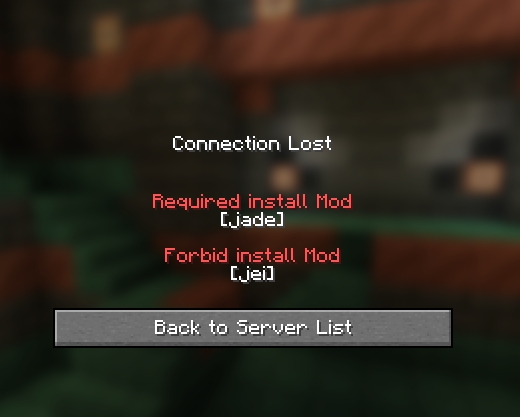
Description
This mod can manage which mods the client can install and which ones are prohibited from being installed.
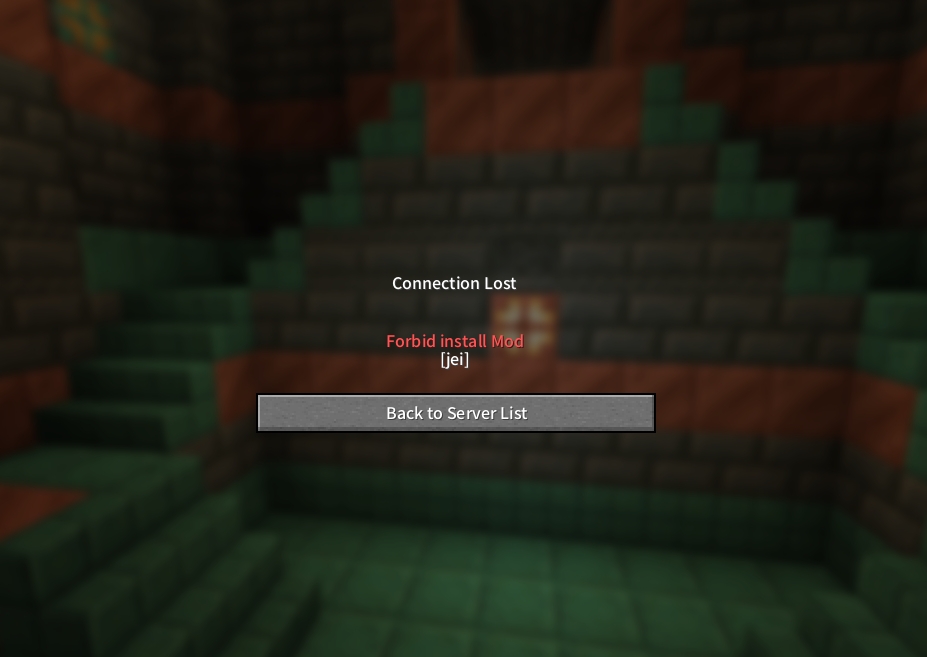
Working Principle
When the client logs in to the server, it will send the mod already loaded by the client to the server. After the server verifies it, it decides whether the client can log in to the server.
Features
- WhiteList:
Clients with mods installed outside the whitelist are prohibited from logging into the server. - BlackList:
Clients that have installed the mods on the blacklist are prohibited from logging into the server. (Priority higher than the whitelist) - Reload Command:
The configuration file can be overloaded using the "/mwl reload" command without restarting the server.
Testing Environment
| ClientMod | WhiteList | Result |
|---|---|---|
| minecraft | empty | ✅ |
| minecraft | minecraft | ✅ |
| minecraft, neoforge | minecraft | ❌ |
| ClientMod | BlackList | Result |
|---|---|---|
| minecraft | empty | ✅ |
| minecraft | neoforge | ✅ |
| minecraft, neoforge | neoforge | ❌ |
Q&A
- Can resourcepackage be prevented?
This mod is only for the mod scope and does not perform any operations on resourcepackage. - Check whether the module ID is valid?
No, it won't check whether the ModId is valid, such as: WhiteList: [" Custom ModId"] or [""]. If this is done, no one can join the server. - Can it be completely eradicated?
It cannot be done because this mod needs to read the mod list after all the mods have been loaded. Therefore, it is impossible to prevent certain mods from modifying the loaded mods. - How to fill in the configuration file?
Just fill in the ID of the mod, separated by commas, such as: ["minecraft", "neoforge", 'jei', 'create'], single or double quotation marks are also acceptable. - Why doesn't it work even after filling in the mod ID?
Please check whether the configuration file format and mod ID are correct, such as quotation marks, commas, and ID case. It is recommended to use an editor with syntax checking for editing. - What should I do if there are too many client mods to fill in?
You can search for "ModList:" in the client's log file to obtain the ids of all the mods loaded by the client (the game needs to be started). - What will happen if the configuration file is filled in wrongly?
If the configuration file format is filled in incorrectly, a backup file will be generated and the default configuration state will be restored. - Does the mod affect the original dual-terminal environment detection?
This mod merely adds a verification step on the original basis and does not affect the dual-terminal environment detection. The dual-terminal mods that should be installed on the client side still need to be installed.
请登录后举报
请 登录 后赞助作者。
暂无评论,抢个沙发吧~