
Wynncraft: Rekindled
作者:rebot | 分类:整合包
Minecraft 版本: 1.21
平台: fabric
标签: adventure multiplayer quests
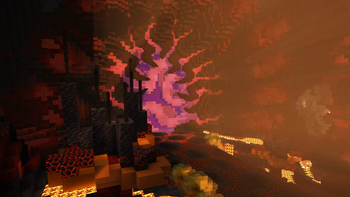
Wynncraft: Rekindled
If you are new to Wynncraft, click the banner above to learn more!\
Please take a quick look at the installation section!
This modpack seeks to overhaul and optimize the Wynncraft server experience. It is updated to support Minecraft 1.21 and the Rekindled World update. Several custom mods and features were developed specifically for this modpack!
Features
This modpack is designed to be feature rich while providing functionality and options. Several popular features such as shoulder surfing and dynamic crosshairs are present but easily disabled. This modpack is designed to be beginner friendly so anyone new to Wynncraft can install and start playing with easy to understand presets applied. More advanced users who use warring features will want to change these settings as they have been disabled for simplicity.
Custom Main Menu & Loading Screen
This modpack features a fully custom main menu with custom music! There are 10 main menu variants each with matching music. The loading screen has also been customized.
Dynamic Weather
Features a dynamic weather engine created specifically for this modpack! Rain or thunder can randomly occur throughout the map, and areas such as Nemract, Pirate Cove, the Dernal Jungle, and others experience more frequent weather conditions. Traverse through snowstorms in Nesaak, sandstorms in Almuj and other weather hazards! Coupled perfectly with the Particle Rain mod with custom settings.
Custom Wynntils Preset
Comes preloaded with a custom Wynntils preset designed with simplicity and beginners in mind. More advanced players are recommended to import their own Wynntils settings.
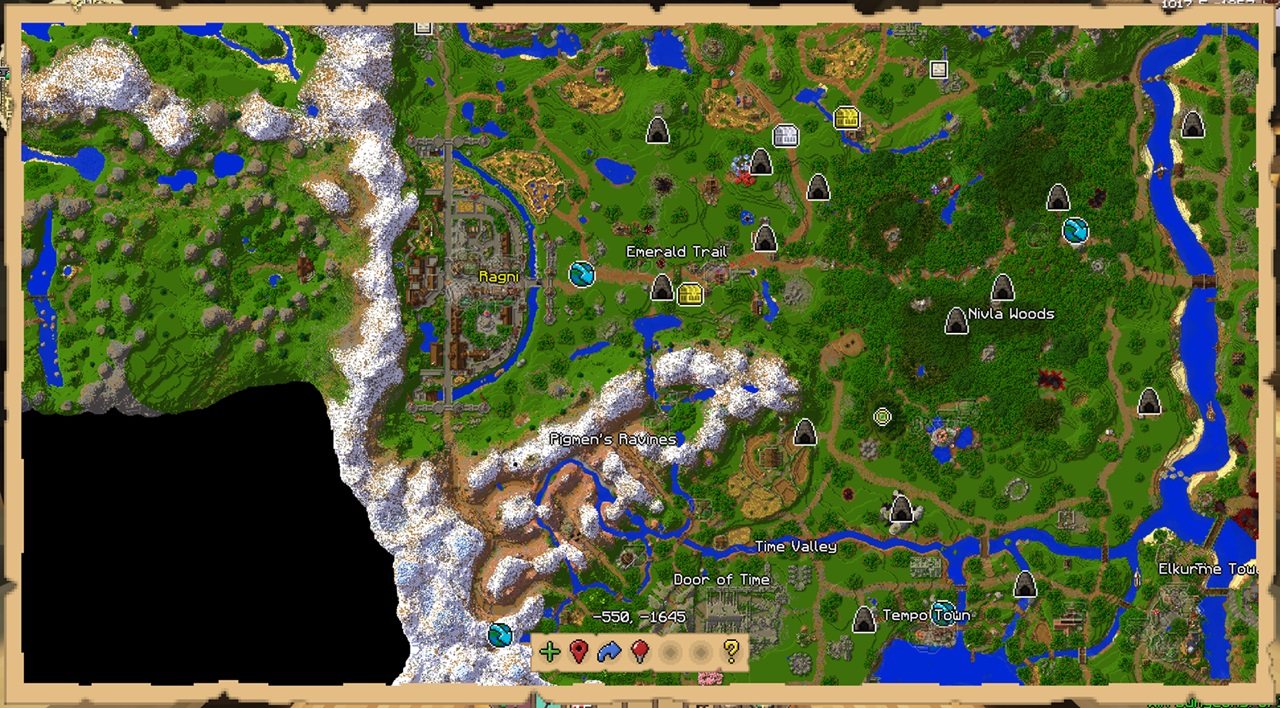
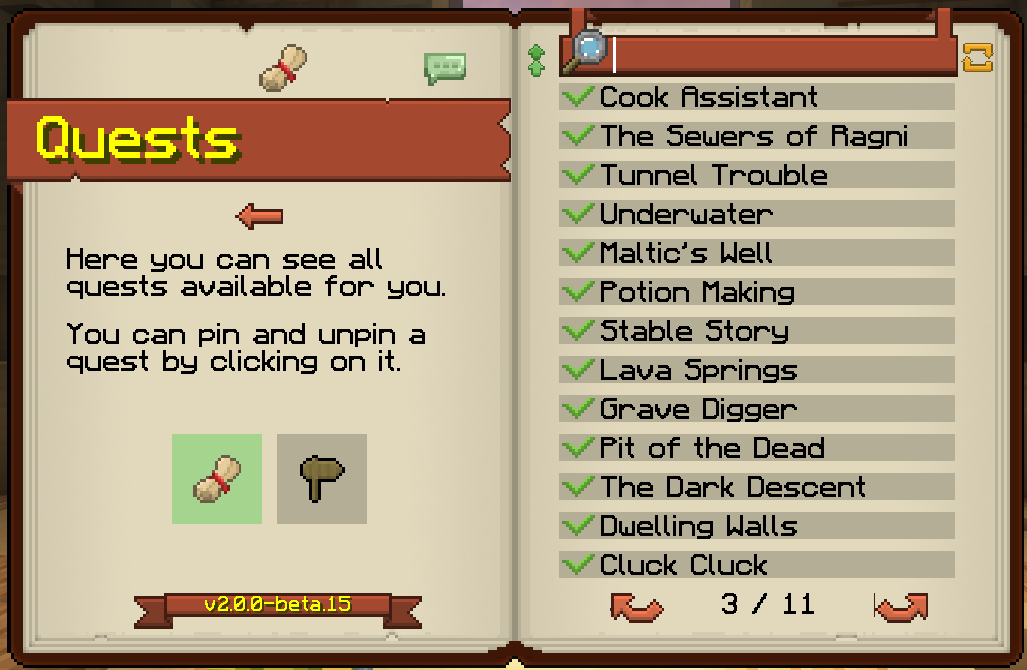
Shoulder Surfing
Comes with preset settings for the incredibly popular Shoulder Surfing mod! With the Don't Surf Through Cutscenes! mod, the experience isn't broken during cutscenes.
Optimization
Achieves peak performance with a wide variety of all the most recent optimization mods. Any future optimization mods will be added as well! See modlist for more information.
Other
This modpack includes wide variety of quality of life and visual upgrades.
- Bobby mod allows server render distances up to 256 chunks
- Several chunk loading mods improve performance and visuals
- Complementary Unbound shaders with custom settings retains vanilla-like style with improved visuals
- Many, many visual tweaks in mods and resource packs
Some mods are still in the process of getting ported to 1.21. There are several that are on track to be added as soon as they are ported.
Installation
IMPORTANT NOTE: Due to filesize limitations on Modrinth, the Bobby config folder is hosted on the GitHub releases page. For instructions to install it, please review the installation guide.\
Installation Guide # Step One: Download the Modpack There are three easy ways to download the modpack: The Modrinth app, Prism Launcher, Manually (Minecraft Launcher) ## Modrinth App 1. Download the [Modrinth App](https://modrinth.com/app) and sign in with your Microsoft/Minecraft account. 2. Press the Browse button and search for Wynncraft: Rekindled. 3. Install the modpack. 4. Navigate to the modpack's [GitHub Releases](https://github.com/elijahjibben/wynncraft-rekindled-modpack/releases) panel. 5. Download the file "bobby.zip". This allows you to increase your render distance beyond the server limit of 9 chunks. 6. Navigate to the Modrinth App's Library panel, and select Wynncraft: Rekindled -> Folder. 7. Follow Step Two to install the bobby configuration. ## Prism Launcher 1. Download [Prism Launcer](https://prismlauncher.org/) and sign in with your Microsoft/Minecraft account. 2. Press "Add Instance" in the top right corner. 3. Select the Modrinth panel, and search for "Wynncraft: Rekindled" 4. Make sure the latest version is selected and press "Ok". 5. Navigate to the modpack's [GitHub Releases](https://github.com/elijahjibben/wynncraft-rekindled-modpack/releases) panel. 6. Download the file "bobby.zip". This allows you to increase your render distance beyond the server limit of 9 chunks. 7. In Prism, select the modpack then press folder. 8. Follow Step Two to install the bobby configuration. ## Manually (Minecraft Launcher) 1. Download the .zip version of the modpack from the [GitHub Releases](https://github.com/elijahjibben/wynncraft-rekindled-modpack/releases) panel. 2. Download the [Fabric Installer](https://fabricmc.net/use/installer/) and install for Minecraft 1.21, Loader Version 1.60.0. 3. Copy the .minecraft folder from the zip file to any location (Roaming recommended) 4. Rename the folder (.wynncraft recommended) 5. Open the Minecraft Launcher 6. Select Minecraft: Java Edition on the left panel 7. Select Installations -> New Installation 8. Select the custom game directory, and set version to the fabric-loader 9. Optional: Set Java arguments from -Xmx2G to higher to allocate more RAM 10. Optional: Download this pack icon to change the instance icon!\ [Rekindled Pack Icon](https://cdn.modrinth.com/data/cached_images/fd52f8703f66b28b37c2b1d782c1584ad4d90973.png) 11. Launch the game and follow Step Three. # Step Two: Bobby Install Extract the bobby file into the instance folder. Ensure the file is named: ``` .bobby ``` and contains a folder named: ``` play.wynncraft.com ``` It should look like this:\ 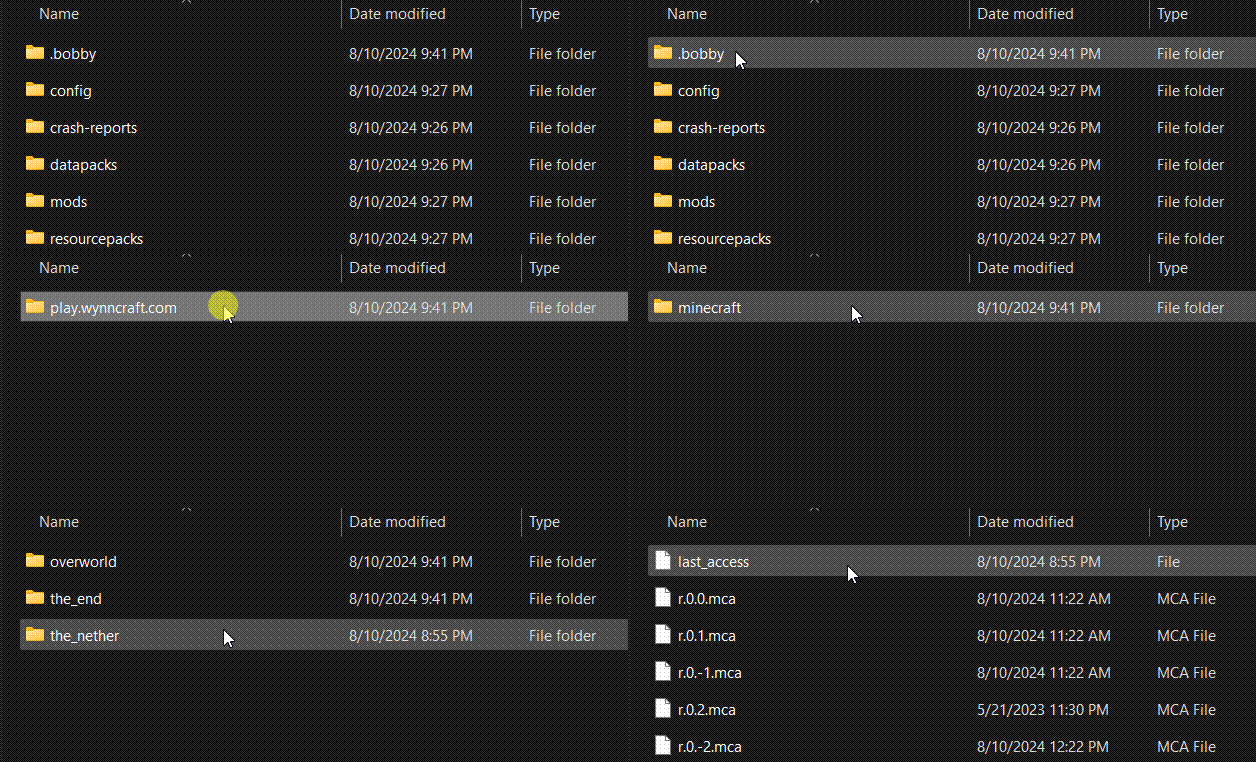 # Step Three: Download Voices of Wynn (Optional) 1. Voices of Wynn is a very popular community mod which adds voice acting for every quest in the game. 2. If you are interested, [download the latest version](https://voicesofwynn.com/downloads) and place the mod in the mods folder. # Step Four: Configurations 1. Bobby Update\ As soon as you are in a world, type the following command into chat: ``` /bobby upgrade ``` This command is required to make bobby register the chunks saved in the instance directory.\ 2. Configure Keybinds and Settings\ Take a look through the keybinds menu! I recommend at least changing the "Cast 1-4 Spell" keybinds to suit your mouse/keyboard.\ Look at the Video Settings to suit your computer's performance. Common Issues **Crashing** 1. Minecraft 1.21 is the first verion to use Java 21. If you experience a crash, make sure you are using Java 21. **Main Menu is Glitchy/Clipping** 1. Make sure you are using v1.1.3, as this version fixes many clipping issues. 2. Try pressing CTRL + Alt + R to reload the menu. 3. On the first load in, it will likely clip and look weird. From then on the textures should (hopefully) not have any clipping issues.Modlist
Modlist - [Architectury](https://modrinth.com/mod/lhGA9TYQ) - [ClientSideNoteblocks](https://modrinth.com/mod/flmhXQgb) - [Mineblock's Repeated Utilities](https://modrinth.com/mod/SNVQ2c0g) - [Video Tape](https://modrinth.com/mod/LVTZtqlk) - [FerriteCore](https://modrinth.com/mod/uXXizFIs) - [Blur+ (Fabric)](https://modrinth.com/mod/NK39zBp2) - [Particle Core](https://modrinth.com/mod/RSeLon5O) - [ClickThrough](https://modrinth.com/mod/ERHOxvaH) - [Barriers Don't Block Rain](https://modrinth.com/mod/CXLh6wxz) - [Dynamic Crosshair](https://modrinth.com/mod/ZcR9weSm) - [Entity Texture Features](https://modrinth.com/mod/BVzZfTc1) - [Smooth Scrolling Refurbished](https://modrinth.com/mod/trr0scVt) - [Wynncraft Dynamic Weather](https://modrinth.com/mod/6z01GnNz) - [Presence Footsteps](https://modrinth.com/mod/rcTfTZr3) - [EntityCulling](https://modrinth.com/mod/NNAgCjsB) - [ChatAnimation](https://modrinth.com/mod/DnNYdJsx) - [Wynntils](https://modrinth.com/mod/dU5Gb9Ab) - [ScalableLux](https://modrinth.com/mod/Ps1zyz6x) - [ModernFix](https://modrinth.com/mod/nmDcB62a) - [Fabric API](https://modrinth.com/mod/P7dR8mSH) - [Entity View Distance](https://modrinth.com/mod/ihnBJ6on) - [Chunks Fade In](https://modrinth.com/mod/JaNmzvA8) - [Remove Hud But Not Hand!](https://modrinth.com/mod/MiPOIx6b) - [Controlify](https://modrinth.com/mod/DOUdJVEm) - [NotEnoughAnimations](https://modrinth.com/mod/MPCX6s5C) - [fuy.gg](https://modrinth.com/mod/EMQzFaJ1) - [Controlling](https://modrinth.com/mod/xv94TkTM) - [Sodium Extra](https://modrinth.com/mod/PtjYWJkn) - [Zoomify](https://modrinth.com/mod/w7ThoJFB) - [Custom Splash Screen](https://modrinth.com/mod/BwFQLeCh) - [MacOS Input Fixes](https://modrinth.com/mod/x9BrsVME) - [MixinTrace](https://modrinth.com/mod/sGmHWmeL) - [Fzzy Config](https://modrinth.com/mod/hYykXjDp) - [Debugify](https://modrinth.com/mod/QwxR6Gcd) - [Cubes Without Borders](https://modrinth.com/mod/ETlrkaYF) - [Euphoria Patcher](https://modrinth.com/mod/4H6sumDB) - [Serverpack Priority](https://modrinth.com/mod/56FVCPkz) - [spark](https://modrinth.com/mod/l6YH9Als) - [Mod Menu](https://modrinth.com/mod/mOgUt4GM) - [Lithium](https://modrinth.com/mod/gvQqBUqZ) - [BetterF3](https://modrinth.com/mod/8shC1gFX) - [Don't Surf Through Cutscenes!](https://modrinth.com/mod/dont-surf-through-cutscenes!) - [Enhanced Block Entities](https://modrinth.com/mod/OVuFYfre) - [Dynamic FPS](https://modrinth.com/mod/LQ3K71Q1) - [Melody](https://modrinth.com/mod/CVT4pFB2) - [ImmediatelyFast](https://modrinth.com/mod/5ZwdcRci) - [Fabric Language Kotlin](https://modrinth.com/mod/Ha28R6CL) - [FancyMenu](https://modrinth.com/mod/Wq5SjeWM) - [Particle Rain](https://modrinth.com/mod/nrikgvxm) - [More Culling](https://modrinth.com/mod/51shyZVL) - [Cull Leaves](https://modrinth.com/mod/GNxdLCoP) - [AmbientSounds](https://modrinth.com/mod/fM515JnW) - [YDM's Weapon Master](https://modrinth.com/mod/qi1sj2da) - [CreativeCore](https://modrinth.com/mod/OsZiaDHq) - [Shoulder Surfing Reloaded](https://modrinth.com/mod/kepjj2sy) - [Sodium](https://modrinth.com/mod/AANobbMI) - [Entity Model Features](https://modrinth.com/mod/4I1XuqiY) - [Better Beds](https://modrinth.com/mod/kKwy3HU9) - [YetAnotherConfigLib](https://modrinth.com/mod/1eAoo2KR) - [Nvidium](https://modrinth.com/mod/SfMw2IZN) - [Reese's Sodium Options](https://modrinth.com/mod/Bh37bMuy) - [Visuality](https://modrinth.com/mod/rI0hvYcd) - [WaveyCapes](https://modrinth.com/mod/kYuIpRLv) - [Animatica](https://modrinth.com/mod/PRN43VSY) - [Searchables](https://modrinth.com/mod/fuuu3xnx) - [Bobby](https://modrinth.com/mod/M08ruV16) - [Konkrete](https://modrinth.com/mod/J81TRJWm) - [No Resource Pack Warnings](https://modrinth.com/mod/6xKUDQcB) - [Forge Config API Port](https://modrinth.com/mod/ohNO6lps) - [Tiny Item Animations](https://modrinth.com/mod/wMkevcSR) - [Indium](https://modrinth.com/mod/Orvt0mRa) - [Krypton](https://modrinth.com/mod/fQEb0iXm) - [Iris](https://modrinth.com/mod/YL57xq9U) - [3d-Skin-Layers](https://modrinth.com/mod/zV5r3pPn) - [Sounds](https://modrinth.com/mod/ZouiUX7t) - [Sound Physics Remastered](https://modrinth.com/mod/qyVF9oeo) - [Falling Leaves](https://modrinth.com/mod/WhbRG4iK) - [YOSBR](https://modrinth.com/mod/WwbubTsV) - [Continuity](https://modrinth.com/mod/1IjD5062) - [Concurrent Chunk Management Engine](https://modrinth.com/mod/VSNURh3q) - [More Chat History](https://modrinth.com/mod/8qkXwOnk) - [Cloth Config v15](https://modrinth.com/mod/9s6osm5g) - [Physics Mod](https://modrinth.com/mod/Xy8aRQKS)License and Affiliation
This modpack is licensed under the LGPL-3.0 license. This modpack is not affiliated with Wynncraft.
请登录后举报
请 登录 后赞助作者。
暂无评论,抢个沙发吧~