
Showcase
作者:rebot | 分类:模组
Minecraft 版本: 26.1 26.1.1 26.1.2
平台: fabric
标签: management social utility
Showcase Mod
The current description is for V2. For V1, please click here.
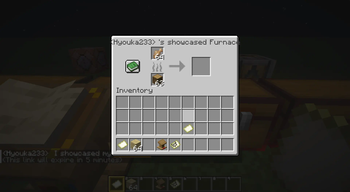
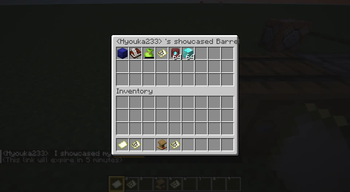
A server-side Minecraft mod that allows players to share links in chat to showcase items, inventories, containers, villager trades, and statistics through commands or chat keywords.
✨ Features
- Comprehensive Sharing: Items, inventories, containers, and villager trades
- Server-Side: No client installation required
- Interactive Previews: Auto-unpack containers, view books and maps
- Multi-Language: Support for 17+ languages
- Persistent Storage: Shares saved until expiration
- Permission System: LuckPerms integration
- Configurable Chat Keywords: Customizable trigger words for quick sharing
- Statistics Tracking: Player statistics with detailed categorization
- Developer Placeholders: PlaceholderAPI integration for other plugins
- Chat Item Icons: Customizable item icons in chat messages (Experimental)
⌨️ Commands
? View detailed command reference with examples and permissions
Player Commands
/showcase <type> [player] [duration] [description]Types: item, inventory, hotbar, enderchest, container, merchant, stats
Duration formats: 30s, 5m, 1h, 1h30m or raw seconds (e.g. 300)
Other Commands:
/showcase cancel <id>- Cancel your share/showcase-view <id>- View shared content
Admin Commands
/admin-showcase <type> <player> [receiver] [duration] [description]
/showcase-manage <action> [args]Actions: reload, list [page], cancel <id|player>
Chat Keywords
Players can type keywords in square brackets to quickly share content:
Default Keywords (configurable in config.yml):
[item]or[i]- Share held item[inventory]or[inv]- Share inventory[hotbar]or[hb]- Share hotbar[ender_chest]or[ec]- Share ender chest[stats]or[stat]- Share statistics
Example: Check out my [item]! → automatically replaced with clickable share link
? Developer API
? Full API Documentation - Integration guides and examples
PlaceholdersAPI Integration
Basic Sharing:
%showcase:item%        - Share held item
%showcase:inventory%   - Share inventory
%showcase:hotbar%      - Share hotbar
%showcase:ender_chest% - Share ender chest
%showcase:stats%       - Share statistics
Essential Statistics:
%showcase:shares_count% - Number of active shares
%showcase:total_views%  - Total views received
%showcase:can_share_item% - Permission check (true/false)
%showcase:has_admin_perms% - Admin check (true/false)⚙️ Configuration
⚙️ Configuration Reference - Complete settings guide
Main configuration file: config/showcase/config.yml (YAML format)
Key Settings:
- Share cooldowns and permissions
- Chat keywords and triggers
- Statistics tracking options
- Performance optimization
- Multi-language support
? View example config | ? Permission setup
? Documentation & Resources
- Complete Documentation - Full feature documentation
- Getting Started - Installation and setup guide
- Command Reference - All commands with examples
- Configuration Guide - Settings and customization
- Developer API - PlaceholderAPI integration
- FAQ & Troubleshooting - Common issues and solutions
? License
请登录后举报
暂无评论,抢个沙发吧~