
Liar's Bar for Kyou
作者:rebot | 分类:模组
Minecraft 版本: 1.21.5
平台: datapack
标签: minigame social
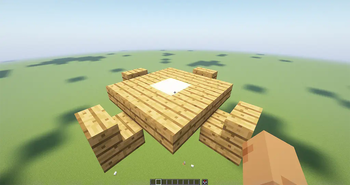
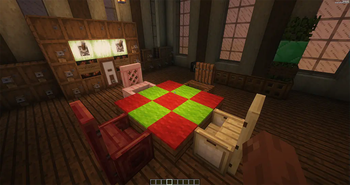
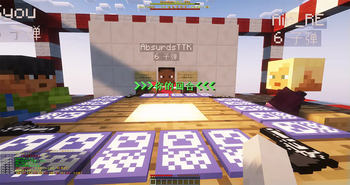
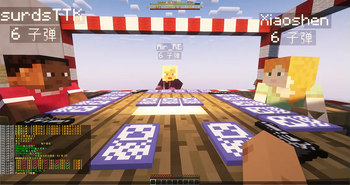
Welcome to the Minecraft version of Liar's Bar!
By installing this data pack, you can join your friends and play the recently popular Steam game "Liar's Bar" within Minecraft. The game rules are the same as the Steam version. Below are instructions on how to install and the game rules!
欢迎来玩MC版的骗子酒馆!
通过安装这个数据包,你可以与小伙伴一起,在minecraft里玩最近非常火的steam游戏《骗子酒馆》,游戏规则和steam版一致,下面来讲解安装方法和游戏规则!
# 安装、配置、规则 这是一个数据包,需要安装在服务端,客户端需要安装对应的资源包。
使用该数据包必须要下载对应的资源包,资源包地址:
[liars-bar-resource-pack-for-kyou](https://modrinth.com/resourcepack/liars-bar-resource-pack-for-kyou) ## 一、安装数据包和资源包
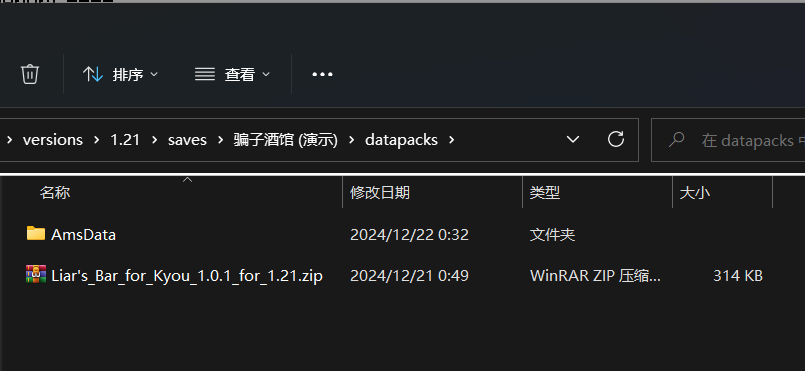
(1)首先要把数据包文件放到游戏存档目录下的datapacks文件夹里。
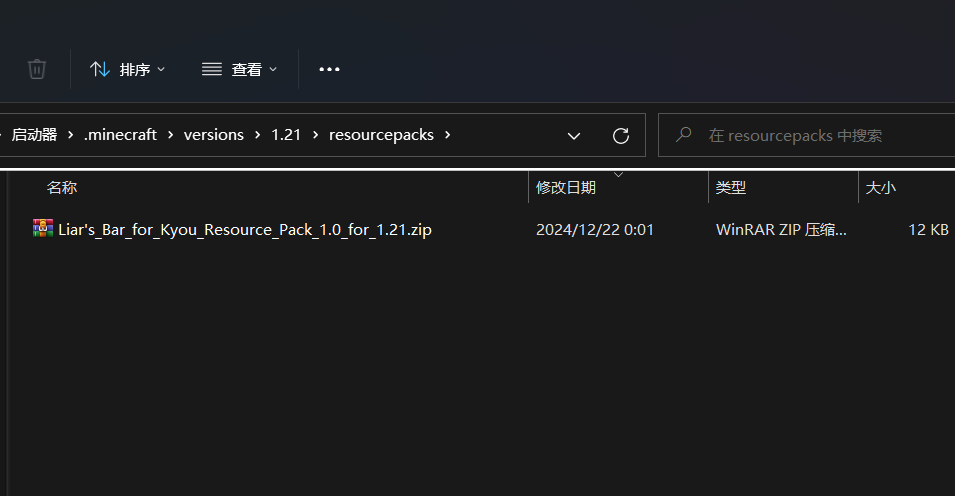
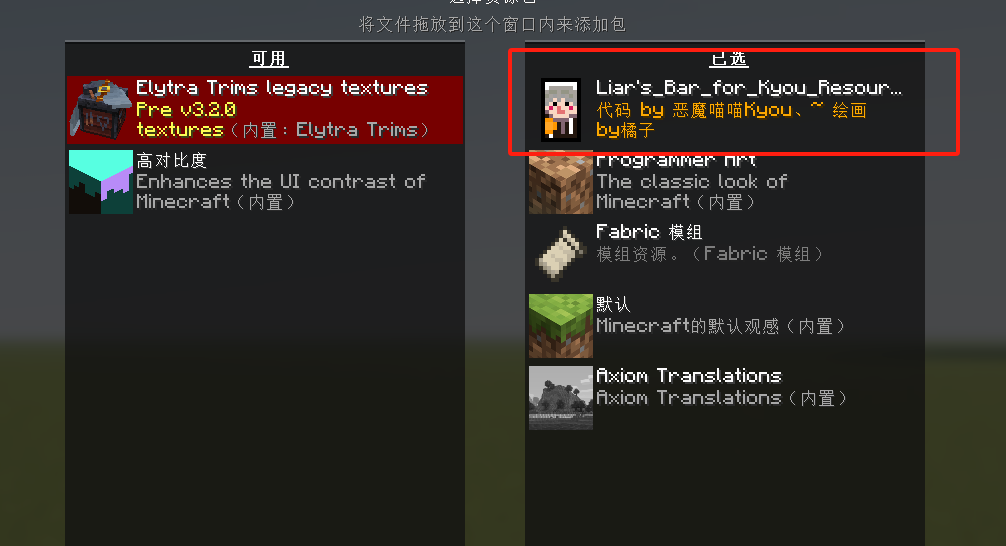
(2)把资源包文件放到游戏目录下的resourcepacks文件夹里,并在游戏中选用。
## 二、启用数据包
(1)运行命令 ``` /datapack list ``` 这将显示你可以使用的数据包,如果显示已启用了该数据包就不用下面的启用步骤了。

(2)然后运行 ``` /datapack enable "file/Liar's_Bar_for_Kyou_1.0.1_for_1.21.zip" ``` 根据下载的版本也可能是 ``` /datapack enable "file/Liar's_Bar_for_Kyou_x.x.x_for_1.xx.zip" ``` (3)显示加载成功则成功加载了数据包。
## 三、游戏配置
这需要使用者有OP权限,目前可支持设置五个桌子同时游戏。
(1)运行命令 ``` /function liar_bar:0_op ``` 这将显示配置菜单,你可以按“T”键进入聊天框,在聊天框中设置每桌游戏的坐标、桌子、开关命令方块。
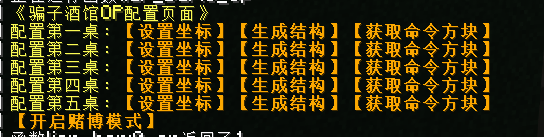
(2)点击第一桌的【设置坐标】,输入你想创建桌子的中心点坐标
例如: ``` /data modify storage jijifujiji_liat_bar a_table_position set value {x:0,y:0,z:0} ``` 这就在0 0 0点设置了桌子的位置。

(3)点击第一桌的【生成结构】,将会在前面设置的坐标生成一套简易的桌椅。
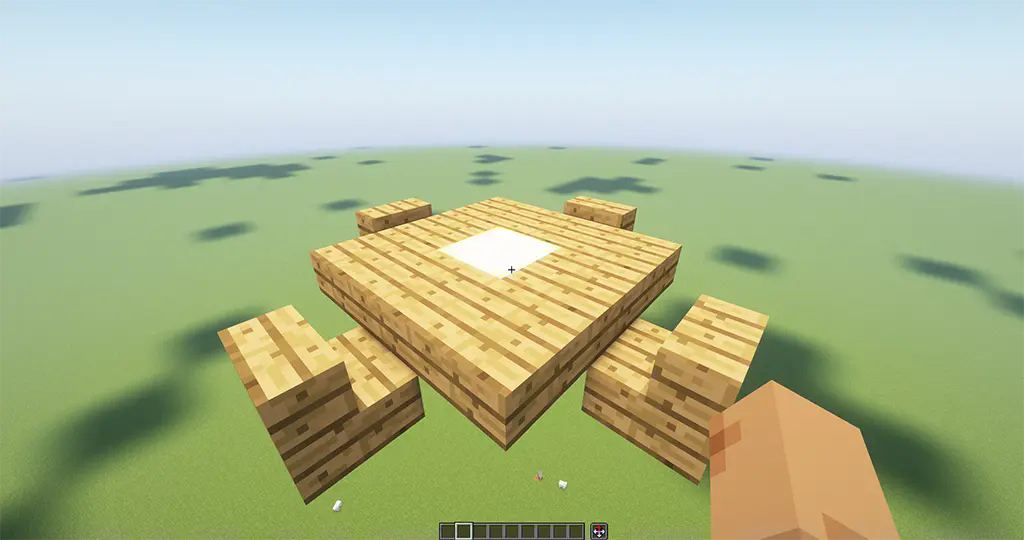
桌椅可以根据自己的需求修改样式。
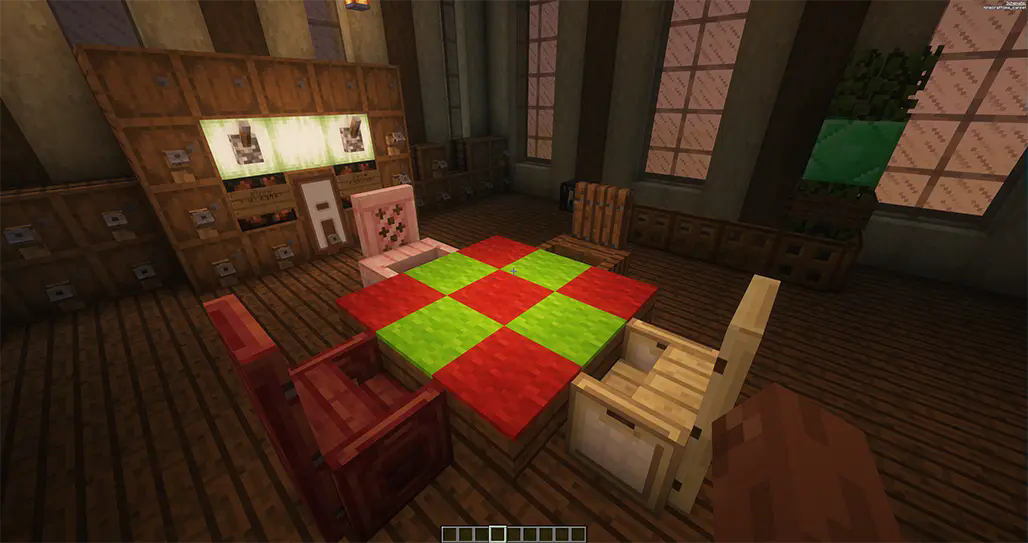
(4)点击第一桌的【获取命令方块】,这样就获得用于启动游戏和结束游戏的命令方块。
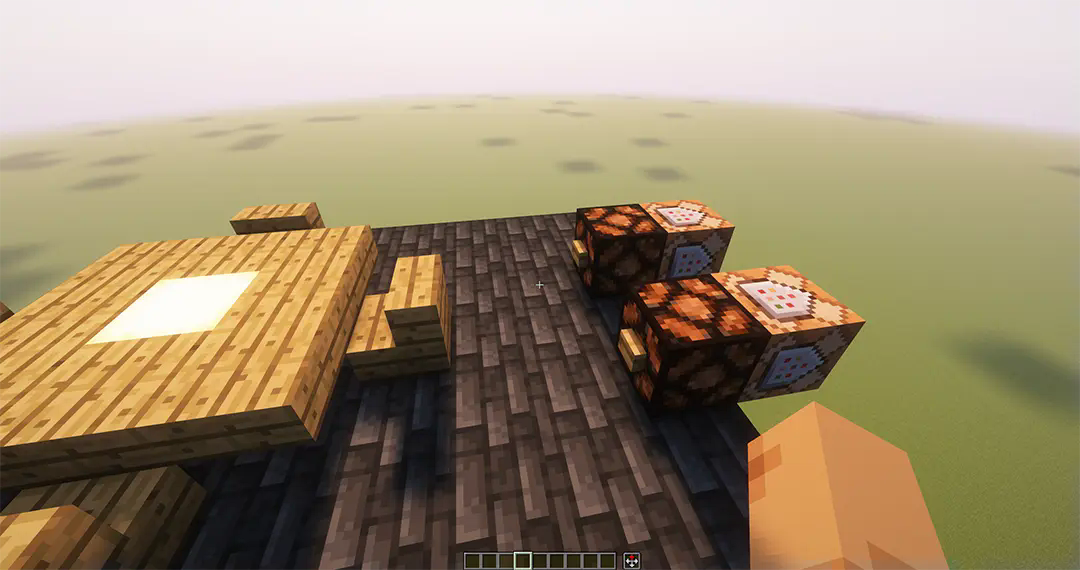
(5)在创造模式下,把命令方块放在桌子附近,并用红石信号激活,可以作为游戏的开关。
当然你也可以做一些装饰,让命令方块隐藏起来。
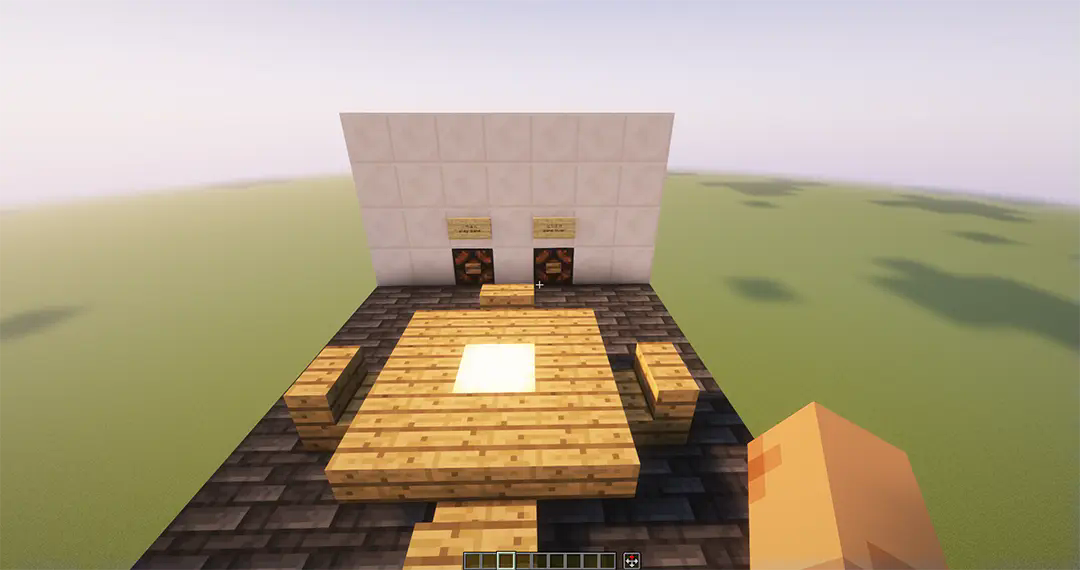
其他的4桌也是同样的设置。如果你想在游戏时下注一些筹码,可以点击【开启赌博模式】按钮,这会让游戏变得更加有趣。
## 四、启动游戏
为了避免多桌游戏同时运行发生冲突,只有桌子附近的玩家才能参与游戏。
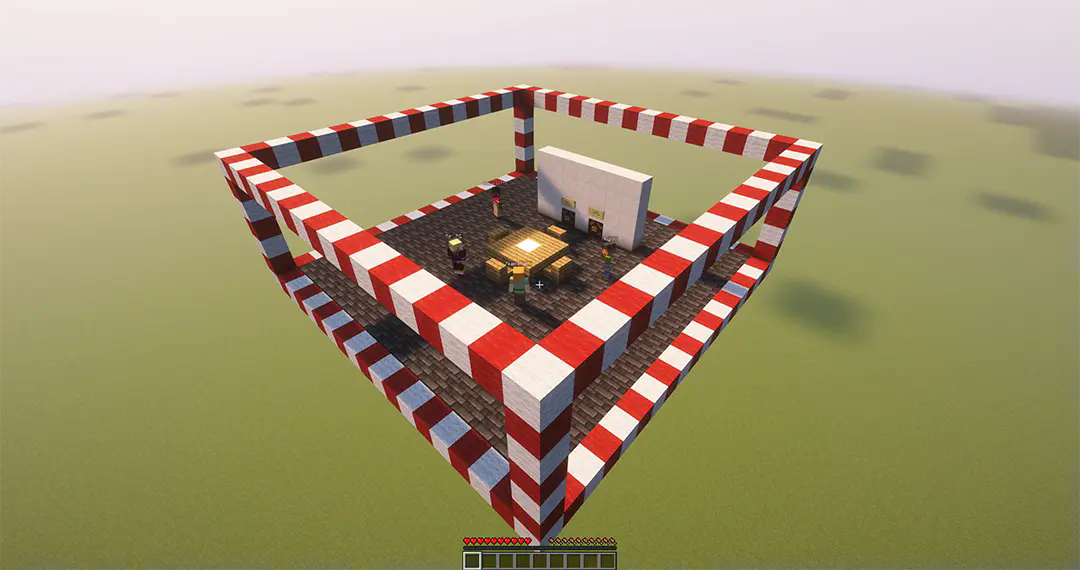
(1)开始游戏,用按钮或者拉杆等信号激活开始游戏的命令方块。
(2)选择模式,如果没有【开启赌博模式】,会自动选择【赌命模式】。
(3)加入游戏,点击【加入xx模式】,在范围内的2到4人可开始游戏。满4人自动开始游戏,不满4人需等待BOSS条20秒结束后开始游戏。

接下来开始你的游戏吧!
## 五、游戏规则
该游戏规则与Steam版一致,可以由2到4名玩家参与游戏,玩家需要在聊天框中点击按钮进行操作。
### (1)发牌环节:
每小轮游戏共有20张牌,每个玩家发5张牌,其中包含6张【A】、6张【Q】、6张【K】、2张【坤坤牌】。(坤坤牌对应Steam版中的Joker,也就是赖子牌)
每小轮都会选定【A】、【Q】、【K】中的一种牌为主牌,然后把其中一张主牌变为【恶魔牌】。
每个玩家会发一把拥有6发子弹的手枪,6发子弹中只有一发子弹是实弹。
### (2)出牌环节:
在出牌环节,被轮到的玩家可以选择出1至3张牌,或者质疑上家的出牌。
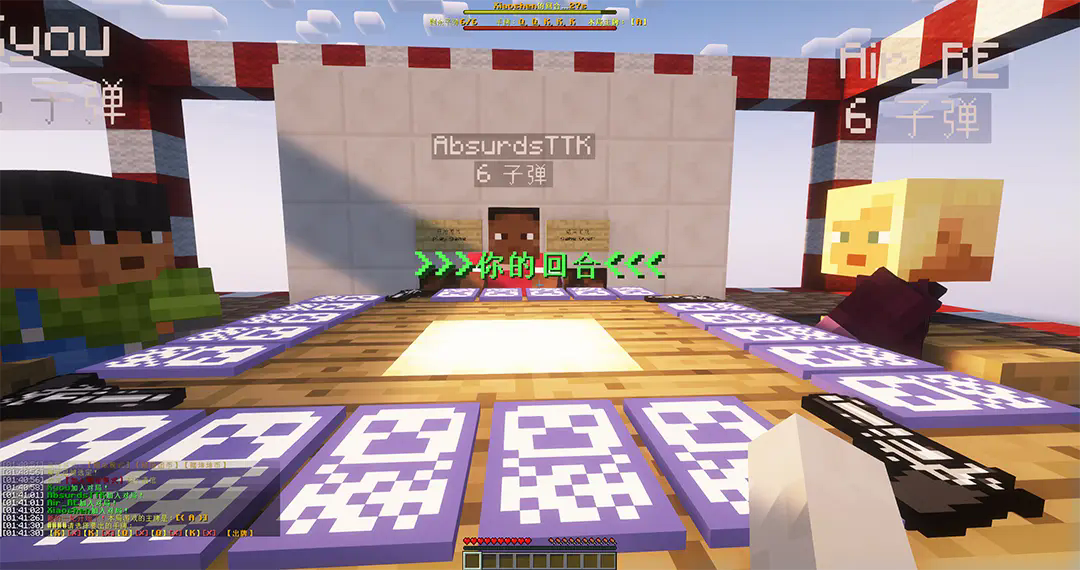
### (3)质疑玩家:
如果被质疑玩家出牌皆为主牌,则质疑玩家需要向自己开一枪,
如果被质疑玩家出牌中有非主牌,则被质疑玩家需要向自己开一枪。
开枪之后,无论是否有玩家死亡,都会重新发牌,直到场所只剩下一个玩家,则该玩家获胜。
### (4)【恶魔牌】:
恶魔牌是一张主牌,恶魔牌只可以单出。
如果被质疑的出牌是恶魔牌,则出牌人之外的其他玩家都要向自己开一枪。
好啦讲完啦,快去游戏吧!
To use this Data Pack, the corresponding Resource Pack must be downloaded.
Resource Pack:
liars-bar-resource-pack-for-kyou
【Liar's Bar for Kyou】
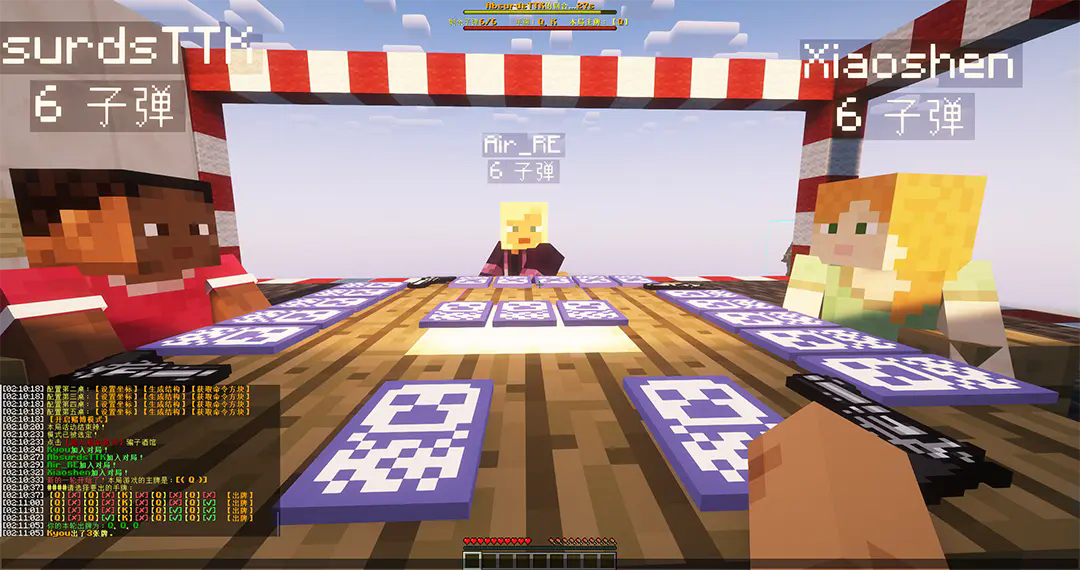
Installation, Configuration, and Rules
This is a data pack that needs to be installed on the server. Clients need to install the corresponding resource pack.
I. Installing the Data Pack and Resource Pack
(1)Firstly, you need to place the datapack file into the "datapacks" folder under the game's save directory.

(2)Additionally, place the resource pack file into the "resourcepacks" folder within the game's main directory, and select it within the game settings.


II. Enabling the Datapack
(1)Run the command
/datapack list
This will display the datapacks that are available for you to use. If the datapack you need is already enabled, you can skip the enabling steps below.

(2)Then, run the command
/datapack enable "file/Liar's_Bar_for_Kyou_1.0.1_for_1.21.zip"Depending on the version you have downloaded, it may also be
/datapack enable "file/Liar's_Bar_for_Kyou_x.x.x_for_1.xx.zip"(3)If it displays a message saying "Loaded successfully", then the datapack has been successfully loaded.
III. Game Configuration
This requires the user to have OP permissions. Currently, it supports setting up five tables for simultaneous gameplay.
(1)Run the command
/function liar_bar:0_opThis will display the configuration menu, where you can press the "T" key to access the chat box. In the chat box, you can set the coordinates, tables, and toggle command blocks for each table game.

(2)Click "Set Coordinates" on the first table and enter the coordinates for the center point of the table you wish to create.
For example:
/data modify storage jijifujiji_liat_bar a_table_position set value {x:0,y:0,z:0}This sets the table position at point 0 0 0.

(3)Click "Generate Structure" on the first table to generate a simple set of tables and chairs at the previously set coordinates.

You can customize the style of the tables and chairs to suit your needs.

(4)Click "Obtain Command Block" on the first table to obtain command blocks for starting and ending the game.

(5)In creative mode, place the command blocks near the table and activate them with a redstone signal to use as the game's switch.
Of course, you can also add decorations to hide the command blocks.

The same settings apply to the other four tables. If you want to place bets during the game, you can click the "Enable Gambling Mode" button to make the game more exciting.
IV. Starting the Game
To avoid conflicts from multiple games running simultaneously, only players near the table can participate.

(1) Start the game by activating the command block to start the game with a button, lever, or other signal.
(2) Select the mode. If "Gambling Mode" is not enabled, "Life-or-Death Mode" will be selected automatically.
(3) Join the game by clicking "Join xx Mode". The game can start with 2 to 4 players within range. The game starts automatically with 4 players. If there are fewer than 4 players, the game will start after a 20-second countdown for the BOSS bar.

Now, start your game!
V. Game Rules
The game rules are the same as the Steam version and can be played by 2 to 4 players. Players need to click buttons in the chat box to operate.
(1) Card Dealing Phase:
Each small round consists of 20 cards, with each player receiving 5 cards, including 6 "A"s, 6 "Q"s, 6 "K"s, and 2 "Kun Kun Cards" (corresponding to the Joker in the Steam version, also known as wild cards).
One of "A", "Q", or "K" is selected as the main card for each small round, and one of the main cards is turned into the "Devil Card".
Each player is dealt a pistol with 6 bullets, only one of which is real.
(2) Card Playing Phase:
During the card playing phase, the player whose turn it is can choose to play 1 to 3 cards or challenge the previous player's play.

(3) Challenging a Player:
If the challenged player's cards are all main cards, the challenging player needs to shoot themselves.
If the challenged player's cards include non-main cards, the challenged player needs to shoot themselves.
After shooting, regardless of whether any players are eliminated, the cards are redealt until only one player remains, who is the winner.
(4) "Devil Card":
The Devil Card is a main card and can only be played singly.
If the challenged card is the Devil Card, all players except the player who played it need to shoot themselves.
Currently, it is only available in Chinese, and English translation resource packs will be added subsequently.
请登录后举报
请 登录 后赞助作者。
暂无评论,抢个沙发吧~