
Roleplay chat
作者:rebot | 分类:模组
Minecraft 版本: 1.21.6
平台: fabric
标签: social
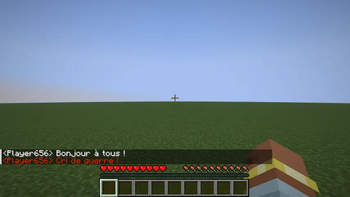
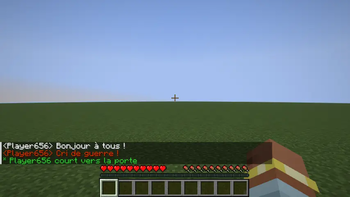
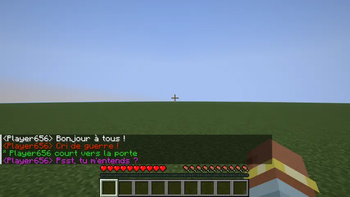
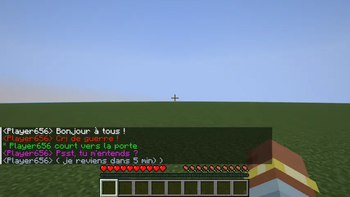
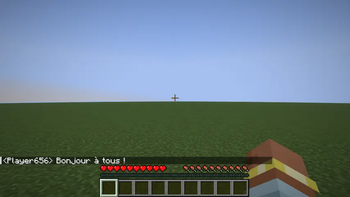
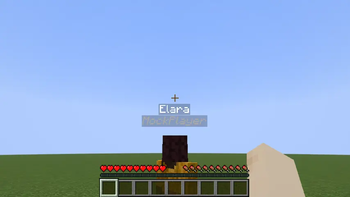
Roleplay Chat
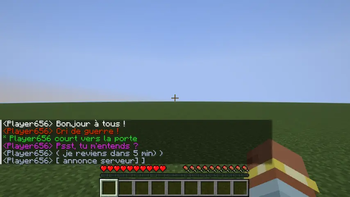
This mod allows players to communicate in a roleplay (RP) setting with different ranges for various types of messages. The goal is to enhance RP immersion by limiting how far messages can be seen based on their type.
How It Works
Messages are triggered by a special character placed at the start of your message. For example, !Hello will shout "Hello" (range of 80 blocks).
When speaking in the chat, your message will NOT be visible across the entire server. If no player is within your message’s range, you won’t get a response! Check the table below to understand how the system works.
This approach is designed to foster RP and local interactions between players.
Default colors, ranges, and prefix characters match the tables below; server admins can override them in config/roleplay-chat.json (see Configuration).
| TYPE | COLOR | RANGE | TRIGGER CHARACTER | TRIGGER COMMAND | DESCRIPTION |
|---|---|---|---|---|---|
| Whisper | ? Violet (#CC33CC) | 4 blocks | « or " (configurable) |
/whisper <message> |
Speak quietly to someone nearby |
| Action | ? Green (#3C3) | 25 blocks | * |
/action <message> |
Describe an action you're performing (like /me) |
| Speak | ⬜️ White (#FFF) | 30 blocks | None | /speak <message> |
Normal conversation |
| Shout | ? Red (#C30) | 80 blocks | ! |
/shout <message> |
Shout, for example, before attacking! |
Additional Commands (Optional)
These commands are for Out of Character (OOC) interactions. Use them sparingly! Thank you.
| TYPE | COLOR | RANGE | TRIGGER CHARACTER | TRIGGER COMMAND | DESCRIPTION |
|---|---|---|---|---|---|
| Support | Pink (#FF99CC) | Unlimited | ? (configurable) |
/support <message> |
Request help from staff (admins/helpers) |
| Private Message (PM) | White (#FFFFFF) | Unlimited | none | /m <player> <message> |
Send a private message to another player |
| Reply to PM | White (#FFFFFF) | Unlimited | none | /r <message> |
Reply to the last received private message |
| OOC Chat | Gray (#AEC1D5) | 60 blocks | ( |
/ooc <message> |
Chat out of character on the server |
| Global OOC | Gray (#AEC1D5) | Unlimited | [ |
/globalOoc <message> |
Speak in a global OOC channel (requires activation) |
Global OOC Chat
To speak in the global OOC chat, you first need to activate it by using the /global command. By default, it is activated. You can deactivate it with the same command, /global.
Once activated, this command allows you to communicate with all players who have also activated the global OOC chat. Keep in mind that not all players use the global chat, so you may not always get responses.
Configuration (server admins)
Per-message settings live in config/roleplay-chat.json (next to your server or client .minecraft folder). Edit the file in UTF-8 so special prefixes (e.g. «) stay valid.
On first run, if the file is missing, the mod creates it with built-in defaults. Invalid values for a block fall back to those defaults (see server log).
Each message type is a JSON object with:
| Field | Meaning |
|---|---|
radius |
Hearing distance in blocks. 0 means unlimited range (everyone online receives the message). |
color |
RGB color: either a decimal integer (e.g. 11449813 for gray-blue) or a hex string ("#AEC1D5" or "AEC1D5"). |
characters |
List of valid prefix strings at the start of chat. The first entry is also used when a player uses the matching slash command (e.g. /shout). speak uses an empty list [] (no prefix). Other types must have at least one string. |
Reload without restart: operators who pass the game’s owner-level check can run /roleplaychat reload to re-read the file. If reload fails, the previous settings stay active; check the server log.
Example (shortened; your generated file will list all types):
{
  "speak": {
    "radius": 30,
    "color": 16777215,
    "characters": []
  },
  "whisper": {
    "radius": 8,
    "color": "#CC33CC",
    "characters": ["«", "\""]
  },
  "shout": {
    "radius": 80,
    "color": 13369344,
    "characters": ["!"]
  }
}
Keys for all supported types: speak, whisper, shout, action, ooc, globalOoc, support.
请登录后举报
暂无评论,抢个沙发吧~