
Take Your Stream Chat
作者:rebot | 分类:模组
Minecraft 版本: 26.1 26.1.1 26.1.2 26.2
平台: fabric
标签: decoration social technology
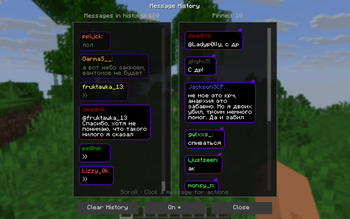
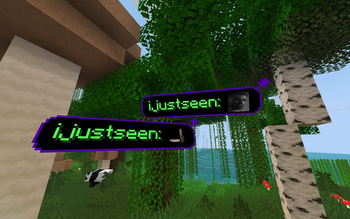

Take Your Stream Chat
Live chat from Twitch, YouTube, Kick & TikTok — right inside Minecraft.
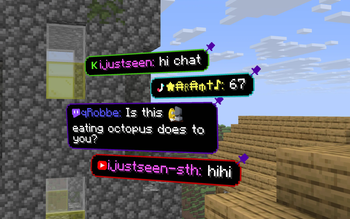
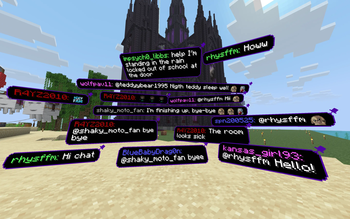
Show viewer messages as floating cards in the world or as a clean overlay in the corner. Built for streamers who want chat to feel part of the game, not stuck in a browser tab.
What it does
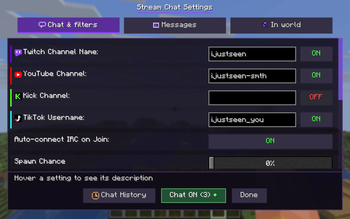
- Connect your platforms — turn on Twitch, YouTube, Kick and/or TikTok in settings, enter channel names, play
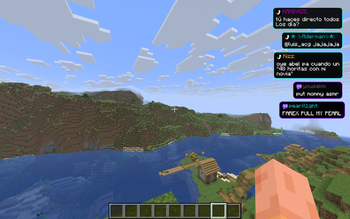
- Two looks — messages in 3D space in front of you, or a HUD stack in the top-right (still visible when you open inventory)
- Emotes — Twitch and 7TV emotes show inline where supported
- Pin the good stuff — keep a message in the world; pins save per world/server
- Chat history — scroll back, replay a message, pin again, or block someone
- Filters — hide words you don't want, filter by chatter role (subs, VIPs, mods), block usernames
Quick start (2 minutes)
-
Install Fabric and Fabric API for your Minecraft version (pick the matching release on this page)
-
Download the jar and put it in your
modsfolder, then start the game -
Press
]to open settings -
Enable the platforms you use, type your channel/username for each, Save
-
Play — messages appear as chat comes in
You don't need Mod Menu. If you have it, the mod shows up there too. Fabric API is required; Mod Menu is optional.
Controls
| Key | Action |
|---|---|
] |
Open settings |
[ |
Quick connect / disconnect all enabled chats |
In 3D mode (empty hand):
- Left click — dismiss a message (if enabled in settings)
- Right click — pin a message; click the pin icon or hold to drag pinned messages
Commands
Main command: /streamchat (old /minestream still works)
| Command | What it does |
|---|---|
/streamchat test Hello! |
Show a test message |
/streamchat chat start |
Connect all enabled platforms |
/streamchat chat stop |
Disconnect |
/streamchat banword add badword |
Add a filtered word |
/streamchat blockuser add SomeUser |
Block a username |
/streamchat help |
Full list |
Tips for streamers
- HUD mode — best if you don't want chat blocking the view; messages stay in the corner
- In world mode — great for "reading chat out loud" moments; look at a message to pause its timer
- Spawn chance — lower it if chat is too fast; the mod won't pile up hundreds of messages
- Role filter — show only subs/VIPs/mods when chat gets noisy
Upgrading from Take Your MineStream (1.x)
This mod was renamed to Take Your Stream Chat. Your settings and pinned messages are migrated automatically on first launch. Old jar: tyms-… → new jar: tysc-….
Questions or bugs? GitHub
请登录后举报
暂无评论,抢个沙发吧~