
Create: Interval Filter
作者:rebot | 分类:模组
Minecraft 版本: 1.21.1
平台: neoforge
标签: technology utility


Create: Interval Filter
A small addon for Create that adds the Interval Filter — a filter item that
configures a Deployer to activate at set distance intervals as a contraption moves.




What does it do?
Building automated contraptions in Create often requires placing items at precise, repeating intervals — something
vanilla Deployers can't do on their own. The Interval Filter solves this.
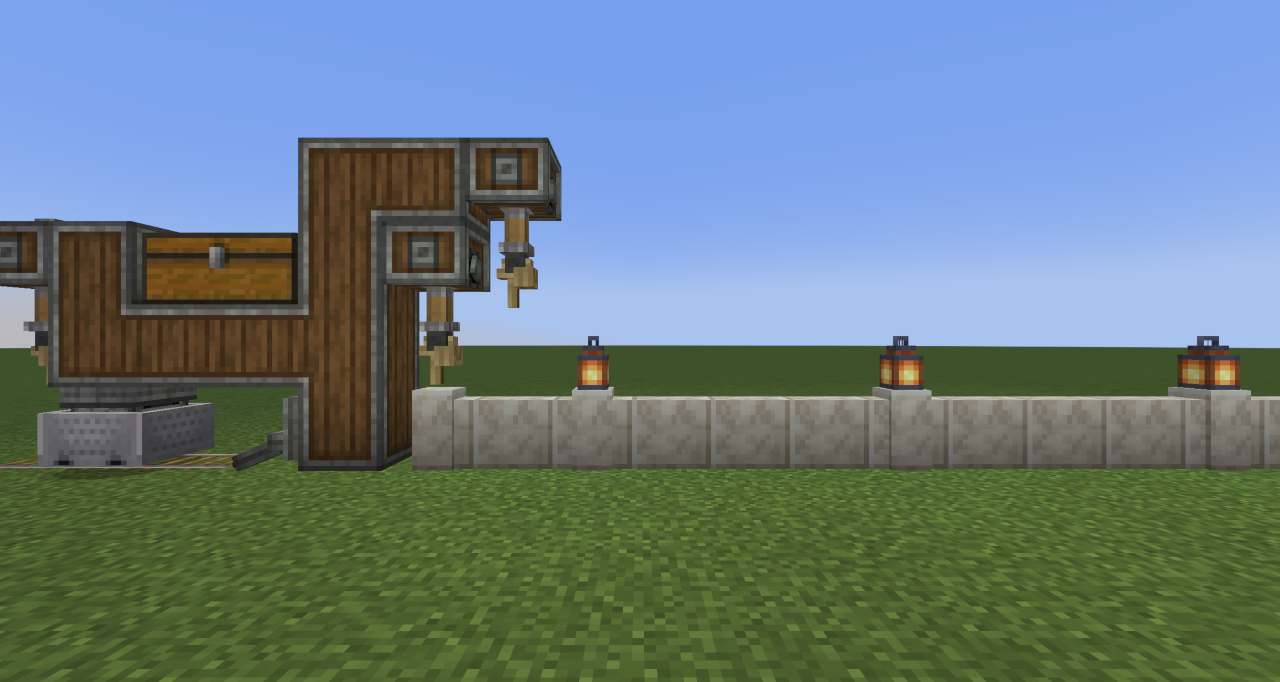
Place it in a Deployer's filter slot and it controls the cadence of activations: place items every 3rd block, every
10th block, or any interval up to 64 — with an optional offset to phase-shift where the pattern starts.
This opens up builds that were previously tedious or impossible to tune, such as:
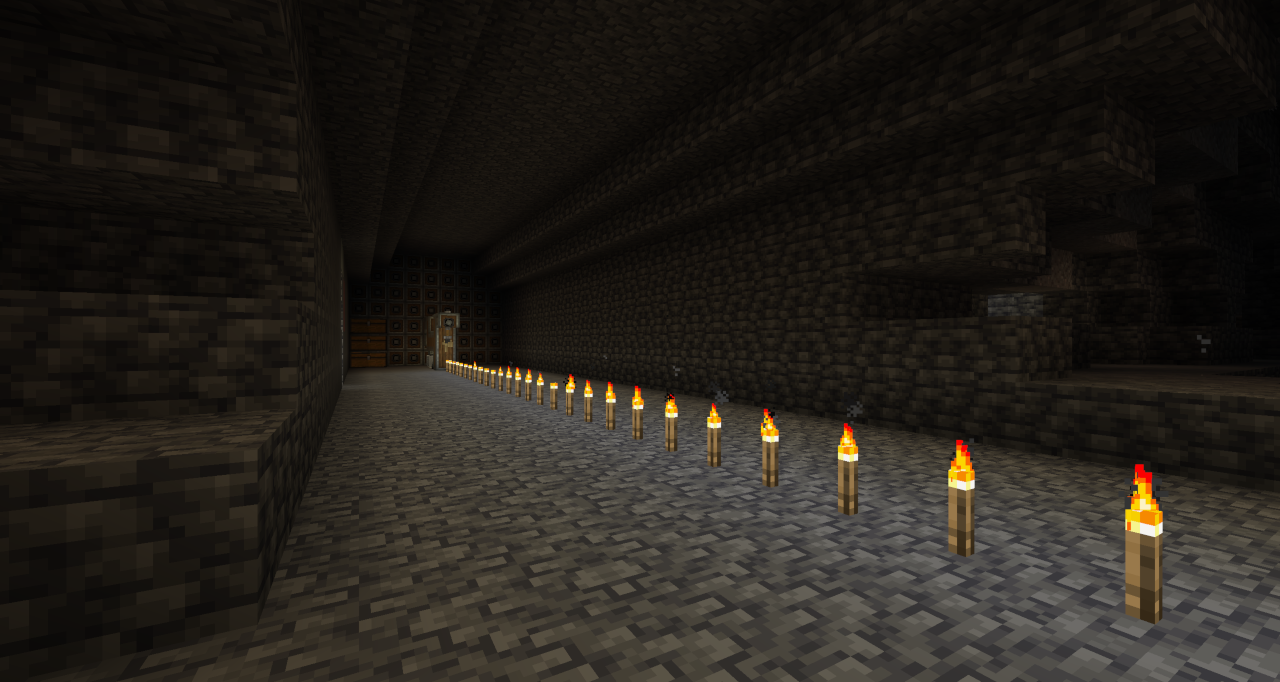
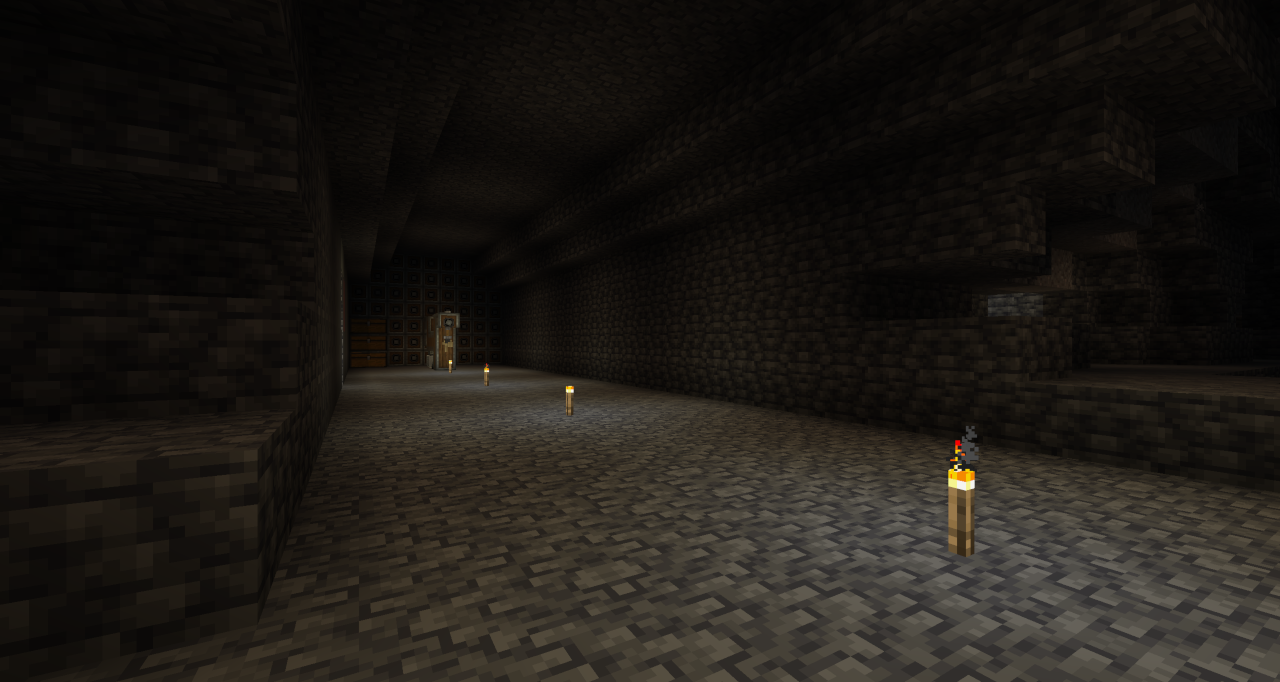
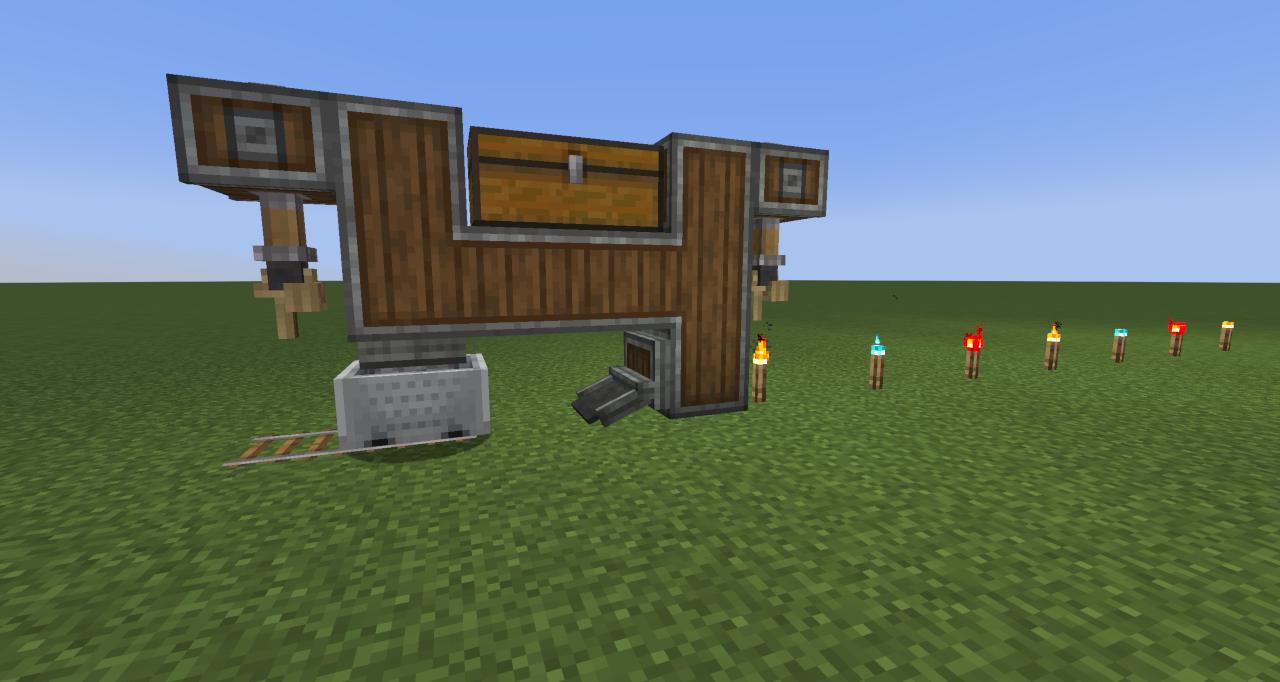
- Evenly-spaced torch placement behind a mining drill
- Repeating decoration patterns on a wall or floor
- Skipping the first few blocks before a pattern begins
- Alternating between different items placed in sequence or at random
| Before | After |
|---|---|
 |
 |
Features
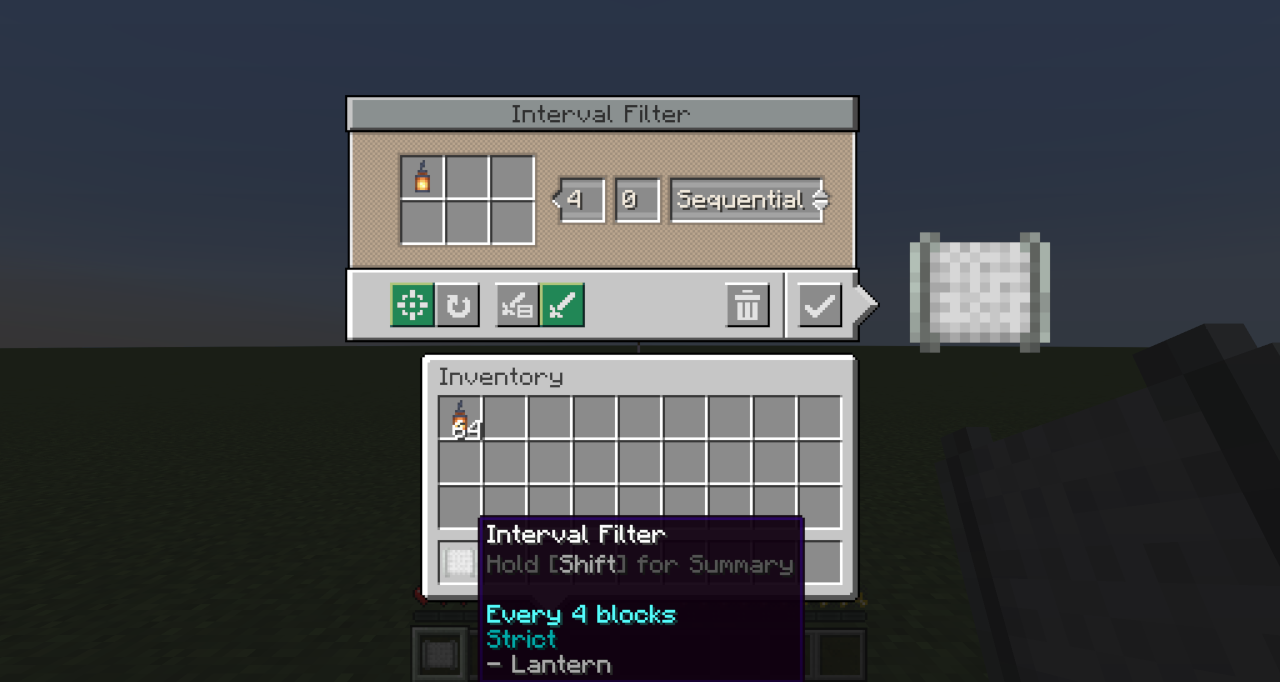
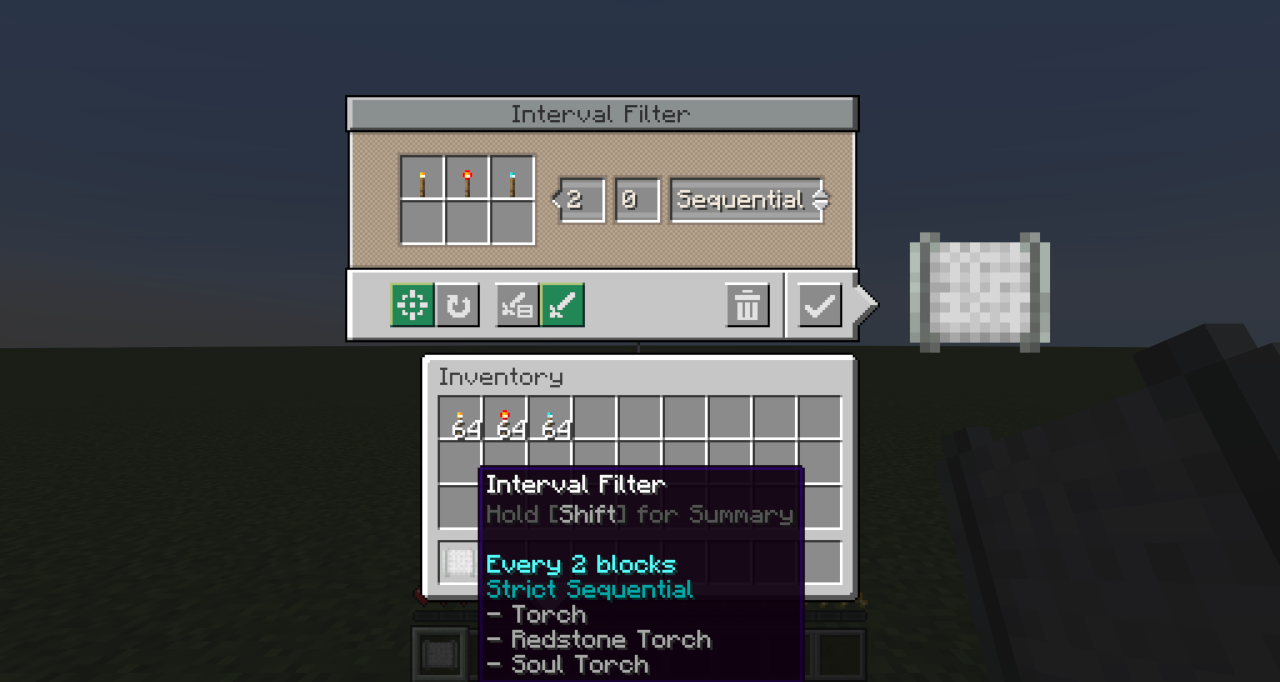
- Block Interval — Controls how many blocks the contraption travels between each Deployer activation. Supports
values from 1 to 64. - Initial Offset — Delays the start of the pattern by a set number of blocks. Useful for lining up placements
without needing to redesign or reposition contraptions. - Execution Modes — Two modes control what happens when a placement fails at the intended position:
- Strict — Skips the activation and continues the pattern unchanged. Use this when exact positioning matters.
- Best Effort — Keeps retrying on subsequent blocks until a placement succeeds. Use this when gaps are
unacceptable.
- Placement Mode — Two modes control what happens when multiple items (up to 6) are configured:
- Sequential — Cycles through all items in order each time the Deployer activates
- Random — Selects one item at random for each activation.
| Single Item | Multiple Items |
|---|---|
 |
 |
 |
 |
Crafting
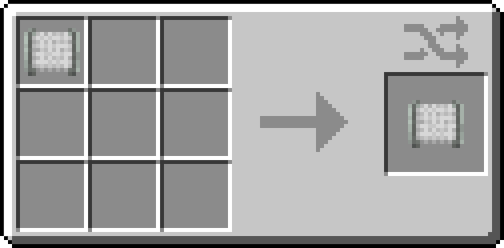
Craft any wool block with 2 × andesite alloy to create the Interval Filter.
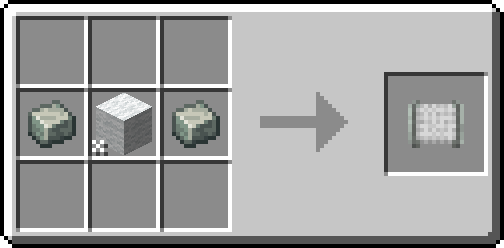
Crafting a configured Interval Filter resets all stored settings back to defaults.
Usage
- Craft the Interval Filter.
- Right-click it to open the configuration screen.
- Set the desired Block Interval and optionally an Initial Offset.
- Add up to 6 items to the filter slots. Choose Strict or Best Effort mode depending on whether missed placements
should be skipped or retried...and choose Sequential or Random if using multiple items. - Place the configured Interval Filter into the filter slot of a Deployer on your contraption.
Note: The Interval Filter only works in a Deployer's filter slot on moving contraptions. It cannot be used in
other filter slots.
Notes
- Train Relocation — Using a Wrench to pick up and relocate a train resets the interval counter, offset, and
sequence order. Regular stops (such as stations) do not reset progress. - The filter can be reconfigured at any time by right-clicking it in your hand. Placing it back into the Deployer
applies the updated settings immediately.
FAQ
Does the Interval Filter work on non-train contraptions?
Yes — it works on any moving contraption that includes a Deployer, such as those driven by a Minecraft w/Furnace,
Mechanical Bearing or Contraption Controller.
What happens if the Deployer's item supply runs out mid-pattern?
The Deployer behaves as normal — it simply won't activate until items are available again. The interval counter
continues to advance.
Can I use multiple Interval Filters on the same contraption?
Yes. Each Deployer tracks its own interval state independently.
Requirements
- Minecraft 1.21.1 / 1.20.1
- Mod Loader: NeoForge 21.1.181+ / Forge 47.3.30+ / Fabric 0.17.2+
- Create: 6.0.7+
Licensed under GNU GPL 3.0
请登录后举报
暂无评论,抢个沙发吧~