
Pl3xMarkers
作者:rebot | 分类:模组
Minecraft 版本: 26.2
平台: fabric folia paper purpur quilt
标签: adventure decoration utility


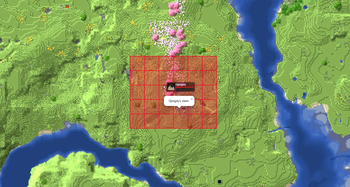
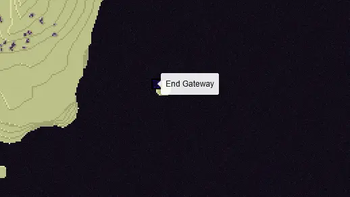


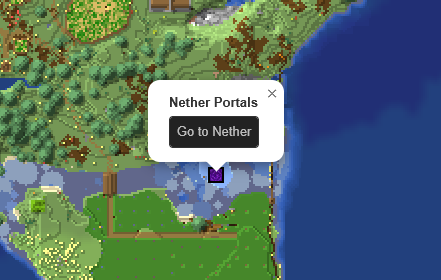

Added markers
- Open Parties and Claims claimed chunks
- Shopkeepers shops
- Player made areas
- Nether Portals
- End Portals
- End Gateways
- Lightning strikes
- Beacons
- Signs
- Cross-dimensional players
All without the need for any commands and all fully configurable
How to -
Make an area 1. Get a lodestone and a banner (all the same color) for all corners of your area. 2. Give all banners the name of your area in an anvil. 3. Place a lodestone with one of the banners on top on every corner. 4. Admire your area on the web map. - An area can have a max distance of 512 blocks between its furthest points. - The names on the banners need to be an exact match. - The placement order does not matter, the points will be connected automatically. - You can add or remove points as you wish, the area will adapt. - 2 points in a straight line create a circle. - 2 points not in a straight line create a rectangle. Add a portal marker 1. Go through a portal. 2. Admire your portal on the web map. Add a beacon marker 1. Place a beacon. 2. Activate the beacon. 3. Admire your b~~e~~acon on the web map. Add a sign marker 1. Place a sign on top of a lodestone. 2. Write some text on your sign. 3. Admire your sign on the web map.FAQ
Q: The layers are not showing up on my web map, what do I do?
A: You most likely use custom names for your worlds. Make sure they use the correct suffix structure: {worldname}, {worldname}_nether, {worldname}_the_end
Q: Why are some points not showing up?
A: Areas are made out of the outermost points. If you have points inside the area they will not be used. Or the points are too far apart from the center.
Q: Can I customize area labels?
A: Yes! Area names support basic HTML tags such as <b>, <i>, <u>, <br>, and <span style="color: #RRGGBB;"> {text} </span>.
Q: Why is my area a small triangle?
A: You either have too few points (minimum 3) or your points are too far apart.
Q: How to reload the config?
A: Pl3xMarkers listens to Pl3xMap's reload, so you can reload using /pl3xmap reload
Demo
The Pl3xMarkers mod started out as Helix Markers, for my server; Helix Survival
You can check its webmap at https://map.hexasis.eu/
请登录后举报
请 登录 后赞助作者。
暂无评论,抢个沙发吧~