
PlayerNameTags
作者:rebot | 分类:模组
Minecraft 版本: 1.21 1.21.1 1.21.2 1.21.3 1.21.4 1.21.5 1.21.6 1.21.7 1.21.8
平台: paper
标签: social utility
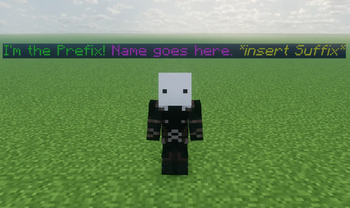


This plugin allows a server admin to set any online or offline player's nameplate to whatever they like! It works as if you right clicked a player with a nametag! Unfortunately the plugin does not allow players to be on vanilla teams (/team) since in order to hide the actual player nameplate all players must be in a team with the nametagVisibility option set to never. You can work around this by setting the new team's nametagVisibility to never as well.
You can color or format names using the & character instead of the usual § when using the /nametag set command. You can still use the & character by adding a backslash \ before it. See more at Formatting Codes.
All of the commands' syntaxes and the config's parameters are at the bottom.
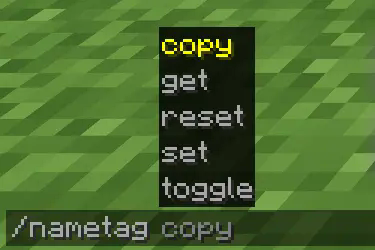
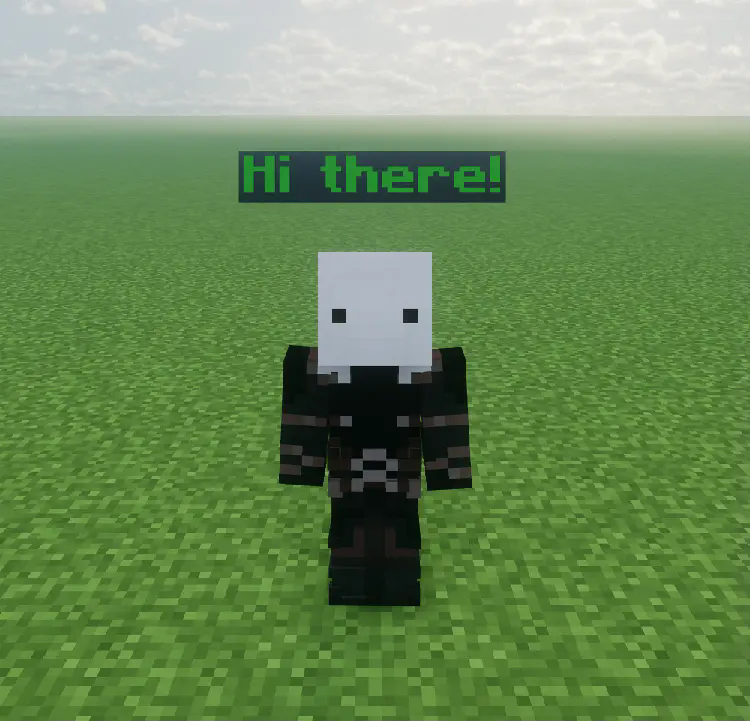
You can set a player's name using the /nametag command:


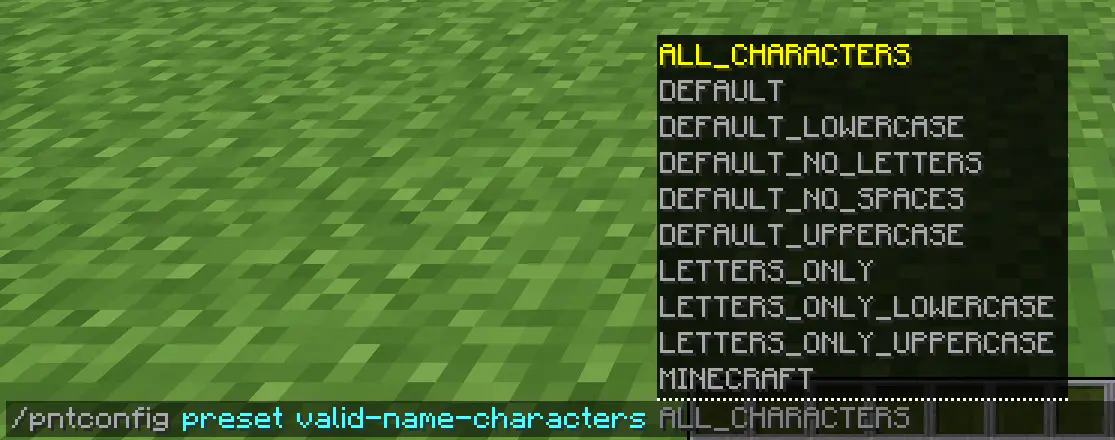
And you can change the plugin's config during runtime using the pntconfig command:



Notes:
- Parameters surrounded by
<>are mandatory command arguments - Parameters surrounded by
[]are optional command arguments |means "or". So,<get|set>means you can inputgetorset.
Nametag command syntax:
/nametag <copy|get|reset|set|toggle>are the sub-commands/nametag copy <name|prefix|suffix> <source_player> <target_player>will copysource_player's name, prefix, or suffix ontotarget_player./nametag get <name|prefix|suffix> [player]will send the person who executed the command theplayer's name, prefix, or suffix. If this command is executed without theplayerargument it will assume theplayerargument as the one who executed the command./nametag reset <name|prefix|suffix> [player]will reset theplayer's name, prefix, or suffix. Meaning the prefix and the suffix will be removed and the name will be reset to the player's IGN./nametag set <name|prefix|suffix> <player> <text>will set theplayer's name, prefix, or suffix totext. By default, spaces are valid characters, which means anything after<text>will be treated as part of it (including the spaces)./nametag toggle [player]will turn the nametag ofplayeron/off. Crouching or going invisible will not affect the nametag's state until toggled back on.
Config command syntax:
/pntconfig <get|preset|reset|set>are the sub-commands/pntconfig get <config_option>will send the person who executed the command the value stored forconfig_optionin the config file. The config file can be found in thepluginfolderPlayerNameTags./pntconfig preset <config_option> <preset>will set theconfig_option's value to thepresetchosen./pntconfig reset <config_option>will set theconfig_option's value to its default one./pntconfig set <config_option> <value>will set theconfig_option's value to thevaluegiven.
Config options (in parenthesis are the types of values you can assign to it):
enable-colorsallows nameplates to be colored! (Boolean)enable-formattingallows nameplates to be bold, italic, underlined, obfuscated or strokethrough! (Boolean)enable-pluginsets the plugin as enabled or not. You can enable the plugin using the/pntconfigcommand even if this is set to false. (Boolean)max-name-lengthdetermines how long a player's name can be. Not the entire nametag, just their name. (Number)max-prefix-lengthdetermines how long a player's prefix can be. (Number)max-suffix-lengthdetermines how long a player's suffix can be. (Number)valid-name-charactersdetermines which characters names, prefixes, and suffixes can be made of. (Characters)
In the future, I plan on adding "titles" to players above or below their nametags, functioning similarly to a prefix or suffix. Before that, however, I'd have to revamp the plugin which should take some time.
Feel free to use this plugin on any server.
请登录后举报
暂无评论,抢个沙发吧~