
Cutscene Engine
作者:rebot | 分类:模组
Minecraft 版本: 1.21.6 1.21.7 1.21.8 1.21.9 1.21.10 1.21.11 26.1 26.1.1 26.1.2
平台: fabric forge neoforge quilt
标签: library management utility


🎬 Cutscene Engine
Professional cinematic scene creation system for Minecraft
📖 Description
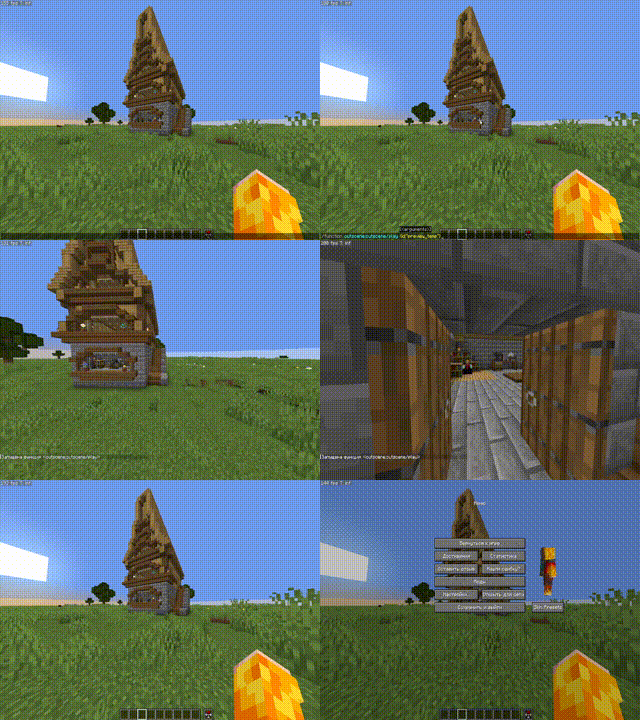
Cutscene Engine is an advanced data pack that allows you to create smooth cinematic scenes directly in-game without the need for external tools. Ideal for creators of adventure maps, RPG servers, and story-driven projects.
✨ Main Features
🛠️ Visual Editor
- Intuitive Interface — Control with the mouse wheel and right-click
- Add Camera Points — Create a camera path directly in the game
- Preview — Instantly check the result
- Motion Interpolation — Automatically create smooth transitions between points
🎥 Camera System
- Smooth Motion — Interpolation between keypoints
- Duration Adjustment — From 10 ticks to any value
- Spectator Mode — Automatic control of the player's camera
- Save State — Restore position and game mode after a cutscene
💬 Message System (in dev)
- Title/Subtitle — Large titles on the screen
- Actionbar — Text above the hotbar
- Chat — Messages in Chat
- Font Settings — full support for JSON formatting (color, bold, italic, underline)
- Point Snapping — automatically displays text at the right moment
⚙️ Ending Settings
- Teleportation — player movement after a cutscene
- Game Mode — automatic mode change
- Final Title — ending message
🌐 Localization
- Russian and English — full bilingual support
- Dynamic Switching — change languages at any time
💾 Save System
- Workspace — temporary workspace for editing
- Save Cutscenes — export finished scenes with a unique ID
- Load — import saved cutscenes for editing
- Autosave — data loss protection
🎮 How to use
Creating a cutscene
-
Open the editor:
/function _cutscene:editor_on -
Add camera points:
- Position yourself in the desired position
- Scroll the wheel to "➕ Add point"
- Right-click
- Adjust the settings:
- Select "⚙ Settings" in the menu
- Set the cutscene length
- Adjust the ending (teleport, game mode, title)
- Add messages:
- Select "💬 Messages" in the menu
- Adjust the Title, Subtitle, Actionbar, or Chat
- Apply text to the nearest point
- Render:
- Select "🎬 Render" to generate frames
- Use "▶ Preview" for verification
- Save:
- Open "⚙ Settings" → "💾 Save"
- Enter a unique ID for the cutscene
Play a cutscene
/function _cutscene:play_cutscene {id:"your_cutscene_id"}🔧 Specifications
- Minecraft Versions: 1.21.8 - 1.21.10
- Performance: Optimized for minimal impact on TPS
🎯 Usage Examples
- Adventure Maps — intro and outro cutscenes
- RPG Servers — quest cutscenes
- Tutorial Maps — mechanic demonstrations
- Story Projects — cinematic cutscenes
📝 Commands
| Command | Description |
|---|---|
/function _cutscene:editor_on |
Open the editor |
/function _cutscene:play_cutscene {id:"..."} |
Play a cutscene |
/function cutscene:cutscene/list |
List of saved cutscenes |
/trigger cutscene_engine_localization set 1 |
Russian language |
/trigger cutscene_engine_localization set 2 |
English language |
🤝 Compatibility
- ✅ Works with other datapacks
- ✅ Does not require mods
- ✅ Multiplayer support
- ✅ Compatible with command blocks
🐛 Support
Found a bug or have a suggestion? Create an issue in the project repository!
Create cinematic masterpieces right in Minecraft! 🎬✨
请登录后举报
请 登录 后赞助作者。
暂无评论,抢个沙发吧~