
QuickShop-Hikari
作者:rebot | 分类:模组
Minecraft 版本: 1.20 1.20.1 1.20.2 1.20.3 1.20.4 1.20.5 1.20.6 1.21 1.21.1 1.21.2 1.21.3 1.21.4 1.21.5 1.21.6 1.21.7 1.21.8 1.21.9 1.21.10 1.21.11 26.1 26.1.1 26.1.2 26.2
平台: folia paper purpur
标签: economy


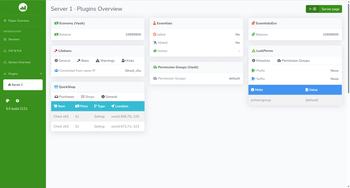
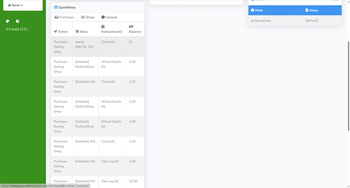
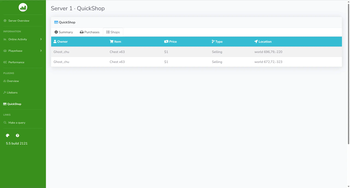

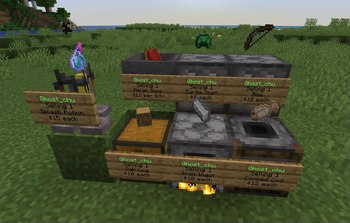
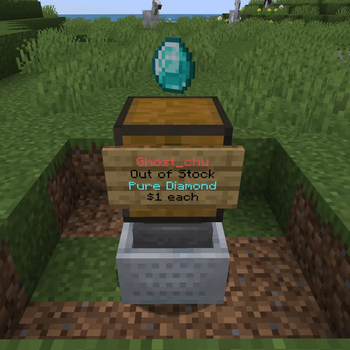
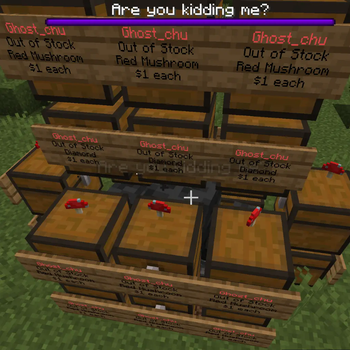
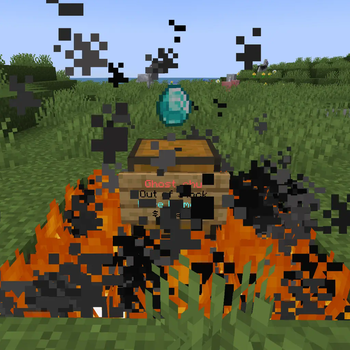







对于不方便使用 Discord 或 Github Issue Tracker 的用户,也可在 QQ 社区群内 966701484 内寻求热心社区人员的帮助
We have documents now! Finally!Features
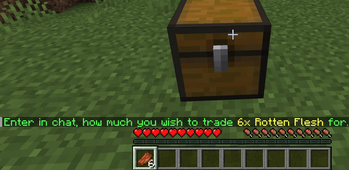
- Easy to use, simply click and type price to create the shops.
- NBT Data, Enchantment, Tool Damage, Potion, and Mob Egg supports.
- Dynamically switch the display language according to the client language, internationalization friendly.
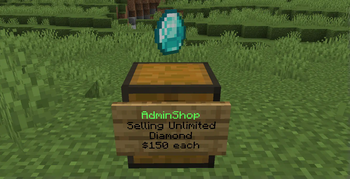
- Unlimited store support.
- Blacklist support & bypass permissions.
- Shops that buy and sell items in a double-chest.
- UUID support (of course)
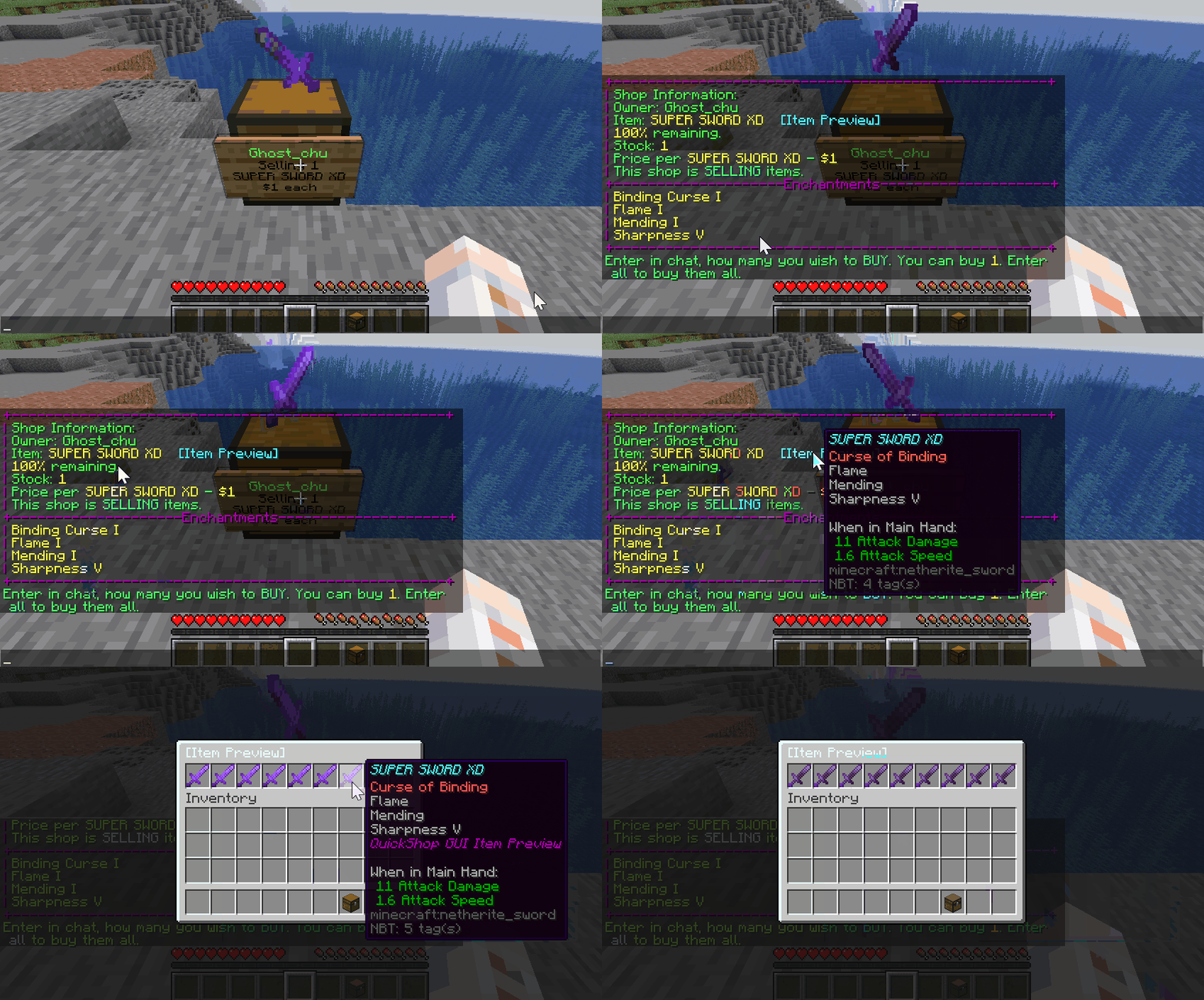
- A cool item preview both in chat and GUI.
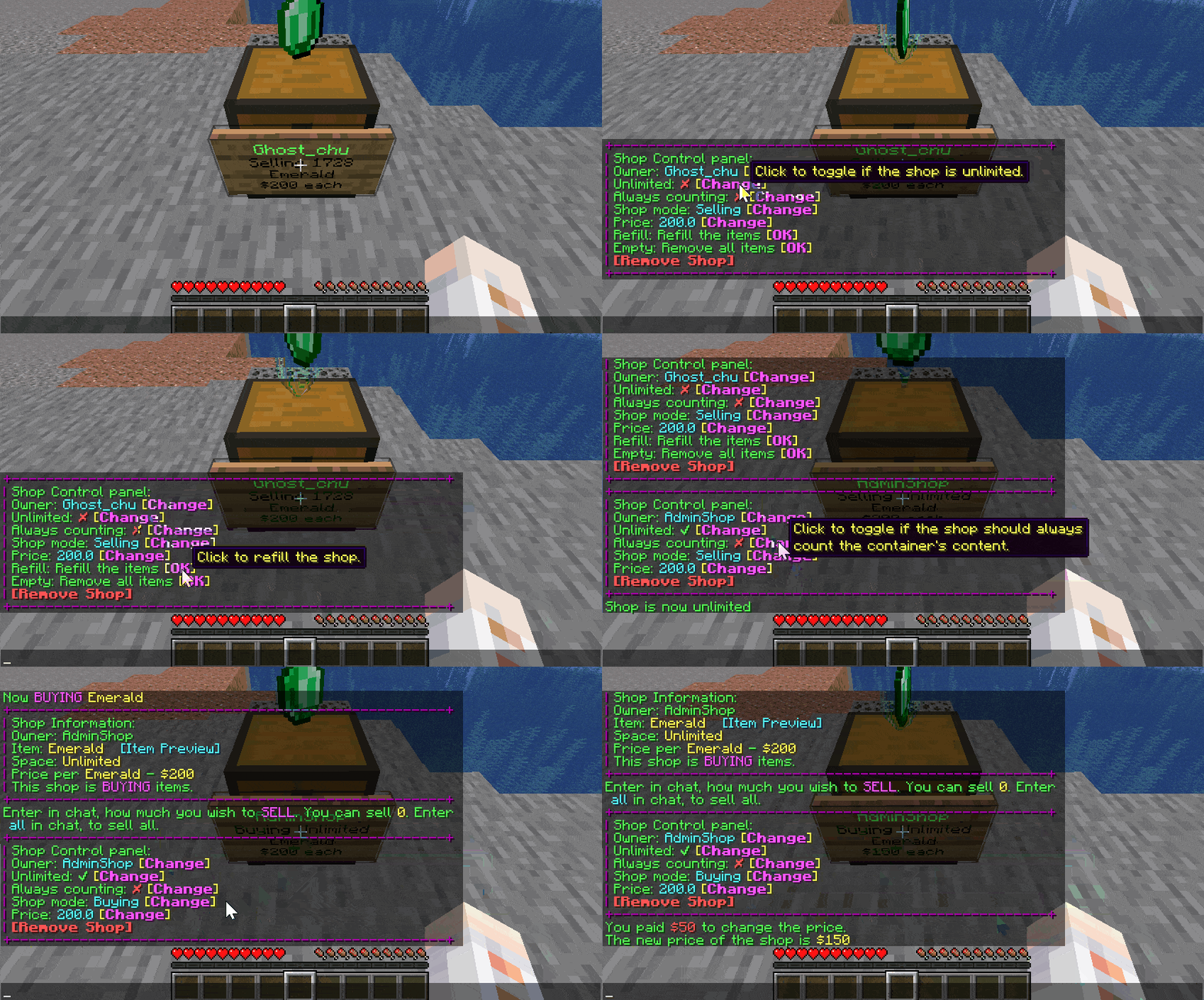
- Chat Control Panel to change the settings of your shop. Just click to modify everything.
- World/region protection plugins support, and lots of compatibility modules can be downloaded.
- ProtocolLib/PacketEvents based Virtual DisplayItem (better for performance) support.
- Multi-currency support: Use different currencies in shops from any economy that supports VaultUnlocked. We also support Vault by default!
- Tax and ongoing fee support!
- Hide commands from help if the player had no permission.
- Sign header color and clear description on the info sign for different shops status.
- MiniMessage support, create fancy messages as you want.
- H2 (local) or MySQL (remote) support.
- Advanced transaction mechanism, rollback any Inventory/Economy operation when it failed to execute to prevent player dupes.
- InventoryWrapper API offers custom inventory ability for developers.
- Advanced Event Bus to allow user block protection check event transfer to a specific plugin.
- Fast cache layer, handle more than 1k+ shops without any lag! (Require ProtocolLib installed)
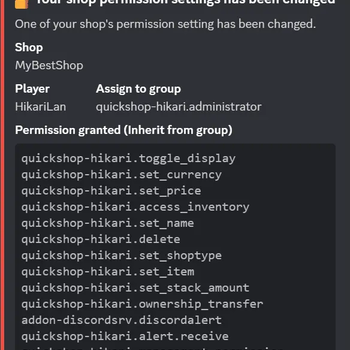
- Per-shop permission management.
- Shop benefits between shop owner and other players!
- Much much more! Cannot put them all in there!
Or with addons to add more features
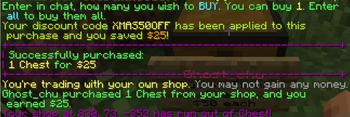
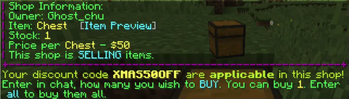
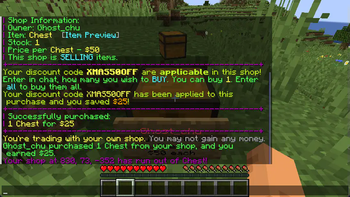
- Discount code
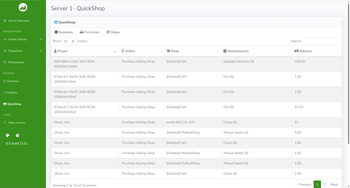
- Plan metrics
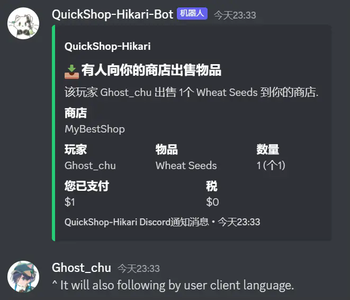
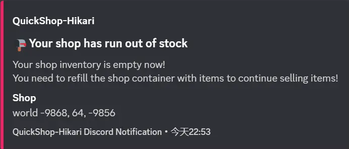
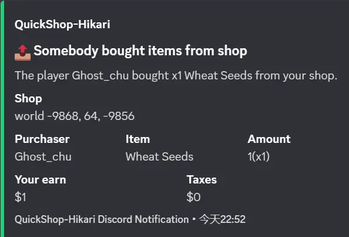
- DiscordSRV notifications
How to Install
QuickShop requires Minecraft 1.20+ to be run. Any versions below 1.20 were unsupported.
- Install Vault and an economy plugin supported by Vault.
- If you are using multi-currency, you will need an economy plugin that supports VaultUnlocked.
- Install optional ProtocolLib or PacketEvents which can greatly improve QuickShop performance.
- Spigot is no longer supported in recent updates. We recommend switching to Paper or its forks to ensure optimal performance.
- Download QuickShop jar and put it in your plugins folder.
- Download other compatibility modules or add-ons if you need them.
- Only install compatibility modules that you need, they're not open box to use, you need configure them.
- Most cases, Hikari can handle region protections by itself, you don't need them.
- Turn on the server and here we go!
Commands
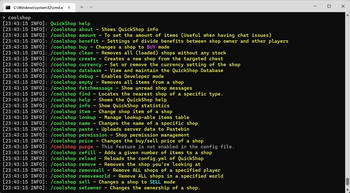
Note: Most features can be accessed by control panel or interaction with the shop, in most cases, you don't need those commands.
- /quickshop unlimited
Makes your Shop buy/sell Items in unlimited quantity or limited - /quickshop setowner
Change the Shop Owner. - /quickshop buy
Change the shop to buying items. - /quickshop sell
Change the shop to selling items. - /quickshop price
Change the buy/sell price of the item. - /quickshop clean
Removes any loaded shop that doesn't have any items in stock. - /quickshop find
Find the nearest shop that sells items that start with the provided text. E.g. /quickshop find dia will find the nearest shop that buys/sells diamonds. - /quickshop fetchmessage
Fetch shop message manually from the database. - /quickshop info
Show QuickShop information. - /quickshop debug
Enable/Disable Debug Mode. - /quickshop create [item]
Command to create the shop with the item in hand or specified. - /quickshop currency
Command to specified the currency the shop using.
The Economy plugin must support the Multi-Currency feature and be supported by QuickShop. - /quickshop supercreate
Create a shop while bypassing any protection checks. - /quickshop paste
Collects useful information and pastes it on Pastebin. - /quickshop staff
Manage staff in your shop. - /quickshop staff add
Add a player as staff to your shop. - /quickshop staff del
Remove a player as staff from your shop. - /quickshop staff clear
Remove all staff members from your shop. - /quickshop staff list
Show all current staff members of your shop. - /quickshop cleanghost
Remove all broken shops. - /quickshop export
Export all shop data to a zip.
This command is CONSOLE ONLY! - /quickshop recovery
Recover all shops from a TXT file or Paste.
This command is CONSOLE ONLY and may remove/override any existing shop on your Server! Make a backup first and try it with a clean database! - /quickshop size
Change the bulk size.
Requires the "allow-stacks" option in the config to be enabled for the command to work. - /quickshop purge
Purge the old shops, for more information please check the purge option in config.yml
Requires the "purge" option in the config to be enabled for the command to work. - /quickshop transfer
Transfer ALL shops from one player to another. - /quickshop item
Change the item of the shop.
Requires the "allow-stacks" option in the config to be enabled for the command to work. - /quickshop removeworld
Remove all shops in a specific world. - /quickshop name
Naming or un-naming a shop with a specific name. - /quickshop permission
Tweaking the per-shop permissions, or add/remove player into/from specific groups. - /quickshop database
View and manage QuickShop-Hikari status. - /quickshop benefit
View and manage yout shop benefits.Aliases:
- /shop
- /qs
- /chestshop
- /cshop
(customize the aliases in config.yml)
Permissions
If you're a lazy owner, simply give the player quickshop.player permission node which contains all needs to let the player create and use quick shops.
But if you're a pro owner, there is also a detailed list to allow control of everything:
Detailed Permissions ### Player Permissions: * quickshop.use Required for any QuickShop Actions. * quickshop.create.sell Required to make a shop (Sell-Mode) * quickshop.create.buy Required to make a shop (Buy-Mode) or to switch from Sell to Buy-Mode. * quickshop.create.stacks Required to allow selling items in stacks. * quickshop.create.changeitem Allows a player to change a shop's item. * quickshop.create.changeamount Allows a player to change the item amount per buy/sell. * quickshop.create.changeprice Allows a player to change the buy/sell price of their shops. * quickshop.create.double Allows a player to create a double chest shop. * quickshop.create.cmd Required to have access to the `/quickshop create` command. This command may bypass certain protections of not-supported protection plugins! * quickshop.transfer Required to transfer all owned shops to another player. * quickshop.find Required to use `/quickshop find ` * quickshop.fetchmessage Required to use `/quickshop fetchmessage` * quickshop.staff Required to use `/quickshop staff` and all its subcommands. * quickshop.preview Required to use the GUI Item Preview. * quickshop.currency Required to use the `/quickshop currency ` * quickshop.shopnaming Required to use the `/quickshop name ` * quickshop.permission Required to use the `/quickshop permission` * quickshop.benefit Required to use the `/quickshop benefit` ### Admin Permissions: * quickshop.unlimited Required to use `/quickshop unlimited` * quickshop.alwayscounting Required to use `/quickshop alwayscounting` * quickshop.setowner Required to use /quickshop setowner * quickshop.other.destroy Allows the player to remove/destroy the shops of others. * quickshop.other.open Allows the player to open chests of other shops and take/put items from/into it. * quickshop.other.price Allows the player to change the price of someone's shop. * quickshop.transfer.other Required to transfer ALL shops of someone to another player. * quickshop.refill Allows the player to refill their shops using a command, essentially making the shop having unlimited items. * quickshop.empty Allows the player to clear the shop's inventory. * quickshop.clean Allows the purging/removal of any Shops that have no items in stock. * quickshop.bypass. Required to sell blacklisted items (E.g. bedrock). * quickshop.price.restriction.bypass. Required to bypass a specific price limit rule. * quickshop.alerts Required to receive notifications about possible cheating, plugin warnings and updates. * quickshop.info Required to use `/quickshop info` * quickshop.debug Required to use `/quickshop debug` * quickshop.paste Required to use `/quickshop paste` * quickshop.purge Required to use `/quickshop purge` * quickshop.create.admin Required to bypass any protection-checks while creating a shop using /quickshop supercreate * quickshop.tax Permission to bypass the tax fee. * quickshop.tax.bypassunlimited Permission to bypass the tax fee but only in the unlimited shop. * quickshop.cleanghost Permission to remove any broken shop using `/quickshop cleanghost` * quickshop.export Permission to use /quickshop export This permission is pointless since the command is console only. * quickshop.recovery Permission to use /quickshop recovery This permission is pointless since the command is console only. * quickshop.removeworld Permission to remove all shops in a world using /quickshop removeworld * quickshop.other.changeitem Allows the player to change the item of someone's shop. * quickshop.other.changeamount Allows the player to change the bulk amount of someone's shop. * quickshop.other.shopnaming Allows the player to change the name of someone's shop. * quickshop.bypass.namefee Allows the player to bypass the fee of shop naming. * quickshop.database Permission to use `/quickshop database`How to create a shop
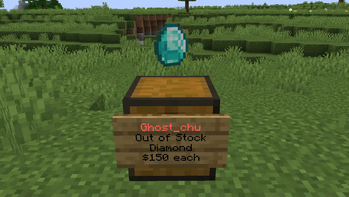
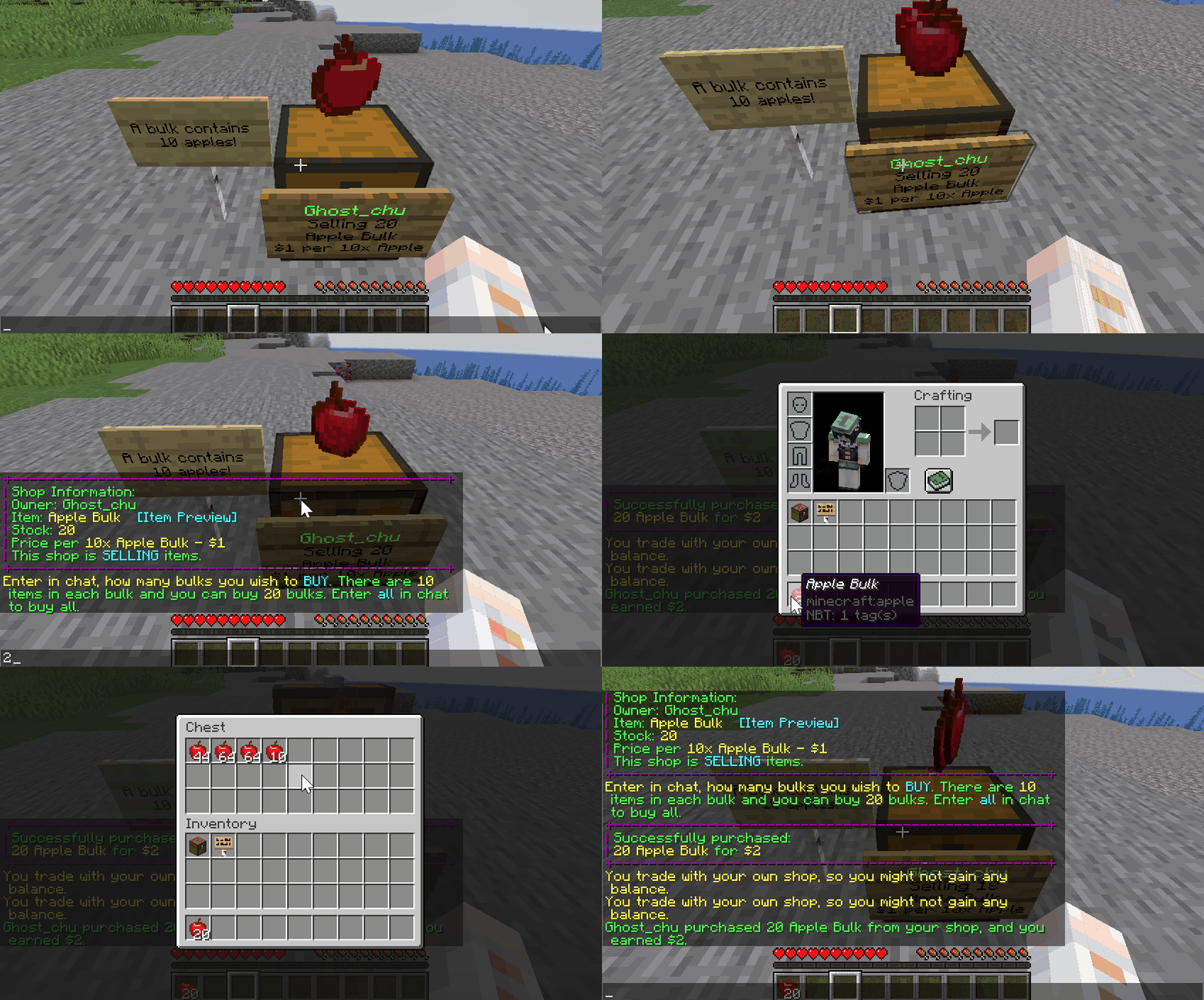
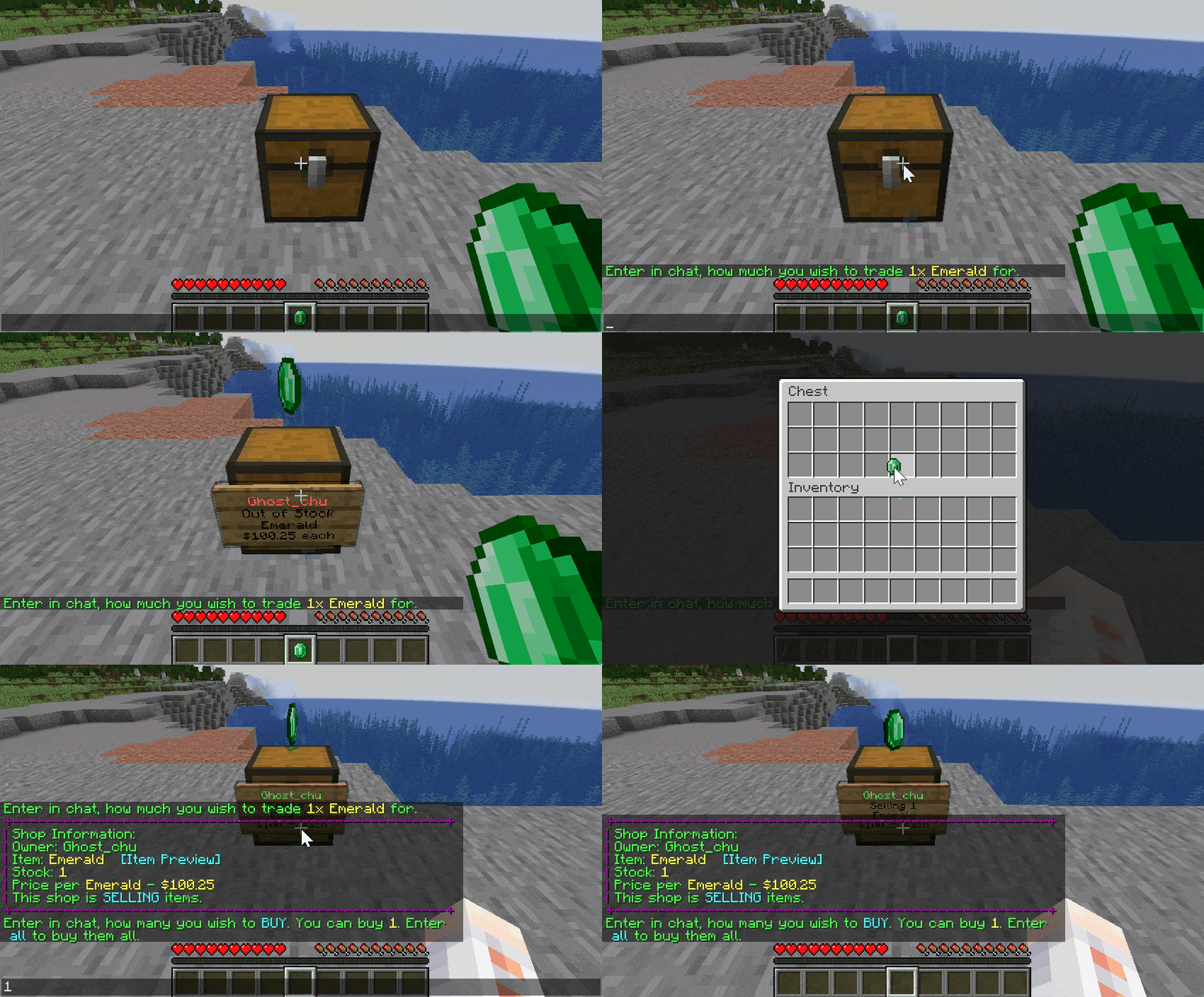
To create a shop, place down a chest and left-click it with the number of items you want to sell.
For example: If I want to sell 16 diamonds will I need to hold 16 diamonds in my hand and left-click the chest with it. (Need allow-stacks: true and permission).

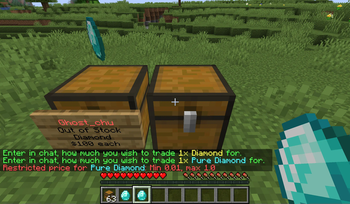
You will then be prompted to type in the chat, how much you would like to sell this item for.
Note: You may encounter issues with the chat system if you're on a BungeeCord network that utilizes a global chat plugin like BungeeChat. In such a case will you need to use commands to create a shop!
After you completed those steps should an item be displayed on top (Can be toggled off in the configuration) and a sign with info be placed on the side of the chest.
A Shop may not be created if there is no space around the chest to place down a sign.
How to buy/sell Items
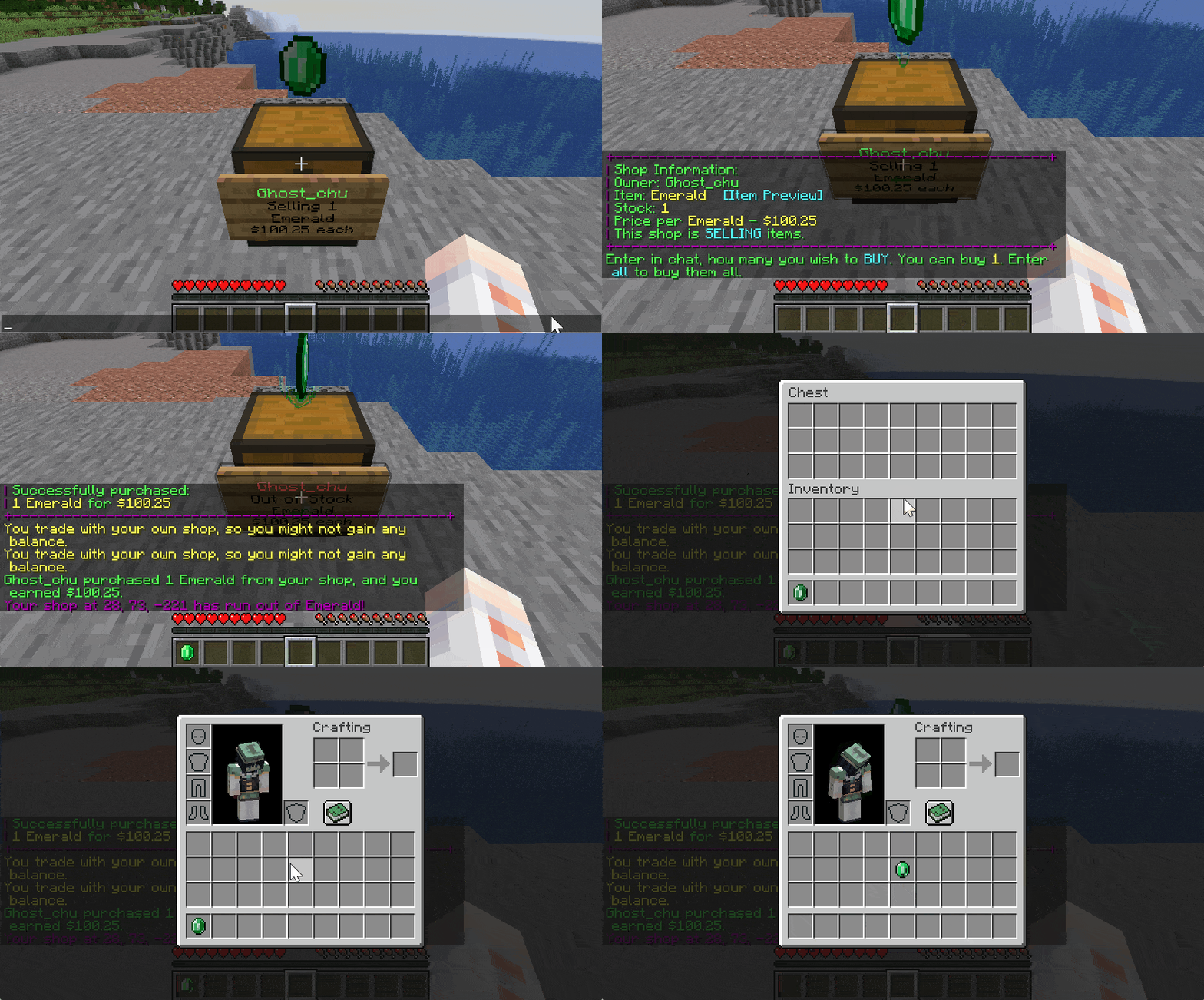
To buy or sell an Item from/to a Shop will you need to left-click the sign.
You will then be prompted to write the amount you want to buy/sell in chat.
Whether a shop sells or buys items depends on the displayed info on the sign.

Advanced Features
Item Preview GUI
Preview the item you will purchase before actual purchase to avoid scam!

Shop Control Panel
Shop Control Panel allows tweaks to your shop with one click, no command needs!

Shop Staff
Shop owner can able to managing shop staff by using the command /quickshop staff <add/del/list> <player>, which allow shop staff to access your shop to manage the stock.
Ender Chest Inventory Linkage
Install OpenInv and openinv compatibility module and you will be able to use /quickshop echest to link your quick shop to your ender chest inventory! So all your echest shops can share with your ender chest inventory!
Rules-Based Price Limiter
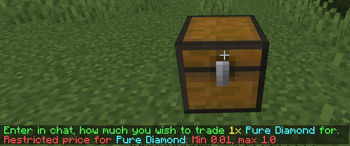
Create rules to limit shops' prices with specific materials!
Translation OTA & Override system
Unlike other plugins, QuickShop uses CrowdinOTA technology to update our translation over the air. You can always enjoy the latest translations. All translations will keep updated with the cloud.
If you need to customize the translation, you can follow our guide to use the override customize system!
Shop Purger
Purge shops that owner no longer active or banned!
Our compatibility modules also offer purge player shops while it leave teams/islands/lands.
Interaction Controller & Direct Trade
Custom the click behavior through interaction.yml!
You can sell or buy 1 or all things directly by sneaking clicking (or any behavior you configured).
Item Stacking
Enable the allow-stack option in config.yml, then you can create a stacking shop by holding more than one item in hand. So players must buy items that are multiples of their holding.

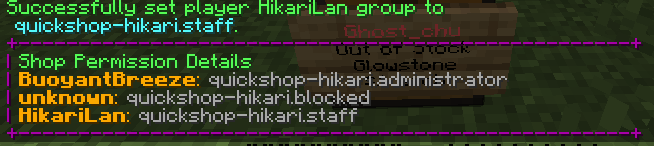
Per shop permission management
Have you ever considered putting another player in full charge of your shop?
Or just ban a player to avoid him purchase your shop?
You can do this now with per shop permission management.

Compatibility Modules
QuickShop-Hikari officially provides some plugins compatibility modules to make them work more closely with QuickShop, here is a list that we currently support:
- AdvancedRegionMarket (Remove shops when region reset)
- BentoBox (Remove shops while the member was kicked out of the team)
- Clearlag (Prevent clear the QuickShop displays if you hadn't installed ProtocolLib)
- GriefPrevention (Remove shops on untrusted, unclaimed,
expired, resized, etc.) - Lands (Remove shops while member leaves)
- NoCheatPlus (anti-cheat compatibility)
- OpenInv (Offers a command
/quickshop echestto link with your EnderChest) - PlotSquared (Remove shops when a player is untrusted)
- Towny (Remove shops while resident left or plot clear/destroyed; Taxes go town bank account etc.)
- Residence (Region creation/purchase control.)
- WorldEdit (Remove shops while blocks removed by WorldEdit)
- WorldGuard (Register flags to control creates and trades in allowed regions, you usually don't need this)
- SuperiorSkyblock (Remove shops when a player kicked, un co-op, island reset etc.)
- EcoEnchants (Show EcoEnchants's enchantments)
- Reforges (Show Reforges stuff in preview item GUI)
Enhanced Addons
ShopSearch by Ronsane
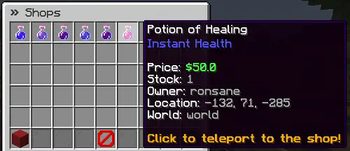
Adds a /finditem command in game for searching through all the shops on the server.
[Download]
DiscordSRV
Forward in-game notifactions to Discord EmbedMessage and DM players.
Plan
Showcase your server recent QuickShop-Hikari activities like purchases and shops list.
Discount
Add discount codes to your QuickShop-Hikari server with custom name, rate, range, expired time and
price threshold.
Known Incompatible Plugins
Some plugins may not work together with QuickShop and there is little we can do on our side to fix this.
- Pretty much any BungeeCord Chat plugin.
To solve the BungeeCord Chat conflicting, download and install Compat-BungeeCord compatibility module under versions. - Plugins handling BlockBreakEvents
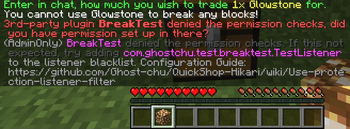
If you are a server administrator (withquickshop.alert privileges), you will receive an admin-only message instructing you how to configure the filter.
Or you can directly disable the protection-checks, but it will allow players to create shops everywhere! - ChatControl Pro/Red
You can use/quickshop amount <amount>to set the price instead.
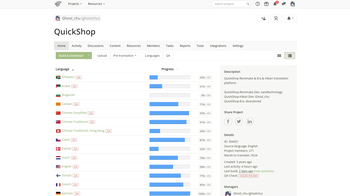
Help us translate QuickShop!
You can help us to translate QuickShop into as many languages as possible!


You can find the currently worked on translations over at Crowdin:
https://crowdin.com/project/qs-hikari
Can't find your language?
Open an issue on Issue Tracker!
FAQ
Q: Can I create a shop that sells AND buys items?
A: No. Each shop can only sell or buy but not both at once. You can however use a double-chest to have two shops. One buying and one selling the item.
Q: Can I use item currency like diamonds?
A: No. We won't add it. But you can choose some economy plugins that allows you to use item currency.
Q: The plugin doesn't respond when creating a shop. Is it broken?
A: Some plugins may cancel the Shop-creation. Most commonly is this the case with protection plugins. You can disable the shop.protection-checking in the config to bypass this.
Q: How can I create a Shop selling stacks?
A: To create such a shop, follow these steps:
- Set "allow-stacks" to true in the config.yml and reload the plugin.
- Give the player (Yourself) the permission quickshop.create.stacks
- Hold the number of items to buy/sell and create the shop as normal.
Q: Can I create a shop that bypasses the default vanilla stack-size?
A: Yes. Enable the custom-item-stacksize option in the config.yml and reload the plugin. Afterward, can you use /quickshop stack
Q: My shop was broken/denied by XXX non-protection plugin. Why?
A: QuickShop creates a fake BlockBreakEvent to check if you can build in that area. Some plugins may interfere with this event by canceling it. Try Use protection listener filter to fix it.
Q: How can I migrate from H2 to MySQL, MariaDB (or vice-versa)?
A: See Docs
Q: The plugin is giving a NoDefClassFound/NoMethodFound error in the console, why?
A: This may be caused either by odd plugins that QuickShop does (not) support or by having a damaged/corrupted jar of QuickShop. Try to update the plugin and also test it with ONLY QuickShop installed. If the issue persists, report it to us on GitHub!
Q: How can I change or delete some messages?
A: Edit the messages in your message.json file. To remove a message, just change its content to an empty String ("").
Q: Can you add support for plugin X?
A: Maybe. Please open an issue on our GitHub for this.
Q: It cannot load on 1.7/1.8/1.9/1.10/1.11/1.12/1.13/1.14/1.15/1.16/1.17/1.18/1.19.
A: See "Tested Minecraft Versions", latest version only supports 1.20 and above.
Migrate from QuickShop-Reremake
QuickShop-Hikari is different from Reremake and data are not compatible with each other.
Hikari offers a converter that allows you to convert the data from Reremake to Hikari.
https://quickshop-community.github.io/QuickShop-Hikari-Documents/docs/addon/reremake-migrator
Bug Reports
Supports
User Documentation
Developer API
- Maven repository & QuickShopAPI
- Code Fragment -> Shop Lookup
- Code Fragment -> Register QuickShop Command
- Code Fragment -> InventoryWrapper API (Hook shop inventory to another block, entity, and plugin virtual inventory)
- Overview -> API Package
- Code Fragment -> Customize display item implement with ServiceInjector (TODO)
Javadoc can be download use Maven or checked there.
Can I repost/reprint this plugin to xxx like mcbbs etc?
We allow you to repost this plugin for free in other places as long as you follow two basic rules:
- Get prior approval from a developer.
- Keep the link to the original resource (This one) and the source code link.
- Don't remove the author's name or claim that are the original authors.
- For MineBBS reposters: This resource is currently on hold pending a decision, please do not repost without authorization at MineBBS.
Metrics
Metrics / Telemetry Disclosure
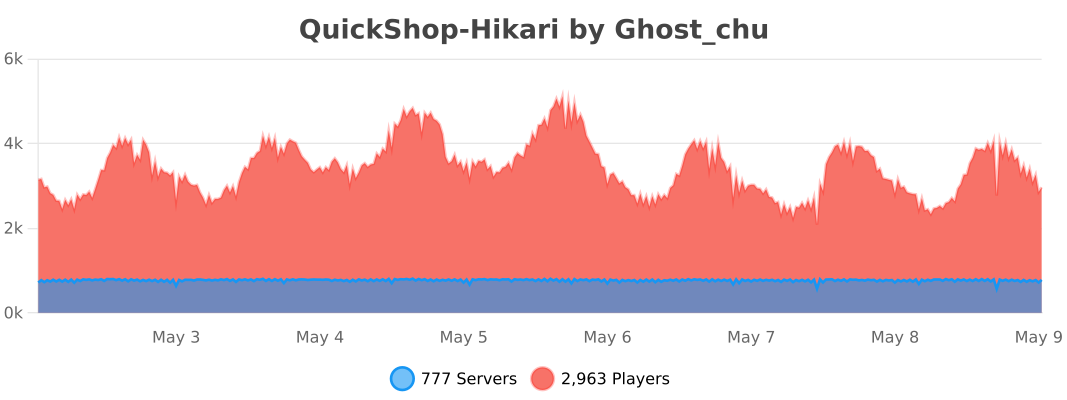
QuickShop-Hikari collects anonymous or pseudonymous usage statistics and research metrics about the Minecraft server environment in which the plugin is running.
These metrics are used to understand how QuickShop-Hikari is deployed, prioritize compatibility work and features, improve performance, remove obsolete compatibility code, and guide future development.
Metrics collection is enabled by default, but server owners can opt out.
What may be collected
Depending on the QuickShop-Hikari version, enabled features, installed integrations, and metrics provider, collected metrics may include:
- Minecraft server software and build/version information
- QuickShop-Hikari build/publisher information
- Database implementation/type
- Economy implementation/type
- Item matcher implementation
- Item display implementation
- Background debug logger status
- Number of QuickShop shops hosted by the server
- Number of QuickShop tags hosted by the server
- Whether certain QuickShop features, such as Item Stacking Shop, are in use
- Installed QuickShop addons and compatibility/integration modules, including third-party integrations detected by QuickShop
- ProtocolLib version, when ProtocolLib is installed
- PacketEvents version, when PacketEvents is installed
- Whether Geyser/Floodgate-related functionality is detected
- Configured protection-listener blacklist entries
- Configured QuickShop command aliases
- Other comparable technical, compatibility, feature-usage, and aggregate statistics documented by QuickShop-Hikari
The exact set of metrics may change between QuickShop-Hikari releases as features and compatibility requirements change.
Why these metrics are collected
Statistics and research metrics are used for purposes such as:
- Determining which database, economy, item-matching, display, and server implementations are most commonly used
- Understanding the scale of QuickShop installations, including shop and tag counts, to guide performance and caching improvements
- Determining whether experimental or optional features should become defaults
- Understanding which third-party integrations and QuickShop addons are commonly used
- Identifying compatibility code that is still needed for libraries such as ProtocolLib and PacketEvents
- Prioritizing support for integrations such as Geyser
- Improving default configuration values and command aliases
- Identifying QuickShop builds/forks through their declared publisher information
- Improving maintainability, compatibility, stability, and performance
Metrics services
QuickShop-Hikari may use external metrics services, including bStats, to process statistics.
Use of an external metrics provider means that the server running QuickShop-Hikari makes network requests to infrastructure operated by that provider. Information received by the provider may therefore also be subject to the provider's own privacy practices.
QuickShop-Hikari respects the global bStats configuration. If bStats has been disabled globally on the Minecraft server, QuickShop-Hikari will not submit metrics through bStats.
Opting out
Server owners can disable QuickShop-Hikari's metrics/research categories through the plugin's privacy configuration.
For example:
privacy:
  type:
    STATISTIC: false
    RESEARCH: false
Server owners may also disable bStats globally through bStats' own configuration.
Disabling metrics prevents future collection/submission through the disabled mechanism. It does not automatically delete information that was previously submitted to an external metrics provider.
For the current privacy controls and additional information, see the QuickShop-Hikari Privacy documentation.
External Service Disclosure — Crowdin OTA
QuickShop-Hikari can communicate with an external translation service to automatically retrieve updated localization files.
This functionality is called Crowdin OTA (Over-the-Air localization) and is enabled by default. Server owners can opt out.
What Crowdin OTA does
QuickShop-Hikari supports multiple languages, with translations maintained by contributors through Crowdin.
When Crowdin OTA is enabled, QuickShop-Hikari may make outbound network requests to the configured QuickShop-Hikari/Crowdin OTA translation service to retrieve current translation resources.
This allows translations and localization fixes to be delivered without requiring a new QuickShop-Hikari release or manual installation of updated language files.
Because this feature communicates with an external server, the operator of that service may receive information normally associated with an HTTP/network request, such as the requesting server's IP address and other network/protocol metadata.
Crowdin OTA is used to retrieve localization resources; it is separate from QuickShop-Hikari's metrics/telemetry functionality.
Opting out
Crowdin OTA can be disabled by the server owner.
On current QuickShop-Hikari versions, set the following in config.yml:
use-crowdin-ota: falseWhen Crowdin OTA is disabled, QuickShop-Hikari will continue to operate using cached translations or translations bundled with the plugin. Automatic retrieval of updated translations from the OTA service will no longer occur.
Older QuickShop-Hikari versions used the following JVM startup property instead:
-Dcom.ghostchu.quickshop.localization.text.SimpleTextManager.enableCrowdinOTA=falseSelf-hosting
Server owners who do not want to use the default OTA service may also configure QuickShop-Hikari to use a self-hosted translation server.
On current versions, this can be configured with:
crowdin-host: <YOUR_SERVER_ADDRESS>Using a self-hosted endpoint transfers responsibility for the operation, logging, and privacy practices of that endpoint to its operator.
Summary
By default, QuickShop-Hikari may connect to an external OTA service to keep localization resources current.
Server owners who do not want QuickShop-Hikari to make these requests can disable Crowdin OTA without disabling the core plugin. Cached or bundled translations will be used instead.
请登录后举报
请 登录 后赞助作者。
暂无评论,抢个沙发吧~