
JobSystem
作者:rebot | 分类:模组
Minecraft 版本: 1.20 1.20.1 1.20.2 1.20.3 1.20.4 1.20.5 1.20.6 1.21 1.21.1 1.21.2 1.21.3 1.21.4 1.21.5 1.21.6 1.21.7 1.21.8 1.21.9 1.21.10 1.21.11 26.1 26.1.1 26.1.2 26.2
平台: bukkit paper purpur spigot
标签: adventure economy social



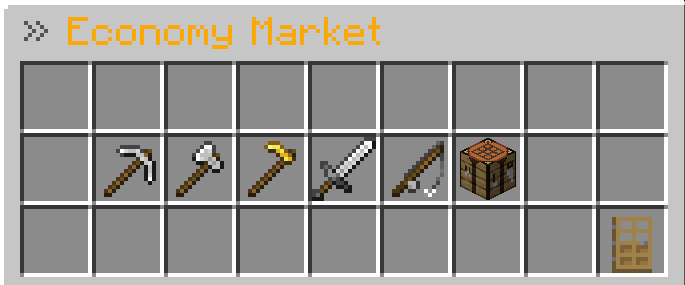
🚀 VRX JobSystem MMO
🚀 Latest Update — v1.1.1 Progression & Quality of Life Update
VRX JobSystem v1.1.1 expands almost every part of the plugin with new progression systems, statistics, missions, achievements, leaderboards, company tools, configuration improvements, PlaceholderAPI support and many quality-of-life changes.
The update introduces Missions 2.0, achievements, player statistics, earnings tracking, a reward calendar, improved boosters, new company statistics, additional admin tools and a significantly improved configuration system.
It also includes new integrations, improved language handling, GUI fixes, talent fixes, additional Minecraft block support and numerous stability improvements.
📖 Overview
VRX JobSystem MMO is much more than a simple jobs plugin.
It transforms your Minecraft server into a deep, living economy with:
- RPG progression
- Job levels
- Skill trees
- Prestige progression
- Missions
- Achievements
- Statistics
- Companies
- Contracts
- Payroll
- Stock trading
- Banking
- Auctions
- Politics
- Black market activities
- Boosters
- Daily rewards
- Reward calendars
- Leaderboards
- Long-term progression
Players can work as:
- Miner
- Lumberjack
- Farmer
- Hunter
- Fisherman
- Crafter
- Explorer
- Builder
- Digger
- Trader
- Alchemist
- Enchanter
- Engineer
while participating in a larger server economy through companies, auctions, stocks, banking, mayor elections, contracts, smuggling missions and much more.
Whether your server is focused on Survival, Economy, Roleplay, CityBuild or MMO gameplay, VRX JobSystem provides players with meaningful long-term progression while giving server owners extensive control over the economy.
✨ Core Features
💼 Jobs & RPG Progression
Every job provides its own progression and configurable rewards.
Available Jobs
- ⛏️ Miner
- 🪓 Lumberjack
- 🌾 Farmer
- 🏹 Hunter
- 🎣 Fisherman
- 🔨 Crafter
- 🧭 Explorer
- 🧱 Builder
- Digger
- 💰 Trader
- 🧪 Alchemist
- ✨ Enchanter
- ⚙️ Engineer
Job Features
- XP rewards
- Money rewards
- Job levels
- Actionbar progress display
- Configurable rewards
- Job milestones
- Skill trees
- Prestige system
- Prestige talent trees
- Job synergies
- Missions
- Achievements
- Statistics
- Leaderboards
- Battle Pass rewards
- Reward calendar
- Booster system
- Earnings tracking
- Anti-exploit reward protection
- Configurable economy balancing
Players earn XP and money by performing job-related actions such as mining, building, farming, crafting, fishing, brewing, enchanting, exploring or working with technical and redstone components.
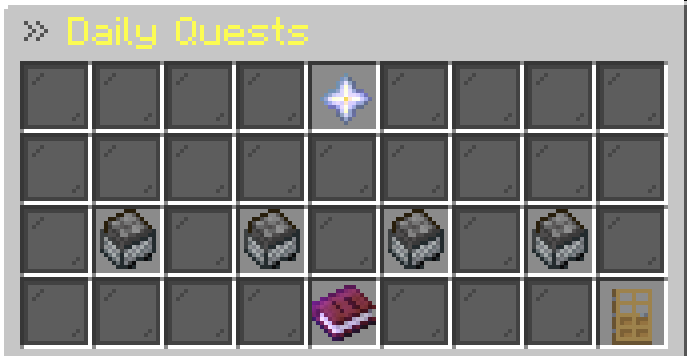
🎯 Missions 2.0
Version 1.1.1 introduces a significantly expanded mission system.
Players can receive multiple missions and complete objectives while playing normally.
Mission Features
- Daily missions
- Weekly missions
- Multiple active missions
- Mission progress tracking
- Mission difficulty levels
- Mission rerolls
- Dedicated Missions GUI
- Configurable mission rewards
- Automatic mission resets
- Persistent mission progress
Mission Difficulties
Missions can have different difficulty levels:
- Easy
- Medium
- Hard
Harder missions can provide better rewards.
Mission Progress
Mission progress is displayed directly in the GUI.
Example:
327 / 500 BlocksMission Rewards
Missions can reward:
- Money
- Job XP
- Vanilla items
- Progression rewards
Mission requirements and rewards can be configured by the server owner.
🏆 Achievements
Players can now unlock achievements for reaching important milestones.
/job achievementsAchievements can be connected to activities such as:
- Job progression
- Mining
- Farming
- Fishing
- Crafting
- Exploring
- Earnings
- Missions
- Prestige
- Company progression
Achievements provide additional long-term goals beyond normal job leveling.
🔥 Activity & Progression Streaks
VRX JobSystem supports long-term activity tracking.
Players can be rewarded for remaining active and regularly participating in the economy.
Possible streak-based systems include:
- Daily login streaks
- Daily reward streaks
- Mission streaks
- Activity progression
This gives players another reason to return to the server regularly.
📊 Player Statistics
Players can view detailed statistics about their progression.
/job statsPlayer statistics can also be viewed using:
/job stats <player>Statistics can include:
- Job level
- Job XP
- Total XP
- Prestige
- Money earned
- Missions completed
- Job activity
- Company information
- Progression data
🏆 Expanded Leaderboards
The leaderboard system allows players to compete in multiple categories.
Examples:
/job top miner
/job top lumberjack
/job top fisherman
/job top money
/job top level
/job top prestige
/job top missions
Possible rankings include:
- Job level
- Job XP
- Money earned
- Prestige
- Missions completed
- Company progression
📅 Reward Calendar
Version 1.1.1 introduces a reward calendar.
/job calendarThe calendar can be used for:
- Daily rewards
- Consecutive activity rewards
- Special reward days
- Long-term login progression
Reward progression is displayed through a dedicated GUI.
⚡ Booster System
Players can view currently active boosters using:
/job boostersSupported booster types can include:
- Money boosters
- XP boosters
- Job-specific boosters
- Global boosters
- Company boosters
Administrators can activate or distribute boosters.
Examples:
/job booster start miner 2x 30m
/job booster give <player> global 1.5x 1h
Boosters can affect job income, XP progression or other configured reward systems.
💰 Earnings & Paychecks
Players can access information about their earnings.
/job earningsPaycheck-related information can be accessed through:
/job paycheckThe earnings system helps players understand how much money they are generating through jobs and other economy systems.
⚙️ Engineer Job
The Engineer job rewards technical and redstone-focused gameplay.
Players can earn money and XP from:
- Redstone components
- Rails
- Pistons
- Observers
- Dispensers
- Droppers
- Hoppers
- Copper blocks
- Technical building blocks
- Redstone crafting
- Redstone placement
Engineer rewards include anti-spam protection and configurable reward limits to prevent farming abuse.
🌲 Updated Minecraft Block Support
Job configurations support newer Minecraft content.
This includes additional support for blocks such as:
- Pale Oak logs
- Pale Oak wood
- Pale Oak planks
- Related Pale Oak blocks
This allows newer Minecraft blocks to participate correctly in job rewards where configured.
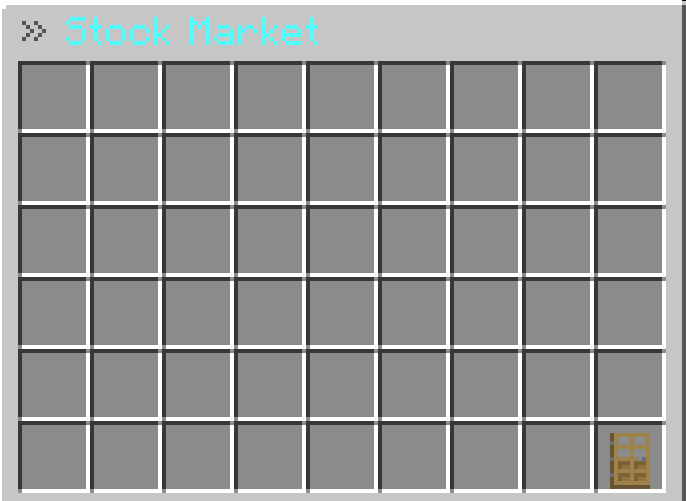
🏢 Companies & Stock Market
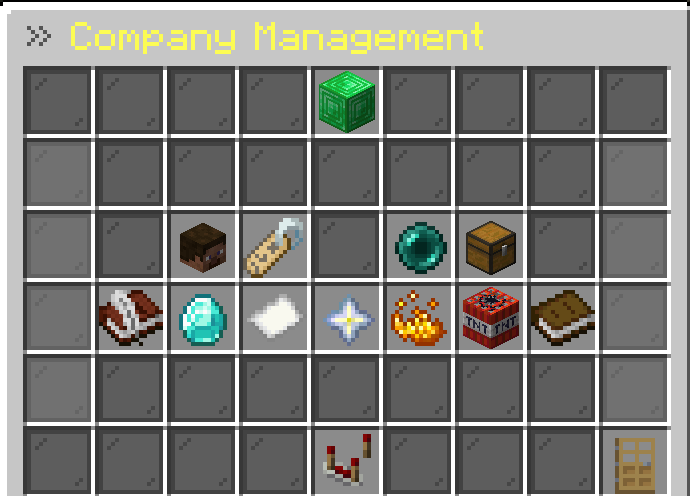
Create powerful companies, manage employees, issue shares, complete contracts and dominate the server economy.
Company Features
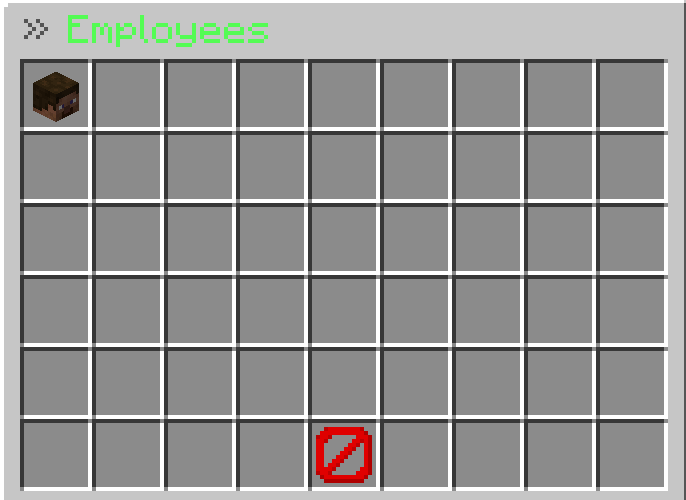
- Create companies
- Invite members
- Kick members
- Company bank
- Company headquarters
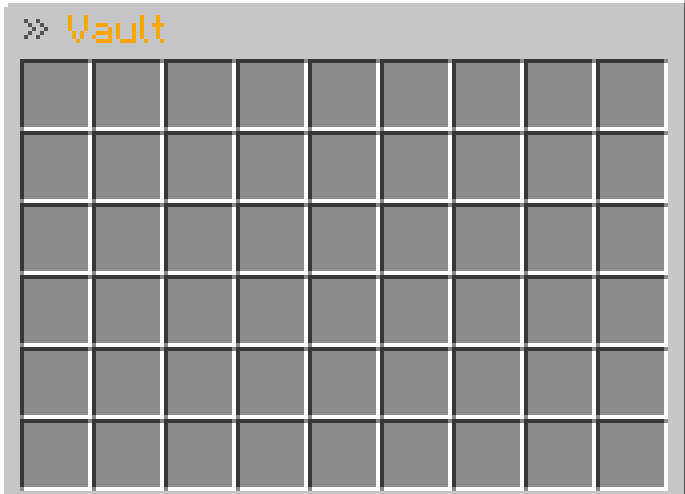
- Company vaults
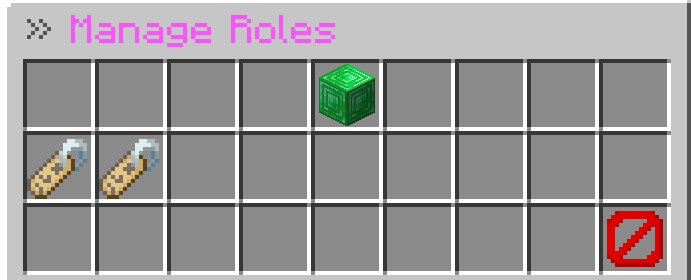
- Company roles
- Custom role colors
- Role priorities
- Role hierarchy
- Role permissions
- Company specialization
- Company boosters
- Dividends
- Stock market
- Share issuing
- Hostile takeovers
- Corporate sabotage
- Company contracts
- Company payroll
- Profit sharing
- Bonus payments
- Company statistics
- Company logs
- Dynamic company value
- Company leaderboards
- Safe company disband system
- Admin company management
📈 Company Progression
Companies have their own long-term progression system.
- Company levels from
1to50 - Company XP from member activity
- Company level-ups
- Company milestones
- Progression bonuses
- Specialization bonuses
- Dynamic company value
- Company activity tracking
- Company leaderboard support
Possible progression bonuses can include additional members, better company benefits, booster slots and other configurable rewards.
📊 Company Statistics
Company information and statistics can be viewed using:
/job company statsor:
/job company statisticsCompany statistics can include:
- Company level
- Company XP
- Bank balance
- Company value
- Member count
- Activity
- Completed contracts
- Company progression
Members can also be viewed using:
/job company members📜 Company Contracts
Companies can complete shared objectives together.
/job company contractsCompany contracts can contain goals such as:
- Mine blocks
- Harvest crops
- Earn money through jobs
- Explore chunks
- Complete economy objectives
- Perform job activities
Contract rewards can include:
- Company XP
- Company bank money
- Contract progression
- Company activity
- Increased company value
- Booster rewards
💸 Company Payroll & Profit Sharing
Companies can automatically pay their members.
Features include:
- Automatic salary payments
- Salaries per role
- Profit sharing per role
- Company-bank-based payments
- Configurable payroll intervals
- Owner salary settings
- Owner profit sharing
- Server-side maximum limits
Company owners can configure payroll ingame.
/job company payroll
/job company salary <role> <amount>
/job company setsalary <role> <amount>
/job company profitshare <role> <percent>
/job company setprofitshare <role> <percent>
Examples:
/job company salary MANAGER 1500
/job company salary MEMBER 500
/job company profitshare MANAGER 7.5
/job company profitshare MEMBER 2
🎁 Company Bonus Payments
Company owners can send one-time bonus payments to individual players, roles or the entire company.
/job company bonus <player|role|all> <amount>Examples:
/job company bonus Steve 5000
/job company bonus MANAGER 2500
/job company bonus all 1000
📒 Company Logs
Companies have their own activity log.
/job company logsLogs can contain:
- Bank deposits
- Bank withdrawals
- Member invitations
- Member kicks
- Stock actions
- Dividend payments
- Bonus payments
- Payroll actions
- Company disband actions
- Other important company events
🏆 Company Leaderboards
Companies can compete through multiple leaderboard categories.
/job company topAvailable ranking examples:
/job company top level
/job company top bank
/job company top value
/job company top contracts
/job company top members
/job company top activity
Companies can be ranked by:
- Level
- Bank balance
- Dynamic company value
- Completed contracts
- Member count
- Activity
📊 Dynamic Company Value
A company's value is calculated dynamically.
Value can increase through:
- Company level
- Company bank balance
- Active members
- Completed contracts
- Company activity
- Progression bonuses
/job company valueThis creates another competitive metric beyond simply storing money in the company bank.
🧨 Company Disband System
Companies can be safely deleted.
/job company disband
/job company confirmdisband
/job company canceldisband
Administrators can remove a company using:
/job admin company delete <company>Features include:
- Owner-controlled disbanding
- Confirmation before deletion
- Admin company deletion
- Safe cleanup of company data
- Company deletion logging
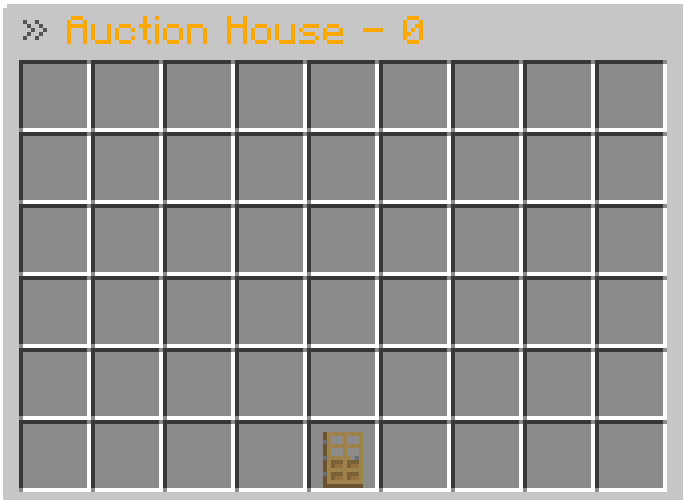
🛒 Global Auction House
VRX JobSystem includes a secure global player-to-player marketplace.
Open the auction house:
/job ahSell your currently held item:
/job ah sell <price>Auction House Features
- Paginated auction GUI
- Secure item storage
- Custom item names
- Lore support
- Enchantment support
- NBT data support
- Listing fees
- Expired auction cleanup
- Seller notifications
- Auction audit logging
🏦 Banking
Players can use the central banking system to manage money.
Banking Features
- Deposit money
- Withdraw money
- Custom amount input
- Chat-based amount input
- Passive interest
- Configurable interest rate
- Configurable interest interval
Open the bank using:
/job bank🎁 Daily Rewards
Players can claim rewards for returning to the server.
/job dailyFeatures include:
- Daily rewards
- Login streaks
- Base reward
- Streak bonuses
- Long-term activity incentives
- Reward calendar integration
🏛️ Politics & Mayor System
Players can participate in the server economy politically.
Features include:
- Run for mayor
- Server-wide taxes
- Tax vault
- Global tax rate
- Server-wide benefits
- Global boosters
- Weather actions
- Political economy mechanics
Open the mayor interface using:
/job mayor🏴☠️ Black Market & Illegal Activities
VRX JobSystem includes optional high-risk economy activities.
Black Market Features
- Opens only during configured times
- Rotating sell offers
- Configurable items
- Configurable payouts
- Smuggling activities
- Corporate sabotage
- High-risk / high-reward gameplay
📦 Smuggle Run
Players can participate in dangerous delivery missions involving contraband.
A Smuggle Run can involve:
- Paying to start a mission
- Receiving contraband
- Travelling to a target location
- Random destination coordinates
- Player visibility or glowing effects
- High rewards for successful delivery
- Risk of losing the mission
This provides another economy activity outside normal jobs.
🛡️ Anti-Exploit Protection
VRX JobSystem contains multiple protection systems designed to prevent economy abuse.
Protection Features
- No rewards from cancelled block break events
- Placed-block tracking
- Optimized block-position storage
- Same-location reward protection
- Claim protection checks
- Optional protection plugin hooks
- Spawner farming protection
- Block reward cooldowns
- Crop reward cooldowns
- Fishing cooldowns
- Mob reward protection
- Crafting cooldowns
- Crafting spam protection
- Redstone spam protection
- Engineer reward limits
- Timber perk protection checks
- Explorer anti-abuse protection
- Improved special-action validation
The protection systems are designed to stop abuse without making normal gameplay feel unnecessarily restrictive.
🛡️ Protection Plugin Support
Optional integrations include:
- WorldGuard
- GriefPrevention
- Lands
- Towny
- Residence
- PlotSquared
VRX JobSystem does not require these plugins to start.
Hooks are detected automatically when supported plugins are installed.
🧩 Nexo Integration
Version 1.1.1 includes integration support for Nexo.
This allows servers using custom content systems to integrate VRX JobSystem more easily with their server setup.
Nexo integration is optional and does not prevent the plugin from working when Nexo is not installed.
⚡ Performance & Stability
VRX JobSystem is designed for long-running economy servers.
Performance Features
- Snapshot-based asynchronous database saving
- Async save queue
- Save debounce
- Safe main-thread data snapshots
- Improved shutdown saving
- Reward buffering
- Reduced Vault economy calls
- Optimized placed-block tracking
- Reduced unnecessary object creation
- Improved random handling
- Custom inventory holders
- Reduced GUI title dependency
- Database migration system
- Company data caching
- Improved company persistence
- Improved shareholder handling
- Improved dividend handling
- Improved mission persistence
- Improved statistics handling
- Improved reward limits
- Anti-abuse optimizations
Version 1.1.1 also includes multiple internal stability improvements and bug fixes.
📊 Admin Economy Analytics
Server owners can inspect their server economy through:
/job admin economyAnalytics can provide information such as:
- Money generated today
- Money generated this week
- Top jobs by payout
- Top players by earnings
- Top companies
- Auction House revenue
- Bank interest statistics
- Inflation indicators
This gives administrators better insight into the health of their server economy.
🧰 Admin & Moderation Tools
General Admin Commands
/job admin reload
/job admin inspect <player>
/job admin economy
/job admin player <player>
/job admin company <company>
/job admin mission <player>
/job admin setlevel <player> <job> <level>
/job admin addxp <player> <job> <xp>
/job admin resetstats <player>
/job admin company delete <company>
/job debug
/job version
Admin Features
Administrators can:
- Inspect player progression
- Inspect jobs
- View player levels
- View player XP
- View prestige
- View skills and talents
- Inspect missions
- Inspect player statistics
- Inspect companies
- View company progression
- View bank information
- View economy analytics
- Modify player job levels
- Add job XP
- Reset player statistics
- Delete companies
- Reload configuration files
- Debug plugin installations
🔄 Improved Reload System
Administrators can reload the plugin using:
/job admin reloadThe reload process helps reload supported configuration and language data without requiring unnecessary full-server restarts.
🩺 Configuration Checker
VRX JobSystem includes systems for detecting configuration problems.
The plugin can help identify:
- Missing configuration sections
- Invalid values
- Outdated configuration structures
- Missing language entries
- Invalid job configuration values
This makes maintaining larger VRX JobSystem installations easier.
📁 Configuration Structure
The plugin separates relevant systems into configurable files, including job-specific files and language files.
This keeps larger installations manageable and allows server owners to modify individual systems without searching through one massive configuration file.
📒 Audit Logs
VRX JobSystem can create logs for important economy and administrator actions.
Possible logged actions include:
- Job earnings
- Admin actions
- Auction House activity
- Company bank actions
- Company changes
- Company disband actions
- Booster activity
- Milestone claims
- Prestige talent unlocks
- Economy events
Example files:
logs/jobs.log
logs/company-bank.log
logs/admin-actions.log
logs/auctionhouse.log
🌐 Multi-Language Support
Included languages:
- 🇺🇸 English
- 🇩🇪 German
Messages are loaded dynamically through the language system.
Server owners can customize plugin messages through the included language files.
🎨 GUI Improvements
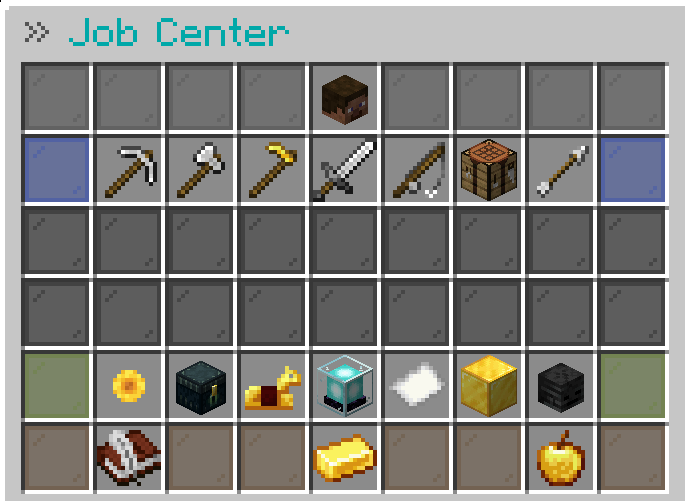
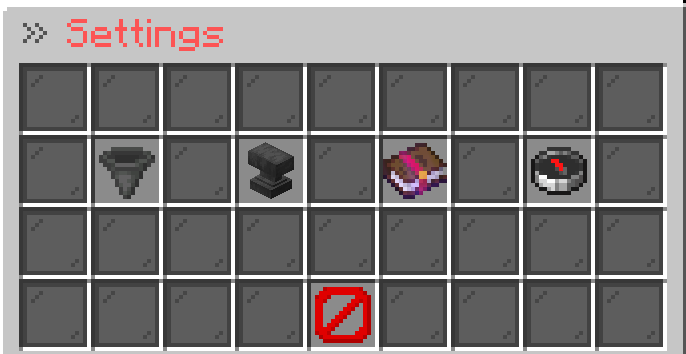
VRX JobSystem includes dedicated GUIs for many systems.
This includes:
- Job menus
- Missions
- Achievements
- Reward calendar
- Statistics
- Companies
- Prestige talents
- Navigation buttons
- Back buttons
- GUI-based economy systems
Menus are designed to provide clear progression information without forcing players to use large numbers of separate commands.
🌟 Prestige & Talent System
Features include:
- Prestige progression
- Prestige talent trees
- Unlockable talents
- Persistent talent progression
- Dedicated Talent GUI
Open prestige talents using:
/job talents <job>Prestige a job using:
/job prestige <job>🔌 Integrations
Required Economy Integration
- Vault
- Vault-compatible economy provider
Supported Optional Integrations
- PlaceholderAPI
- Nexo
- bStats Metrics
- WorldGuard
- GriefPrevention
- Lands
- Towny
- Residence
- PlotSquared
Integrations are safely detected and do not prevent VRX JobSystem from loading when optional plugins are missing.
🔤 PlaceholderAPI
VRX JobSystem includes PlaceholderAPI support using the:
%vrxjobs_*%placeholder namespace.
Player Job Placeholders
| Placeholder | Description |
|---|---|
%vrxjobs_job% |
Current / primary job |
%vrxjobs_job_level% |
Current job level |
%vrxjobs_job_xp% |
Current job XP |
%vrxjobs_job_xp_total% |
Total job XP |
%vrxjobs_job_xp_required% |
XP required for the next level |
%vrxjobs_job_progress% |
Current level progress |
%vrxjobs_money_earned% |
Money earned through the JobSystem |
%vrxjobs_prestige% |
Current prestige level |
Company Placeholders
| Placeholder | Description |
|---|---|
%vrxjobs_company% |
Player's company |
%vrxjobs_company_level% |
Company level |
%vrxjobs_company_bank% |
Company bank balance |
%vrxjobs_company_value% |
Dynamic company value |
%vrxjobs_company_role% |
Player's company role |
Booster Placeholders
| Placeholder | Description |
|---|---|
%vrxjobs_booster_money% |
Active money booster |
%vrxjobs_booster_xp% |
Active XP booster |
These placeholders can be used in compatible plugins such as:
- TAB
- Scoreboards
- Holograms
- Chat plugins
- PlaceholderAPI-compatible menus
- Other PlaceholderAPI integrations
⌨️ Commands & Permissions
Player Commands
| Command / Feature | Description | Permission |
|---|---|---|
/job |
Opens the Job Center | jobsystem.use |
/job help |
Shows available commands | jobsystem.use |
/job version |
Shows the plugin version | jobsystem.use |
/job leave <job> |
Leave a job | jobsystem.use |
/job skills <job> |
Opens the Skill Tree | jobsystem.skills |
/job talents <job> |
Opens Prestige Talents | jobsystem.prestige |
/job prestige <job> |
Prestige a job | jobsystem.prestige |
/job achievements |
Opens Achievements | jobsystem.use |
/job stats |
Shows your statistics | jobsystem.use |
/job stats <player> |
Shows player statistics | jobsystem.use |
/job top <category> |
Opens a leaderboard | jobsystem.top |
/job daily |
Claim the daily reward | jobsystem.daily |
/job calendar |
Opens the Reward Calendar | jobsystem.use |
/job quest |
Opens quests | jobsystem.quest |
/job rewards |
Opens progression rewards | jobsystem.rewards |
/job bank |
Opens the Central Bank | jobsystem.bank |
/job boosters |
Shows active boosters | jobsystem.use |
/job earnings |
Shows earnings information | jobsystem.use |
/job paycheck |
Opens paycheck information | jobsystem.use |
/job ah |
Opens the Auction House | jobsystem.use |
/job ah sell <price> |
Lists the held item | jobsystem.use |
/job stocks |
Opens the Stock Market | jobsystem.stocks |
/job mayor |
Opens the Mayor menu | jobsystem.mayor |
Company Commands
| Command | Description | Permission |
|---|---|---|
/job company |
Opens the Company menu | jobsystem.company.use |
/job company create <name> |
Creates a company | jobsystem.company.create |
/job company members |
Shows company members | jobsystem.company.use |
/job company stats |
Shows company statistics | jobsystem.company.use |
/job company statistics |
Shows company statistics | jobsystem.company.use |
/job company contracts |
Opens Company Contracts | jobsystem.company.use |
/job company top |
Company leaderboards | jobsystem.company.use |
/job company value |
Shows company value | jobsystem.company.use |
/job company payroll |
Opens payroll settings | jobsystem.company.use |
/job company salary <role> <amount> |
Sets role salary | jobsystem.company.use |
/job company setsalary <role> <amount> |
Sets role salary | jobsystem.company.use |
/job company profitshare <role> <percent> |
Sets role profit share | jobsystem.company.use |
/job company setprofitshare <role> <percent> |
Sets role profit share | jobsystem.company.use |
/job company bonus <target> <amount> |
Sends a company bonus | jobsystem.company.use |
/job company logs |
Opens company logs | jobsystem.company.use |
/job company disband |
Starts disband confirmation | jobsystem.company.use |
/job company confirmdisband |
Confirms company deletion | jobsystem.company.use |
/job company canceldisband |
Cancels company deletion | jobsystem.company.use |
/job company takeover <name> |
Starts a hostile takeover | jobsystem.company.takeover |
/fc <message> |
Company chat | jobsystem.chat |
Administrator Commands
| Command | Description | Permission |
|---|---|---|
/job admin reload |
Reloads JobSystem configs | jobsystem.admin |
/job admin inspect <player> |
Opens player inspection | jobsystem.admin |
/job admin economy |
Opens economy analytics | jobsystem.admin |
/job admin player <player> |
Manages a player | jobsystem.admin |
/job admin company <company> |
Manages a company | jobsystem.admin |
/job admin mission <player> |
Inspects player missions | jobsystem.admin |
/job admin setlevel <player> <job> <level> |
Changes a job level | jobsystem.admin |
/job admin addxp <player> <job> <xp> |
Adds job XP | jobsystem.admin |
/job admin resetstats <player> |
Resets player statistics | jobsystem.admin |
/job admin company delete <company> |
Deletes a company | jobsystem.admin |
/job booster ... |
Manages boosters | jobsystem.admin |
/job debug |
Shows debug information | jobsystem.admin |
🔑 Permission Overview
Main permission nodes include:
jobsystem.use
jobsystem.admin
jobsystem.skills
jobsystem.prestige
jobsystem.top
jobsystem.daily
jobsystem.quest
jobsystem.rewards
jobsystem.bank
jobsystem.stocks
jobsystem.mayor
jobsystem.chat
jobsystem.company.use
jobsystem.company.create
jobsystem.company.takeover
Administrator permissions should only be given to trusted staff members.
📦 Dependencies & Installation
Required
- Vault
- A Vault-compatible economy plugin
Examples:
- VRX Economy
- EssentialsX
- CMI
- Any other Vault-compatible economy plugin
Optional but Recommended
- PlaceholderAPI
- Nexo
- WorldGuard
- GriefPrevention
- Lands
- Towny
- Residence
- PlotSquared
Installation
- Download the latest VRX JobSystem
.jar. - Place it inside your server's
pluginsfolder. - Install Vault.
- Install a Vault-compatible economy plugin.
- Install any optional integrations you want to use.
- Start or restart your server.
- Configure the generated files.
- Use
/jobingame.
⚠️ Updating to v1.1.1
Because v1.1.1 adds new progression, mission, GUI, configuration and language functionality, server owners updating from an older release should make a backup before updating.
Recommended Update Procedure
- Stop the server completely.
- Back up the
plugins/JobSystem/folder. - Replace the old JobSystem
.jar. - Make sure only one VRX JobSystem
.jarexists. - Start the server.
- Check the console for configuration warnings.
- Review newly generated configuration options.
Remove old plugin versions from the plugins directory.
For example:
plugins/VRX-JobSystem-1.0.9.jar
plugins/VRX-JobSystem-1.1.0.jar
Keep only the latest version.
⚠️ Language & Configuration Files
If an older installation is missing newly added options or messages, compare or regenerate the affected default configuration files.
Important files can include:
plugins/JobSystem/configs/companies.yml
plugins/JobSystem/configs/settings.yml
plugins/JobSystem/Jobs/
plugins/JobSystem/Languages/messages_de.yml
plugins/JobSystem/Languages/messages_en.yml
Do not blindly overwrite customized files without creating a backup first.
💾 Database Warning
Do not delete your database during a normal update.
Do not delete:
plugins/JobSystem/database.dbIf using MySQL, do not delete your JobSystem tables either.
Deleting the database can permanently remove:
- Player progression
- Job levels
- XP
- Prestige
- Statistics
- Companies
- Company progression
- Economy data
- Missions
- Achievements
- Other stored progression
Only reset the database if you intentionally want a complete progression reset.
🧩 Compatibility
- Minecraft
1.20+ - Java
17+ - Bukkit
- Spigot
- Paper
- Purpur
- Paper recommended for best performance
- No required NMS implementation
- No CraftBukkit internal dependency
- Designed for future Minecraft updates
💬 Support & Community
Need help, found a bug or want to suggest a new feature?
Join the official VRX community for:
- Support
- Bug reports
- Update announcements
- Development previews
- Feature suggestions
👉 Join the Official Discord Server
❤️ VRX JobSystem
Build more than a jobs server.
Build a complete economy where players can work, progress, compete, trade, build companies and shape the future of your server.
请登录后举报
请 登录 后赞助作者。
暂无评论,抢个沙发吧~