
Scatha-Pro
作者:rebot | 分类:模组
Minecraft 版本: 26.1.1 26.1.2
平台: fabric
标签: utility




Scatha-Pro
A mod that aims to make Scatha farming on Hypixel SkyBlock both easier and more enjoyable by adding several alerts, a UI overlay, Scatha related achievements and more!
Requirements:
- Fabric Loader
- Fabric API
- Hypixel Mod API (is included in this mod's jar file)
Features
I heavily suggest going through all the settings after first installing the mod to customize it to your liking! (also because bunch of options/features are disabled by default to prevent cluttering the game)
-> See section "Settings"
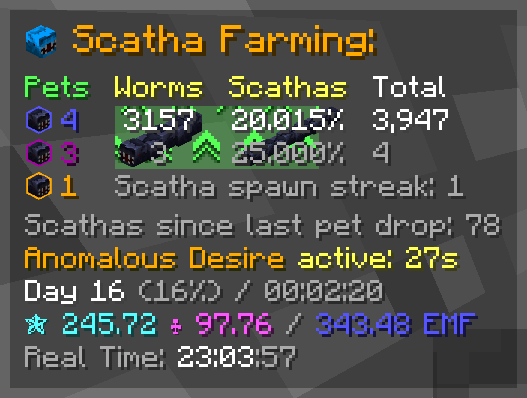
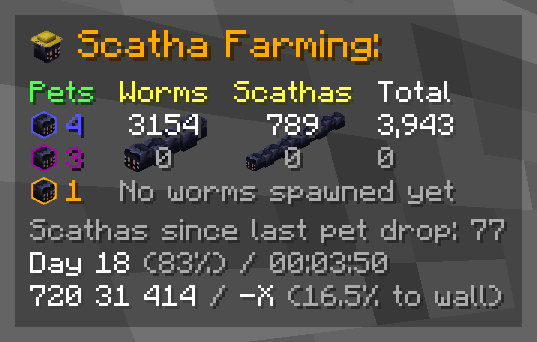
The overlay can be repositioned and scaled in the settings! ### Components: Each component can be individually enabled/disabled - **Darkened background** - **Title** *(= the icon and the "Scatha Farming:" text)* - **Scatha pet drops counters** *You can use `/scathapro setPetDrops ` to add pets you dropped before installing the mod to the counters (**NOTE:** the according achievements get unlocked on either the next game start or Scatha pet drop)* - **Worm stats** - Regular worm, Scatha and total worm kills *Scatha kills periodically cycle between the kills amount and the percentage that is of the total worm kills - the cycling timings can be changed in the settings, along with moving the percentage behind the total kills for constant visibility* - Secondary kill counters *Can be set to track either lobby, game session or daily kills in the settings (default: per lobby)* - Worm/Scatha spawn streak - Worm spawn cooldown bar *(shows up behind kill counters once a worm is spawned)* - Anomalous Desire effect bar *(shows up behind kill counters while the ability is active)* - **Regular worm or Scatha spawn streak** - **Scatha kills since last pet drop** - **Anomalous Desire status** *(disabled by default)* - **Time since last worm spawn** *(disabled by default)* - **Lobby time** - Day number - Time spent in lobby - **Coordinates / orientation** - Coords - View direction axis - Percentage to bedrock wall - **Scatha farming profile stats** *(disabled by default)* *Displays your Scatha farming Magic Find, Pet Luck and their resulting Effective Magic Find (= sum of the former two)* - **Real time clock** *(disabled by default)*
Alerts
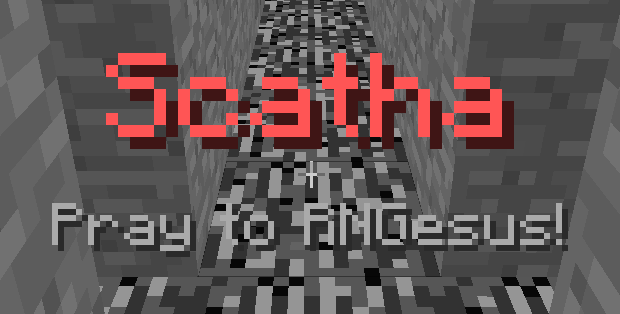
Alerts pop up some text in the center of the screen and play a sound when certain things happen
### All alerts:
- Bedrock wall alert *(configurable trigger distance; 0-50 blocks, default: 15)*
- Worm pre-spawn alert
- Worm spawn alert *(regular worms only)*
- Scatha spawn alert
- Worm spawn cooldown alert *(triggers when cooldown ends)*
- Scatha pet drop alert *(shows rarity of dropped pet)*
- High heat alert *(configurable trigger value; 90-100, default: 98)*
- Anomalous Desire ready alert
- Goblin spawn alert *(golden and diamond goblins)*
- Jerry spawn alert *(hidden Jerrys from mayor perk)*
### Modes:
Alert modes play different alert sounds *(+ the Scatha head in the overlay changes to represent the selected mode)*
- Vanilla *(Minecraft inbuilt sounds)*
- Meme mode
- Anime mode
- Custom mode
### Custom Mode
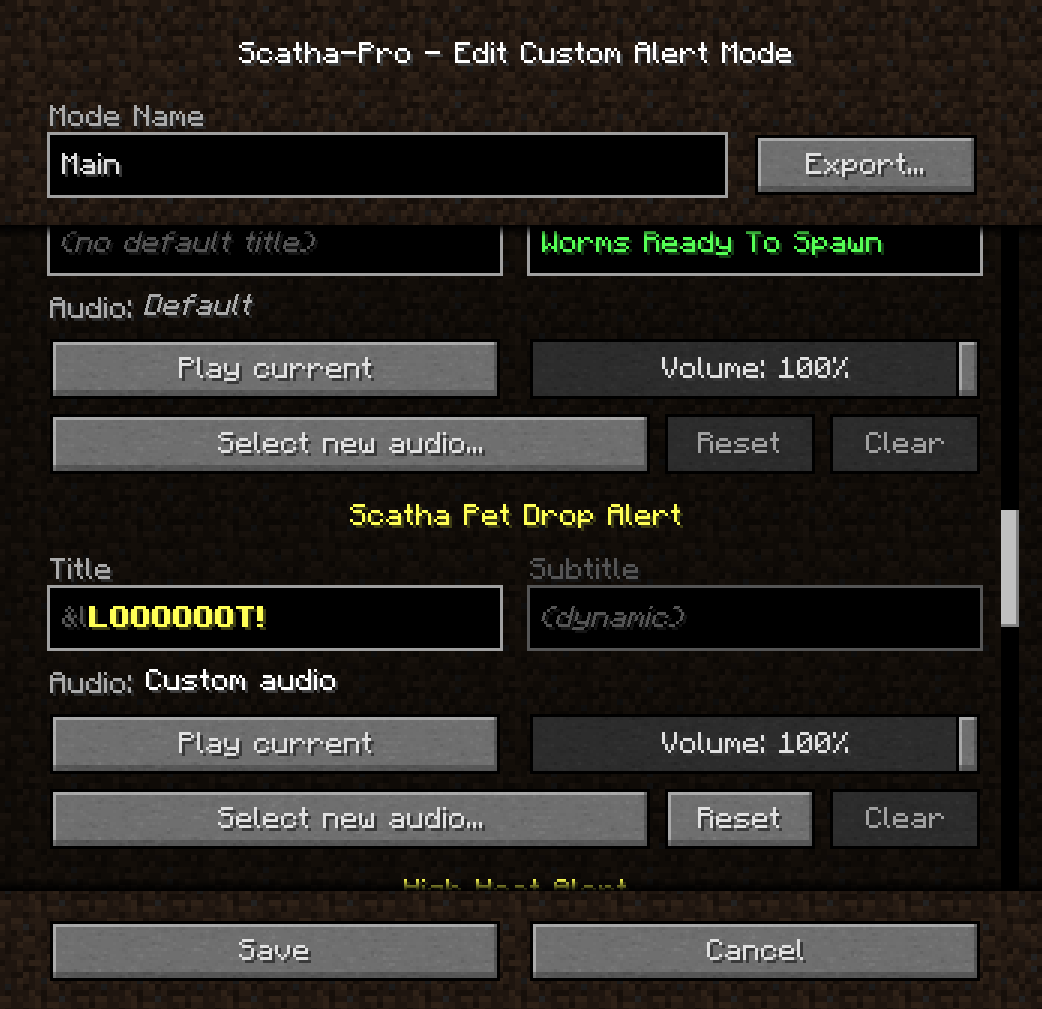
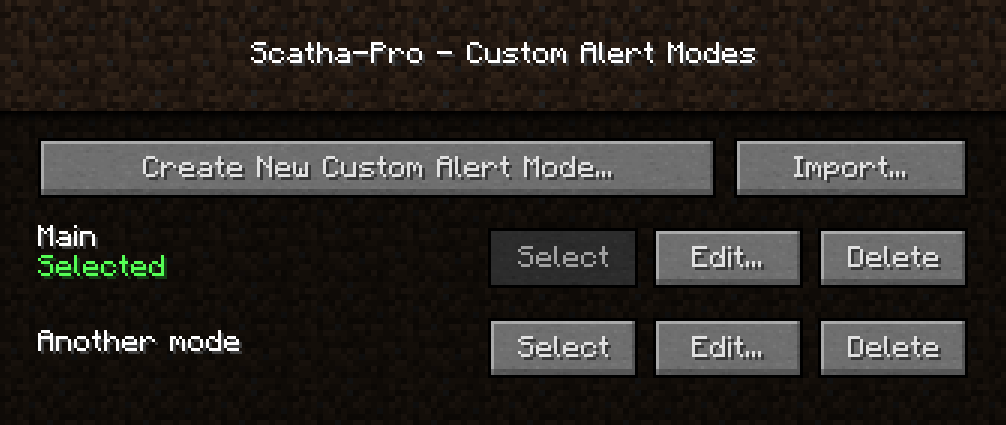
Lets you create as many custom modes as you want which you can set custom alert audios and title texts in (the titles support Minecraft's color/formatting codes, using "&" instead of "§")
**NOTE:** Audio files used have to be in *.ogg format due to Minecraft's sound engine, but the mod supports installing FFmpeg to automatically convert mp3 and wav files to ogg. It looks for an FFmpeg installation either in the mod folder with the name "scathapro-ffmpeg[.exe]" or in your environment's PATH variable (".../ffmpeg[.exe]"). The installation you use has to include the libvorbis encoder to work!
You can also export and import custom modes as .zip files.
*(Reminder not to download files you don't trust!)*
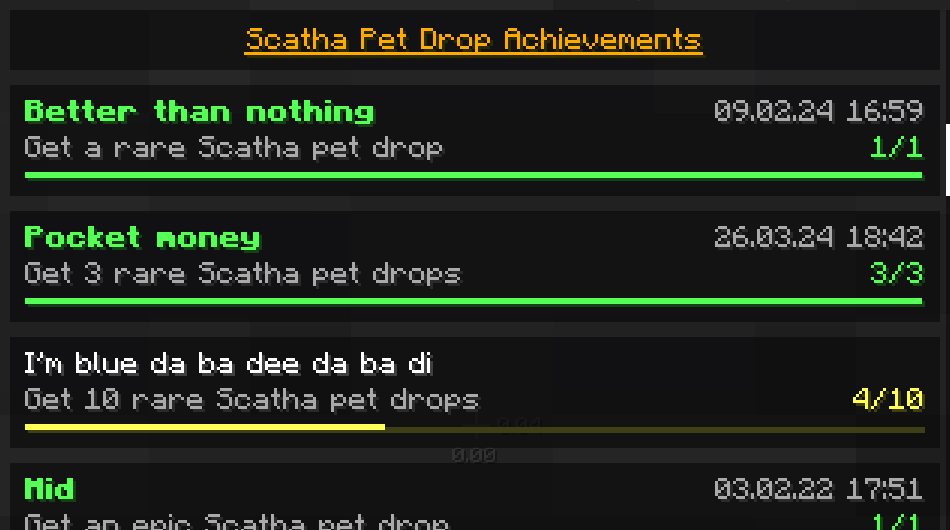
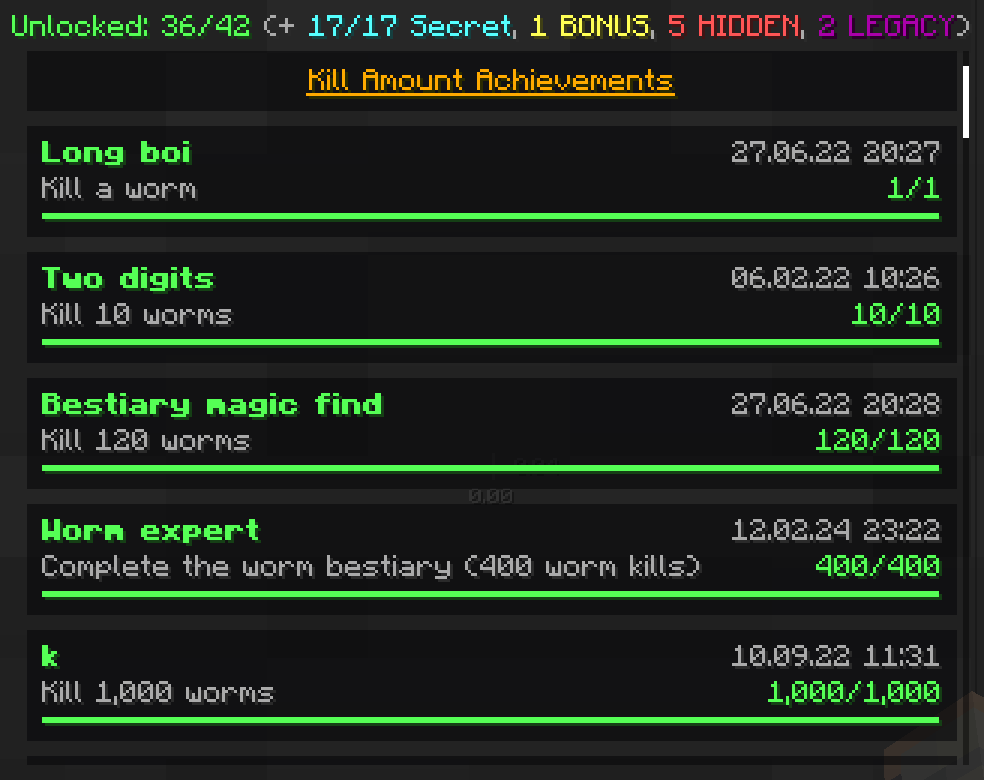
Achievements
The achievements menu is accessible through a button next to the vanilla Minecraft achievements menu button or by using `/scathapro achievements`
### Achievement categories:
- Regular
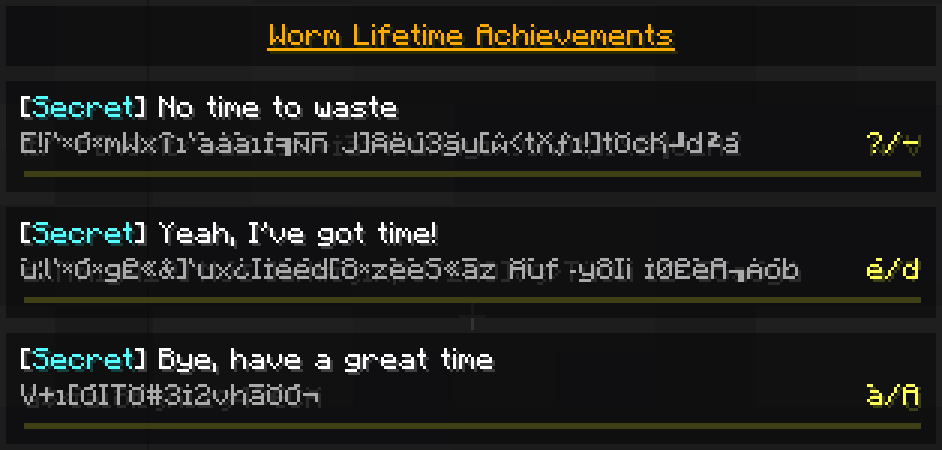
- Secret: *Description and count obfuscated if not unlocked*
- BONUS: *Category for harder achievements that can be hidden from the list*
- HIDDEN: *Completely hidden from the list and achievement counters unless unlocked*
- LEGACY: *Same as HIDDEN but can't be unlocked anymore*
Some achievements are repeatable, with a counter showing how many times you have unlocked them:
Player rotation utilities
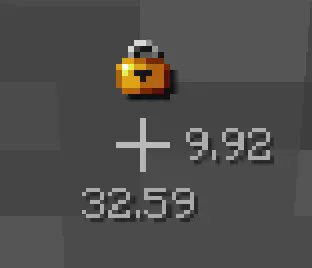
- Display pitch/yaw next to crosshair *(disabled by default)*
- Lock rotation *(key binding, unassigned by default)*
 Daily Scatha farming streak
Tracks how many days in a row you've farmed Scathas for - also saves a highscore.
You can check your current streak using `/scathapro dailyStreak`
How many days can you reach?
*(The notifications when you increase/break your streak can be disabled!)*
Chat copy button
Daily Scatha farming streak
Tracks how many days in a row you've farmed Scathas for - also saves a highscore.
You can check your current streak using `/scathapro dailyStreak`
How many days can you reach?
*(The notifications when you increase/break your streak can be disabled!)*
Chat copy button
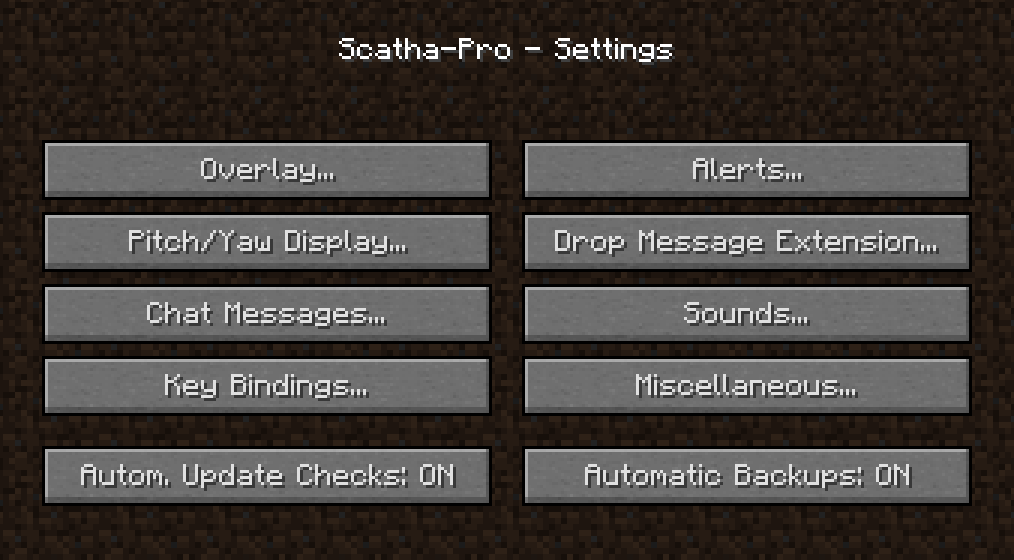
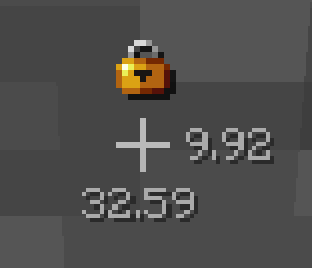
(The red square is just to highlight the icon on the screenshot, this is not how it looks in-game) *(disabled by default)* Adds a clickable symbol behind all chat messages that copies their text into the chat input field so you can copy and paste those Scatha drop messages Commands Use `/scathapro help` for a list of all commands ### Main command: `/scathapro ()` (shortcut: `/sp`) Has several sub-commands, see `/scathapro help` ### Scatha pet drop chances calculator: `/scathachances () () ()` (shortcut: `/scacha ...`) If no arguments are entered, shows the base chances, otherwise calculates the specific drop chances. When a kills value is entered, calculates the chances for dropping at least 1 Scatha pet during the process of killing that many Scathas. ### Scatha farming money calculator: `/scathamoney` Opens a GUI that lets you calculate the average money you can make from dropped Scatha pets depending on your stats. Settings Accessible either via -> "Options..." -> "Scatha-Pro Settings...", the Forge mod list "Config" button, or using `/scathapro settings`
Backups
The mod automatically creates a backup for it's whole save folder when you install a new mod version *(can be disabled in the settings -> "Automatic Backups")*.
You can also manually create backups using `/scathapro backup` or `/scathapro backupPersistentData` *(the former compresses the folder as a zip; the latter only backups the persistent data file = how the mod remembers your worm kill amounts, unlocked achievements, etc. but not settings or custom alert modes)*.
Backups are stored in `%appdata%/.minecraft/config/scathapro_backups`, to load one replace `.../scathapro/` or `.../scathapro/persistentData.json` (depending on the backup type) with the folder/file.
...and more
You can find all features in either /scathapro help or the settings
Feedback
You can leave any feedback (bug reports, feature suggestions, ...) on the Scatha Farmers Discord server in the #scatha-pro-feedback channel or create a GitHub issue.
On the Discord server you can also get pinged when new versions release.
Source Code
This mod's code is publicly available on GitHub: https://github.com/NamelessJu/Scatha-Pro
Please do not redistribute the mod on it's own, modified or not!
You may however include the mod files (unedited) in mod packs.
请登录后举报
暂无评论,抢个沙发吧~