
Name Changer
作者:rebot | 分类:模组
Minecraft 版本: 26.1 26.1.1 26.1.2
平台: neoforge
标签: utility
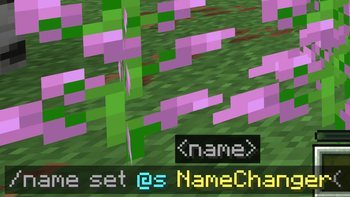
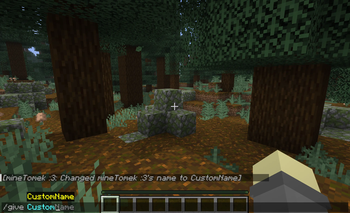
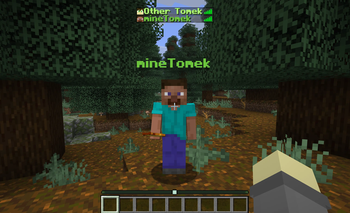
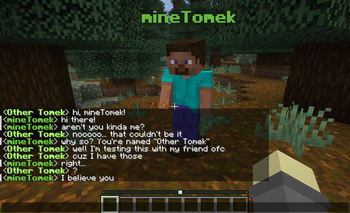
A mod for changing a player’s name. Designed to replace the player’s name consistently across the game.
Useful for roleplay servers, content creation, screenshots, or simply using a different display name without changing your account username.
Needs to be installed on both the client and the server for full functionality.
Features
Name Changing
The primary feature of this mod is obviously changing the player's name. Here’s every place this affects:
UI & Display
- Chat name labels
- Nameplates above players
- Player list (under
Tab) - Social interactions screen
- Scoreboard sidebar display
- MOTD for LAN worlds
Commands & System Integration
- Entity selection in commands
- Works with both suggestions and execution
- Original names still work
- Various system messages
- Death
- Advancements
- Join/Leave
Name Command
The /name command is used to set, reset, or inspect player names. It requires operator permissions and has two subcommands:
/name set <target> <name>sets the name of the target player/name reset [<target>]resets the name of the target player (or self if target is omitted) to what it was originally/name inspect [<target>]shows information about the player's name like their original and custom name
Custom names are stored per-world and persist between reloads.
Config
The mod currently has two config options:
- Name Conflict Warning adds a warning when setting a name if it conflicts with other players' original or custom names
- Forbid Name Conflicts prevents setting a name if it would cause conflicts with other players' original or custom names
The config is available in the namechanger-common.toml file in the regular ./minecraft/config directory and also using config mods like Cloth Config on Fabric and natively on NeoForge.
Names
The custom name entered in the /name set command is a text component. You can read more about them on the Text Component page on the Minecraft Wiki.
Here are examples of using the /name set command:
Plain text:
/name set @s mineTomek
Plain text with spaces or other special characters:
/name set @s "mineTomek :3"
Formatted text:
/name set @s {text: "mineTomek", color: "#6dc53b", bold: true}
Formatting only affects chat messages and the player list.\
In most other places, Minecraft strips formatting and displays plain text instead.
请登录后举报
请 登录 后赞助作者。
暂无评论,抢个沙发吧~