
Party System
作者:rebot | 分类:模组
Minecraft 版本: 1.21.1
平台: neoforge
标签: adventure game-mechanics
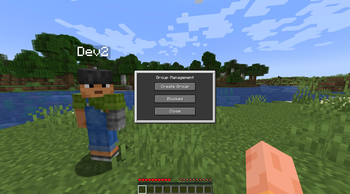
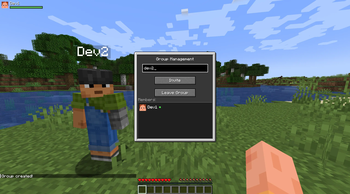
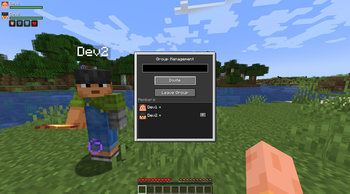
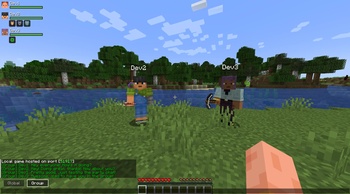
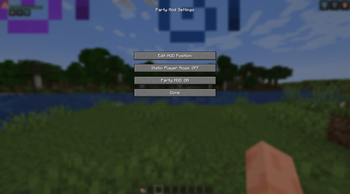
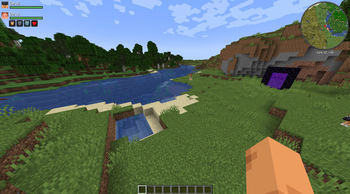
Party System – a lightweight and multifunctional party system for NeoForge (Minecraft 1.21.1). The mod lets you create parties, chat in a group channel, track teammates' health and effects via a customizable HUD, and includes friendly‑fire protection. It focuses on clean visual integration, performance, and ease of use.
✨ Key Features
? Party System
Create a party and invite other players.
Accept or decline incoming invitations; block unwanted invites.
Kick members (owner only).
Automatic leadership transfer when the owner leaves.
? Group Chat
Switch between global and party chat right on the chat screen.
Messages are prefixed with [Group] and highlighted for visibility.
? Party HUD
Shows heads, names, and health bars of all party members.
Displays active effect icons.
Effect icons blink smoothly when about to expire, just like the vanilla HUD.
Customizable position: drag the HUD with your mouse or move it with arrow keys.
Row height mode: choose between static (space always reserved for icons) or dynamic (rows become compact when no effects are active).
⚙️ Configuration
Configuration menu accessible via the «Configure» button in the Mods list.
The config screen offers: HUD position editor (drag‑and‑drop or arrow keys).
Toggle static/dynamic player rows.
Toggle to completely hide the Party HUD from the screen.
? Friendly‑Fire Protection
Party members cannot harm each other.
Tamed animals and horses of party members are also protected from allied attacks.
? Localization
Full English and Russian language support.
All GUI elements, messages, and HUD texts are translated.
? Quick Start
Open the party menu with the G key (default, can be changed in controls)
Create a party if you aren't in one
Invite players by typing their name in the field
Accept an invitation via the popup window
Open the config screen with the I key (default) or the «Configure» button in the Mods menu
Adjust the HUD position by dragging the panel or using the arrow keys
? Notes
Designed exclusively for NeoForge (not Forge or Fabric).
Works on servers; the server must also have the mod installed.
No extra libraries required; uses standard NeoForge APIs.
请登录后举报
暂无评论,抢个沙发吧~