
MrChair1's Skin Changer
作者:rebot | 分类:模组
价格:0 墨喵币
下载量:0
点赞:0
版本 1.7.1
本资源为搬运资源,原资源地址:
https://modrinth.com/mod/mrchair1s-skin-changer
资源信息
Minecraft 版本: 1.21.1
平台: fabric
标签: social utility
资源介绍
? MrChair1's Skin Changer
⚠ NEW IMPORTANT: For players updating from older versions (before 1.7.0):
You no longer need a separate slim/ folder. The mod now automatically detects whether a skin is Wide (Steve) or Slim (Alex).
✨ Features
- Instant Updates: Change your skin in real-time without restarting the game.
- Multiplayer Sync: Play with friends! If they have the mod, they will see your custom skin, and you will see theirs.
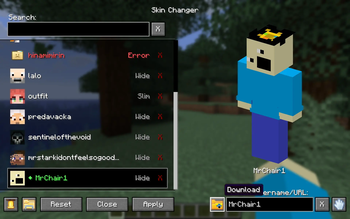
- In-Game Skin Downloader: Fetch and download skins directly inside the menu by typing a Minecraft Username or pasting an skin texture URL.
- Legacy Skin Auto-Converter: Automatically upgrades older 64x32 skins to the modern 64x64 format upon detection.
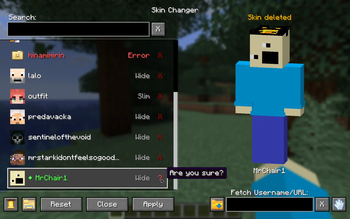
- Skin Deletion from the menu: Safely delete skins right from the menu with a 2-step confirmation (moves files to your OS Trash when supported).
- Customizable UI Sounds: Cycle through custom click sound effects, which automatically save to your config.
- Dual Model Support: Full support for both Wide (Steve) and Slim (Alex) models. Fully auto-detected.
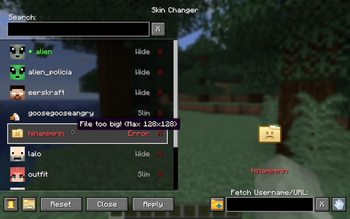
- HD Skin Support: Supports standard 64x64 skins and high-definition 128x128 skins.
- Safety First: Includes checks to prevent loading massive files that could crash the game. With error tooltips displayed right in the menu.
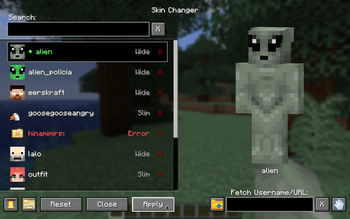
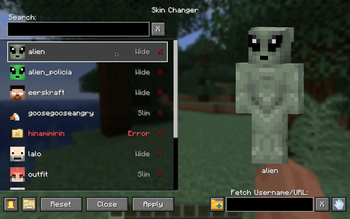
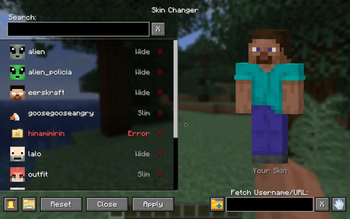
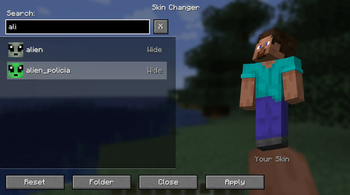
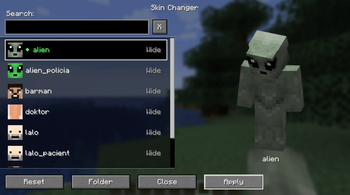
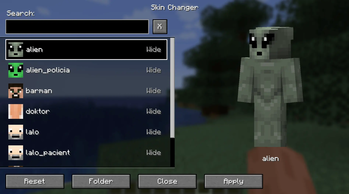
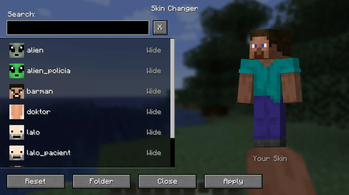
?️ Simple GUI:
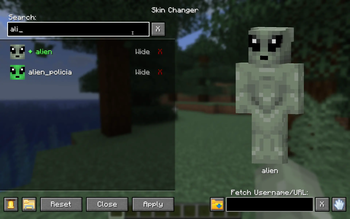
- ? Search Bar: Quickly find skins by name.
- ? Fetch Bar: Grab new skins from usernames or texture urls.
- ? Active Indicator: Clearly see which skin is currently equipped with a green diamond (◆).
- ? Live Preview: See a preview of the skin before you apply it.
- ? Status Feedback: Get real-time status messages when fetching, applying and deleting skins.
? How to Use
- Open the Menu: Press K in-game to open the Skin Changer menu.
(Note: You can change this keybind in your Control settings, or access the menu via the Config button if you use the Mod Menu mod.) - Add Your Skins:
- From the Web: Type a player's username or paste a direct skin texture URL into the "Fetch" box and hit download.
- From your PC: Click the "Folder" icon button inside the menu. Drop your
.pngskin files directly into this folder.
- Select, Apply & Enjoy: click your desired skin from the list and apply it!
? Compatibility
- Minecraft Version: 1.21.1, 26.2
- Loader: Fabric
- Multiplayer: ✅
(Note: For other players to see your skin, the server must have the mod installed to relay the data, and other players need the mod installed to receive it.)??Feel free to leave feedback in the comments!
下载太慢?试试 墨喵加速站,支持 Modrinth 和外网直链高速下载! 用的人越多,下载的越快!
下载与版本
评论(0)
请 登录 后发表评论。
举报此资源
请登录后举报
暂无评论,抢个沙发吧~