InsertName Utility
InsertName Utility is a small modpack that includes QOL mods including, but not limited to Simple Voice Chat, Sound Physics Remastered and Gamma Utils together with mods which improve the game's performance, like Sodium, Indium and Lithium. It's useful for improving your game experience in a lot of ways while still staying close to the vanilla game.
FAQ
Which mods are included?
You have an entire list of the included mods in the dependencies section of the versions page
I'm getting issues with the modpack, what do I do?
You can simply contact me using the "Contact" page, I will try and help you
I have an idea for a mod that you should add to the modpack
Just contact me using one of the options on the "Contact" page and I'll consider your suggestion.
Installation
To install this modpack, there are a few options. The preferred one being
Using a third party launcher
To install this modpack, I recommend using the Modrinth App or other launchers like Prism Launcher or MultiMC as they allow an easy installation of the modpack. A guide on how to install these can be found here: Prism Launcher Documentation, MultiMC Downloads Page
After you've downloaded the launcher and finished the installation process (including adding your Minecraft account), follow one of the instructions below:
Modrinth App
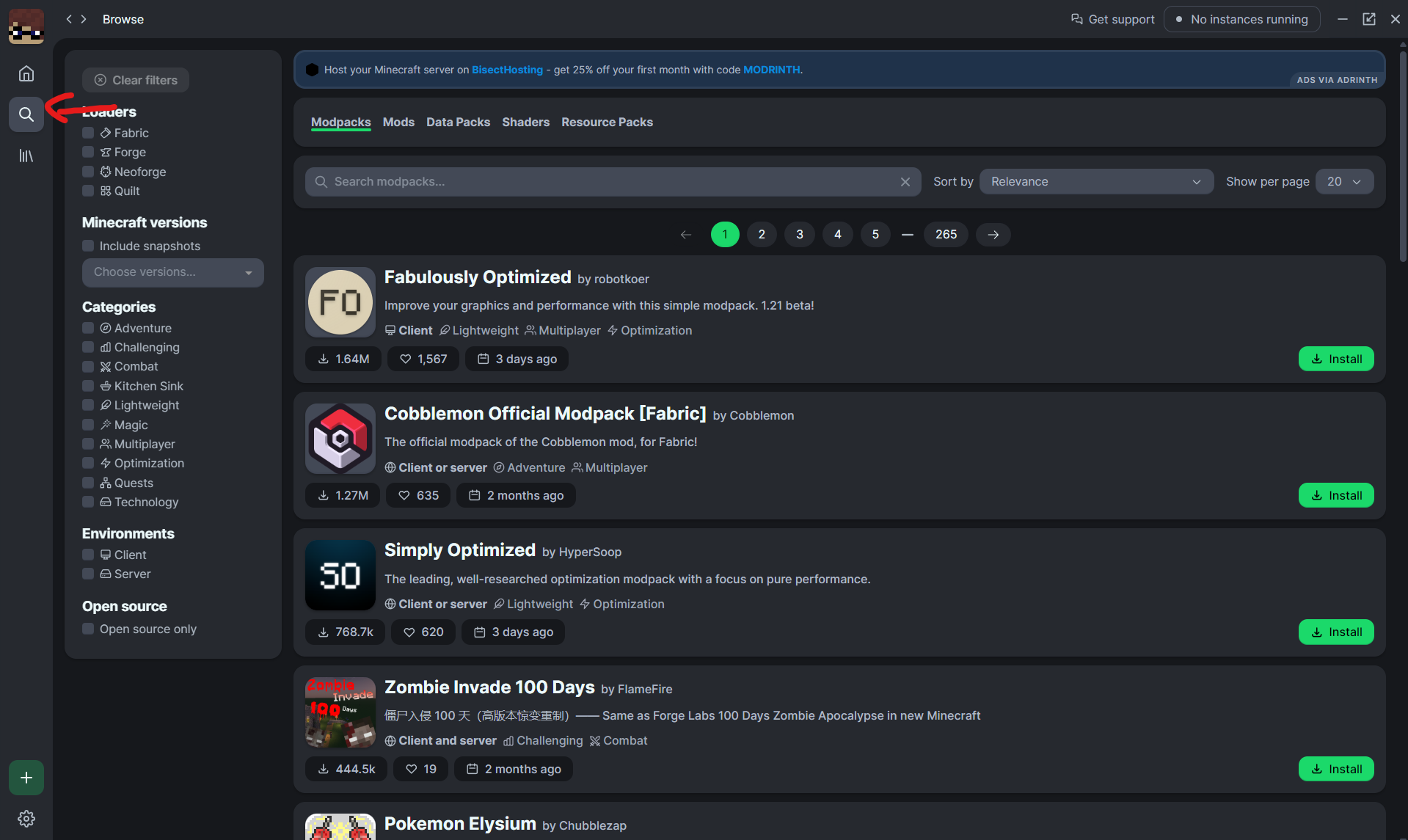
So first after you've installed the app, you need to click on the search icon
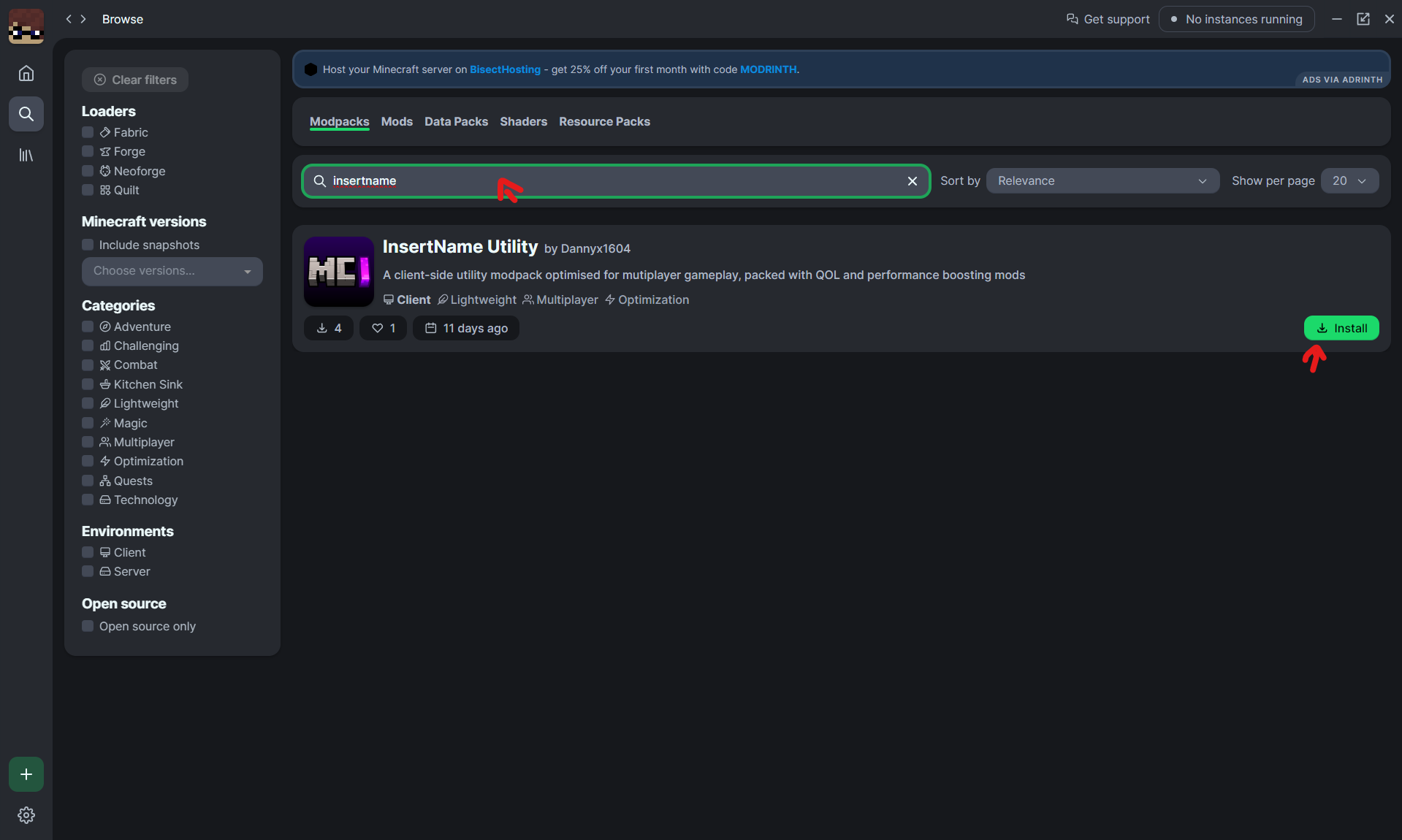
Then you need to search for the name "InsertName" and press on install
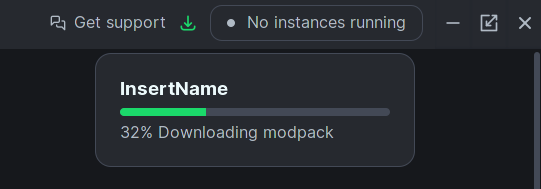
After you've selected the previously downloaded pack, you'd need to wait until it has installed all of the dependencies
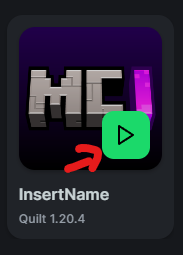
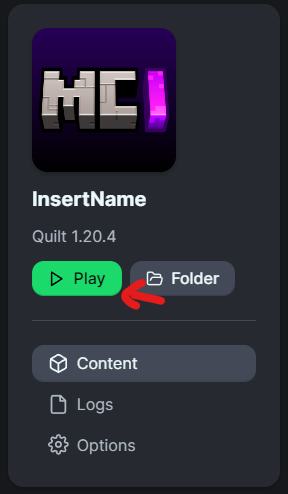
And then press on "Play" as seen on one of those images
Prism Launcher
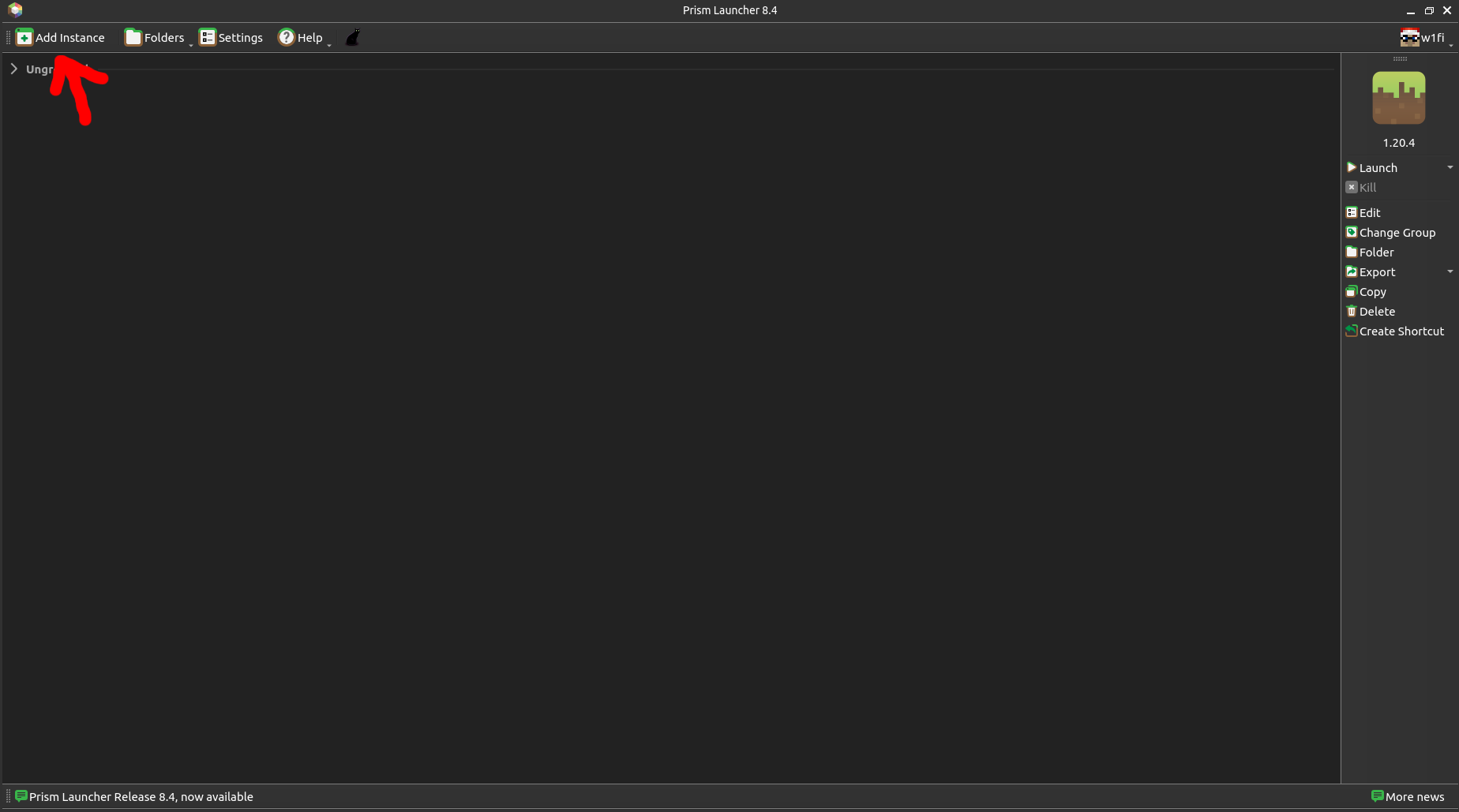
After you've installed Prism Launcher, you're greeted with the menu below. Press the button "Add Instance"
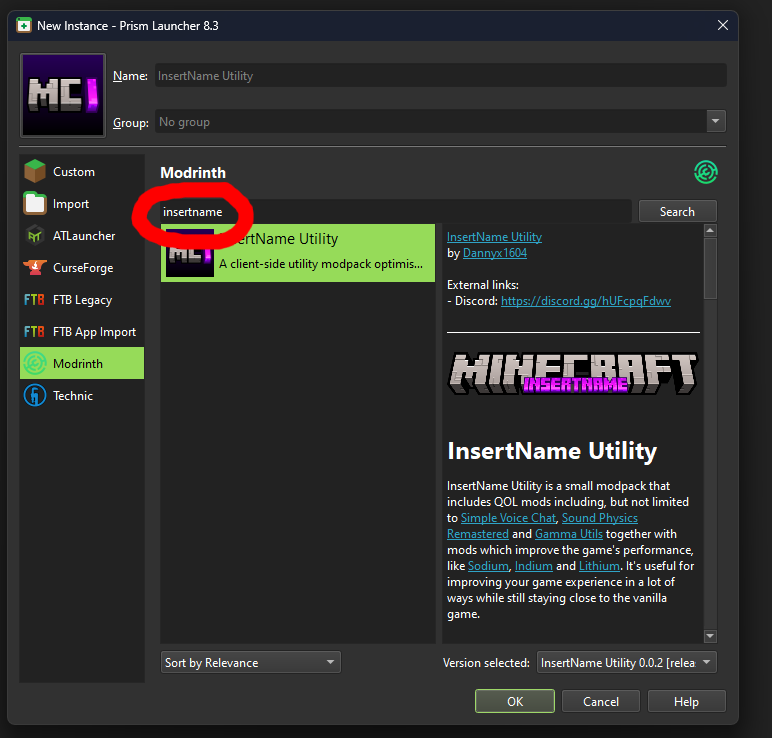
Then select the menu "Modrinth" and search for the term "insertname". This will show you the modpack. Just select it, select the latest version in the bottom-right corner (as it is per default) and press on "OK".
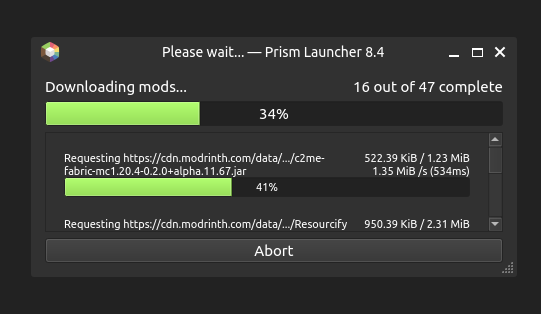
After that, it will download all of the dependencies
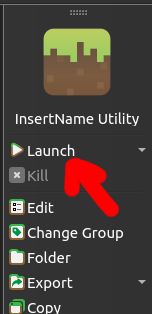
And finally, press on "Launch" to launch the game
Other launchers that support importing modpacks
If you want to use another launcher that supports downloading modpacks from Modrinth, follow the steps from Prism, you'll just have a different GUI.
If the launcher you're using doesn't have that option, instead it has an option to import (Modrinth) modpacks, just import the .mrpack file from the releases folder as a modpack.
Contact
You can contact me through Discord (preferred), but also via E-Mail (dannyx@dannyx.de)


暂无评论,抢个沙发吧~