
Flowstate
作者:rebot | 分类:整合包
Minecraft 版本: 26.1.2
平台: fabric
标签: lightweight multiplayer optimization
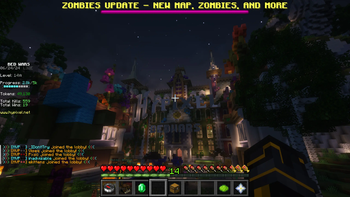
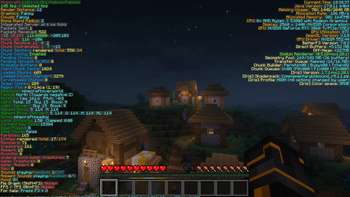
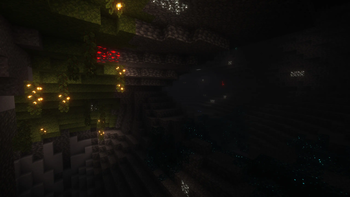
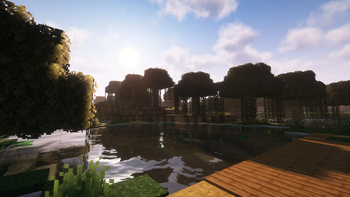
This mod used to be known as Quality O' Life
Summary:
A plug-n-play modpack dedicated to keeping the vanilla gameplay with better visuals and performance. This includes better GUI, Shaders, Map, and Server & Singleplayer experience. This modpack is great for someone wishing for a better vanilla minecraft experience. This means you won't even have to change any settings or keybinds before playing; I set them for you!
Features:
Anything in brackets is a keybind, although I set them you can still change them. Everyone is different!
- FPS Increase
- Super Duper Vanilla Shaders (yes that is the name) + Extra Options
- Better GUI Scale and Design
- Freecam [F4] (Please only utilize in servers / worlds that allow this)
- Zoom Key for seeing far away [R]
- Tooltips for showing Shulker Box contents
- Auto-hides Shield to clear screen space
- Removes Delay Between Music Tracks
- World Map w/ Waypoints [C] (No Teleport)
- Click through signs and Item frames for easy container access
- Play Next Song [M]
- Controller Support
Installation:
This Modpack is avalible in several versions of Minecraft, Remember to consider both game and mod version! Check Changelog for more details
Use the Modrith App to easily install this pack!
Moving your singleplayer worlds to a new modpack version:
This mod is meant for general purpose use, meaning sometimes you have to move your singleplayer worlds to a new game version. This process is quite simple, on the modrinth app go to the modpack in your library and select "Folder" underneath the Modpack Icon. This will open the file manager for your operating system. Go to "saves" and you will find a folder for all of your singleplayer worlds in that modpack. Locate the updated modpack's saves folder with these instructions and move the world folders from the old modpack to the new!
Customization:
This Modpack has customizable options, you can learn how to change them here.
Using an optional shader pack:
We include optional shader packs to allow others to use the shader pack they perfer. To use an optional shader pack go to options > video settings > shader packs and then select the shader pack you want to use, then click apply.
Enabling/Disabling resource packs:
We include optional resource packs to allow others to use the resource pack they perfer. Enabling/Disabling resource packs is done in the menu options > resource packs. There you can switch resource packs between being used and disabled (right and left respectively). On the right or enabled side the packs found at the top have the highest priority, meaning put the packs you want to apply at the top.
Support:
Issues always happen, and if you have one I am always willing to help. Please join our discord server and create a forum in "modding-help" so I can help. In the meantime check the list of known issues below:
Known Issues:
There are currently no known issues!
Buy me a Tea!
If you really love this modpack or just want to support me, feel free to buy me a tea! It is always apreciated.
请登录后举报
暂无评论,抢个沙发吧~